






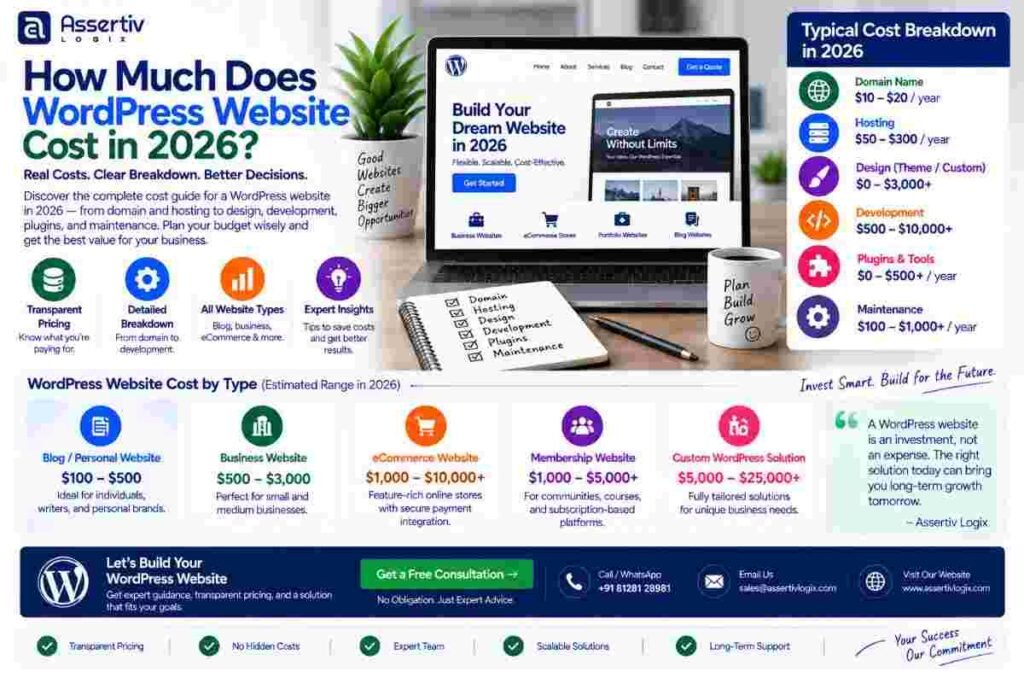
How Much Does WordPress Website Cost in 2026?
WordPress website cost can range from a relatively small amount for a basic DIY website to…
 Nikul Patel
 Traditional WordPress
A comprehensive expert comparison of Headless (decoupled) WordPress and Traditional (monolithic) WordPress — covering performance, flexibility, SEO, developer experience, cost, and which architecture is right for your specific project in 2026.
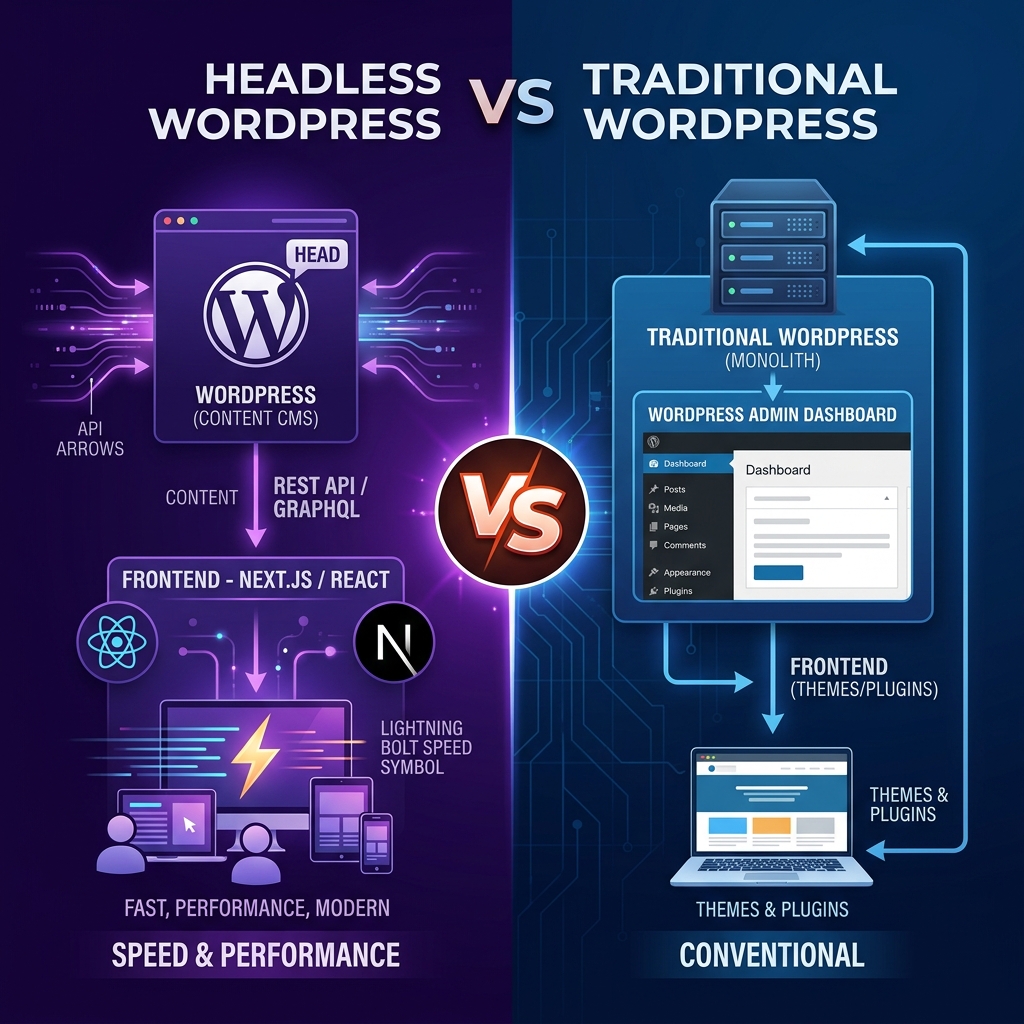
Both headless and traditional WordPress use the same powerful CMS core — but they serve content in completely different ways. Traditional WordPress renders pages server-side in a tightly coupled PHP/theme system. Headless WordPress decouples the backend CMS from the frontend, delivering content via REST API or GraphQL to any framework, app, or device.
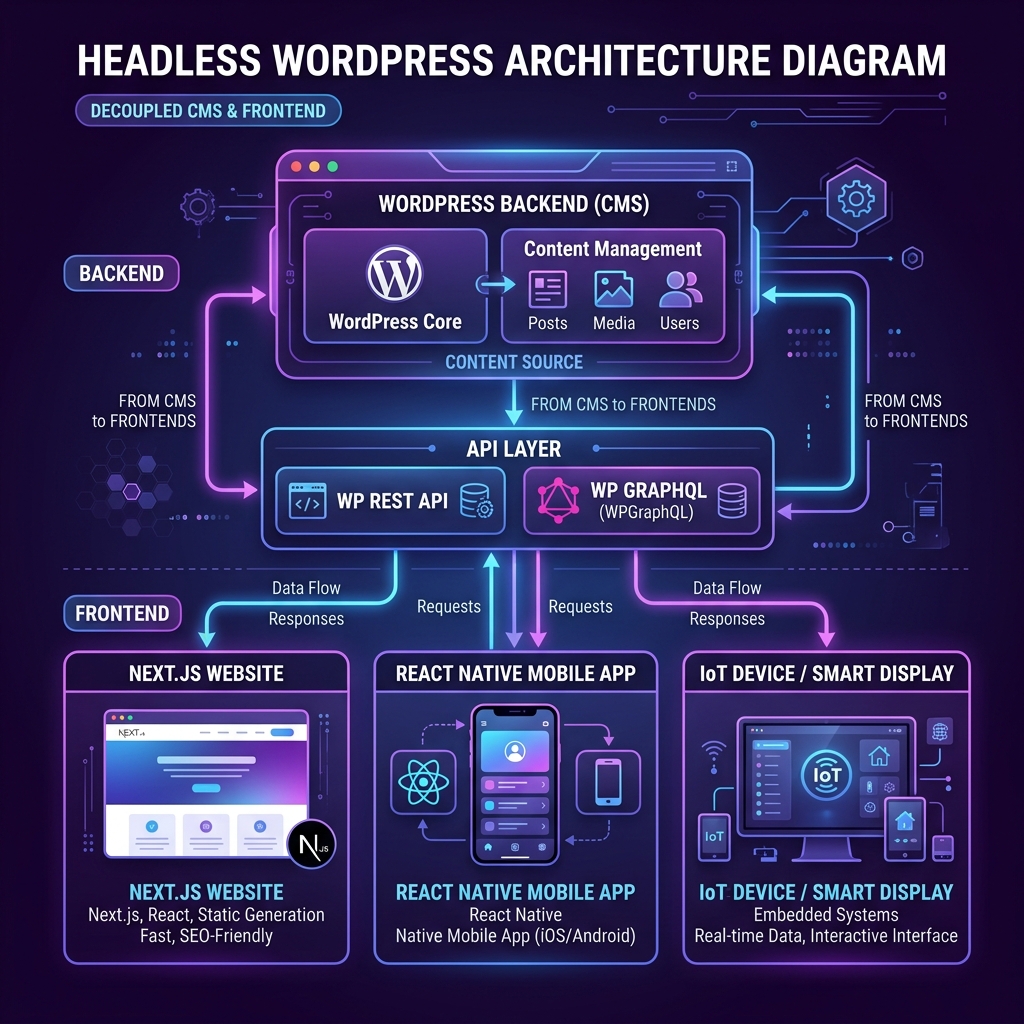
A complete look at both architectures — strengths, limitations, and ideal project types for 2026.
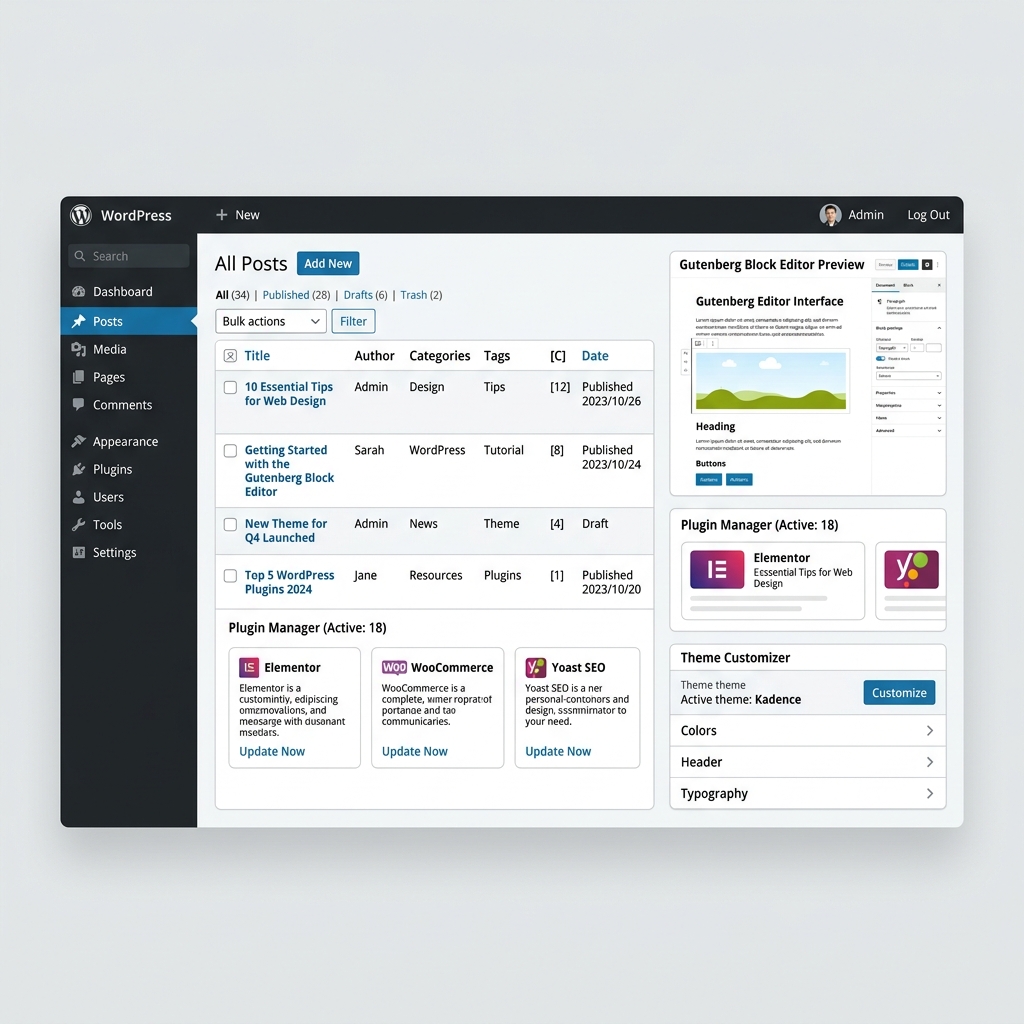
A detailed breakdown across every critical dimension to help you make the right architecture decision for 2026.
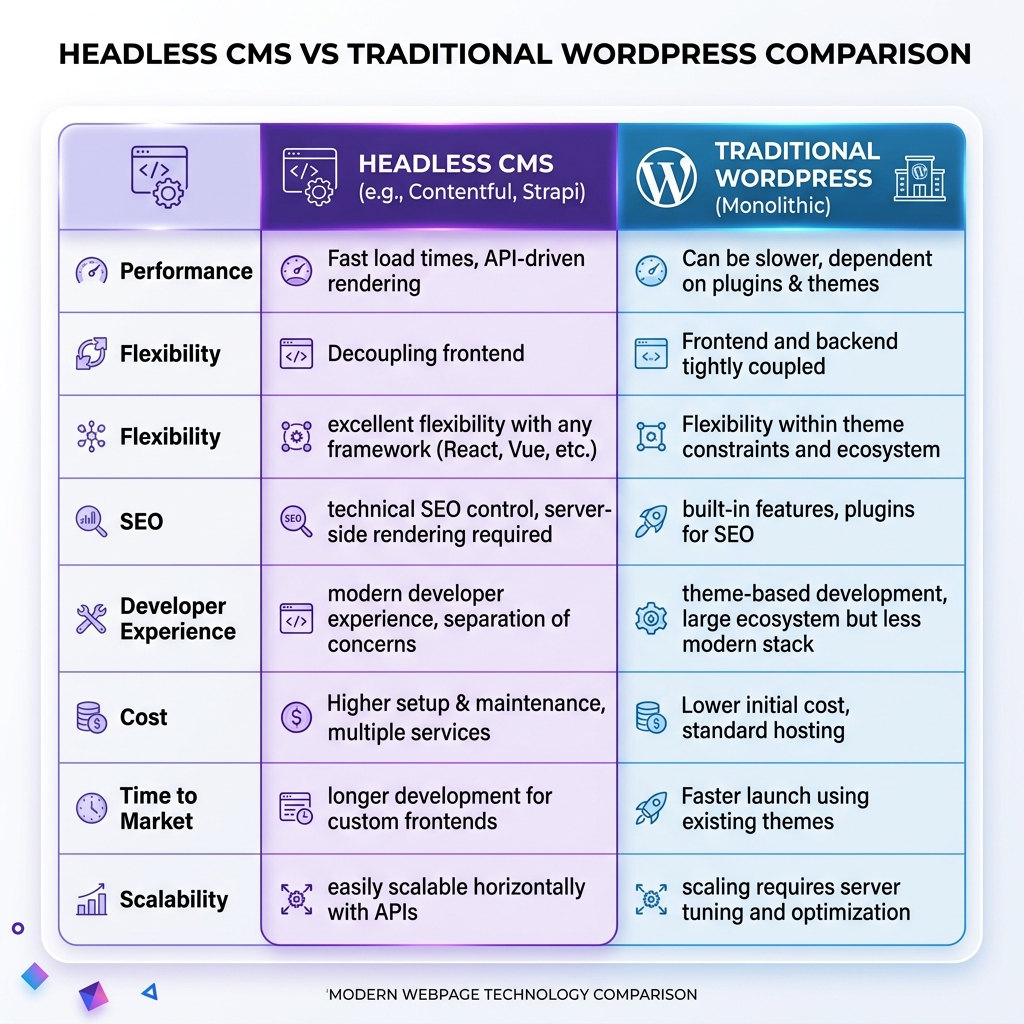
| Criteria | ⚡ Headless WordPress | 🔵 Traditional WordPress |
|---|---|---|
| ⚡ Performance |
✓ Winner Static pages served from CDN edge. Sub-100ms TTFB. Near-perfect Core Web Vitals. Next.js ISR means instant page updates without rebuild times. |
Good with proper caching (WP Rocket, Cloudflare). Dynamic PHP rendering means slightly higher TTFB. Excellent for most sites — 90+ Lighthouse scores achievable. |
| 🎨 Frontend Flexibility |
✓ Winner Complete frontend freedom. Use React, Next.js, Nuxt, Astro, Svelte, or any framework. Full control over every design pixel and interaction. |
Constrained to PHP themes, Gutenberg blocks, and page builders (Elementor, Bricks). Highly capable but bounded by WordPress's template system. |
| 🚀 Time to Launch | Longer development cycle. Requires building both WordPress backend and custom frontend framework. Adds 4–12 weeks vs traditional approach. |
✓ Winner Fastest time-to-market. Pre-built themes, page builders, and plugins can deliver a production site in days to weeks. |
| 💰 Development Cost | Higher upfront cost due to full-stack development (WP backend + React/Next.js frontend). Ongoing infrastructure costs lower with static hosting. |
✓ Winner Lower initial development cost. Plugins handle most functionality without custom code. Hosting is simple and affordable. |
| 📝 Content Editing | WordPress Admin used for content management. Real-time preview requires additional tooling (Faust.js preview mode). Some disconnect between editing and frontend display. |
✓ Winner WYSIWYG editing with Gutenberg. What you see in the editor matches the live site exactly. Non-technical editors are fully independent. |
| 📈 SEO | Excellent SEO when implemented correctly. Next.js SSR/SSG delivers crawlable HTML. Requires custom meta tag management (next-seo) instead of Yoast plugin. |
✓ Winner Industry-leading SEO ecosystem — Yoast, Rank Math, full schema, XML sitemaps, breadcrumbs, and canonical tags all managed via plugins without custom code. |
| 🔌 Plugin Ecosystem | WordPress plugins for backend logic (ACF, CPTs) still available. Frontend features must be coded custom. WooCommerce can be used headlessly but requires significant custom work. |
✓ Winner Full access to 58,000+ plugins — forms, CRM, ecommerce, membership, LMS, booking, analytics — all work natively without custom development. |
| 📡 Multi-Platform Delivery |
✓ Winner Single WordPress backend powers website, mobile app, digital signage, IoT, smart TV, and any API consumer simultaneously — true omnichannel. |
WordPress REST API available but not the primary delivery mechanism. Adding mobile apps or other consumers requires separate development work. |
| 🏗️ Scalability |
✓ Winner Static files serve millions of concurrent users without server scaling. Vercel, Netlify, or Cloudflare Pages handle global scale automatically. |
Scales well with proper hosting (managed WordPress, VPS, cloud). Requires server resources to scale — more complex infrastructure management at very high traffic. |
| 🔑 Best For | Enterprise brands with development teams, omnichannel publishing platforms, performance-critical sites, and digital products needing bespoke frontend experiences. | Businesses of all sizes needing fast launch, content-heavy sites, ecommerce stores, marketing sites, and non-technical content teams who manage their own site. |
Use this guide to match your project requirements to the correct WordPress architecture in 2026.
When performance, scalability, and omnichannel delivery matter, headless WordPress delivers an unmatched technical foundation.
Static pages pre-rendered at build time and served from 300+ CDN edge locations worldwide. TTFB under 100ms, FCP under 1s, and near-perfect Lighthouse scores that directly improve Google rankings.
One WordPress CMS powers your website, mobile app, progressive web app, digital signage, smart TV, and any future platform — via a single GraphQL API. Content is created once and distributed everywhere.
Build with Next.js, Nuxt, Astro, SvelteKit, or any framework. No PHP theme constraints, no Gutenberg limitations. Every animation, interaction, and design detail is within your control.
Static files served from Vercel, Netlify, or Cloudflare Pages scale to millions of concurrent users automatically with zero server management. No infrastructure bottlenecks at peak traffic.
WordPress admin is completely hidden from the public URL. No PHP execution on the frontend means a dramatically reduced attack surface. Static sites have virtually no exploitable server-side vulnerabilities.
Content editors publish to WordPress without triggering frontend deployments. Developers deploy new frontend code without touching content. Teams work in parallel with zero conflicts or downtime.
Assertiv Logix uses a battle-tested headless WordPress stack combining WPGraphQL, Next.js App Router, and Vercel edge deployment to deliver enterprise-grade performance. Our content previews, ISR, and full SEO metadata pipelines ensure your headless build matches — and exceeds — traditional WordPress in every dimension.
The complete modern headless WordPress toolchain we use to deliver exceptional digital experiences.
WordPress
 Next.js
 React
React
 WPGraphQL
 TypeScript
 Vercel Edge
 Figma
Figma
 Tailwind CSS
 ACF Pro
 Cloudflare
 GTM / GA4
 REST API
 Laravel
React
Next.js
Laravel
React
Next.js
 Angular
Laravel
React
Next.js
Angular
Angular
Laravel
React
Next.js
Angular
A proven 4-phase delivery process for headless WordPress projects that delivers on time, on budget, and on performance.
We design the data model — CPTs, ACF fields, taxonomies — and architect the Next.js app structure, routing, and caching strategy.
WPGraphQL, ACF, and custom post types configured. Content previews enabled via Faust.js. REST API endpoints mapped and secured.
Next.js App Router frontend built with Tailwind CSS. ISR, SSG, and streaming configured. SEO meta, schema, and sitemaps implemented.
Deployed to Vercel or Cloudflare Pages. Performance audited. Core Web Vitals validated. Monitoring and alerting configured.
From traditional WordPress builds to full headless enterprise architectures — we have the right package for your needs.
Custom WordPress theme with Gutenberg or Elementor. Fast delivery for marketing sites, landing pages, and business websites.
Decoupled WordPress CMS with custom Next.js frontend. Maximum performance, flexibility, and omnichannel delivery.
Multi-site or omnichannel headless architecture with mobile app, custom CMS workflows, and enterprise-grade infrastructure.
Deepen your WordPress architecture knowledge with our expert development articles.
WordPress website cost can range from a relatively small amount for a basic DIY website to…
Nikul Patel
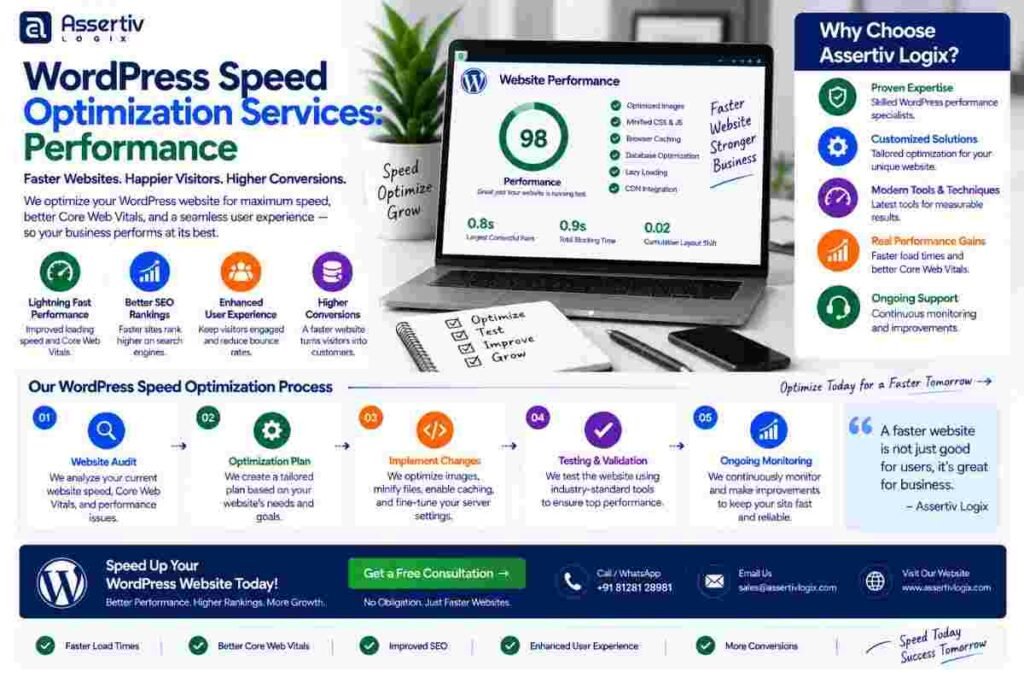
wordpress speed optimization services help businesses improve website loading times, Core Web Vitals, responsiveness, server performance,…
Nikul Patel
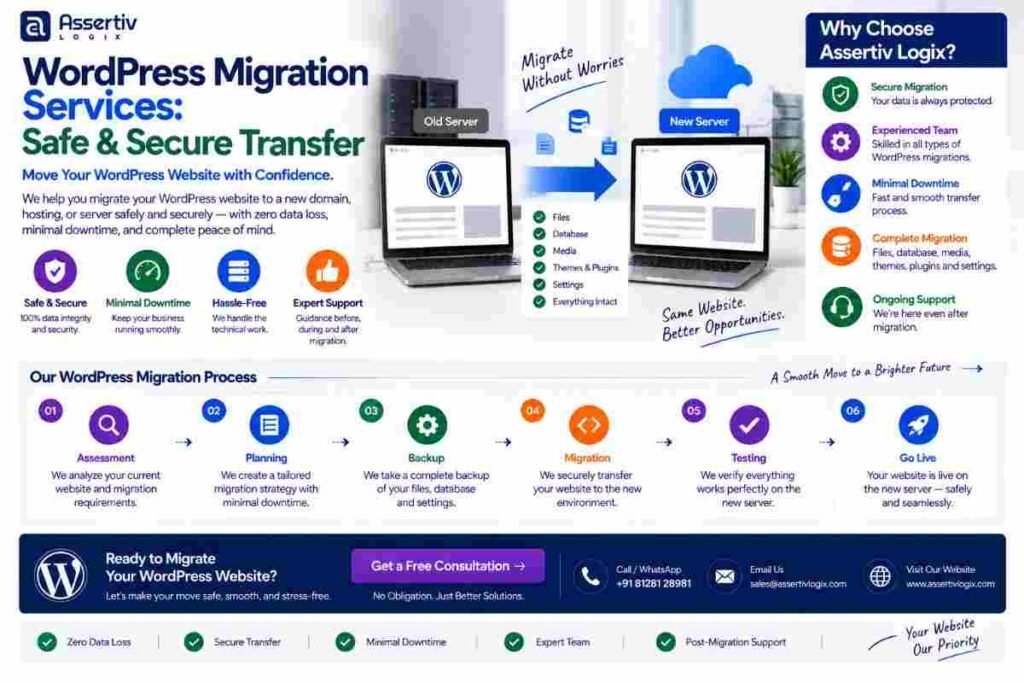
WordPress migration services help businesses safely move their WordPress websites from one hosting provider, server, domain,…
Nikul Patel
Our team of WordPress architects will review your requirements and recommend the right architecture — headless or traditional — with a clear cost and timeline estimate, for free.
Tell us about your project and we'll recommend the right WordPress architecture with a detailed proposal within 24 hours.