Let visitors have real-time voice & text conversations grounded in your website's own content. Capture leads, book Google Calendar meetings, and get deep analytics — all without leaving your site.
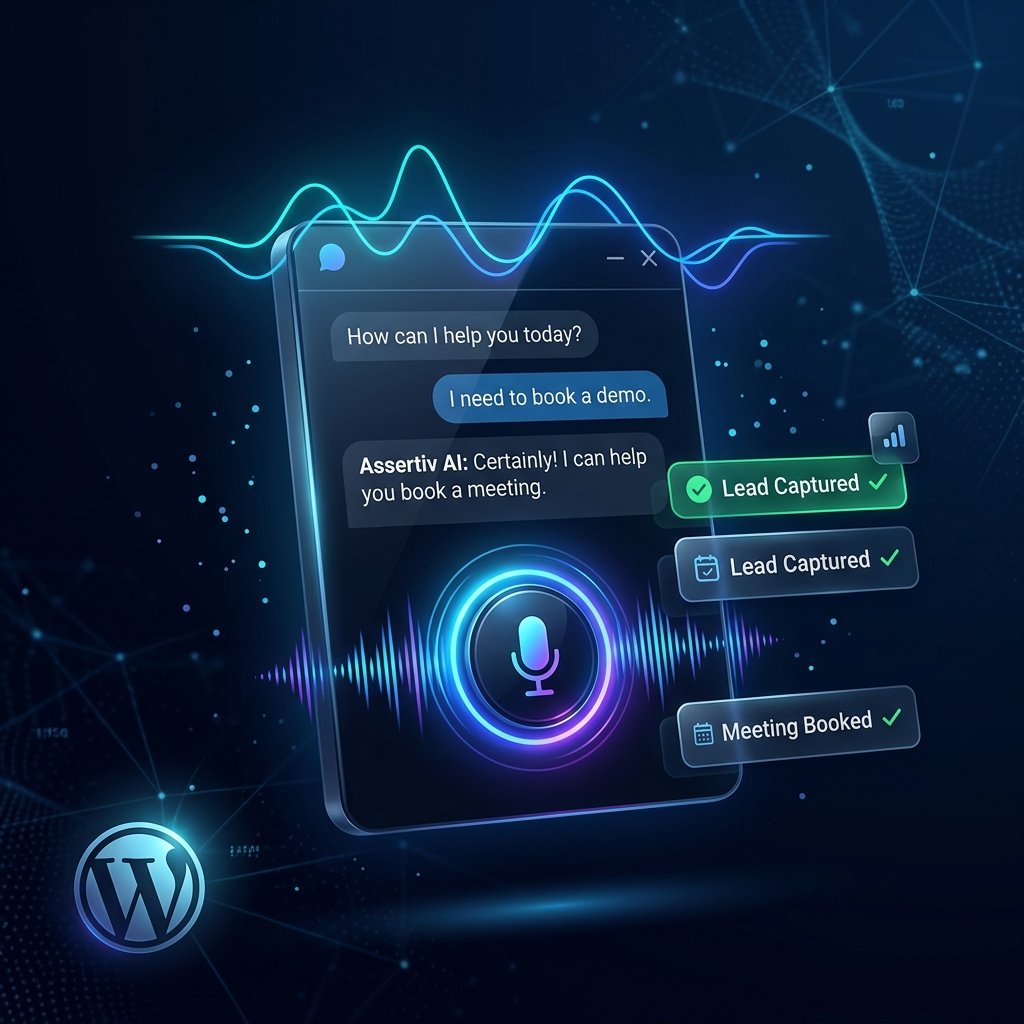
A complete conversational AI platform built directly into WordPress — no third-party widget embeds, no data leaks.
Visitors click one button and speak naturally. The agent responds with natural speech using OpenAI TTS or ElevenLabs premium voices with configurable speed and voice personality.
Switch seamlessly between voice and text within the same session. Mobile & desktop control, flexible positioning (6 locations), custom brand colours, and auto-open option.
Pages, posts, WooCommerce products, and categories are automatically chunked and vectorised using OpenAI Embeddings. Semantic cosine-similarity search ensures contextually accurate answers.
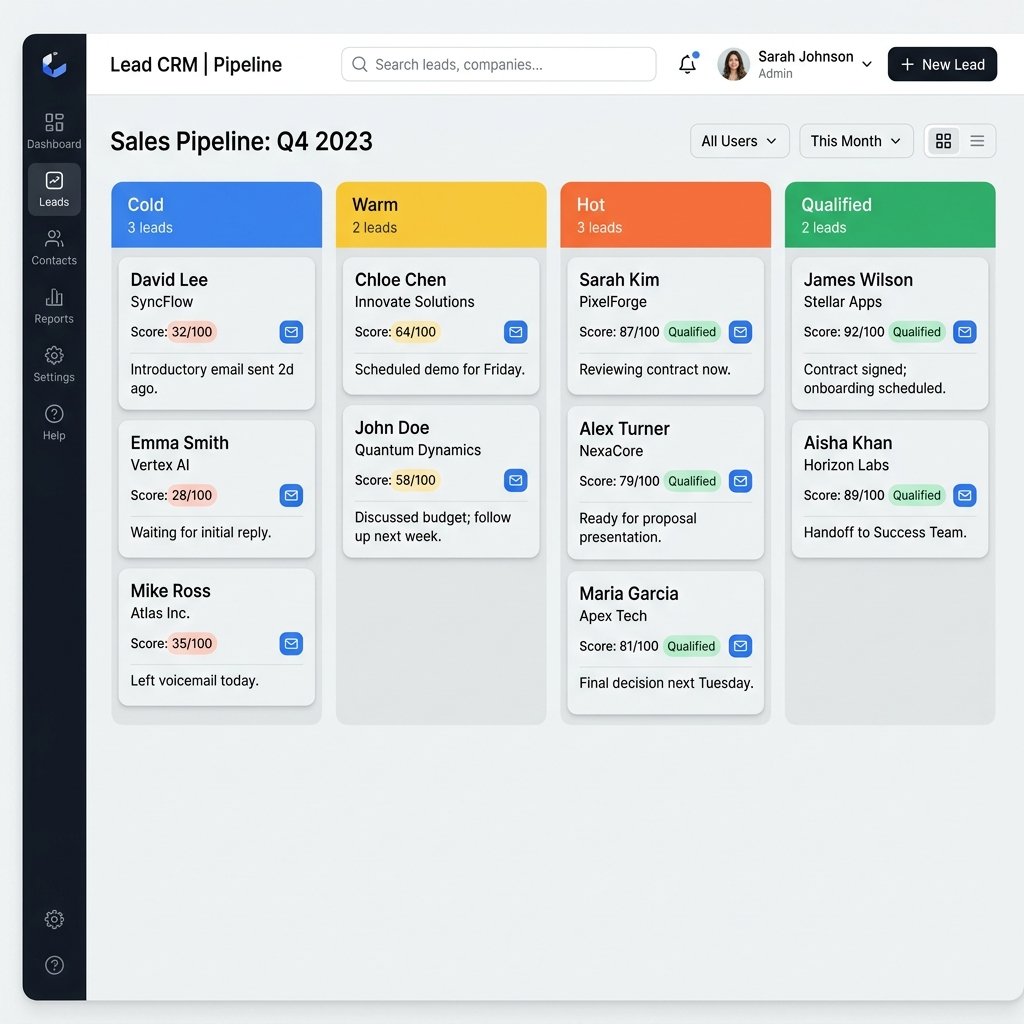
Automatically capture name, email, phone, company, service interest, budget, and timeline. AI-powered 0–100 scoring classifies leads as Cold, Warm, Hot, or Qualified in real time.
Visitors ask "Can I book a call?" and the agent guides them through natural-language slot selection. Real-time availability check via Google Calendar OAuth 2.0 — no separate tool needed.
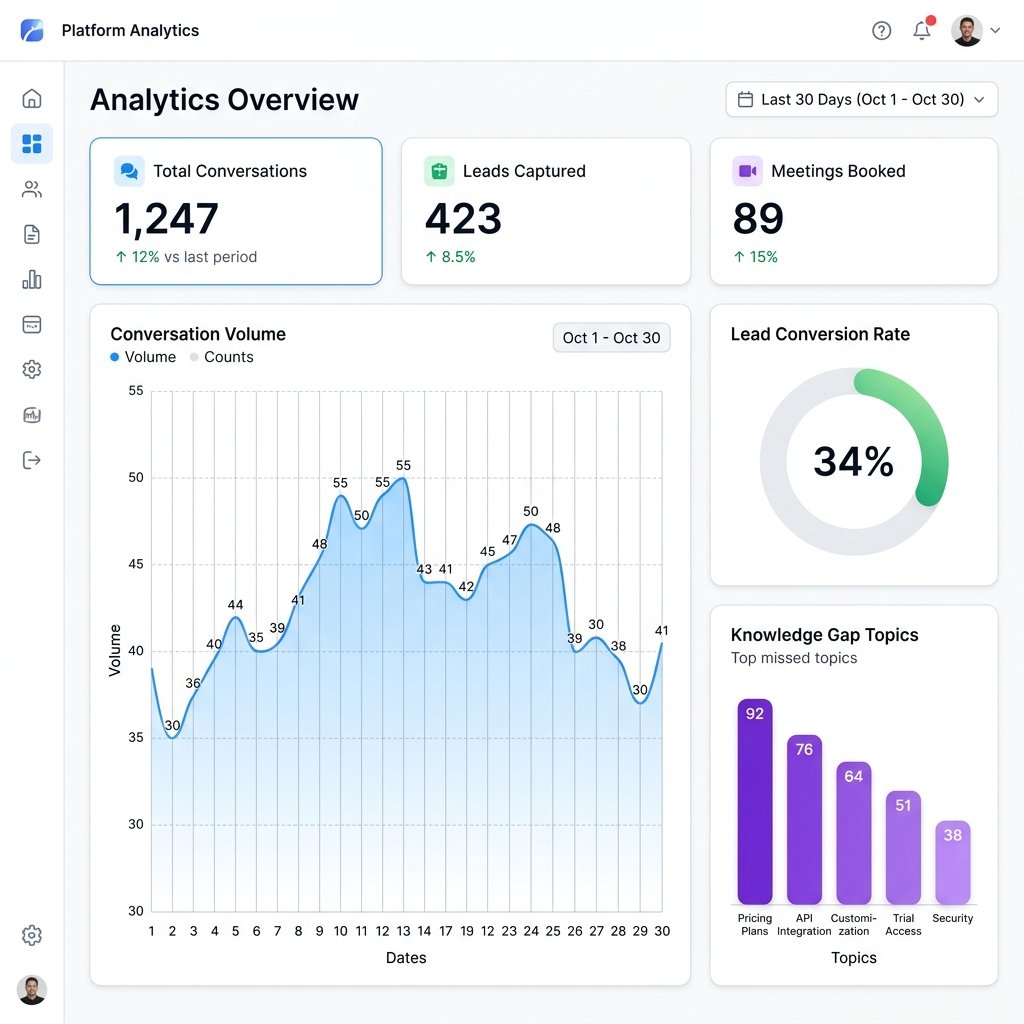
Track conversation volume, lead conversion metrics, agent performance, and Knowledge Gap trends. Filter by custom date ranges for weekly, monthly, or quarterly reporting.
Create unlimited AI agents, each with its own personality, system prompt, language, voice, and avatar. Activate or deactivate individually. Override per page with a simple shortcode attribute.
The plugin logs every question the agent could not answer confidently. Review gaps in the admin dashboard and resolve them by publishing new content — continuously improving over time.
Configure conversation retention, visitor anonymisation, lead collection toggles, and GDPR consent messages. All data stays in your own WordPress database — never on third-party servers.
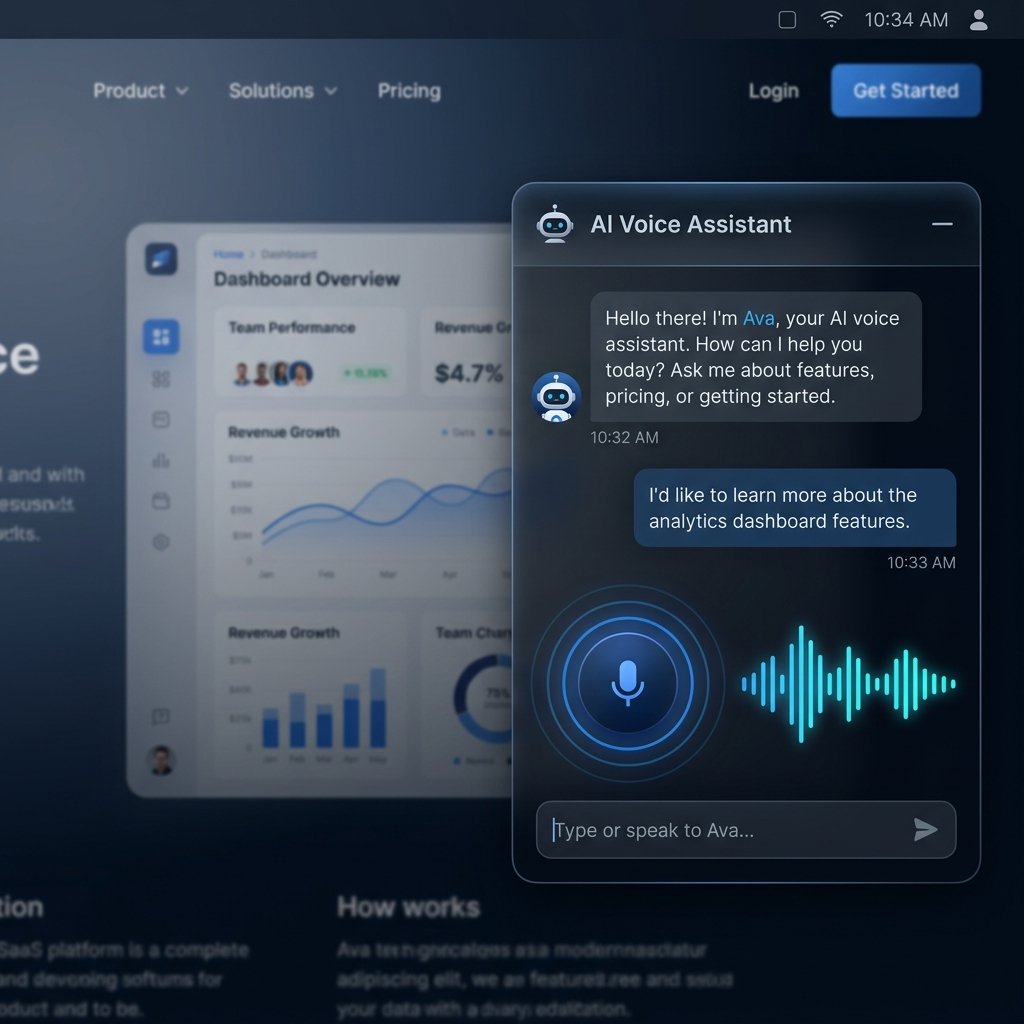
The floating widget loads asynchronously and never blocks page rendering. Visitors click the microphone button and speak naturally — the agent hears, processes, and responds in real speech within seconds.
Text chat is always available as a fallback. Both modes share the same conversation context so visitors can switch mid-session without losing any history.
Built on OpenAI Embeddings and vector-based semantic search, the knowledge base understands the intent behind every question — not just keywords. The agent never fabricates answers outside what you have published.
Content is automatically indexed via WP-Cron background jobs, so the knowledge base stays fresh as you publish new pages, products, and posts.
During every conversation the agent intelligently captures visitor contact details and qualification signals — name, email, phone, company, service interest, budget, and urgency — without ever feeling like a form.
Every lead gets an AI-powered score from 0–100 based on completeness and qualification depth, then classified into Cold, Warm, Hot, or Qualified for instant CRM-style pipeline management.
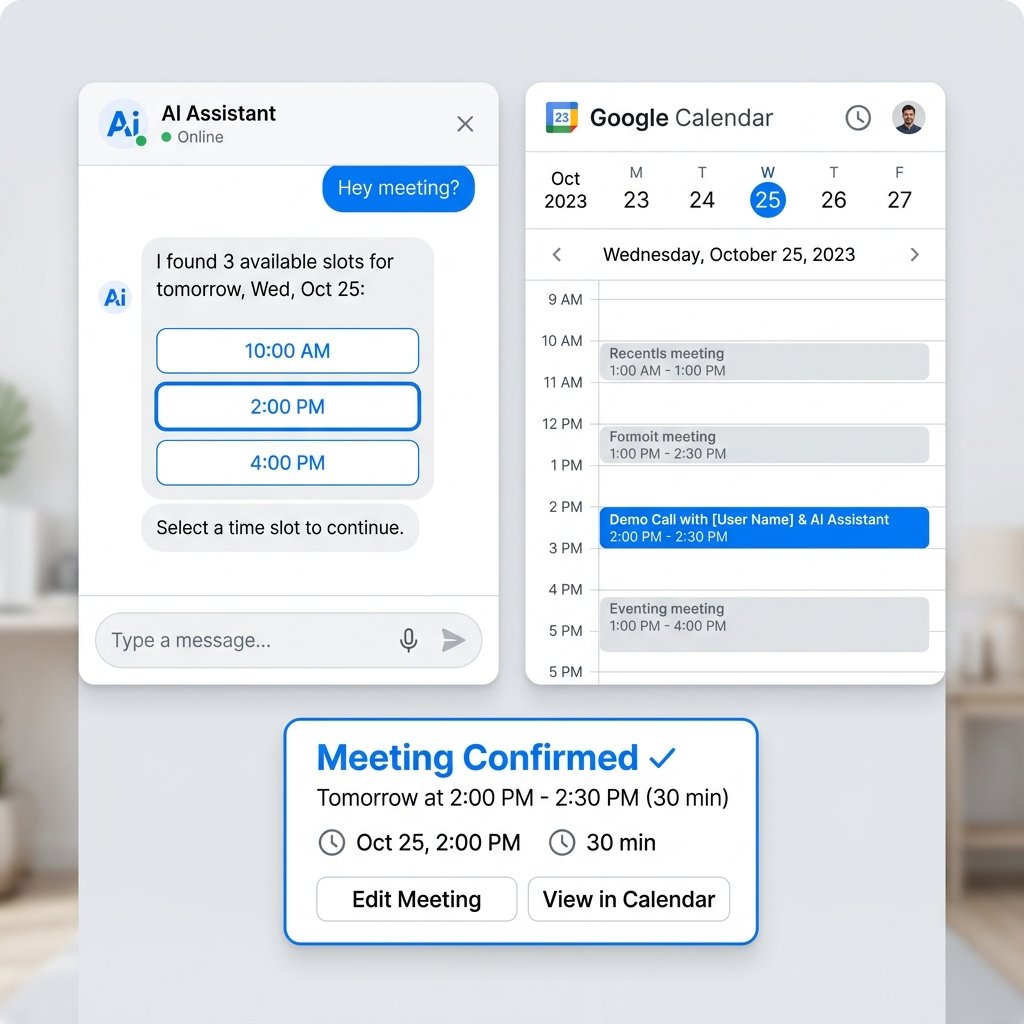
Visitors ask "Can I book a call?" and the agent instantly checks your real Google Calendar for genuinely free slots within your configured business hours — then confirms the booking without the visitor ever leaving the chat.
Connected securely via OAuth 2.0 with no API keys stored in plain text. All meeting data is also saved in your WordPress database for admin review.
The agent doesn't just chat — it takes action. Each tool is invoked autonomously by the AI during a conversation to deliver real outcomes for your visitors.
Performs semantic vector search against the knowledge base to answer questions using your actual site content. Returns the most relevant chunks by cosine similarity score.
Captures visitor contact details (name, email, phone, company) and creates a new lead record in the database, triggering the AI lead scoring algorithm automatically.
Collects qualification data — budget, timeline, service interest, urgency — and rescores the lead. Elevates a cold contact to a hot prospect in a single conversation.
Updates existing lead fields during an ongoing conversation. Corrects name spellings, adds a phone number, or changes the company name the visitor provides mid-chat.
Queries your Google Calendar for free time slots within configured business hours. Returns only genuinely available windows so the agent can present accurate options.
Books a confirmed meeting on Google Calendar and stores it in the plugin database. Sends a calendar invite to both the visitor and the calendar owner automatically.
Moves an existing meeting to a new date and time requested by the visitor, updating both the Google Calendar event and the local database record simultaneously.
Cancels a booked meeting in both the plugin database and Google Calendar. Marks the meeting as cancelled and optionally notifies the calendar owner via email.
Assertiv AI Voice Agent connects to leading AI and cloud APIs to deliver enterprise-grade voice, language, and calendar functionality.
The Settings panel is organised into 9 clearly labelled tabs — from API keys to GDPR privacy controls, voice configuration to advanced search tuning.
Add the AI agent to any page with one shortcode. Override agent, position, and brand colour per page. Or call the PHP function directly from your theme.
Install, activate, enter your OpenAI key, and your AI voice agent is ready for visitors. No developer required for basic setup.
Upload the assertiv-ai-voice-agent folder to /wp-content/plugins/ and activate through the Plugins menu.
Go to AI Voice Agent → Settings → Providers and enter your OpenAI API key. Optionally add ElevenLabs for premium voice.
Go to Agents and create your first agent — set name, avatar, system prompt, language, and voice settings.
Go to Knowledge Base, click Index Now to build the knowledge base, then add the shortcode to any page.
Navigate to Settings → Calendar, enter your Google OAuth Client ID & Secret, and click Connect Google Account to enable real-time availability checks and meeting booking. Your OAuth tokens are stored securely and never exposed to the frontend.
This plugin connects to external APIs. Here is exactly what is sent, when, and how to review each provider's privacy policy.
Used for Chat Completions (language model), text embeddings (knowledge base), and text-to-speech synthesis. Visitor messages are transmitted to OpenAI for processing.
Privacy Policy →Optional premium text-to-speech. Only called when ElevenLabs is selected as the TTS provider. Message content is only sent if this integration is explicitly enabled.
Privacy Policy →Optional calendar integration for availability checks and meeting booking. Only called after you authenticate via OAuth 2.0. No data sent without explicit connection.
Privacy Policy →