Introduction: The WordPress Plugin Overload Problem
If you manage WordPress websites — whether for yourself, your clients, or your agency — you know the pain all too well.
You’re juggling Wordfence for security, WP Rocket for performance, Yoast SEO for search rankings, WPForms for lead capture, MailPoet for email campaigns, UpdraftPlus for backups, and three or four more plugins on top of that. Every plugin has its own settings panel, its own update schedule, its own support channel, and — more often than not — its own way of slowing down your site.
This is exactly the problem AssertivLogix Central Pro was built to solve.
In this in-depth review, we’re going to walk through every feature of this remarkable plugin — all 12 powerful modules — so you can decide whether it’s the right solution for your WordPress setup.
TL;DR: AssertivLogix Central Pro is a modular, all-in-one WordPress management platform covering Security, Performance, SEO, CRM, AI Content Generation, WooCommerce Enhancement, Marketing Automation, Cloud Backups, White Labeling, and Developer Tools — all from a single plugin dashboard.
What Is AssertivLogix Central Pro?
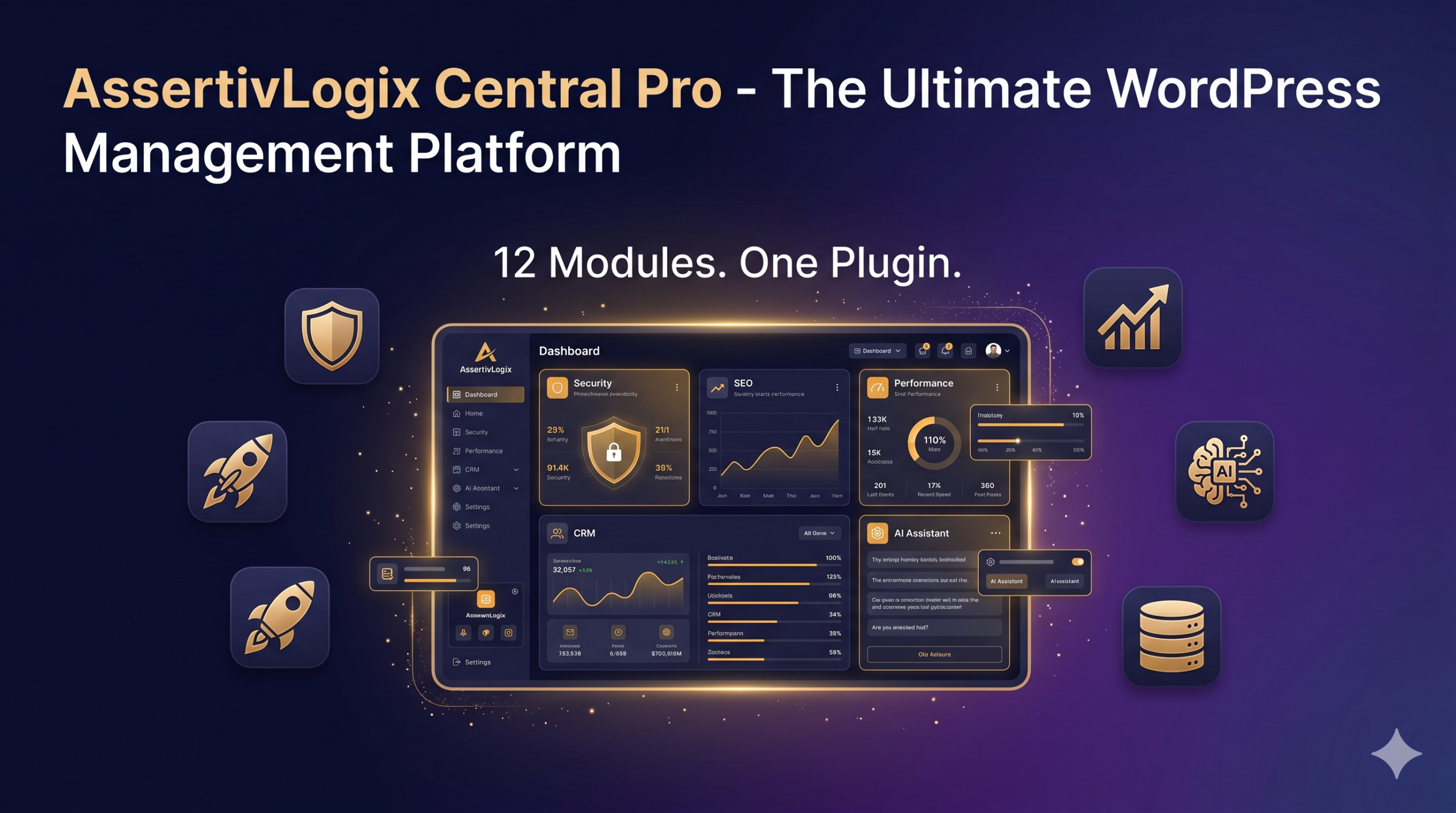
AssertivLogix Central Pro is a premium WordPress plugin developed by Assertivlogix that consolidates 12 essential site-management tools into a single, unified platform. Instead of hopping between multiple dashboards, you manage everything from one central command center.
It’s designed for:
- 🏢 WordPress Agencies managing multiple client sites
- 🛒 WooCommerce Store Owners wanting full control over their shop
- 👨💻 Developers needing advanced debugging and code management tools
- 📈 SEO & Marketing Professionals wanting integrated analytics and campaigns
- 🔐 Security-Conscious Site Owners who want enterprise-level protection
The 12 Modules at a Glance
| # | Module | Core Purpose |
|---|---|---|
| 1 | Core Dashboard | Unified site health & module control center |
| 2 | Security | Login protection, IP management & firewall |
| 3 | Performance | Caching, minification & database cleanup |
| 4 | SEO | Meta data, sitemaps & content analysis |
| 5 | Forms & Leads | Drag-and-drop forms with lead tracking |
| 6 | CRM | Client profiles, projects & follow-ups |
| 7 | WooCommerce | Analytics, order management & integrations |
| 8 | Marketing | Automation, popups & email/SMS campaigns |
| 9 | Backup | Cloud backups with one-click restore |
| 10 | White Label | Full admin rebranding for client sites |
| 11 | AI Assistant | GPT/Claude/Gemini-powered content & code generation |
| 12 | Developer Tools | Snippet manager, PHP console & debug logger |
Now let’s dive deep into each one.
Module 1: Core Dashboard — Your WordPress Command Center
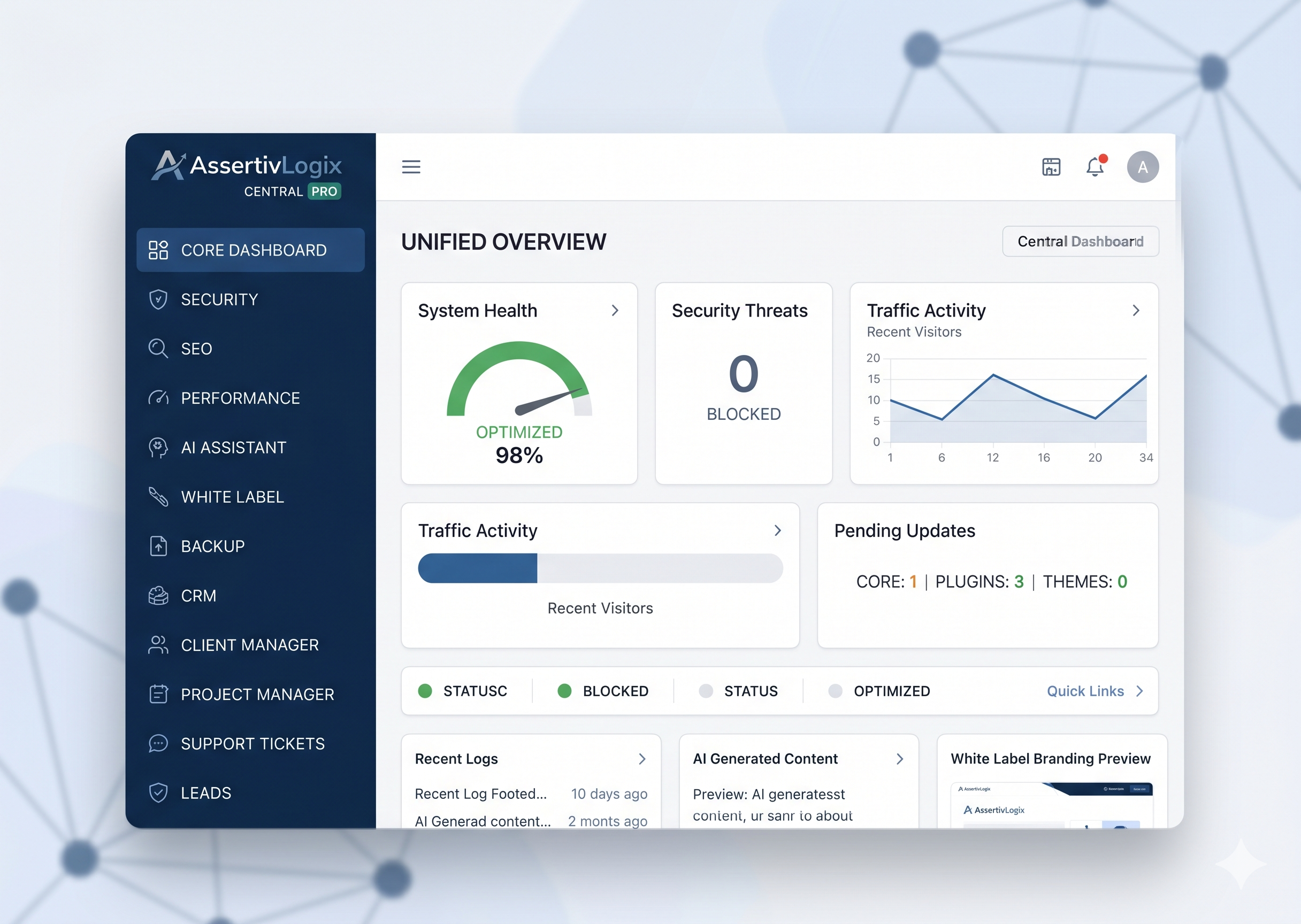
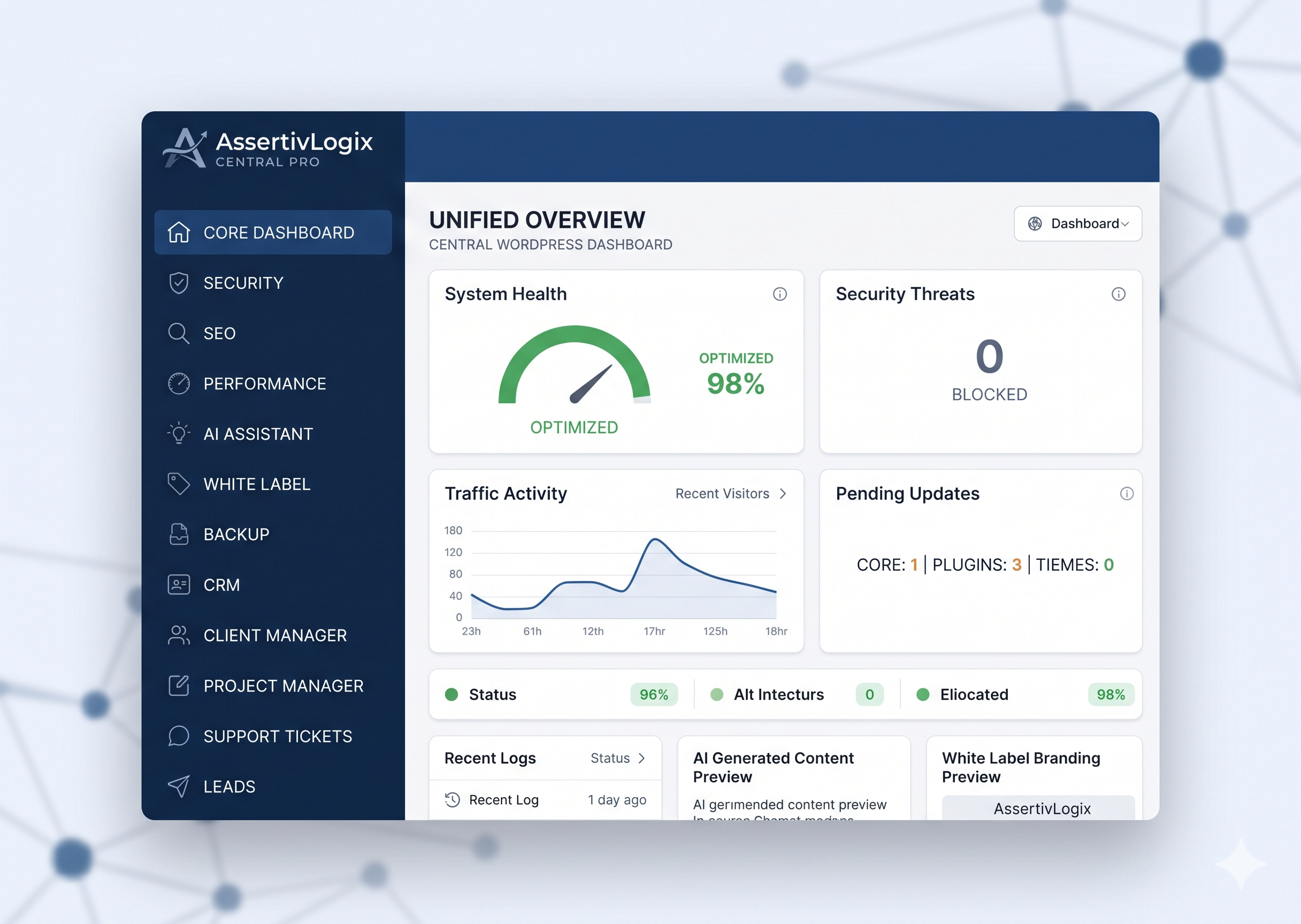
The journey begins with the Core Dashboard, which acts as the central hub for all 12 modules. Rather than navigating to 12 separate plugin settings pages, you get a single-page overview that puts everything at your fingertips.
What it includes:
- Unified Dashboard — Single-page overview of all active modules, quick access panels, system health indicators, and a real-time activity feed
- Module Management — Enable or disable any module independently without affecting others. Each module has a status indicator and license-based feature gating
- System Monitoring — Live server information including PHP version, WordPress version, database status, and active plugin count at a glance
This kind of transparency into your WordPress environment is something most site owners never get with traditional plugin setups.
Module 2: Security — Enterprise-Level Protection for Any WordPress Site
WordPress powers over 40% of the web, which makes it the #1 target for hackers, bots, and brute-force attacks. The Security Module in AssertivLogix Central Pro gives your site comprehensive, layered protection.
Login Protection
- Login attempt limiting — Set the maximum number of failed attempts before an IP is locked out
- Automatic IP blocking — Instantly block IPs that exceed the threshold
- Configurable lockout duration — Define how long blocked IPs remain locked
- Whitelist trusted IPs — Ensure you and your team are never accidentally locked out
IP Management
- Block or whitelist specific IP addresses
- Set temporary IP blocks with expiry times
- View a full IP block history for audit purposes
Firewall & Hardening
- XML-RPC Protection — Disable or restrict this commonly exploited entry point
- Disable file editing — Prevent code edits directly from the WordPress admin
- Custom security rules — Create your own filtering rules
- Block suspicious requests — Stop malicious bots and automated scanners in their tracks
Why this matters: A single brute-force attack can compromise your site, your clients, and your reputation. Having all of this built in — without needing a separate security plugin — is a massive win for site performance and manageability.
Module 3: Performance — Lightning-Fast WordPress Without the Setup Headache
Page speed isn’t optional anymore. Google’s Core Web Vitals directly impact your search rankings, and slow sites lose visitors before a single word is read. The Performance Module brings the power of dedicated caching plugins directly into Central Pro.
Caching & Speed
- Page & Object caching — Store generated pages and database objects for rapid delivery
- Cache preloading — Automatically warm the cache so users always hit cached content
- GZIP & Brotli compression — Reduce file sizes by up to 90% for faster transfers
- Minify HTML/CSS/JS — Strip unnecessary whitespace and comments from your code
Database Optimization
- Cleanup scheduler — Automate routine database maintenance on a set schedule
- Remove spam & trash — Clear post revisions, spam comments, and trashed items
- Optimize tables — Defragment and rebuild MySQL tables for peak performance
- Clean transients — Remove expired WordPress transient entries clogging your database
WordPress Tweaks
- Disable emojis/embeds — Remove unused WordPress features that add unnecessary HTTP requests
- Heartbeat API control — Throttle or disable the resource-heavy admin heartbeat
- Browser caching headers — Set proper cache-control headers to leverage visitor browser caching
Module 4: SEO — Get Found on Google Without a Separate SEO Plugin
Search engine optimization is the backbone of organic growth. The SEO Module covers everything from basic meta data management to advanced schema markup and content analysis.
Meta Data Management
- Set custom meta titles & descriptions for every page, post, and product
- Full OpenGraph & Twitter Card support for perfect social media sharing previews
- Built-in social preview so you can see exactly how your content looks before publishing
Indexing Controls
- Automatic XML Sitemaps — Generated and updated automatically for all content types
- Robots.txt editor — Fine-tune crawl directives directly from your dashboard
- Schema Markup — Add Organization, Product, and FAQ structured data without coding
Content Analysis
- Content analysis — Get actionable recommendations for each piece of content
- Keyword density check — Ensure your target keywords appear at optimal frequency
- 404 Error monitoring — Catch broken links before they hurt your rankings
- Readability scores — Ensure your content is engaging and easy to read
Module 5: Forms & Leads — Capture and Track Every Opportunity
Every website needs forms — contact forms, quote requests, newsletter signups, appointment bookings. The Forms & Leads Module gives you a complete form building and lead management system.
Form Builder
- Drag-and-drop builder — Create forms visually without touching a single line of code
- Conditional logic — Show or hide fields based on previous answers for smarter forms
- Multiple field types — Text, dropdown, checkbox, file upload, date picker, and more
- Custom styling — Match forms to your brand with full CSS control
Lead Management
- Centralized submission storage — All form submissions stored safely in your WordPress database
- Lead status tracking — Mark leads as New, Contacted, Qualified, or Converted
- Export to CSV/Excel — Send leads to your CRM or share with your sales team instantly
- Email notifications — Get instant alerts every time a new lead comes in
Module 6: CRM — Manage Clients & Projects Without Leaving WordPress
For agencies and freelancers, a built-in CRM module is transformative. No more switching between your WordPress site and a third-party CRM tool.
Client Management
- Client profiles & companies — Store contact info, company details, and custom notes
- Project tracking — Manage Active and Completed projects directly linked to clients
- Activity timeline — See a full history of interactions for every client
Productivity Tools
- Notes & Follow-ups — Add internal notes and schedule follow-up reminders
- Reminders — Never miss a deadline or important client communication
- Client & Project reports — Generate summary reports for client presentations
Module 7: WooCommerce — Supercharge Your Online Store
Running a WooCommerce store? The WooCommerce Module extends your store with tools that would normally require multiple premium add-ons.
Analytics
- Revenue & Order statistics — At-a-glance KPIs including total sales, average order value, and refund rates
- Sales trends — Visualize growth over custom date ranges
- Customer analytics — Understand your best customers and buying patterns
Management
- Order & Stock management — Enhanced order views and bulk stock update tools
- Custom order statuses — Create statuses that match your unique fulfillment workflow
- Checkout field editor — Add, remove, or reorder fields at checkout
Integrations
- WhatsApp order alerts — Send real-time WhatsApp notifications for new orders
- EMI Calculator — Help customers visualize payment plans for larger purchases
- Custom Thank You pages — Create tailored post-purchase experiences
Module 8: Marketing Automation — Grow Your Audience on Autopilot
Marketing without automation is leaving money on the table. The Marketing Module brings automated workflows, popup campaigns, and email/SMS capabilities directly into WordPress.
Automation Workflows
- Trigger-based automation — Define triggers (new signup, purchase, page visit) to fire automated actions
- Conditional logic sequences — Branch automation paths based on user behavior
- Performance analytics — Track opens, clicks, conversions for every automation
Campaign Builder
- Popup builder — Create Modal or Slide-in popups with targeting rules (exit intent, scroll depth, time on page)
- Email & SMS campaigns — Send targeted messages directly from your WordPress backend
- Floating CTA buttons — Add persistent WhatsApp, call, or contact buttons to every page
Module 9: Backup — Sleep Peacefully Knowing Your Site Is Safe
Data loss is catastrophic. The Backup Module ensures your site is always protected with flexible scheduling and multiple cloud storage options.
Backup Options
- Full site, Database-only, or Files-only — Choose the right backup scope for your needs
- Scheduled backups — Set Daily or Weekly automatic backup schedules
- One-click restore — Recover from any backup point instantly without technical expertise
Cloud Storage Integrations
- Google Drive — The most accessible option for most users
- Dropbox — Great for teams already in the Dropbox ecosystem
- OneDrive — Perfect for Microsoft 365 users
- Amazon S3 — Enterprise-grade object storage for large sites
- FTP/SFTP — Connect to any custom server storage
- Auto-delete old backups — Manage storage space by automatically removing outdated copies
Module 10: White Label — The Agency’s Secret Weapon

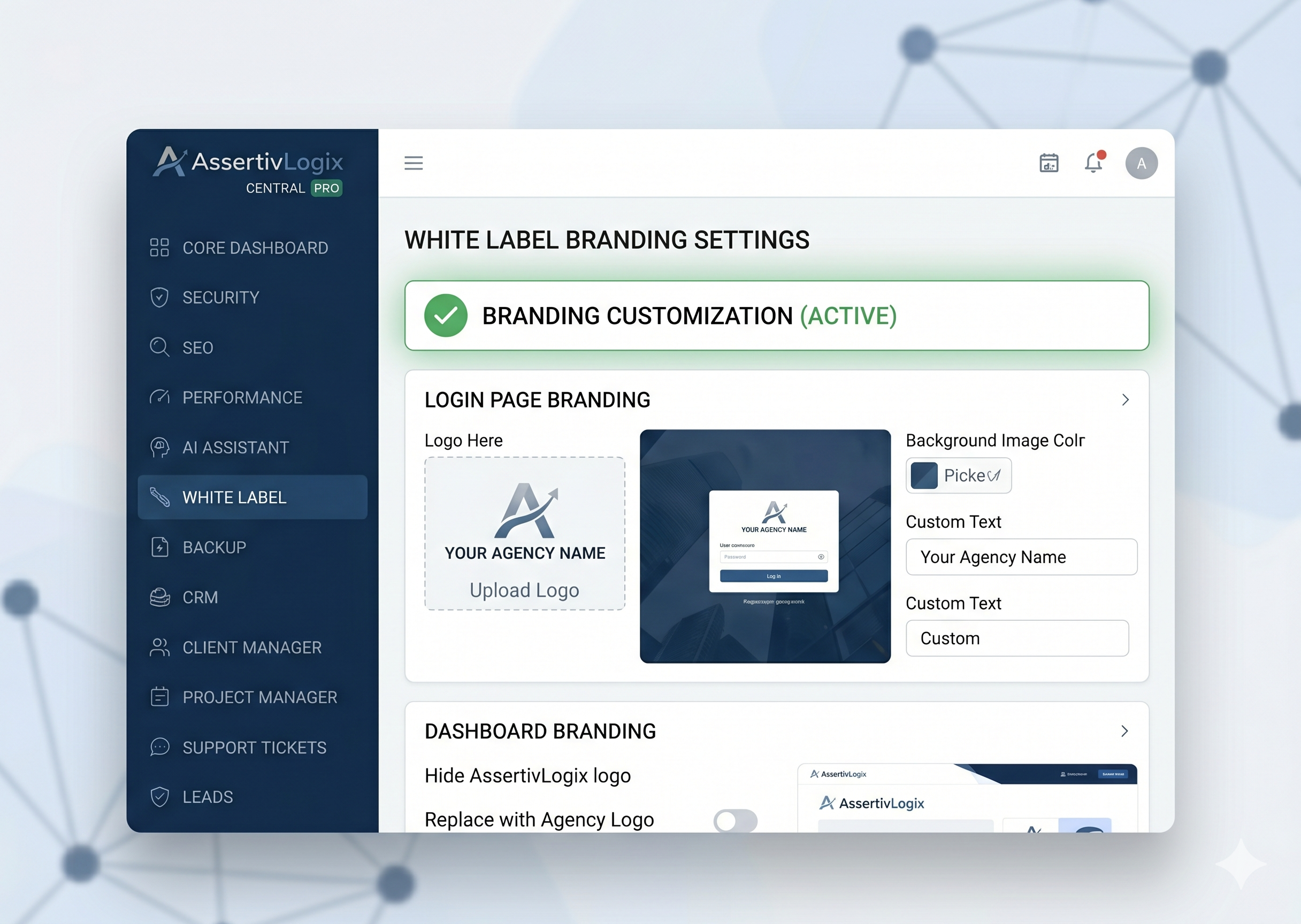
For agencies delivering WordPress sites to clients, the White Label Module is a game-changer. Deliver a polished, branded admin experience that feels completely custom.
Branding Controls
- Custom Login Page — Replace the WordPress logo with your agency’s logo and apply your brand colors
- Admin Dashboard re-branding — Rename the admin area, add custom branding elements
- Remove WordPress logos — Clean up the toolbars and menus for a professional look
- Custom Menu management — Reorganize or relabel the WordPress admin menu for your clients
Visibility Management
- Hide specific plugins — Prevent clients from accidentally deactivating essential plugins
- Hide dashboard widgets — Remove irrelevant default widgets for a cleaner admin
- Custom email notifications — Replace WordPress default emails with your branded templates
Pro Tip for Agencies: Combining the White Label module with the CRM module gives you an incredibly powerful client delivery system — all under your own brand.
Module 11: AI Assistant — Your On-Demand WordPress Content & Code Genius

This is the module that turns heads. The AI Assistant integrates the most powerful AI models available — OpenAI GPT, Anthropic Claude, and Google Gemini — directly into your WordPress admin panel.
Content & SEO Generation
- Blog post generation — Generate full-length, SEO-ready blog posts with your target keyword in seconds
- Product descriptions — Write compelling WooCommerce product copy at scale
- SEO meta tag generation — Auto-generate optimized titles and descriptions for any content
- Tone and language selection — Choose from professional, casual, persuasive, or technical tones; select from multiple languages
Developer AI Tools
- Code generator — Generate PHP functions, JavaScript modules, and CSS snippets from plain-English instructions
- Context-aware Chat assistant — Ask questions about your current site, request fixes, and get code-level guidance
- AI Image generation — Create custom images for your posts and pages without leaving WordPress
Supported AI Providers
- OpenAI (GPT-4 / GPT-4o) — Industry-leading language model for content and code
- Anthropic (Claude) — Known for nuanced, high-quality long-form content
- Google (Gemini) — Google’s flagship multimodal AI for text, code, and images
Why this is important: Content creation is often the #1 bottleneck for WordPress site owners. Having AI generation built directly into the same plugin you use for security, SEO, and performance removes that bottleneck entirely.
Module 12: Developer Tools — The Professional’s Toolbox
The final module is a comprehensive suite for WordPress developers who need low-level control and debugging capabilities.
Code Management
- Snippet Manager — Create, organize, and activate/deactivate PHP, JavaScript, and CSS code snippets without editing theme files
- Custom Hooks Manager — Register and manage WordPress action and filter hooks from the admin
- Custom Post Type Generator — Create custom post types and taxonomies through a visual interface — no coding required
Debugging Suite
- Advanced Debug Logger — Log custom events, errors, and hook executions to a searchable log
- Database Query Tool — Run raw MySQL queries directly from the WordPress admin
- PHP Console — Execute PHP code snippets in real time for rapid testing
- Error Log Viewer — View and filter your server’s PHP error log without accessing cPanel or SSH
Pricing: One Subscription. Everything Included.
AssertivLogix Central Pro keeps pricing refreshingly simple. One subscription unlocks all 12 premium modules.
What’s included in every plan:
- ✅ All 12 Premium Modules — No upsells, no locked features
- ✅ Unlimited Sites Support — Use on as many WordPress sites as you manage
- ✅ Automatic Updates — Always stay on the latest version without manual intervention
- ✅ Priority Support — Get fast, expert help when you need it
- ✅ Cloud Backups Included — Multi-cloud backup destinations at no extra cost
- ✅ White Labeling Included — Full agency white-labeling is standard, not an add-on
👉 View Pricing & Get Started →
Who Should Buy AssertivLogix Central Pro?
| User Type | Why It’s Perfect for You |
|---|---|
| WordPress Agencies | White label, CRM, unlimited sites, and developer tools all in one |
| Freelancers | Replace 10+ plugin subscriptions and save money immediately |
| WooCommerce Stores | Built-in analytics, automation, WhatsApp alerts & checkout editor |
| Content Creators | AI-powered blog writing and SEO meta generation |
| Security-Focused Site Owners | Firewall, IP blocking, and login protection — no extra plugin needed |
| Developers | PHP console, snippet manager, debug logger, and CPT generator |
How It Compares to Using Separate Plugins
| Capability | Separate Plugins | AssertivLogix Central Pro |
|---|---|---|
| Security | Wordfence (~$119/yr) | ✅ Included |
| Performance | WP Rocket (~$59/yr) | ✅ Included |
| SEO | Yoast Premium (~$99/yr) | ✅ Included |
| Forms | WPForms Pro (~$99/yr) | ✅ Included |
| Backup | UpdraftPlus Pro (~$70/yr) | ✅ Included |
| AI Content | AI plugins (~$30+/mo) | ✅ Included |
| White Label | Various (~$50+/yr) | ✅ Included |
| CRM | HubSpot / Custom (~$50+/mo) | ✅ Included |
| Total | $500–$800+/year | One subscription |