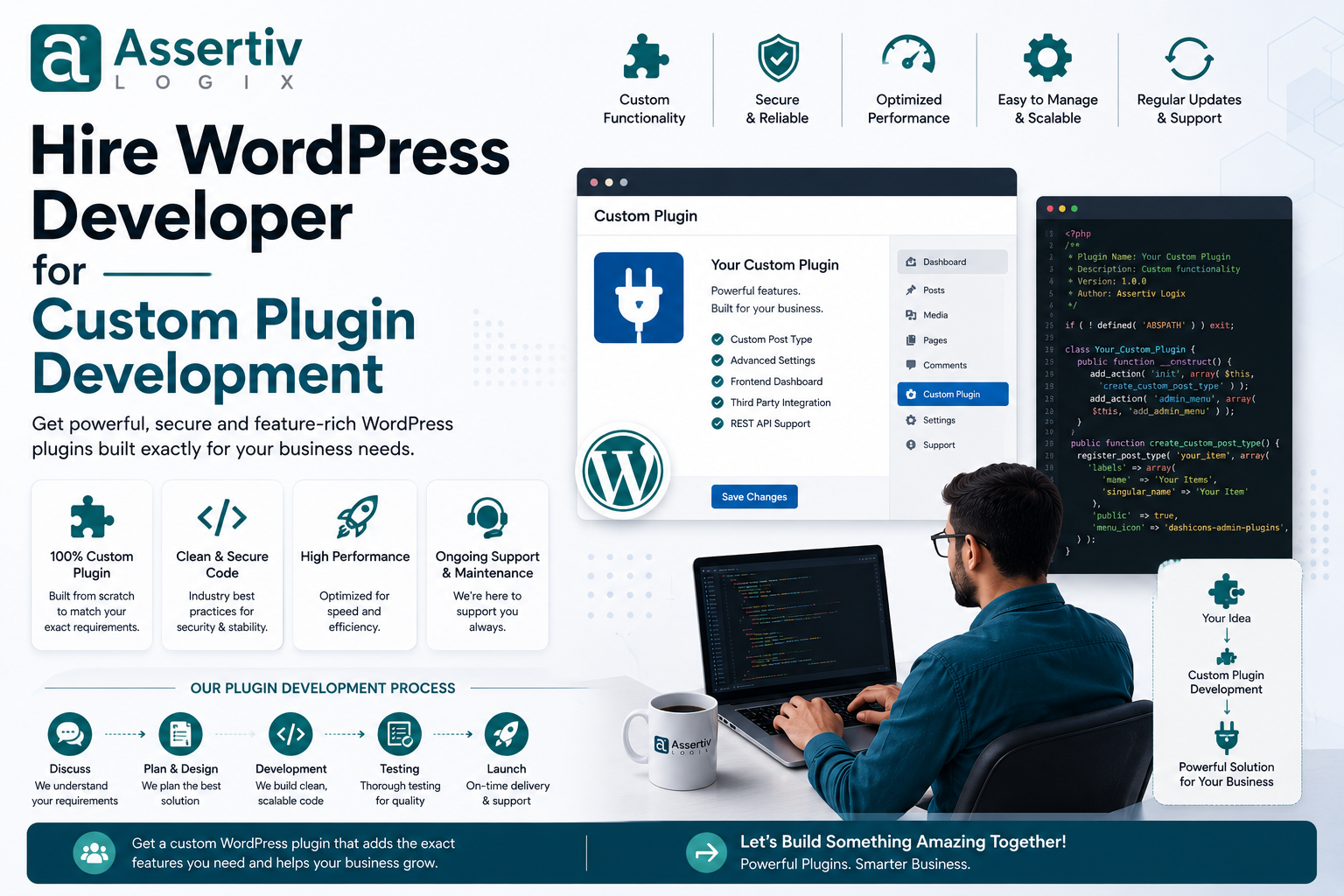
If your WordPress website needs functionality that existing plugins cannot provide, it may be time to hire WordPress developer custom plugin development services. A custom WordPress plugin can add exactly the functionality your business needs without forcing you to work around the limitations of an off-the-shelf solution.
WordPress has thousands of plugins available, and many of them are excellent. But there are situations where installing another plugin isn’t the best solution. You may need a custom payment workflow, business automation, API integration, WooCommerce functionality, membership system, reporting dashboard, or an internal tool that doesn’t exist as a ready-made plugin.
That’s where custom plugin development becomes valuable.
An experienced WordPress plugin developer can build functionality specifically around your business processes, technical requirements, existing website architecture, and future growth plans.
In this guide, we’ll explain when to hire a WordPress developer for custom plugin development, what a custom plugin can do, how the development process works, what it costs, what technical skills you should look for, and how to choose the right WordPress development partner.
What Is Custom WordPress Plugin Development?
Custom WordPress plugin development means creating a WordPress plugin specifically for a website, business, application, or workflow.
Instead of changing WordPress Core or adding large amounts of custom code directly to a theme, functionality can be packaged into a dedicated plugin.
A custom plugin can provide functionality such as:
- Custom forms
- Payment gateway integrations
- API integrations
- CRM integrations
- ERP integrations
- WooCommerce functionality
- Custom checkout features
- Membership systems
- Subscription functionality
- Custom dashboards
- Reporting systems
- Business automation
- Import and export tools
- Custom user roles
- Advanced search
- Third-party service integrations
The main advantage is flexibility. The plugin is designed around your requirements instead of asking your business to adapt to an existing plugin.
Why Hire a WordPress Developer for Custom Plugin Development?
Installing an existing plugin is often the fastest solution. But it isn’t always the right long-term solution.
Custom development can be useful when your requirements are unique or when existing plugins create unnecessary limitations.
1. Build Exactly What Your Business Needs
Every business has different processes.
For example, an ecommerce company may have a specific order approval workflow that doesn’t exist in standard WooCommerce.
A custom plugin can be developed around that workflow rather than forcing employees to change their process.
2. Reduce Unnecessary Features
Many commercial plugins include dozens or hundreds of features.
You may only need five of them.
A custom plugin can focus on the functionality your website actually requires.
This can make the solution easier to understand and maintain.
3. Integrate With Your Existing Systems
Your business may already use external platforms such as:
- CRM systems
- ERP systems
- Payment gateways
- Shipping platforms
- Email marketing platforms
- Accounting software
- Inventory systems
- Customer support tools
- Mobile applications
A custom WordPress plugin can act as the bridge between WordPress and these systems.
4. Improve Business Automation
Custom plugins can automate repetitive tasks.
For example:
- Automatically create customer records
- Synchronize products
- Send order data to an ERP
- Generate reports
- Update inventory
- Trigger notifications
- Process recurring tasks
- Import external data
Automation can reduce manual work and help employees spend more time on higher-value activities.
5. Improve Scalability
A plugin built specifically for your website can be designed with future requirements in mind.
Instead of building a quick solution that becomes difficult to maintain, an experienced developer can create a structure that supports future features.
When Should You Build a Custom WordPress Plugin?
You don’t need a custom plugin for every website.
An existing plugin may be the better option if it already provides the required functionality and is actively maintained.
Custom development becomes more attractive when:
- No existing plugin provides the required functionality
- Existing plugins don’t integrate with your systems
- You need a highly specific business workflow
- Existing plugins contain too many unnecessary features
- You need custom WooCommerce functionality
- You need advanced API integrations
- You need custom reporting
- You want complete control over functionality
- You need functionality that must scale with your business
- Existing plugins create conflicts or performance problems
Custom Plugin vs Existing Plugin
| Factor | Existing Plugin | Custom Plugin |
|---|---|---|
| Initial Cost | Usually lower | Usually higher |
| Development Speed | Fast if suitable | Longer |
| Customization | Limited by plugin | Very high |
| Business-Specific Features | May be limited | Excellent |
| Third-Party Integrations | Depends on plugin | Can be developed specifically |
| Control | Depends on vendor | High |
| Scalability | Depends on architecture | Can be planned around requirements |
| Maintenance | Vendor dependent | Owner/developer managed |
Examples of Custom WordPress Plugins
Custom plugins can be developed for almost any legitimate WordPress business requirement.
Custom Payment Gateway
A business may need to connect WordPress or WooCommerce with a payment provider that isn’t supported by its existing payment plugins.
A custom plugin can integrate the payment API and manage the required payment workflow.
WooCommerce Custom Pricing
A B2B store may need pricing based on:
- Customer role
- Quantity
- Membership
- Location
- Contract
- Customer account
A custom WooCommerce plugin can implement these rules.
CRM Integration
A plugin can automatically send WordPress leads, customer information, orders, or form submissions to a CRM system.
ERP Integration
WooCommerce stores can synchronize products, orders, inventory, customers, and other information with ERP systems.
Custom Reporting
Businesses can create custom dashboards that display the metrics that actually matter to their operations.
Membership Functionality
A custom plugin can implement specialized membership rules, access restrictions, customer tiers, or subscription workflows.
Custom WooCommerce Plugin Development
WooCommerce is one of the most common areas where businesses require custom plugin development.
Although WooCommerce provides extensive functionality, every ecommerce business eventually develops unique requirements.
Custom WooCommerce plugins can be used for:
- Custom payment gateways
- Checkout customization
- Product personalization
- Custom shipping rules
- Dynamic pricing
- Customer-specific pricing
- Order automation
- Inventory synchronization
- ERP integration
- CRM integration
- Subscription workflows
- Custom reports
- Product import/export
For businesses focused on ecommerce growth, our WooCommerce Conversion Rate Optimization Guide provides additional strategies.
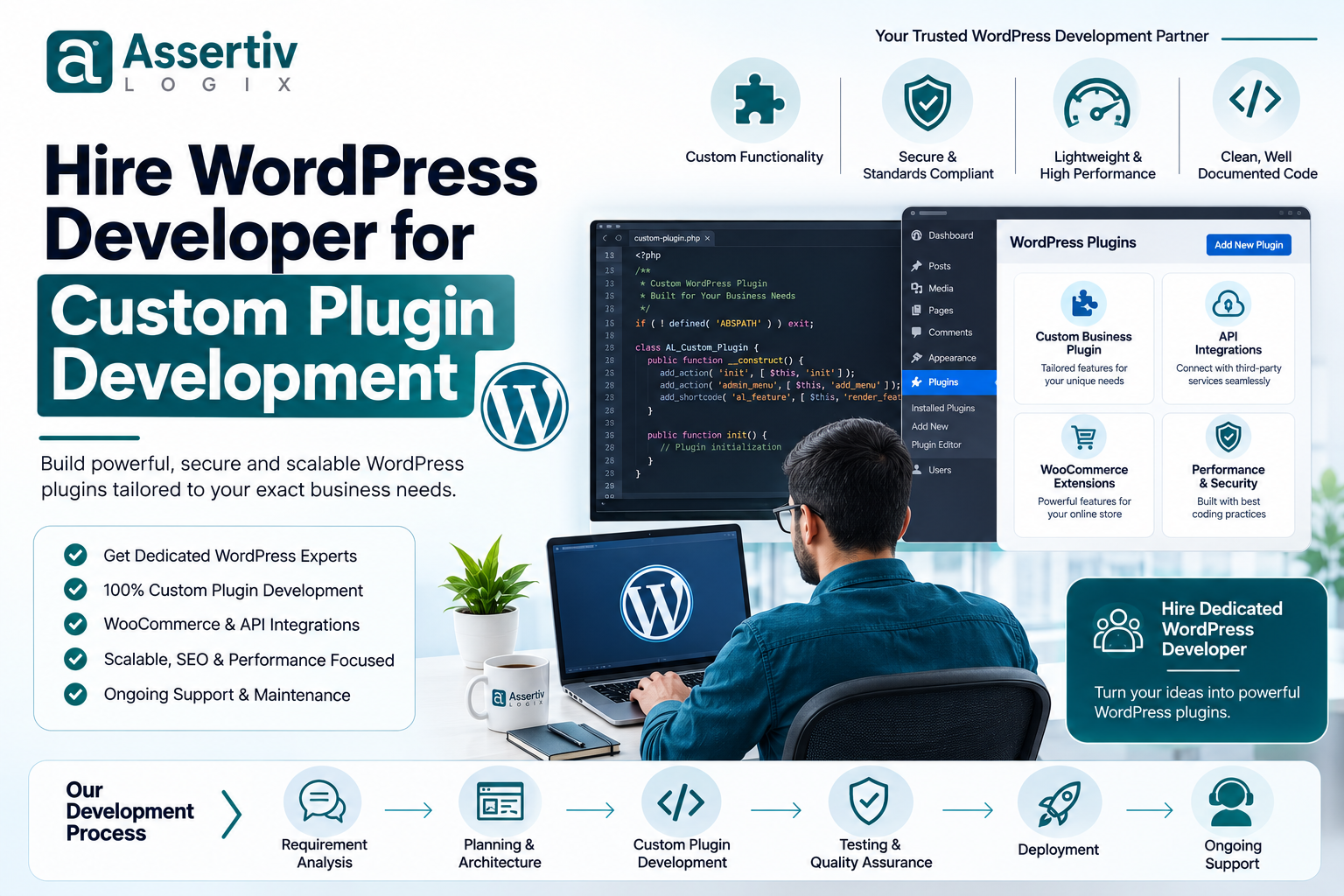
Custom Plugin Development Process
A professional plugin development project should follow a structured process.
Step 1: Requirement Analysis
The first step is understanding what the plugin needs to accomplish.
This includes:
- Business requirements
- User workflows
- Admin workflows
- Data requirements
- Third-party services
- API requirements
- Security requirements
- Performance expectations
Step 2: Technical Planning
The developer determines how the plugin should be structured.
This can include:
- Plugin architecture
- Database structure
- API architecture
- Admin interfaces
- Frontend functionality
- Hooks and filters
- Security controls
Step 3: UI/UX Design
If the plugin includes an admin dashboard or customer-facing interface, the user experience should be planned before development.
Step 4: Development
The developer writes the plugin code according to the approved technical plan.
Professional development should follow WordPress coding standards and appropriate PHP development practices.
Step 5: API Integration
If the plugin connects to external services, the developer implements the required API communication, authentication, data validation, error handling, and synchronization.
Step 6: Security Implementation
Security should be considered throughout development.
Depending on the plugin, this can include:
- Input validation
- Data sanitization
- Output escaping
- Nonce verification
- Capability checks
- Secure API authentication
- Database query protection
Step 7: Testing
The plugin should be tested on a staging environment before production deployment.
Testing may include:
- Functional testing
- Compatibility testing
- Security testing
- Performance testing
- Browser testing
- WooCommerce testing
- API testing
Step 8: Deployment
After successful testing, the plugin can be deployed to the production website.
Step 9: Documentation
Documentation should explain how to configure and use the plugin.
Step 10: Maintenance
WordPress, WooCommerce, PHP, and third-party APIs can change over time.
A maintenance plan helps keep the plugin secure and compatible with the rest of the website.
How Much Does Custom WordPress Plugin Development Cost?
The cost of custom plugin development depends heavily on complexity.
Factors include:
- Number of features
- Plugin architecture
- API integrations
- Database requirements
- WooCommerce integration
- Admin dashboard complexity
- Frontend functionality
- Security requirements
- Testing requirements
- Developer experience
For businesses working with developers in India, broad planning ranges can look like this:
| Plugin Type | Indicative Cost |
|---|---|
| Simple Custom Plugin | ₹30,000–₹75,000+ |
| Business Functionality Plugin | ₹60,000–₹1,50,000+ |
| Advanced Plugin | ₹1,50,000–₹3,00,000+ |
| WooCommerce Custom Plugin | ₹1,00,000–₹3,00,000+ |
| Complex Integration Plugin | ₹2,00,000–₹5,00,000+ |
These are general planning ranges rather than fixed market prices. A reliable estimate should be prepared after reviewing the functionality, integrations, technical requirements, and expected development effort.
If you’re comparing developer rates, read our WordPress Developer Hourly Rate in India: 2026 Pricing.
What Skills Should a WordPress Plugin Developer Have?
Custom plugin development requires more technical knowledge than basic WordPress customization.
WordPress Development
- WordPress Plugin API
- Actions and filters
- WordPress hooks
- Custom post types
- Custom taxonomies
- WordPress REST API
- WordPress database structure
PHP Development
- Object-oriented PHP
- Classes and interfaces
- Error handling
- Database operations
- Secure coding
- Debugging
Database Skills
- MySQL
- Database schema design
- Queries
- Indexes
- Data optimization
API Integration
- REST APIs
- JSON
- Authentication
- Webhooks
- Error handling
- Data synchronization
WooCommerce
- WooCommerce hooks
- Products
- Orders
- Customers
- Checkout
- Payments
- Subscriptions
Security
The developer should understand WordPress security principles, including authentication, authorization, sanitization, escaping, nonces, capability checks, and secure database operations.
Why Custom Plugin Architecture Matters
A plugin may work perfectly when it is first launched and still become difficult to maintain later if the architecture is poorly designed.
A professional developer should consider:
- Namespaces
- Classes
- Separation of concerns
- Reusable components
- Database structure
- Hooks and filters
- Configuration
- Error handling
- Logging
- Scalability
Good architecture makes it easier to add new features without rewriting the entire plugin.
Custom Plugin vs Adding Code to functions.php
For small theme-specific customizations, adding code to a child theme may sometimes be appropriate.
However, business functionality that needs to survive theme changes should generally be separated from the theme.
A plugin is usually the better structure for functionality such as:
- Custom business logic
- API integrations
- Payment functionality
- WooCommerce features
- Custom post types
- Data processing
- Automation
This allows the functionality to remain independent from the presentation layer.
How to Hire the Right WordPress Plugin Developer
Review Custom Plugin Experience
Ask the developer for examples of plugins they have actually developed.
Don’t rely only on websites where they performed theme customization or page-builder work.
Check Technical Knowledge
Discuss PHP, WordPress hooks, APIs, database design, security, and testing.
Ask About Similar Projects
If your plugin requires a payment gateway, ask whether they have developed payment integrations before.
If you need WooCommerce functionality, ask specifically about WooCommerce development experience.
Discuss Security
Ask how they will protect your plugin against unauthorized access, malicious input, and common WordPress vulnerabilities.
Ask About Maintenance
Find out how updates will be handled when WordPress, WooCommerce, PHP, or third-party APIs change.
Questions to Ask Before Hiring a WordPress Plugin Developer
- How many years of WordPress development experience do you have?
- How many custom plugins have you developed?
- Can you show examples of custom plugins?
- Have you developed WooCommerce plugins?
- Have you integrated third-party APIs?
- Do you have experience with payment gateways?
- How do you structure WordPress plugins?
- How do you handle plugin security?
- Do you use Git?
- Do you use a staging environment?
- How do you test plugins?
- How do you handle WordPress and WooCommerce updates?
- Will the source code belong to me?
- Will you provide documentation?
- Do you provide post-launch maintenance?
For more hiring guidance, read our 15 Questions to Ask Before Hiring a WordPress Developer.
Common Mistakes When Hiring a Plugin Developer
Choosing Only Based on Price
The cheapest developer isn’t necessarily the most economical choice.
Poorly written plugin code can create expensive maintenance problems later.
Not Defining Requirements
Unclear requirements often result in scope changes, delays, and unexpected costs.
Ignoring Security
Security should be part of plugin architecture from the beginning, not added after development.
Skipping Testing
A plugin should be tested before being installed on a production website.
Not Planning for Updates
WordPress and WooCommerce continue to evolve. Your plugin should be maintainable as the platform changes.
Not Clarifying Code Ownership
Always clarify source-code ownership and licensing before starting the project.
How to Reduce Custom Plugin Development Costs
Custom development doesn’t have to be unnecessarily expensive.
Start With an MVP
Build the essential functionality first.
You can add advanced features later after validating the initial version.
Prepare Clear Requirements
Detailed requirements reduce development uncertainty.
Reuse Stable Components
Experienced developers can often use appropriate WordPress APIs and established development patterns instead of reinventing every component.
Prioritize Features
Separate your requirements into:
- Essential
- Important
- Nice to have
- Future
This helps control the initial development budget.
Why Hire WordPress Plugin Developers in India?
India has a large technology talent pool with developers specializing in WordPress, PHP, WooCommerce, APIs, databases, and web applications.
Businesses can choose from:
- Freelance WordPress developers
- Dedicated WordPress developers
- WordPress development companies
- Specialized WooCommerce developers
- Full-stack WordPress developers
For international businesses, remote development can also provide flexible working arrangements.
However, don’t choose a developer simply because they are based in India. Evaluate their technical expertise, relevant experience, communication, development process, and portfolio.
Custom Plugin Development for Agencies
Digital agencies often need reliable WordPress developers for client projects.
Instead of hiring internally for every project, agencies can work with a dedicated WordPress development partner.
This can be useful for:
- White-label development
- Custom plugins
- WooCommerce development
- API integrations
- Theme development
- Bug fixing
- Performance optimization
- Maintenance
The agency can focus on client communication and strategy while the development partner handles technical implementation.
Why Choose Assertivlogix for Custom WordPress Plugin Development?
Assertivlogix provides custom WordPress and WooCommerce development services for businesses, startups, ecommerce companies, and digital agencies.
Our development capabilities include:
- Custom WordPress plugin development
- WooCommerce plugin development
- Payment gateway integrations
- REST API integrations
- CRM integrations
- ERP integrations
- Custom dashboards
- Business automation
- Custom WooCommerce functionality
- WordPress theme development
- Performance optimization
- WordPress security
- Ongoing plugin maintenance
- Dedicated WordPress development
- White-label development
We can help turn a business requirement into a structured WordPress plugin that is designed for maintainability, security, performance, and future expansion.
Tell us about your WordPress website, WooCommerce store, API integration, payment workflow, automation requirement, or custom functionality. Our specialists can help you plan and develop a secure, scalable plugin around your business needs.
Frequently Asked Questions
Why should I hire a WordPress developer for custom plugin development?
You should consider custom plugin development when existing plugins cannot provide the functionality, integrations, performance, flexibility, or business workflow your website requires.
How much does custom WordPress plugin development cost?
Custom plugin development costs vary based on functionality, integrations, database requirements, WooCommerce requirements, security, testing, and developer expertise. Simple plugins may cost tens of thousands of rupees, while complex business and integration plugins can cost several lakhs.
Can a custom plugin integrate with an external API?
Yes. A custom WordPress plugin can integrate with REST APIs and other external services using appropriate authentication, data handling, validation, error handling, and synchronization methods.
Can I hire a WordPress developer to create a WooCommerce plugin?
Yes. A WordPress developer with WooCommerce experience can build custom functionality for products, checkout, payments, orders, shipping, pricing, subscriptions, customer accounts, and other ecommerce workflows.
Is a custom plugin better than an existing WordPress plugin?
Not always. If an existing plugin provides the required functionality and is reliable and actively maintained, it may be the better option. Custom development is more appropriate when your requirements are unique or existing solutions create limitations.
How long does custom WordPress plugin development take?
The timeline depends on the complexity of the plugin. A simple plugin may take a few weeks, while advanced plugins involving APIs, WooCommerce, dashboards, databases, and complex workflows can take considerably longer.
How do I find a good WordPress plugin developer?
Review the developer’s custom plugin portfolio, WordPress and PHP experience, API knowledge, security practices, testing process, client feedback, communication, and experience with projects similar to yours.
Can I hire a WordPress plugin developer from India?
Yes. Businesses can hire freelance, dedicated, or agency-based WordPress plugin developers from India for custom plugin development, WooCommerce, API integrations, automation, and long-term maintenance.
Will I own the custom plugin source code?
Source-code ownership depends on your agreement with the developer or development company. Make sure ownership, licensing, and redistribution rights are clearly documented before development begins.
Does a custom plugin need ongoing maintenance?
It can. WordPress, WooCommerce, PHP, and external APIs can change over time. Maintaining a custom plugin helps preserve compatibility, security, and functionality.
Final Checklist Before Hiring a WordPress Plugin Developer
- Define the plugin’s purpose
- Document required features
- Identify external integrations
- Define user and admin workflows
- Check the developer’s custom plugin portfolio
- Verify WordPress and PHP expertise
- Check WooCommerce experience if required
- Discuss security requirements
- Discuss database requirements
- Confirm testing procedures
- Confirm Git/version-control practices
- Use a staging environment
- Define source-code ownership
- Agree on development milestones
- Clarify maintenance and support
Final Thoughts
When an existing WordPress plugin doesn’t quite solve your problem, adding more plugins isn’t always the answer.
A well-designed custom plugin can give your business the functionality it actually needs while keeping your website’s architecture more controlled and adaptable.
The key is choosing an experienced developer who understands WordPress beyond basic customization. PHP, WordPress APIs, database design, security, WooCommerce, integrations, testing, and scalable plugin architecture all matter when developing business-critical functionality.
Before you hire WordPress developer custom plugin development services, clearly define your requirements, review relevant projects, ask technical questions, discuss security and maintenance, and confirm source-code ownership.
If you’re ready to build custom WordPress functionality for your business, contact Assertivlogix to discuss your project.