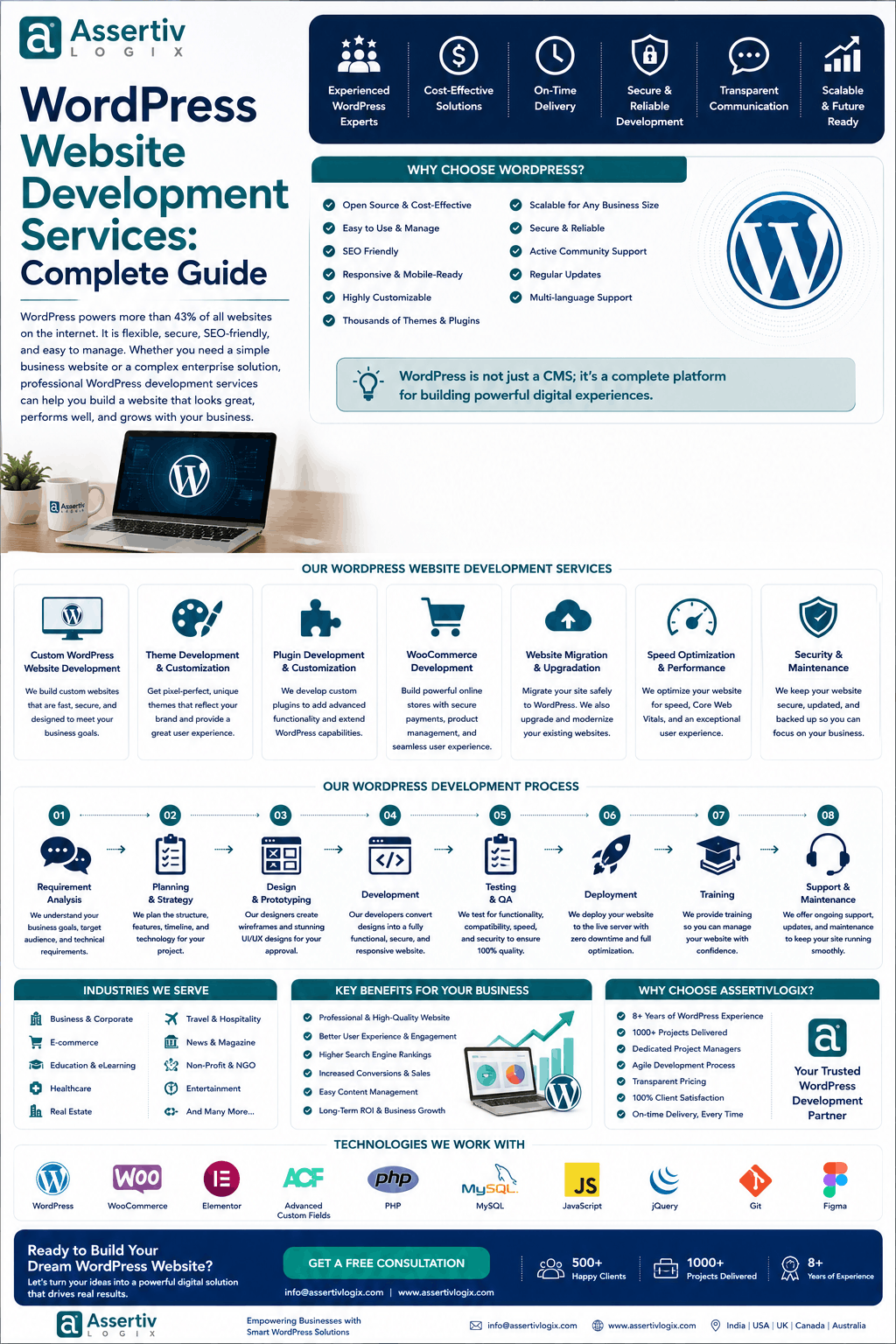
WordPress development services include much more than installing WordPress and selecting a theme. Professional WordPress development can cover everything from website planning and custom development to WooCommerce, plugin development, API integrations, performance optimization, security, SEO, migration, and ongoing maintenance.
If you’re planning a new website or trying to improve an existing WordPress website, understanding what development services actually include can help you choose the right developer or development company.
In this guide, we’ll explain what WordPress development services include, which services businesses commonly need, how the development process works, how much different services can cost, and when you should hire a professional WordPress developer.
What Do WordPress Development Services Include?
At a high level, professional WordPress development services can include:
- WordPress website development
- Custom WordPress development
- WordPress theme development
- Theme customization
- Custom WordPress plugin development
- WooCommerce development
- API and third-party integrations
- WordPress migration
- Website redesign
- Speed optimization
- Core Web Vitals optimization
- WordPress security
- Technical SEO implementation
- Bug fixing
- Website maintenance
- Performance monitoring
Not every project needs every service. A small business website may only require development, SEO setup, and maintenance, while a large WooCommerce website may need custom plugins, APIs, payment integrations, performance optimization, and ongoing development.
1. WordPress Website Development
One of the most common WordPress development services is complete website development.
This involves creating a website around a company’s brand, goals, audience, content, and functionality requirements.
A professional WordPress website can include:
- Homepage
- About page
- Service pages
- Product pages
- Contact pages
- Blog
- Case studies
- Landing pages
- Testimonials
- Custom content sections
The development process can also include responsive layouts, navigation, forms, integrations, analytics, SEO foundations, performance optimization, testing, and deployment.
2. Custom WordPress Website Development
Custom WordPress development is useful when a business needs more control over the website’s design or functionality.
Instead of adapting a generic theme to fit the business, developers can create functionality and templates around the actual requirements.
Custom development can be useful for:
- Unique website designs
- Complex business workflows
- Custom dashboards
- Advanced search
- Custom user roles
- Specialized forms
- Third-party integrations
- Custom ecommerce functionality
The advantage is greater control over the website’s architecture and functionality.
3. WordPress Theme Development
A WordPress theme controls the presentation and layout of a website.
Theme development services can include:
- Custom homepage templates
- Header development
- Footer development
- Blog templates
- Archive templates
- Single post templates
- Custom post type templates
- Responsive layouts
- Mobile optimization
- Accessibility improvements
A properly developed theme should not only look good but also provide clean code, responsive behavior, maintainability, and good performance.
4. WordPress Theme Customization
Not every business needs a completely custom theme.
Sometimes an existing theme provides a good foundation and only needs customization.
Theme customization can include:
- Changing layouts
- Customizing colors
- Typography changes
- Header and footer modifications
- Custom page templates
- Adding new sections
- Changing navigation
- Custom CSS
- Responsive improvements
This approach can reduce development time when the existing theme is technically suitable.
5. Custom WordPress Plugin Development
Plugins add functionality to WordPress.
When an existing plugin cannot provide the functionality a business needs, a developer can create a custom plugin.
Custom plugin development can include:
- Custom business logic
- Admin dashboards
- API integrations
- Custom forms
- Automation
- Reporting systems
- Membership functionality
- WooCommerce extensions
- Custom user roles
- Third-party integrations
Custom plugins can also be developed with maintainability and future expansion in mind.
6. WooCommerce Development
For ecommerce businesses, WooCommerce development is an important part of WordPress development services.
WooCommerce services can include:
- WooCommerce store development
- Product configuration
- Product variations
- Checkout customization
- Cart customization
- Payment gateway integration
- Shipping integration
- Tax configuration
- Subscription functionality
- Product customization
- Order management
- Inventory integration
Developers can also integrate WooCommerce with external systems such as CRMs, ERPs, accounting platforms, shipping systems, and marketing tools.
7. WordPress API Integration
Modern websites frequently need to exchange information with external applications.
WordPress development services can include API integration with:
- CRM systems
- ERP platforms
- Payment providers
- Email marketing systems
- Shipping platforms
- Accounting software
- Analytics platforms
- Mobile applications
- Business management systems
Professional API development should consider authentication, validation, error handling, data security, and performance.
8. WordPress Migration Services
Businesses often need to migrate WordPress websites between hosting providers, domains, servers, or platforms.
A professional migration can include:
- Website backup
- Database migration
- File migration
- Media migration
- URL mapping
- 301 redirects
- DNS configuration
- SSL setup
- Post-migration testing
The goal is to move the website without unnecessarily damaging functionality, SEO visibility, or user experience.
9. WordPress Website Redesign
An outdated website can affect user trust, conversions, and usability.
WordPress redesign services can address:
- Outdated visual design
- Poor mobile experience
- Confusing navigation
- Weak calls to action
- Slow pages
- Inconsistent branding
- Poor content structure
A redesign should not only make a website look newer. It should improve usability and support business objectives.
10. WordPress Speed Optimization
Website performance is another important part of professional WordPress development.
Speed optimization can include:
- Image optimization
- Browser caching
- Page caching
- Database optimization
- CSS optimization
- JavaScript optimization
- Font optimization
- Lazy loading
- Server configuration
- CDN implementation
Developers can also investigate Core Web Vitals and identify issues affecting loading performance and interaction responsiveness.
11. Core Web Vitals Optimization
Core Web Vitals focus on important aspects of real-world page experience.
WordPress developers may work on:
- Largest Contentful Paint (LCP)
- Interaction to Next Paint (INP)
- Cumulative Layout Shift (CLS)
Improving these metrics can require changes to themes, plugins, JavaScript, images, fonts, caching, hosting, and third-party scripts.
12. WordPress Security Services
Security should be considered throughout the development lifecycle.
WordPress security services can include:
- Security hardening
- User permission management
- Secure authentication
- Plugin and theme updates
- Malware monitoring
- Backup configuration
- Access control
- Secure API development
- Vulnerability checks
A good security strategy also includes keeping WordPress core, plugins, and themes maintained.
13. WordPress Technical SEO Development
SEO is not only about writing blog posts.
Technical WordPress development can support SEO through:
- SEO-friendly URL structures
- Proper heading hierarchy
- XML sitemap configuration
- Canonical URL implementation
- 301 redirects
- Schema markup
- Mobile responsiveness
- Page performance
- Image optimization
- Internal linking structure
Developers and SEO specialists can work together to create a technically sound website.
14. WordPress Bug Fixing
Existing WordPress websites can develop issues after plugin updates, theme changes, server migrations, or custom code modifications.
Common problems include:
- PHP errors
- Broken layouts
- Plugin conflicts
- White screen errors
- Checkout problems
- Form failures
- Database errors
- JavaScript errors
- Mobile display problems
A WordPress developer can investigate the root cause rather than simply applying temporary fixes.
15. WordPress Maintenance
Websites need ongoing maintenance after launch.
Maintenance services can include:
- WordPress updates
- Plugin updates
- Theme updates
- Security monitoring
- Backups
- Performance checks
- Bug fixes
- Compatibility testing
- Database maintenance
Regular maintenance can reduce the risk of avoidable technical problems.
16. WordPress Content Management
WordPress development can also involve creating content structures that make websites easier for teams to manage.
Developers can create:
- Custom post types
- Custom taxonomies
- Custom fields
- Reusable content components
- Editorial workflows
- Custom admin interfaces
This can be especially useful for websites with large amounts of structured content.
17. Membership and User Management Development
Businesses that need restricted content or user accounts may require custom membership functionality.
Development can include:
- User registration
- Login systems
- Membership levels
- Restricted content
- User dashboards
- Subscription functionality
- Account management
18. WordPress Third-Party Integrations
A website often needs to connect with other business systems.
Examples include:
- HubSpot
- Salesforce
- Mailchimp
- Google Analytics
- Payment gateways
- Shipping providers
- CRM platforms
- ERP systems
- Accounting software
The exact integration depends on the business’s existing technology stack.
19. WordPress Hosting and Deployment
Development services can also include helping businesses prepare their hosting environment.
This may include:
- Server configuration
- PHP version configuration
- Database configuration
- SSL installation
- Staging environment setup
- Production deployment
- Backup configuration
- CDN configuration
A properly configured hosting environment can contribute to website stability and performance.
20. Ongoing WordPress Development
Some businesses need a developer long after the initial website launch.
Ongoing development can include:
- New features
- New integrations
- Website improvements
- Conversion optimization
- WooCommerce enhancements
- Performance improvements
- Bug fixing
- Security improvements
For continuous requirements, businesses may consider hiring a dedicated WordPress developer rather than treating every task as a separate project.
WordPress Development Services by Business Type
Small Businesses
Small businesses often need a professional website, service pages, contact forms, SEO foundations, analytics, and maintenance.
Startups
Startups may need rapid development, landing pages, integrations, custom functionality, and the ability to scale the website as the company grows.
Ecommerce Businesses
Ecommerce companies often need WooCommerce development, payment integration, shipping, product management, performance optimization, and conversion improvements.
Digital Agencies
Agencies may need white-label WordPress development, dedicated developers, custom plugins, theme development, maintenance, and support for multiple client projects.
Enterprise Businesses
Enterprise websites may require advanced integrations, custom workflows, security, performance engineering, scalable architecture, and ongoing development.
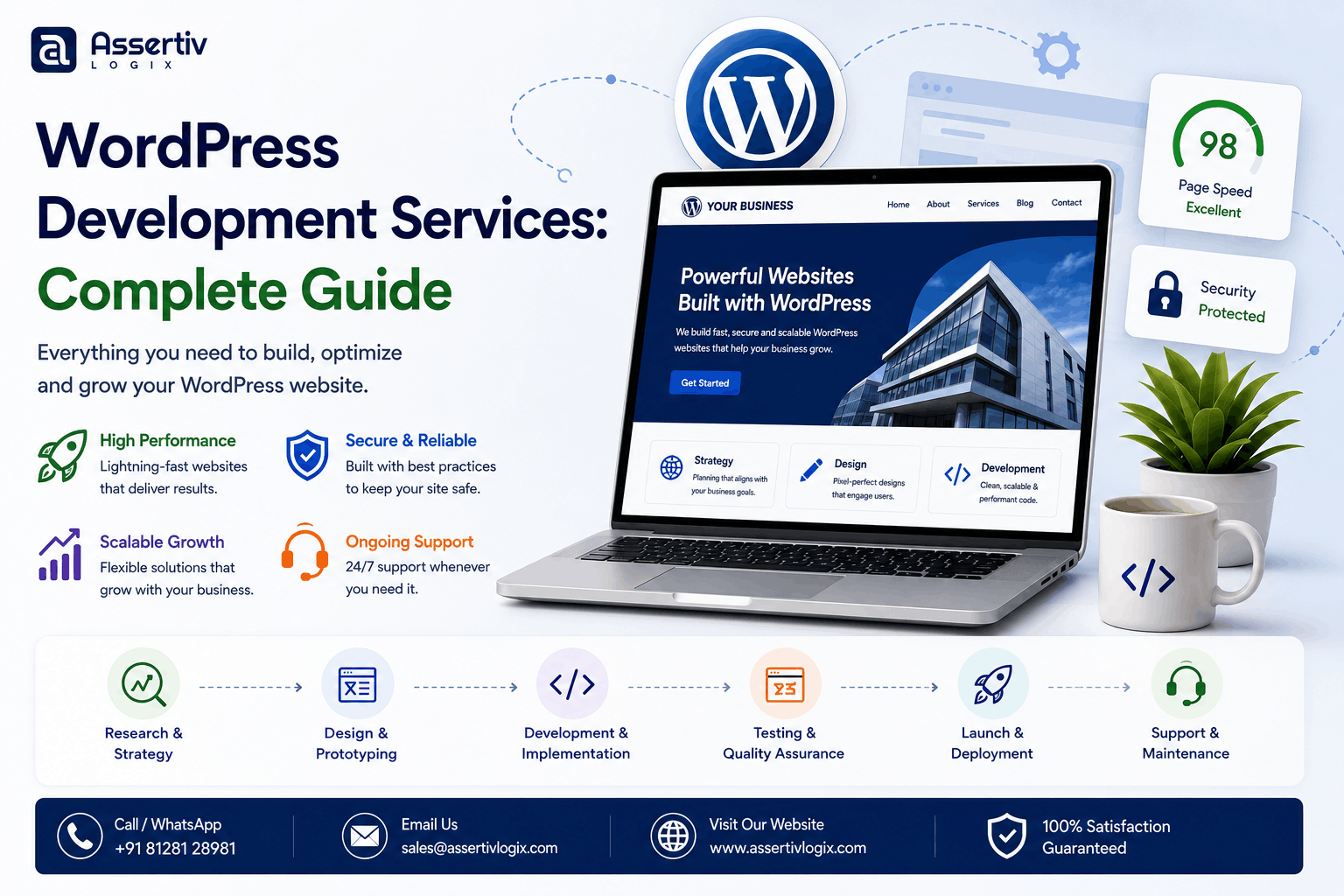
WordPress Development Process
Professional WordPress development services usually follow a structured process.
Step 1: Discovery
The development team learns about your business, audience, objectives, competitors, existing technology, and project requirements.
Step 2: Requirement Planning
Pages, functionality, integrations, user roles, content structures, performance expectations, and technical requirements are documented.
Step 3: Design
The design establishes the website’s visual direction, layout, navigation, responsive behavior, and user experience.
Step 4: Development
Developers implement the approved design and functionality using WordPress and the appropriate technologies.
Step 5: Integration
Required third-party services and APIs are connected and tested.
Step 6: Quality Assurance
The website is tested across browsers and devices. Functionality, forms, links, responsive behavior, performance, and security are reviewed.
Step 7: SEO and Performance
Technical SEO and performance improvements are implemented before launch.
Step 8: Deployment
The website is moved from staging to production after final approval.
Step 9: Maintenance
After launch, ongoing maintenance and development can keep the website secure and up to date.
How Much Do WordPress Development Services Cost?
The cost depends on what you actually need.
A basic business website is significantly different from a custom WooCommerce platform with multiple API integrations.
| Service | Typical Complexity | Main Cost Factors |
|---|---|---|
| Business Website | Low to Medium | Pages, design, functionality |
| Custom Website | Medium to High | Design and custom functionality |
| Custom Theme | Medium to High | Templates, design, responsive requirements |
| Custom Plugin | Medium to Very High | Business logic, integrations, complexity |
| WooCommerce Store | Medium to High | Products, checkout, integrations |
| API Integration | Medium to High | API complexity and authentication |
| Speed Optimization | Low to High | Existing architecture and issues |
| Maintenance | Ongoing | Website size and support requirements |
For a detailed pricing discussion, see our WordPress Website Cost in 2026 guide.
When Should You Hire a WordPress Developer?
You should consider professional development when:
- You need a custom website
- Your existing website has technical problems
- You need custom functionality
- You require WooCommerce development
- You need an API integration
- Your website is slow
- You are migrating from another platform
- You need ongoing maintenance
- Your internal team lacks WordPress expertise
- You need a developer for long-term improvements
Freelancer vs WordPress Development Company
The right choice depends on the complexity of your project.
| Factor | Freelancer | Development Company |
|---|---|---|
| Cost | Often Lower | Varies |
| Resources | Usually One Developer | Multiple Specialists |
| Scalability | Limited | Higher |
| Project Management | May Be Limited | Usually Available |
| Long-Term Support | Depends on Availability | Usually Available |
For a deeper comparison, read our Freelance vs Agency: Who Should You Hire for WordPress?
Why Choose Assertivlogix?
Assertivlogix provides professional WordPress development services for businesses, startups, ecommerce companies, and digital agencies.
Our WordPress services include:
- WordPress website development
- Custom WordPress development
- Custom theme development
- Custom plugin development
- WooCommerce development
- API integration
- Payment gateway integration
- WordPress migration
- Website redesign
- WordPress speed optimization
- Core Web Vitals optimization
- WordPress security
- WordPress maintenance
- Dedicated WordPress developers
- White-label WordPress development
We can structure development around a fixed project, dedicated developer, or ongoing development requirements depending on your business needs.
Whether you need a new website, custom functionality, WooCommerce development, plugin development, API integration, or ongoing maintenance, tell us about your project and we’ll help you choose the right solution.
Frequently Asked Questions
What do WordPress development services include?
WordPress development services can include website development, custom themes, plugin development, WooCommerce, API integrations, migration, redesign, speed optimization, security, technical SEO, bug fixing, and ongoing maintenance.
What does a WordPress developer do?
A WordPress developer can build, customize, maintain, optimize, troubleshoot, and extend WordPress websites using WordPress, PHP, JavaScript, HTML, CSS, APIs, databases, themes, and plugins.
Do WordPress development services include SEO?
They can include technical SEO implementation such as URL structures, schema markup, redirects, responsive development, performance optimization, sitemap configuration, and other technical foundations.
Do WordPress developers build WooCommerce stores?
Yes. WordPress developers can build and customize WooCommerce stores, including products, checkout, payment gateways, shipping, integrations, custom functionality, and performance optimization.
Can a WordPress developer create a custom plugin?
Yes. Developers can create custom WordPress plugins when existing plugins do not provide the functionality required by a business.
Can WordPress developers improve website speed?
Yes. WordPress speed optimization can include caching, image optimization, database optimization, JavaScript and CSS optimization, font optimization, server configuration, CDN implementation, and Core Web Vitals improvements.
Do WordPress development services include maintenance?
Many development companies offer ongoing maintenance packages covering updates, backups, security monitoring, bug fixing, compatibility checks, and performance monitoring.
How much do WordPress development services cost?
Pricing depends on the type of website or service, design requirements, functionality, integrations, developer experience, and ongoing support requirements.
Should I hire a freelancer or WordPress development company?
A freelancer may be suitable for smaller tasks or projects. A WordPress development company may be more suitable when you need multiple specialists, larger projects, ongoing support, or scalable development resources.
Can WordPress development companies provide dedicated developers?
Yes. Many WordPress development companies provide dedicated developers who work on an ongoing basis for a business or agency.
WordPress Development Services Checklist
- Website planning
- WordPress installation and configuration
- Custom website development
- Theme development
- Theme customization
- Plugin development
- WooCommerce development
- API integration
- Payment integration
- Website migration
- Website redesign
- Speed optimization
- Core Web Vitals optimization
- Technical SEO
- Security
- Bug fixing
- Testing
- Deployment
- Maintenance
- Ongoing development
Final Thoughts
What do WordPress development services include? The answer goes far beyond basic website creation.
Professional WordPress development can cover the entire website lifecycle, from planning and custom development to testing, launch, optimization, security, and ongoing maintenance.
The right services depend on your business. A small company may only need a professional website and maintenance, while a growing ecommerce business may require WooCommerce development, custom plugins, APIs, performance optimization, and continuous technical support.
Before hiring a WordPress developer, clearly define what you need today and what you may need in the future. This makes it easier to select the right development model, budget, and technical partner.
If you need professional WordPress development services for your business, ecommerce store, or agency, contact Assertivlogix to discuss your requirements.