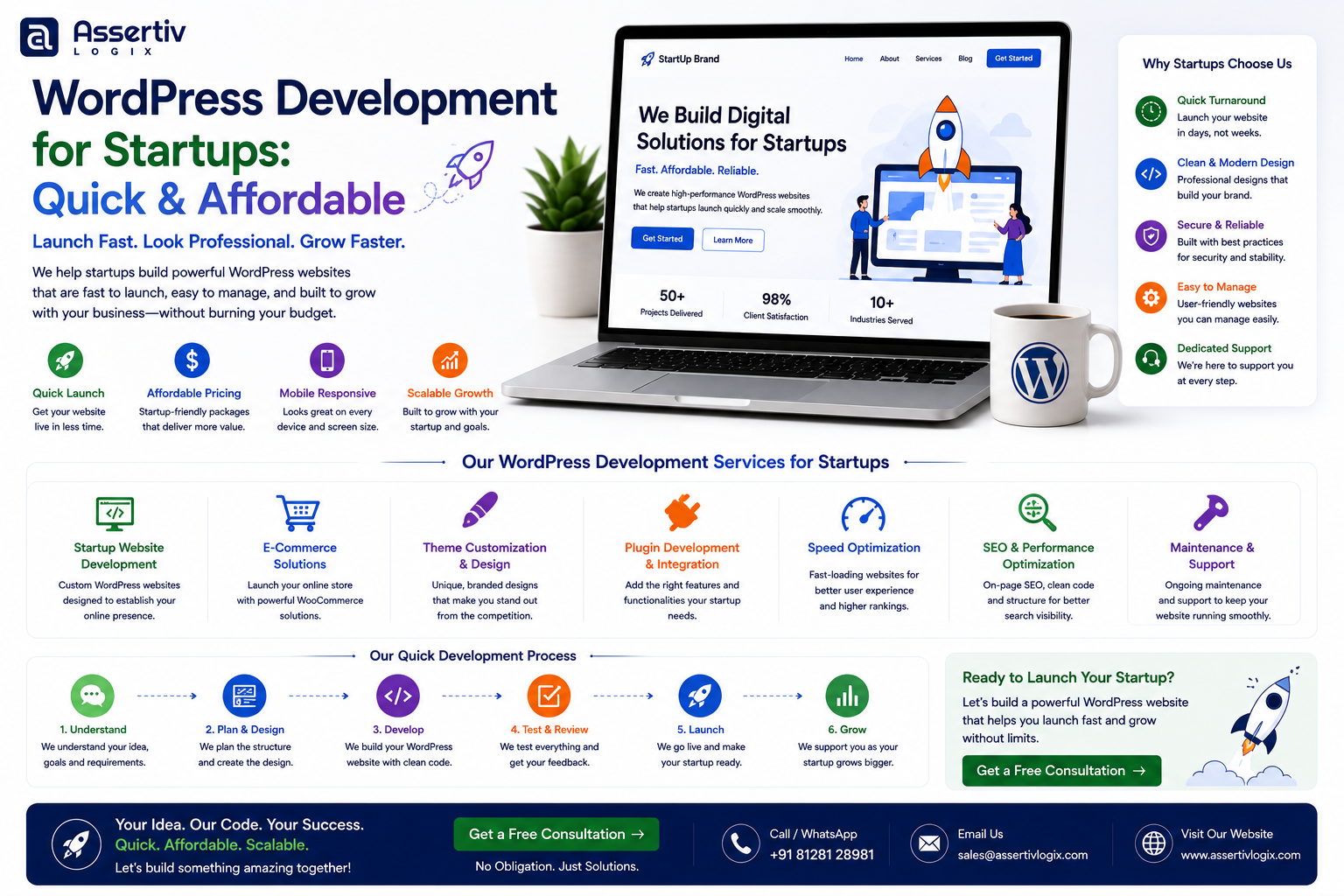
WordPress development for startups can be a practical way to launch a professional website quickly without committing a large part of your early-stage budget to development.
When you’re building a startup, speed matters. You may need a website for an upcoming product launch, investor meeting, marketing campaign, lead generation, or MVP. At the same time, your budget is usually limited and your requirements can change quickly.
That makes WordPress an attractive option.
You can start with the features you actually need today and expand the website as your startup grows. Instead of spending months building a complex platform before validating your idea, you can create a focused website, launch it, collect feedback, and improve it based on real customer behavior.
In this guide, we’ll explain how startups can use WordPress to launch quickly, what a startup website should include, how much development can cost, when custom development makes sense, and how to build a website that can scale with your business.
Why Startups Choose WordPress
Startups often need to balance three things:
- Speed to market
- Limited initial budget
- Future scalability
WordPress can help address all three when it is planned and developed correctly.
A startup can use WordPress to build:
- Company websites
- Startup landing pages
- MVP websites
- SaaS marketing websites
- Product websites
- Lead-generation websites
- Blogs and content platforms
- Membership websites
- Online stores
- Booking platforms
The important thing is not to build more than your startup currently needs.
What Does Affordable WordPress Development for Startups Mean?
Affordable development doesn’t mean choosing the cheapest possible developer.
For a startup, affordability should mean getting the right functionality for the current stage of the business while avoiding unnecessary development and technical debt.
A cost-effective startup website should have:
- A clear purpose
- Focused functionality
- Professional design
- Mobile responsiveness
- Fast performance
- SEO-friendly structure
- Basic security
- Easy content management
- Room for future improvements
The goal is to create a useful first version rather than an unnecessarily complicated website.
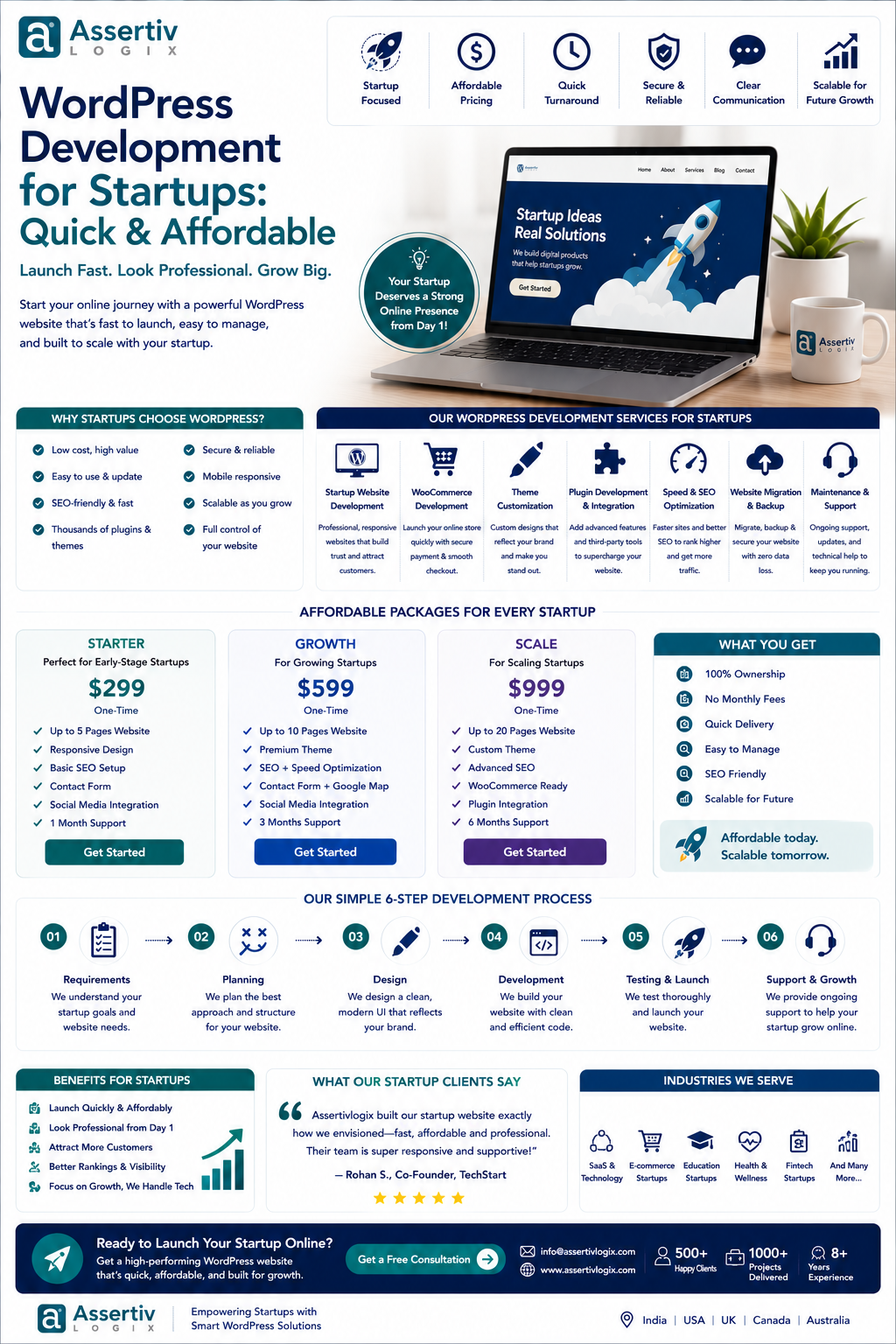
How Much Does WordPress Development for Startups Cost?
The cost depends on the startup’s requirements, design, functionality, integrations, development approach, and location of the development team.
| Startup Website Type | Typical Planning Range | Best For |
|---|---|---|
| Landing Page | $300–$1,500+ | Early validation and campaigns |
| Basic Startup Website | $500–$2,500+ | Early-stage startups |
| Professional Startup Website | $1,500–$5,000+ | Growing startups |
| Custom WordPress Website | $3,000–$10,000+ | Startups needing custom functionality |
| WooCommerce Website | $2,500–$10,000+ | Product-focused startups |
| Ongoing Maintenance | $50–$500+ / month | Long-term support |
These are general planning ranges rather than fixed prices. A startup with complex integrations, custom workflows, or advanced ecommerce requirements may require a larger development budget.
What Should a Startup WordPress Website Include?
A startup website doesn’t need dozens of pages at launch.
A focused website might include:
- Homepage
- Product or service page
- About page
- Pricing page
- Contact page
- FAQ
- Blog
- Testimonials or customer stories
- Lead-generation forms
The exact structure should depend on how your startup acquires and converts customers.
1. Clear Startup Value Proposition
Visitors should understand what your startup does within a few seconds.
Your homepage should clearly communicate:
- What problem you solve
- Who your product is for
- How your solution works
- Why customers should care
- What visitors should do next
A complicated homepage can make an early-stage startup look less clear than it actually is.
2. Strong Call to Action
Every startup website should have a clear next step.
Depending on your business, that could be:
- Start Free Trial
- Book a Demo
- Request a Quote
- Contact Sales
- Join the Waitlist
- Download the App
- Buy Now
- Get Started
Don’t force visitors to figure out what they should do next.
3. Mobile-Friendly Design
Your startup website should work properly across smartphones, tablets, laptops, and desktop computers.
Mobile responsiveness should be considered during the design and development process rather than treated as a final adjustment.
4. Fast Loading Speed
Startups often compete with established companies for customer attention. A slow website creates unnecessary friction.
Performance optimization can include:
- Optimized images
- Caching
- Efficient CSS
- Optimized JavaScript
- Font optimization
- Lazy loading
- Good hosting
- CDN configuration
Performance should be monitored after launch as well.
5. SEO-Friendly Structure
Search visibility can become an important acquisition channel as a startup grows.
Your WordPress website should have a solid technical foundation, including:
- SEO-friendly URLs
- Logical site architecture
- Proper headings
- Internal linking
- XML sitemap
- Canonical URLs
- Schema markup where appropriate
- Optimized images
- Mobile-friendly pages
Ongoing keyword research, content creation, link building, and SEO campaigns are separate activities that may require additional investment.
6. Analytics and Conversion Tracking
Startups should understand how visitors interact with their website.
Useful measurements can include:
- Traffic sources
- Landing pages
- Form submissions
- CTA clicks
- Product interactions
- Demo requests
- Conversions
Data can help you decide which pages and campaigns deserve more attention.
7. Lead Generation
If your startup sells services, SaaS products, B2B solutions, or high-value products, lead generation may be one of the website’s most important functions.
Your website can use:
- Contact forms
- Demo requests
- Newsletter forms
- Lead magnets
- Booking forms
- Quote requests
- Chat integrations
WordPress MVP Development for Startups
An MVP, or minimum viable product, is designed to test an idea with the smallest practical feature set.
WordPress can be useful for MVP websites when the product or service doesn’t require a highly specialized application architecture from day one.
For example, a startup might initially use WordPress for:
- Marketing pages
- Lead collection
- Content publishing
- Product validation
- Waitlists
- Simple memberships
- Basic ecommerce
Once the business validates demand, more sophisticated systems can be introduced where necessary.
Should a Startup Build a Custom WordPress Website?
Not every startup needs a fully custom website at the beginning.
Use a Suitable Theme When:
- You need to launch quickly
- Your design requirements are straightforward
- Your functionality is standard
- Your initial budget is limited
Customize an Existing Theme When:
- You need a more unique appearance
- The existing theme provides most required functionality
- You want to reduce initial development time
- You need custom sections or components
Choose a Custom Theme When:
- Your brand requires a unique experience
- You need specialized layouts
- Performance is a major requirement
- You need complete frontend control
- Your website has unusual functionality
When Should a Startup Use Custom WordPress Development?
Custom development becomes more valuable when the startup needs functionality that existing themes and plugins cannot reliably provide.
Examples include:
- Custom dashboards
- User portals
- Advanced calculators
- Custom search
- Third-party API integrations
- CRM integrations
- Custom payment workflows
- Automated processes
- Custom WooCommerce functionality
- Business-specific reporting
A good development partner should first determine whether an existing solution is sufficient before recommending custom development.
WordPress for SaaS Startups
Many SaaS startups use WordPress as their marketing website even when their actual SaaS application uses a different technology stack.
This can be a practical architecture.
WordPress can manage:
- Marketing pages
- Blog content
- SEO content
- Product information
- Documentation
- Lead generation
- Resources
The application itself can remain on a separate technology stack when application-level requirements demand it.
APIs and integrations can connect the marketing website with other systems when required.
WordPress Ecommerce for Startups
If your startup sells physical or digital products, WooCommerce can provide an ecommerce foundation.
A startup store can include:
- Product catalog
- Shopping cart
- Checkout
- Payment gateways
- Shipping
- Coupons
- Product variations
- Order management
As requirements become more advanced, startups may need custom checkout functionality, subscriptions, ERP integrations, inventory synchronization, or other custom development.
Read our WooCommerce development guide for more information.
How Startups Can Reduce WordPress Development Costs
1. Build an MVP First
Don’t spend your entire budget building features that haven’t been validated.
Start with the functionality necessary to launch and learn.
2. Prioritize Revenue-Critical Features
Give priority to features that help acquire customers, generate leads, demonstrate the product, or process sales.
3. Reuse Proven Components
Reliable existing WordPress components can reduce development time when they genuinely meet your requirements.
4. Avoid Unnecessary Customization
Not every small design or functionality request needs custom code.
Discuss the business value of a feature before adding development cost.
5. Plan for Future Growth
Affordable doesn’t mean disposable.
Your initial website should be built cleanly enough that future developers can maintain and extend it.
6. Prepare Content Before Development
Missing content can delay projects and increase revisions.
Prepare your:
- Website copy
- Product information
- Images
- Brand assets
- Testimonials
- FAQs
as early as possible.
Freelancer vs WordPress Development Company for Startups
| Factor | Freelancer | Development Company |
|---|---|---|
| Initial Cost | Often Lower | Varies |
| Team Size | Usually One Person | Multiple Specialists |
| Design Support | Depends | Usually Available |
| QA | May Be Limited | Usually Available |
| Scalability | Limited | Higher |
| Long-Term Support | Depends on Availability | Usually Available |
| Multiple Technologies | May Require Partners | More Resources Available |
A freelancer can be a good fit for a simple startup website. A development company may be more suitable when your startup needs design, development, integrations, QA, ongoing support, or multiple developers.
How Long Does Startup WordPress Development Take?
One of the biggest advantages of keeping the initial scope focused is a shorter development cycle.
| Project Type | Typical Planning Timeline |
|---|---|
| Landing Page | Several days to 2 weeks |
| Basic Startup Website | 1–3 weeks |
| Professional Startup Website | 2–6 weeks |
| Custom WordPress Website | 4–10+ weeks |
| Complex WooCommerce Website | 4–12+ weeks |
These are general planning estimates. Design revisions, content availability, custom functionality, integrations, and client approvals can affect the actual timeline.
How to Choose a WordPress Development Company for Your Startup
When evaluating development companies, don’t focus only on their price.
Check:
- Relevant startup experience
- WordPress portfolio
- Technical expertise
- Custom development experience
- WooCommerce experience if required
- API integration experience
- Communication process
- Development methodology
- Testing process
- Security practices
- Performance optimization experience
- Post-launch support
Ask for an itemized proposal so you can understand exactly what is included.
Questions Startups Should Ask Before Hiring a WordPress Developer
- Have you worked with startups before?
- Can you show relevant WordPress projects?
- Can you build a website quickly without sacrificing quality?
- Do you provide custom theme development?
- Do you develop custom plugins?
- Can you integrate APIs and third-party services?
- How do you approach website performance?
- How do you handle WordPress security?
- What is included in your development quote?
- How do you handle changes to the scope?
- How will we communicate during development?
- How do you test websites before launch?
- What support is available after launch?
- Can you continue developing the website as the startup grows?
Common WordPress Mistakes Startups Should Avoid
Building Too Many Features
Adding every possible feature before validating the business idea can consume budget and delay launch.
Choosing Only on Price
The cheapest developer isn’t necessarily the most affordable option over the lifetime of the website.
Ignoring Performance
A slow website can negatively affect user experience and conversions.
Ignoring SEO
Build a technically clean foundation from the beginning instead of waiting until the website has hundreds of pages.
Using Too Many Plugins
Plugins can be useful, but unnecessary plugins create additional dependencies and maintenance requirements.
Skipping Backups
A startup website should have a reliable backup strategy before it becomes an important business asset.
Not Planning for Growth
Your first website doesn’t need to support every future requirement, but it should be built in a way that doesn’t unnecessarily block future development.
Why Choose Assertivlogix for Startup WordPress Development?
Assertivlogix provides WordPress development services for startups, small businesses, ecommerce companies, and digital agencies.
Our services include:
- WordPress website development
- Custom WordPress development
- Custom WordPress theme development
- Custom WordPress plugin development
- WooCommerce development
- API integrations
- Website redesign
- WordPress migration
- Speed optimization
- Core Web Vitals optimization
- WordPress security
- WordPress maintenance
- Dedicated WordPress developers
- White-label WordPress development
For startups, the development approach can be structured around the current stage of the business. That means you can focus your initial budget on the features that matter most and add functionality as your business grows.
Tell us about your startup, product, target audience, required features, and launch timeline. We’ll help you plan a practical and scalable WordPress development approach.
Frequently Asked Questions
Is WordPress good for startups?
Yes. WordPress can be a practical choice for startups that need to launch a professional website quickly, manage content easily, generate leads, publish content, or sell products online.
How much does WordPress development cost for a startup?
Startup WordPress development can range from a few hundred dollars for a simple landing page to several thousand dollars for a professional or custom website. The exact cost depends on design, functionality, integrations, and development requirements.
Can WordPress be used to build an MVP?
Yes. WordPress can be useful for MVP websites when the initial requirements are suitable for WordPress. It can provide marketing pages, lead generation, content management, basic ecommerce, memberships, and other functionality.
How quickly can a startup launch a WordPress website?
A focused landing page can potentially be launched within days to a couple of weeks, while a professional startup website may take several weeks. The actual timeline depends on scope, content, design, functionality, and approvals.
Should a startup use a custom WordPress theme?
Not necessarily. A suitable theme or customized theme may be more practical during the early stage. A custom theme becomes more valuable when the startup needs a unique design, specialized functionality, or greater frontend control.
Is WordPress scalable for startups?
WordPress can support many types of growing websites when it is properly designed, hosted, maintained, and optimized. However, highly specialized application requirements may eventually require a different or additional technology architecture.
Should startups use WooCommerce?
WooCommerce can be a suitable option for startups selling physical or digital products. The right choice depends on product complexity, payment requirements, shipping, integrations, and expected scale.
How can startups reduce WordPress development costs?
Start with an MVP, prioritize important features, define the scope clearly, use reliable existing solutions where appropriate, prepare content early, and avoid unnecessary customization.
Should startups hire a freelancer or agency?
A freelancer may be suitable for a straightforward project. An agency or development company can be more useful when the startup requires multiple specialists, custom development, integrations, QA, or long-term support.
Do startups need ongoing WordPress maintenance?
Yes. Regular updates, backups, security checks, performance monitoring, and technical maintenance can help keep the website reliable as the business grows.
Startup WordPress Development Checklist
- Define the startup’s website goal
- Identify the target audience
- Define the MVP scope
- Prioritize revenue-critical features
- Plan the website structure
- Prepare website content
- Choose the right theme or custom approach
- Make the website mobile responsive
- Implement technical SEO fundamentals
- Optimize performance
- Configure security
- Set up analytics and conversion tracking
- Test across devices and browsers
- Launch the website
- Monitor user behavior
- Improve based on real data
- Plan ongoing maintenance
Final Thoughts
WordPress development for startups can provide a fast and affordable path to launching a professional online presence.
The smartest approach is usually not to build everything at once. Start with the pages and functionality required to validate your idea, attract customers, generate leads, or support your launch.
Once the startup gains traction, WordPress can be expanded with custom functionality, WooCommerce, integrations, automation, advanced SEO, performance improvements, and other features.
The right development partner can help you balance speed, budget, quality, and future growth instead of forcing you into unnecessary complexity from day one.
If you’re planning a startup website or WordPress MVP, contact Assertivlogix to discuss your requirements and create a practical development plan.