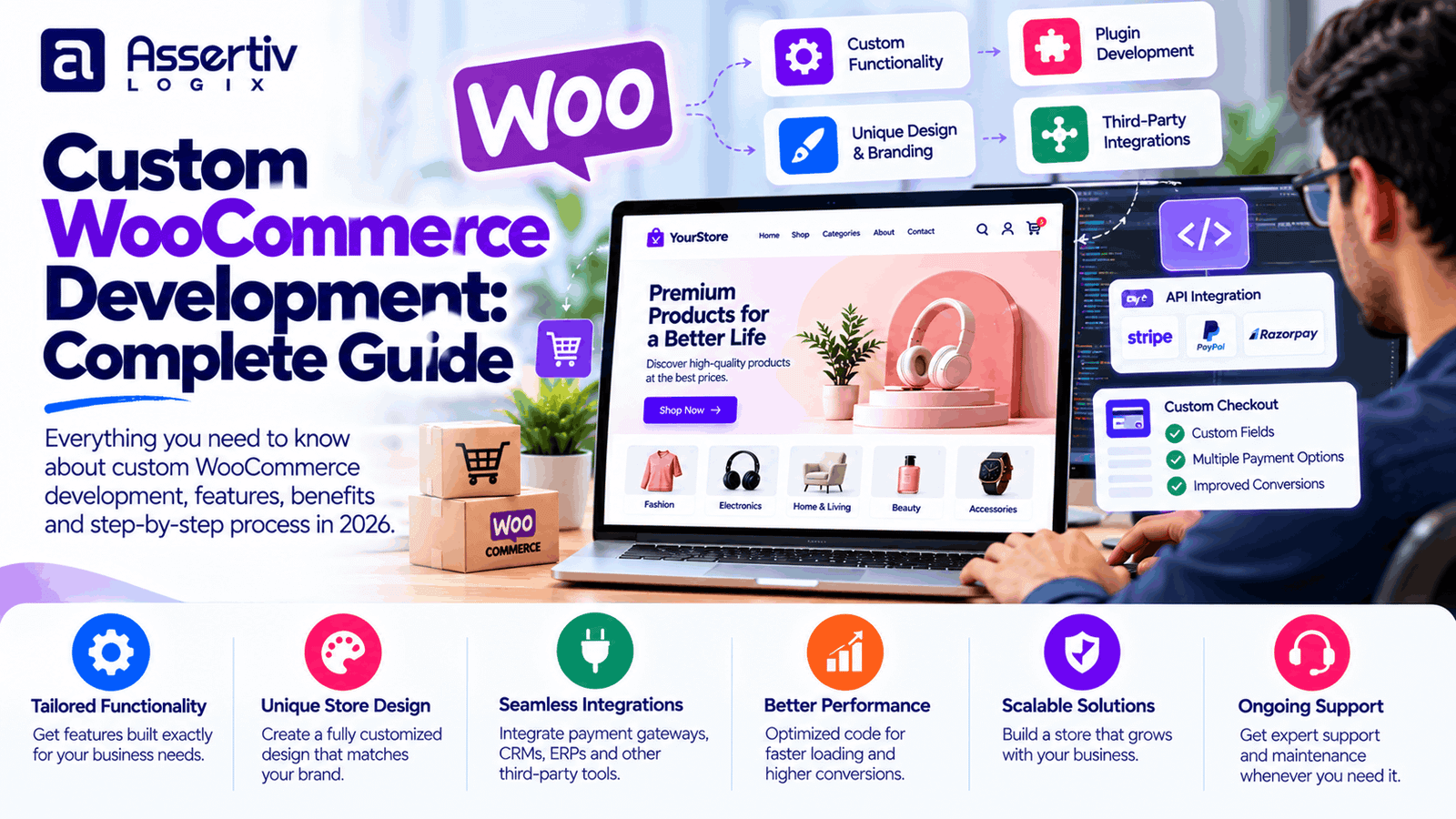
Custom WooCommerce development helps businesses build online stores around their specific products, workflows, and customer requirements. While standard WooCommerce features and extensions can support many eCommerce businesses, some stores need functionality that cannot be delivered effectively through default settings alone.
Examples include custom product configurators, wholesale pricing, advanced checkout workflows, inventory synchronization, subscription features, and integrations with existing business systems. Custom development can make these requirements possible while giving businesses greater control over how their stores operate.
However, custom code is not always the best solution. The right approach may involve configuring WooCommerce, extending an existing plugin, integrating an established service, or developing a purpose-built feature. The goal is to solve the business problem without creating unnecessary complexity.
This guide explains how custom WooCommerce development works, which features can be customized, what affects pricing, and how to plan a reliable store that can evolve with your business.
What Is Custom WooCommerce Development?
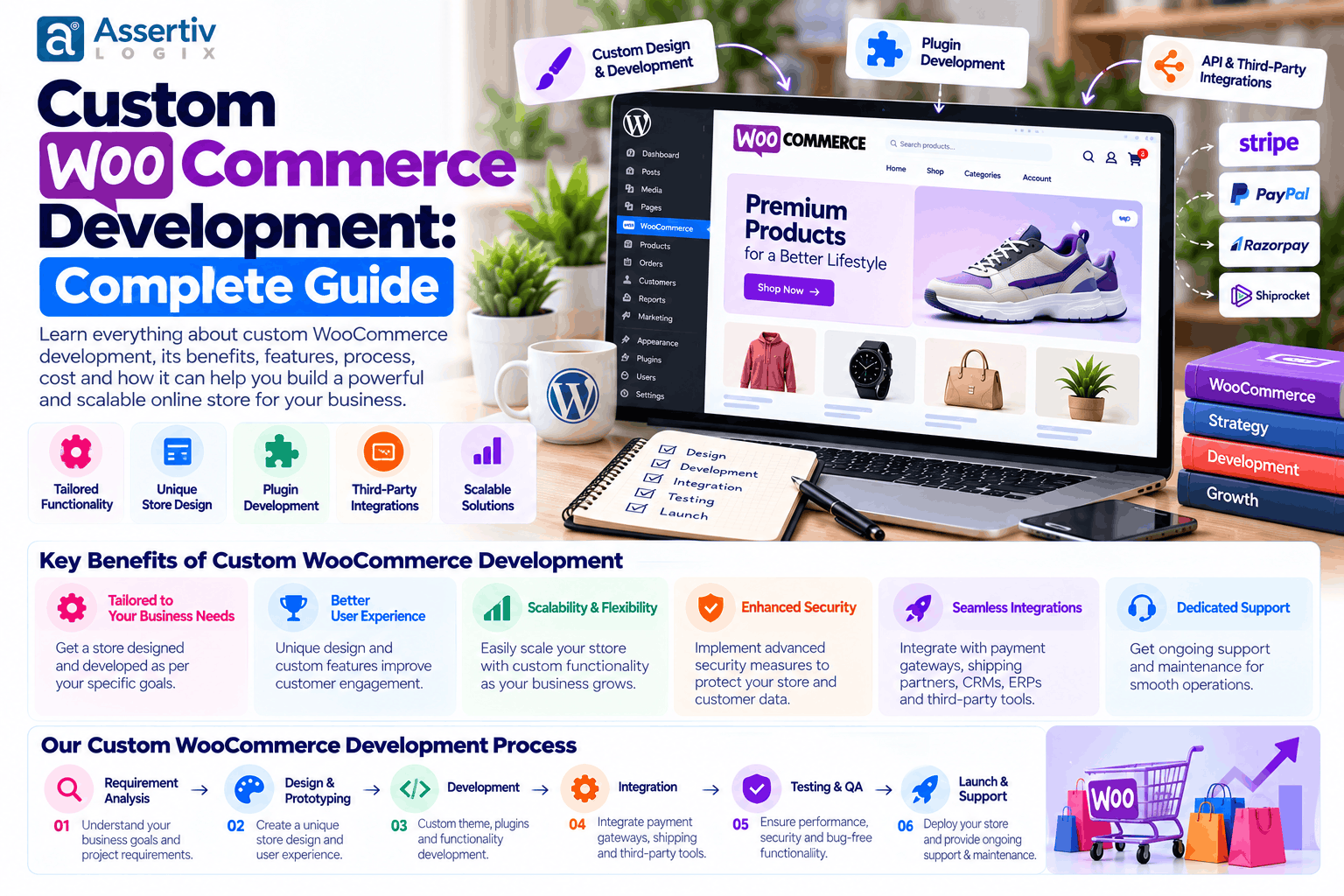
Custom WooCommerce development involves modifying or extending a WooCommerce store to meet requirements beyond its standard configuration. It can include custom themes, plugins, product experiences, checkout logic, integrations, and performance improvements.
WooCommerce is built on WordPress and provides a foundation for product management, shopping carts, orders, and eCommerce operations. Developers can extend this foundation using supported hooks, filters, APIs, templates, and custom plugins.
For example, a standard store might allow customers to select a product variation from a dropdown. A custom implementation could provide a guided product configurator that updates prices based on the customer’s choices and validates whether the selected options are compatible.
For technical guidance, consult the official WooCommerce developer resources and the WordPress Plugin Developer Handbook.
When Does Your Business Need Custom WooCommerce Development?
Custom development is worth considering when existing WooCommerce functionality or supported extensions cannot meet your requirements reliably.
- Your products require unusual pricing or configuration rules.
- Your checkout needs custom validation or business-specific workflows.
- You need to connect WooCommerce with an ERP, CRM, inventory system, or external application.
- Your store needs wholesale pricing, role-based purchasing, or bulk ordering.
- You need specialized reporting or automated order processing.
- Your current theme or plugin setup creates limitations that cannot be resolved cleanly through configuration.
- You need a more tailored storefront experience for a specific customer group.
Before commissioning custom code, check whether a well-maintained extension already provides the required functionality. Existing software may reduce development time and ongoing maintenance, provided it meets your technical and business requirements.
Types of Custom WooCommerce Development Services
1. Custom WooCommerce theme development
A custom theme can provide a storefront designed around your brand, products, and customer journey. Depending on the project, it may include tailored homepage layouts, product templates, category pages, navigation, and responsive components.
Custom theme development can be useful when a standard theme imposes design limitations or includes unnecessary functionality. However, an existing theme with targeted customization may be more cost-effective for simpler stores.
2. Custom WooCommerce plugin development
A custom plugin adds specific functionality without placing all business logic directly into the theme. This can make the feature easier to maintain independently of the storefront design.
Examples include:
- Custom pricing and discount rules
- Product configurators
- Specialized shipping calculations
- Order automation tools
- Custom admin settings and reports
- Business-specific checkout fields
Good plugin development should account for permissions, validation, error handling, compatibility, and testing—not just whether the feature works in a single scenario.
3. Custom product pages and shopping experiences
Some products require more information or interaction than a standard product page provides. A developer can create tailored layouts and workflows for configurable products, personalized items, product bundles, and complex variations.
For example, a printing business may need customers to select dimensions, material, finish, and quantity before receiving a price. The implementation must validate combinations and calculate totals consistently.
4. Custom checkout development
Checkout customization can simplify the purchase process or accommodate business-specific requirements. Depending on the store, this may include additional fields, conditional form logic, specialized delivery options, or a tailored order-review experience.
Checkout changes require careful testing because they interact with payments, shipping, taxes, coupons, order creation, and customer notifications. Customization should preserve essential security and validation behavior.
5. WooCommerce API integration
Custom integrations connect WooCommerce to external systems and help automate processes that would otherwise require manual data entry.
Common examples include:
- Customer relationship management systems
- Enterprise resource planning software
- Inventory and warehouse management platforms
- Accounting and invoicing applications
- Shipping and fulfillment services
- Email marketing and automation tools
- Marketplaces and external sales channels
A reliable integration needs more than a successful initial connection. It should account for authentication, data mapping, failed requests, duplicate events, retries, logging, and reconciliation where appropriate.
Explore the official WooCommerce developer documentation for information about extending the platform and working with its APIs.
Essential Features You Can Build With Custom WooCommerce Development
| Feature | How it helps |
|---|---|
| Wholesale pricing | Supports customer-specific prices, minimum quantities, and bulk ordering. |
| Product configurator | Lets customers select compatible product options and see relevant pricing. |
| Advanced product filters | Helps shoppers narrow large catalogs using relevant attributes. |
| Custom shipping rules | Applies business-specific shipping logic based on defined conditions. |
| Subscription workflows | Supports recurring purchases when suitable payment and subscription systems are configured. |
| Inventory synchronization | Helps keep stock quantities aligned across connected systems. |
| Order automation | Reduces repetitive administrative tasks and supports consistent workflows. |
| Custom reporting | Provides operational information relevant to the business. |
| Role-based functionality | Displays features or pricing according to defined user permissions. |
| Custom customer portals | Provides tailored access to account information, orders, or business-specific tools. |
Every feature should be assessed against the business problem it solves. Adding more functionality does not automatically improve the customer experience or make a store more profitable.
Custom WooCommerce Development Process
A structured development process helps align the solution with business requirements and reduces the risk of expensive changes late in the project.
Step 1: Requirements discovery
Identify the business goals, customer journeys, product requirements, integrations, technical constraints, and success criteria. Separate essential launch features from future improvements.
Step 2: Technical planning
Determine which requirements can be met through WooCommerce configuration, existing extensions, custom plugins, theme development, or APIs. Document dependencies and potential risks before implementation.
Step 3: Design and user experience
Plan the key pages and workflows. Depending on the project, this may include wireframes, prototypes, responsive layouts, and usability reviews.
Step 4: Development
Implement the agreed functionality using appropriate WordPress and WooCommerce extension points. Use version control and maintain clear separation between custom code and third-party software.
Step 5: Integration and data validation
Connect required external systems and verify data mapping, authentication, synchronization, error handling, and expected business rules.
Step 6: Quality assurance
Test product variations, cart calculations, checkout, payments, shipping, taxes, order notifications, permissions, and relevant integrations. Test on common screen sizes and browsers.
Step 7: Performance and security review
Review loading performance, database behavior, access controls, input validation, software updates, backups, and any project-specific security requirements.
Step 8: Launch and handover
Deploy the approved changes, verify essential workflows in production, provide documentation, and agree on ongoing support and maintenance responsibilities.
Custom WooCommerce Development Cost in 2026
The cost of custom WooCommerce development depends on the amount of design, coding, integration, data migration, and testing involved. The following figures are illustrative planning ranges in USD, not verified market averages or fixed quotations.
| Project type | Illustrative budget |
|---|---|
| Small customization or feature | $300–$1,500 |
| Custom theme or storefront work | $2,000–$8,000 |
| Custom plugin development | $500–$5,000+ |
| Store with several custom features | $5,000–$12,000 |
| Advanced store with multiple integrations | $12,000–$25,000+ |
| Complex enterprise implementation | $25,000–$75,000+ |
These ranges overlap because a small custom plugin may be technically complex, while a larger storefront project may use standard WooCommerce functionality. Request an estimate based on the actual deliverables.
Factors that influence the final price
- Feature complexity: Business rules and unusual workflows require more design and testing.
- Design requirements: Custom UX and multiple templates can increase effort.
- Integrations: External systems introduce dependencies and data-handling requirements.
- Existing code quality: An older store may need cleanup before new functionality can be added safely.
- Data migration: Product, customer, and order data may need mapping and validation.
- Testing requirements: Payment, inventory, and fulfillment workflows need thorough verification.
- Maintenance expectations: Documentation, support, and ongoing compatibility work affect total cost.
For more detail, see WooCommerce Development Cost: 2026 Pricing Guide and WooCommerce Developer Cost: 2026 Pricing after confirming those pages are live.
Custom Development vs Ready-Made WooCommerce Plugins
Custom development is not always the most economical or maintainable option. Existing plugins may already solve your problem, while custom code may be justified when a feature needs to match specific workflows or when available products cannot meet important requirements.
| Consideration | Ready-made plugin | Custom development |
|---|---|---|
| Initial implementation | Often faster when the plugin fits | Usually requires discovery and development |
| Customization | Limited by supported settings and extension points | Can be tailored to defined business requirements |
| Maintenance | Depends on vendor support and compatibility | Your team or developer must maintain the custom code |
| Licensing | May involve recurring fees | May still rely on paid third-party libraries or services |
| Best fit | Standard requirements with reliable existing solutions | Distinctive workflows or requirements existing products cannot meet |
Before building a custom solution, evaluate the extension’s update history, support, licensing, compatibility, data handling, and total cost. A custom implementation should solve a clear problem rather than duplicate functionality that already works well.
Performance, Security, and SEO Considerations
Performance
Custom functionality should be implemented with efficient queries, appropriate caching, optimized assets, and careful handling of dynamic store pages. Cart and checkout behavior must be tested after optimization.
Use Google PageSpeed Insights and the Core Web Vitals documentation to evaluate relevant performance metrics.
Security
Custom plugins should validate and sanitize input appropriately, enforce permissions, handle data securely, and avoid exposing sensitive information. Keep WordPress, WooCommerce, themes, and extensions updated, and maintain tested backups.
Review the WordPress security documentation and the OWASP project for additional guidance.
SEO
Custom development can support clean URL structures, product metadata, canonical handling, redirects, structured data, internal linking, and better mobile usability. Technical improvements provide a foundation for SEO, but rankings and traffic are not guaranteed.
Follow Google’s SEO Starter Guide when planning technical SEO requirements.
How to Choose a Custom WooCommerce Development Company
Choosing the right partner is important because custom code becomes part of your store’s ongoing operations.
- Review relevant experience. Look for projects involving similar products, integrations, and workflows.
- Ask about implementation choices. A good developer should explain when configuration, an existing extension, or custom code is appropriate.
- Request an itemized proposal. Confirm deliverables, exclusions, timelines, and payment milestones.
- Evaluate testing practices. Ask how the team verifies checkout, integrations, and compatibility.
- Confirm code ownership. Clarify access to source code, repositories, documentation, and project assets.
- Discuss maintenance. Establish how updates, defects, security issues, and future changes will be handled.
- Check communication. Agree on status updates, approval processes, and escalation procedures.
For related guidance, read Hire a WordPress Developer for a WooCommerce Store and Hire WooCommerce Developers in India after verifying the final URLs.
Why Consider Assertivlogix for Custom WooCommerce Development?
Assertivlogix provides WordPress and WooCommerce development services for businesses that need custom storefronts, plugins, integrations, and technical improvements.
Depending on your requirements, a project may include:
- Custom WooCommerce store development
- Theme customization and development
- Custom plugin development
- Payment gateway and API integrations
- Product and checkout workflow customization
- Performance optimization and troubleshooting
- Store migration, maintenance, and ongoing development
The right solution begins with understanding your business requirements and choosing the simplest maintainable implementation that meets them.
Share your store requirements, desired features, and business goals with Assertivlogix. Discuss a suitable technical approach and request an estimate based on your project scope.
Frequently Asked Questions
What is custom WooCommerce development?
Custom WooCommerce development involves extending or modifying a WooCommerce store to meet specific requirements. It may include custom themes, plugins, product experiences, checkout workflows, business rules, and integrations.
How much does custom WooCommerce development cost?
Costs depend on feature complexity, design, integrations, migration, and testing. Small customizations may cost hundreds of dollars, while advanced stores and enterprise implementations can require tens of thousands of dollars or more. Request a scoped estimate rather than relying on a generic price range.
Should I use a plugin or build a custom WooCommerce solution?
Use a reliable existing plugin when it meets your requirements and offers suitable support and compatibility. Custom development may be justified when existing products cannot deliver important business workflows or require excessive workarounds.
Can WooCommerce support custom product configurations?
Yes. WooCommerce can be extended to support custom product choices, conditional options, specialized pricing, and other configuration workflows. The implementation depends on the product rules and whether an existing extension is suitable.
How long does custom WooCommerce development take?
A small feature may take days or weeks, while a custom storefront or integration-heavy project can take several weeks or months. Requirements, approvals, external systems, data migration, and testing affect the timeline.
Can custom WooCommerce development improve store performance?
It can help address inefficient code, unnecessary database queries, and poorly implemented features. Results depend on the underlying problems, hosting, plugins, traffic, and the quality of the optimization work.
Is custom WooCommerce development secure?
Custom development can follow secure coding practices, but no implementation is automatically secure. Validation, permissions, software updates, monitoring, backups, and appropriate testing remain important after launch.
Can a custom WooCommerce store integrate with external systems?
Yes. WooCommerce can connect with CRM, ERP, inventory, accounting, shipping, and other systems using supported extensions or APIs. The integration must be designed around data mapping, authentication, error handling, and synchronization requirements.
Conclusion
Custom WooCommerce development is useful when your business needs functionality, integrations, or shopping experiences that standard store configuration cannot deliver effectively. It can support specialized products, unique workflows, operational automation, and more tailored customer journeys.
The best results come from identifying the actual business problem, evaluating existing solutions before writing custom code, and planning for performance, security, testing, and ongoing maintenance.
With a clear scope and the right development partner, you can build a WooCommerce store that meets your current requirements while remaining practical to maintain as your business grows.