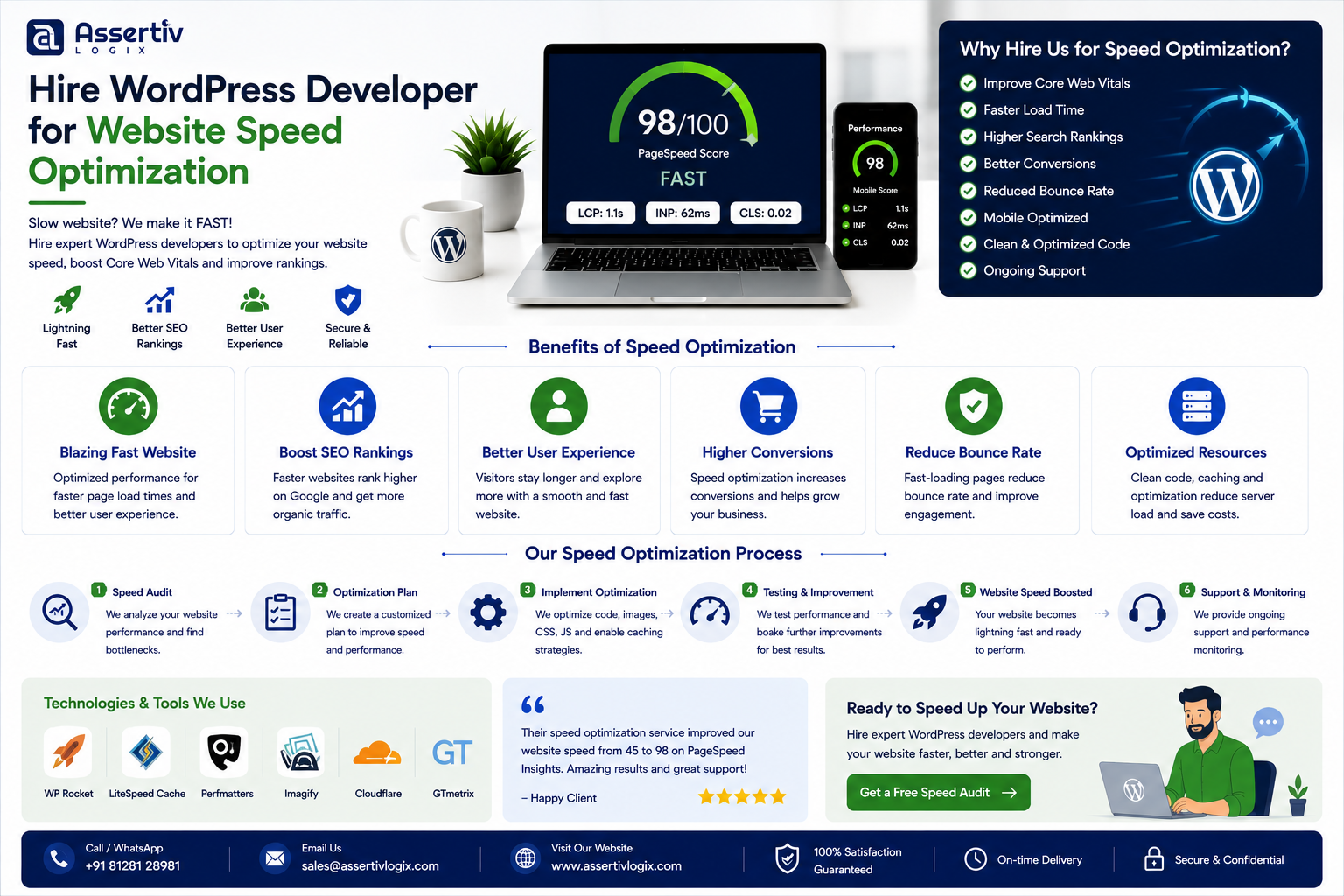
Hire WordPress developer website speed optimization services when your website takes too long to load, performs poorly on mobile devices, or struggles with Core Web Vitals. A slow WordPress website can frustrate visitors, reduce engagement, hurt conversions, and make it harder for customers to complete important actions.
WordPress itself is not automatically slow. Performance problems usually come from a combination of hosting, themes, plugins, images, JavaScript, CSS, database queries, third-party services, and the way the website has been built.
That’s why simply installing another caching plugin isn’t always enough.
An experienced WordPress developer can investigate the actual causes of slow performance and implement technical improvements based on your website’s specific requirements.
In this guide, we’ll explain when to hire WordPress developer website speed optimization services, what causes WordPress websites to become slow, what a developer can optimize, how much speed optimization may cost, and how to choose the right WordPress performance specialist.
Why Website Speed Matters for WordPress
Website speed affects much more than a PageSpeed score.
When visitors have to wait for pages, images, or interactive elements to load, they may leave before completing the action you want them to take.
For a business website, this could mean:
- Fewer leads
- Lower engagement
- Higher abandonment
- Lower ecommerce conversions
- Poorer mobile experience
- Lower customer satisfaction
Performance is therefore both a technical and business consideration.
When Should You Hire a WordPress Developer for Speed Optimization?
You don’t necessarily need a developer for every small performance improvement.
However, professional optimization becomes worthwhile when:
- Your website takes several seconds to load
- Mobile performance is significantly worse than desktop
- Core Web Vitals need improvement
- Your website has a large number of plugins
- Your WooCommerce store is slow
- Your database has grown significantly
- Your hosting environment is poorly configured
- Pages are making too many requests
- JavaScript blocks page rendering
- Images are unnecessarily large
- Your website becomes slower as traffic increases
- You have already tried optimization plugins without meaningful results
Common Causes of a Slow WordPress Website
There is rarely one universal reason for poor WordPress performance.
1. Poor Hosting
Hosting is the foundation of website performance.
Shared hosting with limited CPU, RAM, disk resources, or poor server configuration can create slow response times.
Even a well-optimized WordPress website can struggle when the underlying server is overloaded.
2. Bloated Themes
Some multipurpose themes include large amounts of CSS, JavaScript, animations, widgets, and features that your website doesn’t actually use.
Those additional assets can increase page weight and browser processing.
3. Too Many Plugins
Plugins aren’t inherently bad. WordPress websites depend on plugins for many important features.
The problem occurs when plugins:
- Load unnecessary assets
- Perform expensive database queries
- Duplicate functionality
- Conflict with each other
- Are poorly coded
- Are no longer maintained
4. Unoptimized Images
Large images are one of the most common causes of slow pages.
A website may contain multi-megabyte images when much smaller optimized versions would provide the same visual quality.
Image optimization can include:
- Resizing images
- Compressing images
- Using modern formats
- Lazy loading
- Responsive image delivery
- Removing unnecessary images
5. Excessive JavaScript
JavaScript can add functionality and interactivity, but excessive scripts can increase page processing time.
Third-party scripts can be particularly important because they may load from external servers and affect the rendering experience.
6. Unoptimized CSS
Large stylesheets can increase page weight and browser processing.
Unused CSS should be reviewed where practical, while critical styles can be handled appropriately for the site’s rendering strategy.
7. Database Problems
WordPress websites continuously generate and store data.
Large databases, unnecessary revisions, expired transients, inefficient queries, and poorly designed custom functionality can contribute to performance issues.
8. Too Many External Requests
Fonts, analytics, advertising scripts, chat tools, social widgets, tracking systems, and other third-party services can increase the number of requests made by a page.
Each additional dependency should have a clear business purpose.
What Does a WordPress Speed Optimization Expert Do?
A professional WordPress performance optimization project should begin with diagnosis rather than random changes.
Performance Audit
The developer first analyzes the website to identify bottlenecks.
This may include reviewing:
- Server response time
- Page size
- HTTP requests
- Plugins
- Theme assets
- Database queries
- Images
- JavaScript
- CSS
- Third-party scripts
Core Web Vitals Analysis
Google’s Core Web Vitals focus on important aspects of loading, responsiveness, and visual stability.
The primary metrics are:
- Largest Contentful Paint (LCP)
- Interaction to Next Paint (INP)
- Cumulative Layout Shift (CLS)
Improving these metrics requires understanding what is causing the delays rather than trying to optimize a score in isolation.
For a deeper explanation, read our Core Web Vitals in 2026: The Complete Guide for WordPress Site Owners.
WordPress Speed Optimization Checklist
A professional optimization project may include many of the following areas.
Server Optimization
- PHP version
- Server resources
- HTTP/2 or HTTP/3 configuration
- Compression
- Server caching
- Database configuration
- CDN configuration
WordPress Optimization
- Plugin audit
- Theme audit
- Database cleanup
- Revision management
- Transient management
- Heartbeat optimization where appropriate
- Query optimization
Frontend Optimization
- CSS optimization
- JavaScript optimization
- Font optimization
- Image optimization
- Lazy loading
- Responsive images
- Resource prioritization
Caching
Depending on the hosting environment, caching can be implemented at different levels.
- Page caching
- Browser caching
- Object caching
- Server caching
- CDN caching
How a WordPress Speed Optimization Process Works
Step 1: Baseline Testing
Before changing anything, the developer should record the current performance.
This creates a baseline for measuring improvement.
Step 2: Identify Bottlenecks
The developer analyzes the test results and determines what is actually slowing the website down.
Step 3: Prioritize Problems
Not every optimization has the same impact.
A professional developer should prioritize improvements based on:
- Business impact
- Performance impact
- Implementation complexity
- Risk
Step 4: Implement Changes
Optimizations are implemented carefully, preferably on a staging environment before production.
Step 5: Test Functionality
Speed improvements should never break important functionality.
The developer should test:
- Forms
- Menus
- Search
- Login
- Checkout
- Payments
- Product filters
- Dynamic content
Step 6: Retest Performance
After optimization, the website should be tested again using comparable conditions.
Step 7: Monitor
Performance should be monitored over time because new plugins, content, traffic, and third-party services can introduce new bottlenecks.
WordPress Speed Optimization for WooCommerce
WooCommerce stores can require additional performance work because ecommerce websites typically have more dynamic functionality.
A WooCommerce store may need optimization for:
- Product pages
- Product categories
- Search
- Filters
- Cart
- Checkout
- My Account
- Order processing
- Payment gateways
WooCommerce performance can also be affected by product catalogs, database size, third-party integrations, dynamic requests, and poorly optimized plugins.
For ecommerce optimization strategies, read our WooCommerce Conversion Rate Optimization Guide.
How Much Does WordPress Speed Optimization Cost?
The cost depends on how complex the website is and how much technical work is required.
For projects in India, general planning ranges can look like:
| Optimization Type | Indicative Cost |
|---|---|
| Basic Speed Audit | ₹5,000–₹15,000+ |
| Standard WordPress Optimization | ₹15,000–₹40,000+ |
| Advanced Performance Optimization | ₹40,000–₹1,00,000+ |
| WooCommerce Performance Optimization | ₹30,000–₹1,50,000+ |
| Complex Enterprise Optimization | ₹1,00,000+ |
These are indicative planning ranges rather than fixed prices. The actual cost depends on hosting, website size, plugin architecture, traffic, database complexity, WooCommerce requirements, and the number of performance problems discovered.
If you’re comparing developer rates, see our WordPress Developer Hourly Rate in India: 2026 Pricing.
Why Hiring a Developer Can Be Better Than Using Speed Plugins Alone
Performance plugins can be useful, but they are not a replacement for technical diagnosis.
A plugin may help with caching or asset optimization, but it cannot automatically fix every underlying problem.
For example, a plugin cannot necessarily solve:
- Poor hosting
- Inefficient custom code
- Slow database queries
- Plugin conflicts
- Poor API architecture
- Excessive third-party services
- Bad theme architecture
- Server configuration problems
A developer can identify the root cause and choose the appropriate solution.
How to Hire the Right WordPress Speed Optimization Developer
Look for Real Performance Experience
Ask the developer to show examples of websites they have optimized.
Ask About Their Testing Process
A good developer should explain how they establish a baseline, diagnose bottlenecks, implement changes, and measure results.
Ask About Core Web Vitals
Make sure the developer understands LCP, INP, CLS, server response time, rendering, JavaScript execution, and other performance factors.
Ask About Hosting
If your hosting environment is the bottleneck, optimizing frontend assets alone may not solve the problem.
Ask About WooCommerce Experience
If you operate an ecommerce store, make sure the developer understands WooCommerce-specific performance challenges.
Questions to Ask Before Hiring a WordPress Speed Optimization Expert
- Can you audit my complete WordPress website?
- How do you identify performance bottlenecks?
- Do you work with Core Web Vitals?
- Can you optimize WooCommerce websites?
- Can you optimize database queries?
- Can you review my plugins and theme?
- Can you optimize JavaScript and CSS?
- Can you optimize images and fonts?
- Can you review my hosting environment?
- Do you use a staging environment?
- How will you measure improvement?
- Will you provide a before-and-after report?
- Can you fix performance issues caused by custom code?
- Do you provide ongoing monitoring?
- Can you maintain performance after optimization?
For more hiring questions, read our 15 Questions to Ask Before Hiring a WordPress Developer.
Common WordPress Speed Optimization Mistakes
Only Focusing on PageSpeed Score
A high laboratory score is useful, but real users and business outcomes matter too.
Optimization should improve the actual customer experience, not just produce a better-looking number.
Installing Too Many Optimization Plugins
Installing multiple caching and optimization plugins can create conflicts and unpredictable behavior.
Ignoring Hosting
Frontend optimization cannot fully compensate for a severely underpowered server.
Optimizing Without Testing
Changes to JavaScript, caching, or WooCommerce functionality can sometimes break important features.
Ignoring Mobile Performance
Desktop performance does not guarantee a fast mobile experience.
Not Measuring Before and After
Without a baseline, it is difficult to determine whether an optimization actually improved the website.
How to Maintain WordPress Website Speed
Optimization is not necessarily a one-time project.
Your website can become slower as it grows.
Regular maintenance should include:
- Plugin reviews
- Theme updates
- WordPress updates
- Database monitoring
- Image optimization
- Performance testing
- Third-party script reviews
- Server monitoring
- Core Web Vitals monitoring
A maintenance plan can help identify problems before they become major performance issues.
Why Choose Assertivlogix for WordPress Speed Optimization?
Assertivlogix provides WordPress development and performance optimization services for businesses, ecommerce stores, startups, and digital agencies.
Our capabilities include:
- WordPress speed optimization
- Core Web Vitals optimization
- WooCommerce performance optimization
- Database optimization
- Plugin performance audits
- Theme optimization
- JavaScript optimization
- CSS optimization
- Image optimization
- Caching configuration
- CDN configuration
- Hosting performance analysis
- Custom code optimization
- WordPress maintenance
- Dedicated WordPress development
Our approach focuses on identifying the actual causes of performance problems instead of applying the same optimization checklist to every website.
Let our specialists identify what’s slowing your website down and recommend practical improvements for speed, Core Web Vitals, mobile performance, and user experience.
Frequently Asked Questions
Why should I hire a WordPress developer for website speed optimization?
You should consider hiring a WordPress developer when your website has persistent performance problems that cannot be solved with basic caching or optimization plugins. A developer can investigate hosting, code, plugins, database queries, images, scripts, and other bottlenecks.
How much does WordPress speed optimization cost?
WordPress speed optimization costs vary depending on website complexity and the number of issues involved. Basic audits may cost several thousand rupees, while advanced WordPress and WooCommerce optimization projects can cost significantly more.
Can a WordPress developer improve Core Web Vitals?
Yes. A developer can identify and address technical issues affecting LCP, INP, and CLS, along with server response time, JavaScript execution, rendering, images, fonts, and other performance factors.
Can a developer speed up a WooCommerce website?
Yes. WooCommerce stores can be optimized by reviewing database queries, plugins, product catalogs, scripts, images, caching, hosting, third-party integrations, and dynamic functionality.
Are WordPress speed optimization plugins enough?
Optimization plugins can help with caching and asset delivery, but they cannot solve every performance problem. Custom code, database queries, hosting, plugin conflicts, and third-party services may require developer-level investigation.
How long does WordPress speed optimization take?
The timeline depends on the website’s size and complexity. A basic website audit and optimization may take a few days, while a large WooCommerce or heavily customized website can require several weeks.
How can I find a good WordPress speed optimization expert?
Review the developer’s performance optimization experience, ask for before-and-after examples, discuss their testing methodology, and verify their knowledge of WordPress, WooCommerce, Core Web Vitals, hosting, databases, and frontend performance.
Can you optimize WordPress for mobile speed?
Yes. Mobile performance can be improved by optimizing images, scripts, CSS, fonts, server response, rendering, and other resources that affect mobile devices.
Should I change my WordPress hosting provider?
Not necessarily. Hosting should first be evaluated as part of a complete performance audit. If the server is consistently a bottleneck, changing or upgrading hosting may be an appropriate part of the solution.
Does website speed affect SEO?
Website performance is one part of the overall technical experience considered by search engines. However, SEO performance depends on many factors, including content quality, relevance, technical SEO, links, and search intent.
Final Checklist Before Hiring a WordPress Speed Optimization Developer
- Run baseline performance tests
- Document current performance problems
- Check Core Web Vitals
- Review hosting
- Review plugins
- Review theme performance
- Review images
- Review JavaScript and CSS
- Review database performance
- Review third-party scripts
- Discuss WooCommerce requirements
- Use a staging environment
- Measure before and after performance
- Request a performance report
- Plan ongoing monitoring
Final Thoughts
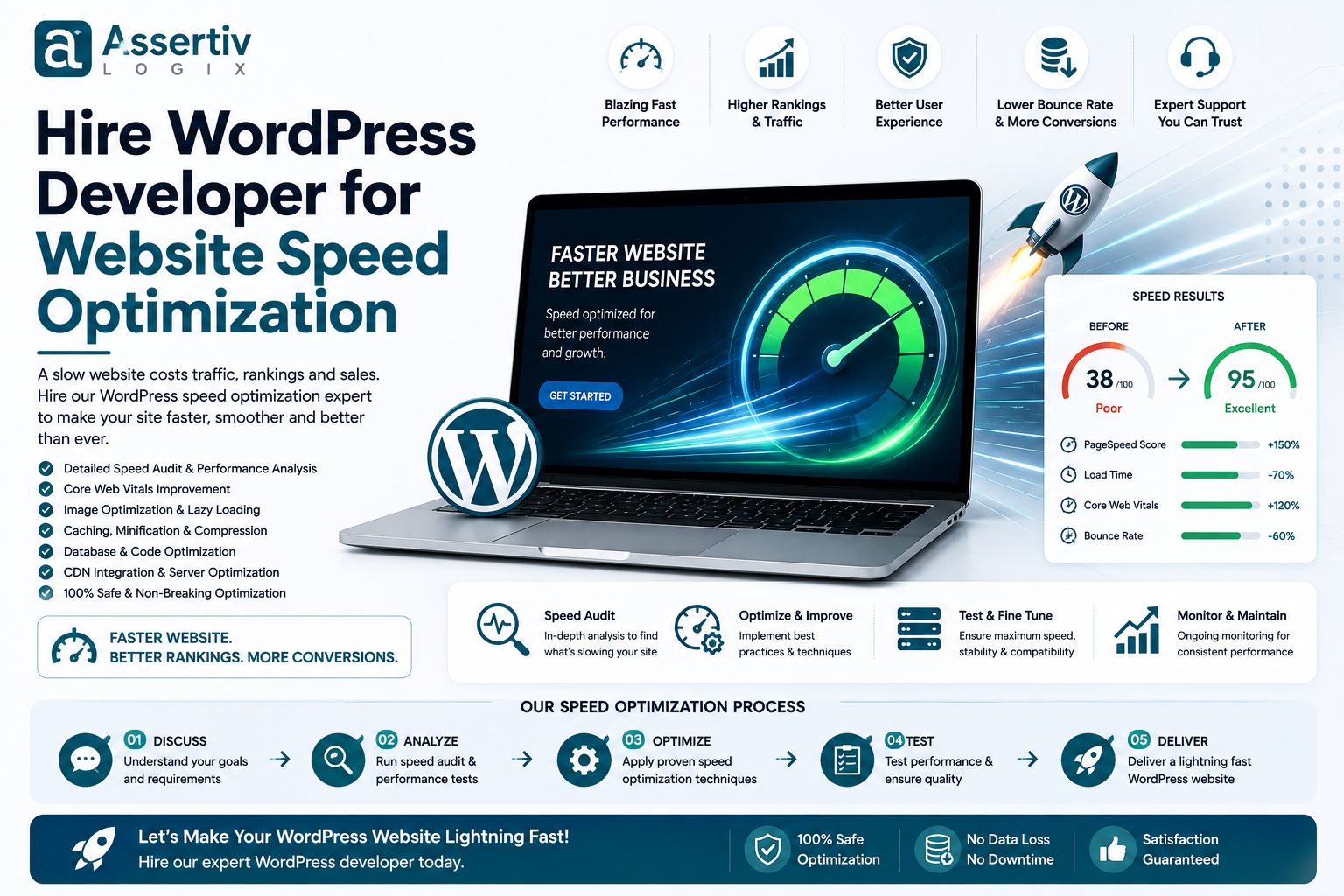
A fast WordPress website doesn’t happen simply because a caching plugin has been installed. Good performance usually requires a combination of optimized code, efficient hosting, properly configured caching, optimized images, efficient database queries, controlled third-party scripts, and a well-structured WordPress environment.
If your website remains slow after basic optimization, it may be time to hire WordPress developer website speed optimization services. An experienced developer can investigate the technical causes of poor performance and prioritize improvements based on their actual impact.
Before hiring a developer, ask how they test performance, whether they understand Core Web Vitals, how they handle WooCommerce, and whether they provide before-and-after measurements.
If you’re ready to improve your WordPress website’s speed and performance, contact Assertivlogix for a professional performance assessment.