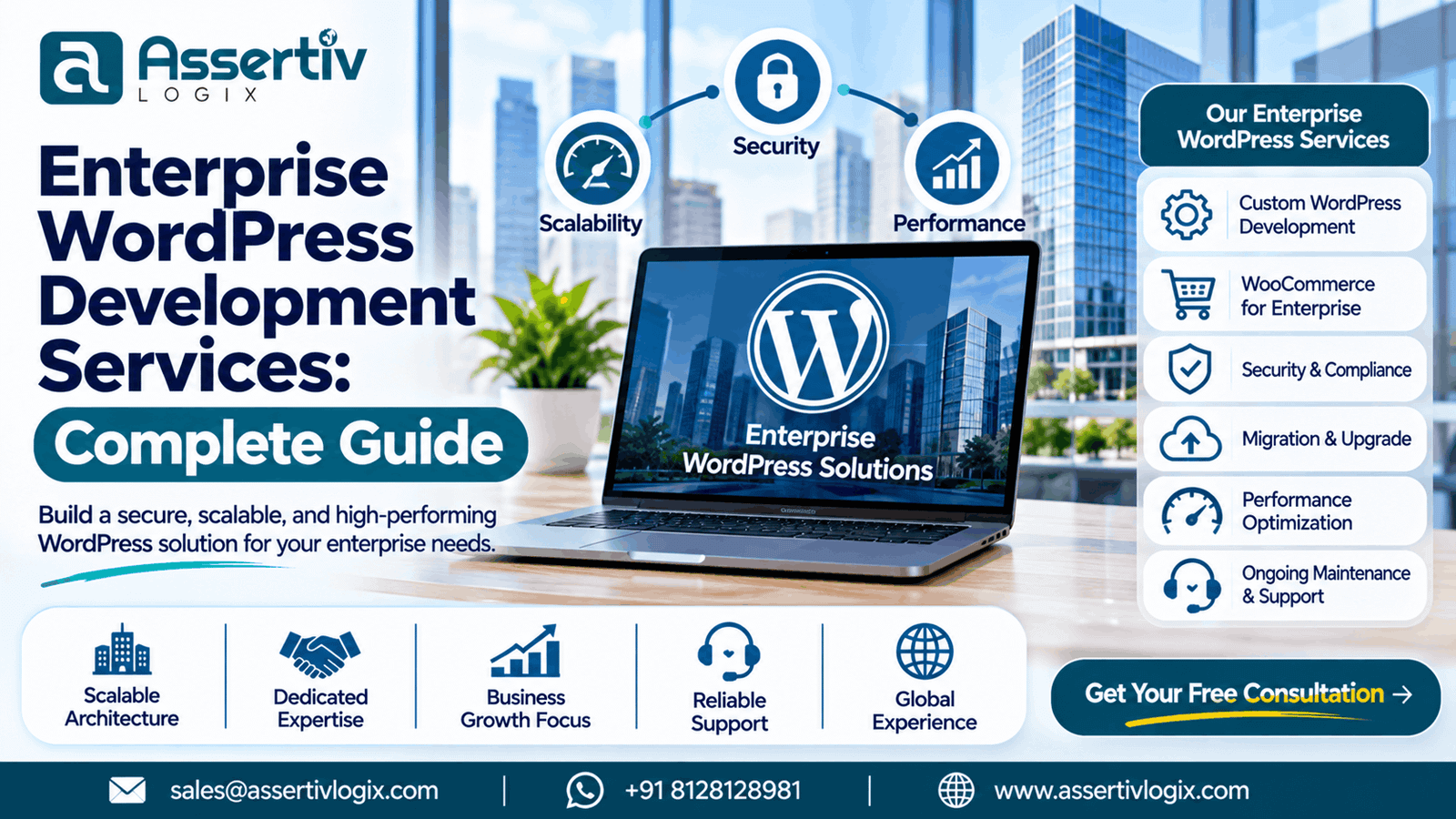
Enterprise businesses need websites that do more than display information. They require scalable digital platforms that support complex content workflows, high traffic volumes, multiple teams, integrations, security requirements, and long-term business growth.
WordPress has evolved into a powerful content management platform capable of supporting enterprise-level digital experiences. With the right architecture, custom development, infrastructure, and ongoing optimization, businesses can use WordPress to manage large websites, digital marketing operations, customer experiences, and complex content ecosystems.
Enterprise WordPress development services help organizations build, customize, optimize, and maintain WordPress platforms that meet their operational and technical requirements. From custom themes and plugin development to API integrations, security, scalability, and performance optimization, enterprise development focuses on creating a reliable digital foundation.
In this guide, we explore enterprise WordPress development, its benefits, core services, architecture, integrations, security requirements, development process, and how to choose the right development partner.
What Are Enterprise WordPress Development Services?
Enterprise WordPress development services involve designing, developing, integrating, and maintaining WordPress websites and digital platforms for medium-sized businesses, large organizations, enterprise brands, and complex business environments.
Unlike standard website development, enterprise WordPress projects often involve advanced technical requirements, multiple stakeholders, extensive content, custom business logic, integration with third-party systems, and demanding performance and security expectations.
Enterprise WordPress development may include:
- Custom enterprise WordPress website development
- Advanced WordPress theme development
- Custom plugin and application development
- WooCommerce enterprise development
- CRM, ERP, and marketing automation integrations
- API development and third-party integrations
- Multisite and multi-brand website management
- High-traffic website architecture
- WordPress performance and scalability optimization
- Security, monitoring, and maintenance
- CMS migration and modernization
- Editorial workflow and content governance implementation
The objective is to build a WordPress platform that aligns with business operations, supports growth, and remains maintainable over time.
Why Enterprises Choose WordPress
Enterprise organizations need flexibility, efficient content management, integration capabilities, and control over their digital infrastructure. WordPress can support these requirements when it is implemented with the right development strategy.
1. Flexible Content Management
Enterprise websites often contain thousands of pages, multiple content categories, resources, landing pages, product information, news, documentation, and location-specific content.
WordPress allows businesses to create custom post types, taxonomies, content relationships, reusable blocks, and editorial workflows to organize large content libraries.
Content teams can manage website information without requiring developers to make every content change.
2. Customization and Extensibility
Enterprises often have unique business requirements that cannot be addressed by standard themes or plugins alone.
WordPress supports custom development through themes, plugins, REST APIs, hooks, filters, custom database structures, and integrations. Developers can build functionality around specific business workflows while retaining the flexibility to expand the platform.
3. Integration With Existing Business Systems
Enterprise websites frequently operate as part of a larger digital ecosystem that includes CRM platforms, ERP systems, marketing automation tools, analytics platforms, customer portals, payment services, and internal applications.
WordPress can connect with these systems through REST APIs, webhooks, middleware, custom plugins, and integration services.
4. Content Marketing and SEO Capabilities
WordPress provides an extensive content publishing ecosystem that supports blogs, resource centers, service pages, landing pages, case studies, knowledge bases, and campaign websites.
With proper technical SEO implementation, enterprises can manage metadata, schema, redirects, XML sitemaps, internal linking, structured content, and search-friendly page architecture.
5. Flexible Development and Ownership
Businesses can choose their hosting infrastructure, development partner, integrations, design system, and functionality according to their requirements.
This flexibility helps organizations avoid unnecessary limitations and create a digital platform that can evolve with their business.
6. Cost-Effective Digital Infrastructure
WordPress can reduce the need to develop an entire content management system from scratch. Organizations can use the WordPress core as a foundation and invest development resources in the custom features, integrations, and user experiences that deliver business value.
Actual project costs depend on architecture, infrastructure, integrations, security requirements, development scope, and ongoing support.
Enterprise WordPress Development Services We Offer
Enterprise WordPress projects can require a combination of development, integration, optimization, and operational services. The scope should be based on the organization’s business objectives and technical requirements.
1. Custom Enterprise WordPress Development
Custom WordPress development provides enterprises with a website architecture tailored to their brand, business processes, audience, and digital strategy.
Our development approach can include:
- Custom website architecture and planning
- Tailored page templates and layouts
- Custom Gutenberg blocks
- Advanced content management functionality
- Custom post types and taxonomies
- Reusable content components
- Business-specific functionality
- Responsive front-end development
Custom development helps enterprises avoid unnecessary functionality and build websites that are easier to maintain and expand.
2. Enterprise WordPress Theme Development
Enterprise websites need consistent branding, reusable layouts, responsive components, and maintainable code. A custom WordPress theme can provide a design system that supports different departments, teams, content types, and marketing requirements.
Theme development services may include:
- Custom theme architecture
- Brand-specific UI development
- Responsive design systems
- Reusable template components
- Gutenberg block customization
- Accessibility-focused development
- Performance-conscious front-end implementation
A well-structured theme allows internal content teams to create new pages while maintaining visual consistency and design standards.
3. Custom WordPress Plugin Development
Enterprise requirements frequently involve functionality that is unique to the business. Custom plugins allow organizations to add features without unnecessarily modifying WordPress core or creating excessive dependencies on unrelated plugins.
Enterprise plugin development may include:
- Custom workflow automation
- Business logic implementation
- Custom admin dashboards
- Advanced user roles and permissions
- Third-party API connectivity
- Custom reporting tools
- Data management functionality
- Internal operational tools
Custom plugins should be modular, documented, secure, and designed for future maintenance.
Explore our WordPress Plugin Development Services for custom functionality and integrations.
4. WooCommerce Enterprise Development
Organizations operating complex eCommerce businesses may require advanced WooCommerce functionality beyond a standard online store setup.
Enterprise WooCommerce development can include:
- Custom product types and product configurators
- Complex pricing and discount rules
- Custom checkout experiences
- Payment gateway integrations
- ERP and inventory synchronization
- CRM integration
- Automated order processing
- Custom shipping and fulfillment logic
- B2B purchasing workflows
- Multi-store and catalog management solutions
The architecture should be carefully planned to support business workflows, product complexity, order volume, and operational requirements.
Learn more about our WooCommerce Development Services.
5. WordPress API and System Integrations
Enterprise websites often need to exchange information with external systems. Integration development connects WordPress with business tools and helps reduce repetitive manual processes.
Common integrations include:
- CRM platforms
- ERP systems
- Marketing automation tools
- Payment gateways
- Customer support software
- Inventory management systems
- HR and recruitment platforms
- Analytics and reporting systems
- Third-party data services
Depending on the system, integrations may use REST APIs, webhooks, scheduled synchronization, authentication protocols, or middleware.
Integration development should consider data validation, error handling, retry mechanisms, API rate limits, monitoring, and security.
6. WordPress Multisite and Multi-Brand Solutions
Organizations managing multiple brands, regions, departments, or business units may benefit from WordPress Multisite or a shared WordPress architecture.
Multisite can help centralize administration and shared functionality while allowing individual sites to maintain their own content and branding.
Possible use cases include:
- Corporate websites and subsidiary brands
- Regional websites for different markets
- Franchise websites
- Educational institutions and departments
- Multi-location business websites
- Campaign websites
Multisite is not always the best solution. Site independence, data isolation, deployment requirements, plugin compatibility, governance, and infrastructure should be evaluated before implementation.
7. Enterprise WordPress Migration
Large organizations may migrate from legacy CMS platforms, outdated WordPress installations, proprietary website systems, or other digital platforms.
Enterprise migration services may include:
- Content inventory and migration planning
- URL mapping and redirect planning
- Database migration
- Media migration
- Custom field mapping
- SEO preservation
- Theme and functionality redevelopment
- Integration migration
- Testing and launch planning
A well-planned migration helps reduce content loss, broken URLs, downtime, functionality problems, and search visibility disruption.
8. Enterprise WordPress Performance Optimization
High-traffic enterprise websites need reliable loading performance and responsive interactions. Performance problems can affect user experience, conversion opportunities, search visibility, and operational costs.
Performance optimization may include:
- Database query optimization
- Object caching
- Page caching
- CDN implementation
- Image optimization
- JavaScript and CSS optimization
- Plugin performance auditing
- Server and PHP configuration improvements
- Core Web Vitals optimization
- Load testing and performance monitoring
Optimization should be based on measurable performance bottlenecks instead of applying generic techniques without testing.
9. Enterprise WordPress Security
Security is a critical requirement for enterprise websites that handle sensitive business information, customer accounts, employee access, integrations, or high-value digital assets.
Enterprise WordPress security practices may include:
- Secure development standards
- Role-based access control
- Multi-factor authentication where appropriate
- Secure API authentication
- Regular software updates
- Vulnerability management
- Backup and recovery planning
- Security monitoring and logging
- Firewall and infrastructure protections
- Code reviews and security testing
Security requirements should be defined according to the organization’s risk profile, regulatory obligations, hosting environment, and internal policies.
10. Enterprise WordPress Maintenance and Support
Enterprise websites require continuous maintenance to remain secure, stable, and compatible with evolving technologies.
Ongoing support may include:
- WordPress core updates
- Theme and plugin updates
- Compatibility testing
- Bug fixes
- Performance monitoring
- Security reviews
- Backup verification
- Technical troubleshooting
- Development support
- Continuous improvements
Organizations can use a structured maintenance plan to manage website operations and minimize unexpected technical issues.
Enterprise WordPress Architecture
Enterprise WordPress development requires architectural decisions based on traffic, content complexity, integrations, infrastructure, security, deployment workflows, and long-term maintenance.
There is no single architecture that fits every enterprise. A straightforward enterprise website may perform well using a traditional WordPress architecture, while more complex platforms may require additional infrastructure and services.
Traditional WordPress Architecture
A traditional WordPress setup combines the WordPress application, theme, plugins, database, and web server. This architecture can be appropriate for corporate websites, content platforms, blogs, marketing websites, and many business applications.
With appropriate hosting, caching, database optimization, and development practices, traditional WordPress can support a wide range of enterprise requirements.
Headless WordPress Architecture
Headless WordPress separates the content management back end from the front-end presentation layer. WordPress manages content, while a separate application consumes that content through APIs.
This approach may be useful when organizations need:
- Highly customized front-end experiences
- Multiple front-end channels
- Separate content and application deployment
- Integration with modern digital products
- More control over front-end rendering
Headless architecture also introduces additional complexity, including front-end infrastructure, API management, preview workflows, caching, deployment coordination, and maintenance responsibilities.
Scalable Hosting and Infrastructure
Enterprise WordPress infrastructure should be designed according to traffic expectations, uptime requirements, geographic audiences, application workloads, and operational needs.
Infrastructure planning may involve:
- Managed WordPress hosting or cloud infrastructure
- Load balancing where required
- CDN integration
- Database optimization
- Redis or object caching
- Automated backup systems
- Staging and production environments
- Monitoring and alerting
- Deployment automation
Infrastructure should scale based on measured demand and realistic capacity planning rather than unnecessary complexity.
Enterprise WordPress Development vs Standard WordPress Development
Enterprise WordPress development differs from standard website development in scope, planning, integrations, governance, security, and operational requirements.
| Factor | Standard WordPress Development | Enterprise WordPress Development |
|---|---|---|
| Project scope | Business website or smaller platform | Complex digital platform or organizational ecosystem |
| Architecture | Theme and plugin-based implementation | Custom architecture based on business and technical requirements |
| Integrations | Basic third-party integrations | Multiple business systems, APIs, and data workflows |
| Content | Limited page and content types | Large content libraries and structured content management |
| Security | Standard website security practices | Risk-based security, governance, monitoring, and compliance considerations |
| Performance | Standard optimization | Advanced optimization, monitoring, and capacity planning |
| Team structure | Small project team | Multiple stakeholders, departments, and technical teams |
| Maintenance | Periodic updates and support | Structured maintenance, release management, and ongoing technical support |
| Testing | Standard functional testing | Broader regression, integration, performance, and security testing |
Enterprise development is not defined only by website size or budget. It is defined by the complexity, reliability, integration, governance, and operational requirements of the platform.
Enterprise WordPress Development Process
A structured development process helps organizations manage complex projects, reduce uncertainty, and ensure that the final platform meets technical and business requirements.
Step 1: Business Discovery and Requirement Analysis
The development team works with stakeholders to understand business goals, target audiences, content requirements, workflows, technical constraints, integrations, and success metrics.
Requirements should be documented and prioritized before major development begins.
Step 2: Technical Planning and Architecture
The project team defines the website architecture, hosting strategy, content structure, integration approach, security requirements, deployment workflow, and scalability considerations.
This stage helps determine whether traditional WordPress, Multisite, headless WordPress, or a more specialized architecture is appropriate.
Step 3: UX and UI Design
Designers create user journeys, wireframes, interface layouts, design systems, and responsive components that align with the organization’s brand and business objectives.
Enterprise design should prioritize consistency, accessibility, usability, and clear content hierarchy.
Step 4: WordPress Development
Developers implement the approved architecture, custom theme, plugins, content structures, integrations, and front-end functionality.
Development should follow appropriate coding standards, version control practices, documentation, and security guidelines.
Step 5: Integration Development
Third-party systems are connected through APIs, webhooks, or other suitable integration methods. Data mapping, authentication, failure handling, and synchronization workflows are tested.
Step 6: Quality Assurance and Testing
Before launch, the website should undergo functional, responsive, compatibility, accessibility, performance, integration, and security testing appropriate to its requirements.
Testing should include real user workflows, not only individual pages.
Step 7: Deployment and Launch
The deployment process should include backups, release planning, environment configuration, DNS or infrastructure changes where applicable, redirect validation, monitoring, and a rollback plan.
Step 8: Ongoing Optimization and Support
After launch, the team monitors performance, resolves issues, maintains compatibility, improves functionality, and implements new requirements as the organization evolves.
Enterprise WordPress Development Challenges
Although WordPress is flexible, enterprise projects require careful planning to avoid operational and technical problems.
Complex Plugin Dependencies
Using too many plugins can create compatibility issues, performance problems, maintenance challenges, and unnecessary dependencies. Enterprises should evaluate plugins carefully and use custom development where it provides a better long-term solution.
High Traffic and Performance Requirements
Large traffic volumes require appropriate caching, infrastructure, database performance, CDN configuration, and load testing. Traffic spikes should be considered during architecture planning.
Multiple Stakeholders
Enterprise projects may involve marketing, IT, security, legal, product, operations, and leadership teams. Requirements, approvals, responsibilities, and communication workflows should be defined clearly.
Data and System Integration
Connecting multiple systems can create challenges related to authentication, data consistency, API availability, synchronization, and error handling. Integrations should be documented and monitored.
Governance and Content Management
Large organizations need consistent content quality, publishing approvals, permissions, brand guidelines, and processes for managing content across departments and regions.
Long-Term Maintainability
Custom development should be documented, modular, and maintainable. Avoid relying on undocumented functionality, unsupported dependencies, or modifications that make future updates unnecessarily difficult.
How to Choose an Enterprise WordPress Development Company
Choosing the right development partner can significantly influence the success of an enterprise WordPress project. Evaluate the company’s technical capabilities, project experience, communication, development processes, and long-term support.
1. Review Enterprise-Level Experience
Evaluate the company’s experience with complex websites, custom WordPress development, integrations, large content structures, migration projects, and performance optimization.
Ask for examples of projects with requirements similar to yours.
2. Evaluate Technical Expertise
Ensure the development team understands WordPress architecture, PHP, database optimization, APIs, custom plugins, security, performance, deployment workflows, and modern development practices.
3. Check Development Standards
Ask how the company manages code quality, version control, code reviews, testing, documentation, staging environments, and production deployment.
4. Understand Project Management
Enterprise projects need clear milestones, timelines, deliverables, communication channels, project ownership, and escalation procedures.
5. Review Security Practices
Understand how the team handles secure coding, permissions, authentication, dependency updates, vulnerability management, backups, and security testing.
6. Confirm Integration Capabilities
If your platform requires CRM, ERP, payment, marketing automation, or other integrations, verify the team’s experience with relevant APIs and integration workflows.
7. Evaluate Support and Maintenance
Discuss post-launch support, bug fixes, maintenance plans, response expectations, ongoing development, and how the team will handle future requirements.
8. Confirm Ownership and Documentation
Ensure your organization retains access to the source code, repositories, hosting, domains, credentials, documentation, and relevant project assets according to the agreed contract.
Enterprise WordPress Development Cost
Enterprise WordPress development costs depend on project scope, architecture, design complexity, functionality, integrations, security requirements, infrastructure, testing, and ongoing support.
Enterprise projects may include costs for:
- Business discovery and technical planning
- UX/UI design and design systems
- Custom theme development
- Plugin and application development
- API and third-party integrations
- Content migration
- Performance optimization
- Security implementation
- Quality assurance and testing
- Infrastructure and hosting
- Ongoing maintenance and support
Rather than estimating enterprise development based only on the number of pages, businesses should evaluate the complexity of workflows, integrations, content architecture, and technical requirements.
Depending on the project, a development partner may provide fixed-price project estimates, dedicated development teams, hourly development services, or ongoing support agreements.
For a broader cost comparison, read our WordPress Website Cost Guide.
Enterprise WordPress Development Best Practices
Successful enterprise WordPress platforms require an ongoing commitment to quality, security, and maintainability.
- Use a clear and documented architecture.
- Build custom functionality when business requirements justify it.
- Avoid unnecessary plugin dependencies.
- Follow WordPress and PHP coding standards where applicable.
- Use version control for development.
- Maintain staging and production environments.
- Automate testing and deployment where practical.
- Optimize database queries and application performance.
- Implement suitable caching and CDN strategies.
- Use secure authentication and access control.
- Maintain regular backups and recovery procedures.
- Monitor uptime, errors, performance, and integrations.
- Document custom functionality and technical decisions.
- Plan maintenance and upgrades from the beginning.
Who Needs Enterprise WordPress Development?
Enterprise WordPress development can benefit organizations that require a more advanced website or digital platform than standard themes and plugins can provide.
- Large businesses and enterprise organizations
- Corporate brands managing multiple websites
- Organizations with complex content workflows
- Companies integrating websites with internal systems
- High-traffic publishing platforms
- Multi-location and multi-brand businesses
- eCommerce companies with advanced requirements
- Organizations modernizing legacy CMS platforms
- Businesses requiring custom portals and digital experiences
WordPress can be an effective enterprise platform when its capabilities, architecture, infrastructure, and operational requirements align with the organization’s needs.
Enterprise WordPress Development Services by Assertivlogix
Assertivlogix provides custom WordPress development solutions for businesses, agencies, and organizations that need reliable, flexible, and scalable digital platforms.
Our development team helps businesses build custom WordPress websites, extend existing platforms, integrate third-party systems, optimize performance, and maintain long-term digital solutions.
Our enterprise-focused WordPress capabilities include:
- Custom WordPress website development
- Enterprise theme development
- Custom plugin and functionality development
- WooCommerce development and customization
- API and third-party integrations
- WordPress migration and modernization
- Performance optimization
- Security improvements
- Ongoing maintenance and development support
We focus on building maintainable solutions that support your business processes, improve user experience, and provide flexibility for future growth.
Partner with our WordPress development team to build a secure, scalable, and customized digital platform aligned with your business requirements.
Frequently Asked Questions
1. What is enterprise WordPress development?
Enterprise WordPress development involves building and managing complex WordPress websites and platforms for larger organizations. It may include custom architecture, advanced integrations, security, scalability, content governance, performance optimization, and ongoing support.
2. Is WordPress suitable for enterprise websites?
Yes. WordPress can support enterprise websites when it is implemented with appropriate architecture, infrastructure, security controls, performance optimization, development standards, and maintenance processes. The suitability depends on the organization’s specific technical and operational requirements.
3. What services are included in enterprise WordPress development?
Services may include custom website development, theme and plugin development, WooCommerce customization, API integrations, migration, multisite architecture, performance optimization, security implementation, and ongoing maintenance.
4. Can WordPress handle high-traffic enterprise websites?
WordPress can support high-traffic websites with appropriate infrastructure, caching, CDN configuration, database optimization, application optimization, monitoring, and capacity planning. Performance depends on the implementation and workload.
5. Is enterprise WordPress development secure?
WordPress can be developed and operated securely using appropriate coding practices, access controls, authentication, updates, monitoring, vulnerability management, backups, and infrastructure protections. Security requires ongoing maintenance rather than a one-time setup.
6. What is the difference between enterprise WordPress and headless WordPress?
Enterprise WordPress describes WordPress solutions designed for organizational requirements, which may include complex integrations, security, scale, governance, and maintenance. Headless WordPress is an architecture where WordPress manages content while a separate front end consumes it through APIs. An enterprise website may use either traditional or headless architecture.
7. How much does enterprise WordPress development cost?
Enterprise WordPress development costs depend on architecture, custom functionality, integrations, design, migration, security, infrastructure, testing, and support requirements. A detailed discovery and technical assessment is usually needed to prepare an accurate estimate.
8. How long does an enterprise WordPress project take?
The timeline depends on project scope, design complexity, custom functionality, integrations, migration requirements, stakeholder approvals, and testing. Smaller enterprise initiatives may take a few months, while complex digital platforms can require significantly longer delivery timelines.
9. Can WordPress integrate with enterprise CRM and ERP systems?
Yes. WordPress can integrate with CRM, ERP, marketing automation, inventory, payment, analytics, and other enterprise systems using APIs, webhooks, custom plugins, and middleware, depending on the integration requirements.
10. How do I choose an enterprise WordPress development company?
Evaluate the company’s enterprise experience, technical expertise, architecture planning, integration capabilities, security practices, development standards, communication, testing, documentation, project management, and post-launch support.