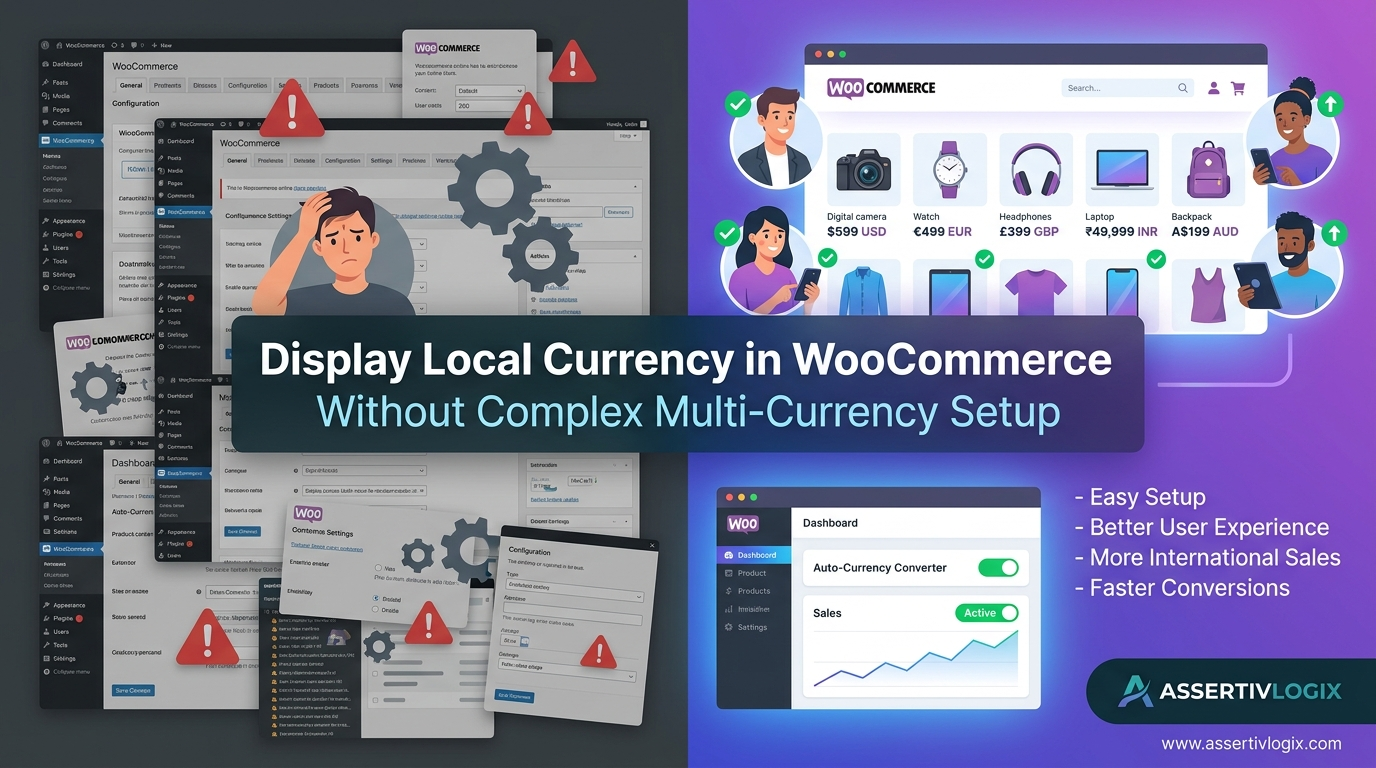
If you sell products internationally through WooCommerce, you’ve probably considered adding multi-currency functionality to your store. While many multi-currency plugins offer extensive features, they often come with complicated configurations, payment gateway challenges, compatibility issues, and ongoing maintenance requirements.
For many store owners, the goal isn’t necessarily to process payments in dozens of currencies. Instead, they simply want visitors to see product prices in their local currency so they can understand pricing more easily and make purchasing decisions with confidence.
That’s where the Assertivlogix Local Currency Display for WooCommerce plugin provides a simple and effective solution. Instead of implementing a full multi-currency system, you can automatically display prices in your visitors’ local currency without adding complexity to your WooCommerce store.
The Problem with Traditional Multi-Currency Plugins
Many WooCommerce store owners install multi-currency plugins expecting a quick setup, only to discover a long list of configuration requirements.
Traditional multi-currency solutions often require:
- Multiple currency configurations
- Complex exchange rate settings
- Payment gateway compatibility adjustments
- Tax calculation modifications
- Currency switching logic
- Checkout customization
- Ongoing maintenance and updates
For businesses that simply want to improve the shopping experience for international customers, these features can create unnecessary complexity.
Why Customers Want Local Currency Pricing
When customers visit an online store, they want to understand pricing immediately.
If a customer from India visits your store and sees prices only in USD, they may wonder:
- How much is this in INR?
- Is this product within my budget?
- What exchange rate will apply?
- Will my bank charge conversion fees?
These questions create friction during the buying process.
By displaying prices directly in the visitor’s local currency, you remove uncertainty and make purchasing decisions easier.
Benefits of Displaying Local Currency Without Full Multi-Currency Setup
1. Faster Setup and Configuration
Traditional multi-currency systems often require extensive setup and testing.
With a local currency display solution, store owners can quickly implement location-based pricing visibility without changing their existing WooCommerce payment workflows.
This means less technical complexity and faster deployment.
2. Better Customer Experience
Customers are more likely to purchase when they can instantly understand pricing.
Displaying familiar currency symbols such as:
- $ USD
- € EUR
- £ GBP
- ₹ INR
- AUD
- CAD
creates a more comfortable and localized shopping experience.
This improves customer satisfaction and encourages conversions.
3. Reduced Cart Abandonment
One common reason for cart abandonment is uncertainty about pricing.
If shoppers must leave your website to calculate exchange rates, many never return.
Showing prices in local currency helps eliminate this issue by providing immediate pricing clarity.
4. Increased International Sales
Businesses that attract visitors from multiple countries can benefit significantly from localized pricing.
Customers are more likely to complete purchases when pricing feels familiar and transparent.
This is especially important for stores expanding into new international markets.
5. No Need for Multiple Store Configurations
Some businesses create separate stores for different regions in an attempt to provide localized pricing.
This approach increases management complexity and maintenance costs.
Displaying local currency automatically allows you to serve international customers from a single WooCommerce store.
How Assertivlogix Local Currency Display Works
The Assertivlogix Local Currency Display for WooCommerce plugin is designed specifically for store owners who want a simple solution.
The plugin automatically detects the visitor’s location and displays product prices in their local currency.
Instead of forcing customers to calculate conversions manually, pricing is presented in a familiar format from the moment they land on your store.
Key Features
- Automatic visitor location detection.
- Local currency price display.
- Real-time currency conversion.
- Simple WooCommerce integration.
- Lightweight and fast.
- No complicated configuration.
- Supports international WooCommerce stores.
Who Should Use a Local Currency Display Plugin?
This solution is ideal for:
- WooCommerce stores selling globally.
- Dropshipping businesses.
- Digital product sellers.
- Subscription-based businesses.
- SaaS companies.
- Cross-border eCommerce stores.
- Businesses expanding internationally.
If your website receives traffic from multiple countries, displaying local currency can improve user experience and increase conversion rates.
Real-World Example
Imagine a WooCommerce store selling premium digital products.
A visitor from Germany lands on the website and sees a product priced at $149 USD. Before purchasing, they may need to calculate the equivalent value in Euros.
With local currency display enabled, the same visitor immediately sees the price displayed in Euros, helping them evaluate the product more quickly and confidently.
This small improvement can have a measurable impact on sales performance.
Local Currency Display vs Full Multi-Currency Systems
| Feature | Local Currency Display | Full Multi-Currency Plugin |
|---|---|---|
| Easy Setup | ✓ | ✗ |
| Lightweight | ✓ | ✗ |
| Location-Based Pricing | ✓ | ✓ |
| Complex Configuration | ✗ | ✓ |
| Maintenance Overhead | Low | High |
| WooCommerce Compatibility | Simple | Variable |
For many store owners, local currency display provides all the benefits they need without the additional complexity of full multi-currency systems.
SEO and User Experience Benefits
Displaying local currency contributes to a better user experience, which can positively impact business performance.
Benefits include:
- Lower bounce rates.
- Longer session durations.
- Higher conversion rates.
- Improved customer trust.
- Increased repeat purchases.
While local currency display is primarily a conversion optimization strategy, it also supports broader customer engagement goals.
Why Choose Assertivlogix Local Currency Display for WooCommerce?
Unlike many multi-currency solutions that focus on extensive configuration options, Assertivlogix Local Currency Display prioritizes simplicity and usability.
The plugin helps WooCommerce store owners provide a better international shopping experience without requiring complex setup or ongoing maintenance.
Whether you sell physical products, digital goods, subscriptions, or services, local currency display can help make your store more accessible to customers around the world.
Conclusion
You don’t need a complicated multi-currency system to improve the shopping experience for international customers. In many cases, simply displaying prices in the visitor’s local currency is enough to build trust, reduce confusion, and increase conversions.
With the Assertivlogix Local Currency Display for WooCommerce plugin, you can automatically show customers familiar pricing without the complexity of traditional multi-currency setups.
If your goal is to create a more user-friendly WooCommerce store and increase international sales, local currency display is one of the easiest and most effective improvements you can make.