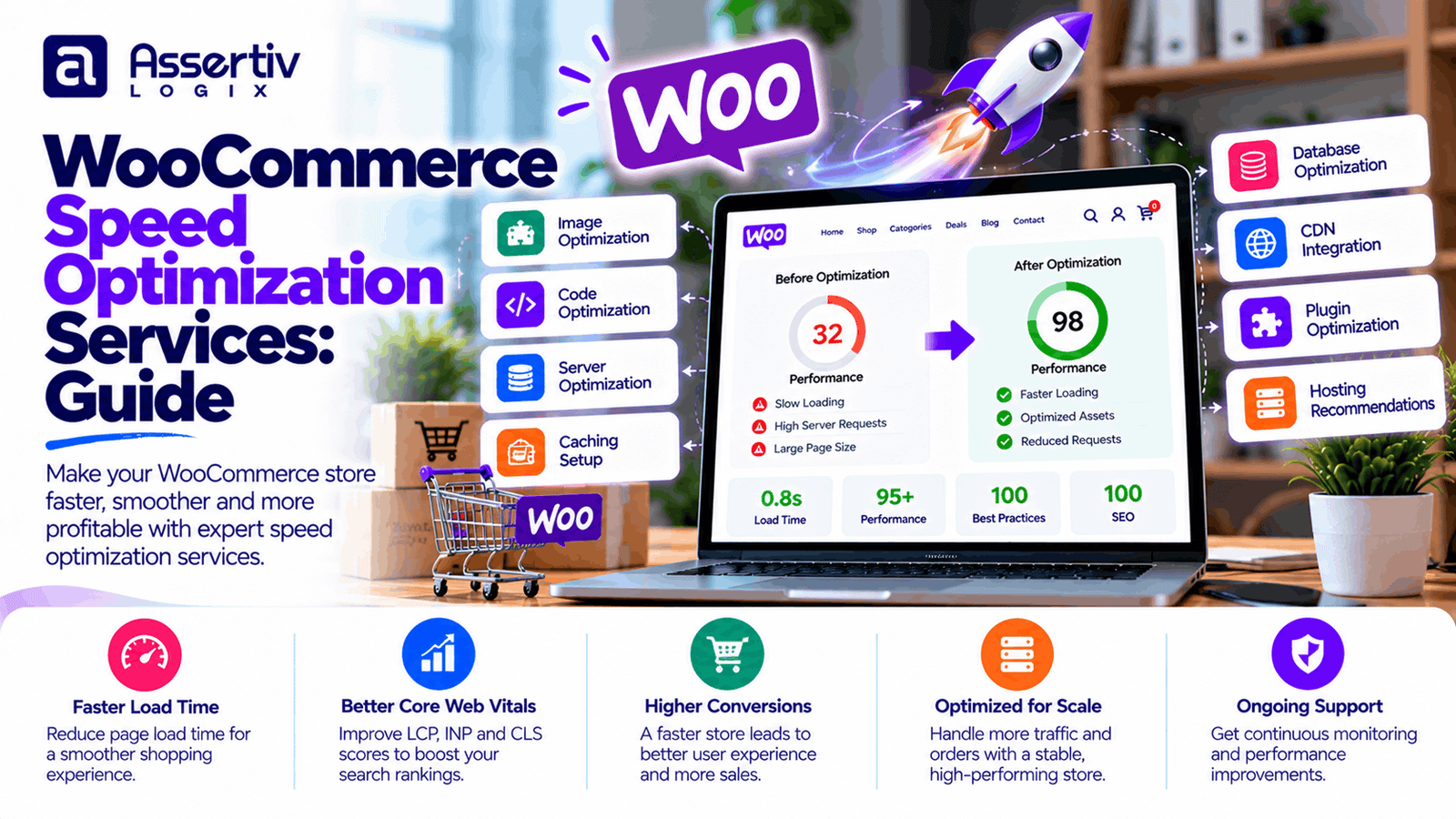
WooCommerce speed optimization services help online store owners improve page loading times, product browsing, cart performance, and checkout responsiveness. A slow store can frustrate shoppers, increase abandonment, and make it harder for customers to complete purchases, especially on mobile devices.
WooCommerce performance depends on more than hosting. Large product images, inefficient plugins, heavy themes, slow database queries, external scripts, and poorly configured caching can all affect the shopping experience. Fixing the right bottlenecks requires measurement, technical investigation, and careful testing rather than simply installing another speed plugin.
This guide explains what WooCommerce speed optimization services include, how to identify performance problems, which improvements typically matter most, and how to choose a specialist who can improve speed without breaking essential store functionality.
What Are WooCommerce Speed Optimization Services?
WooCommerce speed optimization services focus on diagnosing and improving the performance of an online store built with WordPress and WooCommerce. The work may involve server configuration, frontend optimization, database improvements, image delivery, plugin review, caching, and checkout performance.
The goal is to make the store more responsive while preserving product functionality, order accuracy, payment processing, security, and a consistent customer experience.
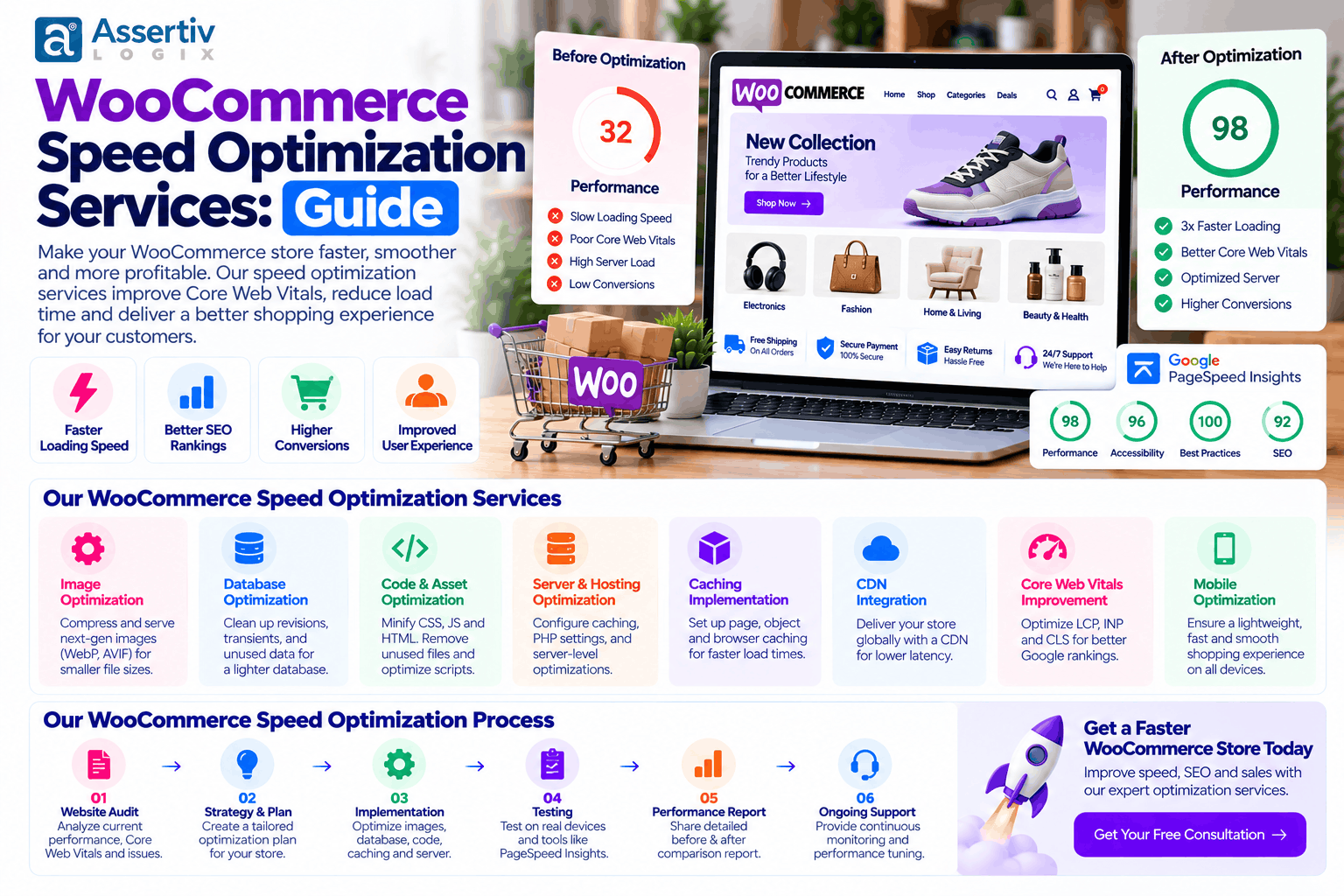
Depending on the store, a professional optimization project may include:
- Performance audits and bottleneck analysis
- Hosting and server configuration review
- Page caching and object caching where appropriate
- Image compression and modern image formats
- CSS, JavaScript, and font optimization
- Database query and scheduled-task investigation
- Plugin and theme performance analysis
- WooCommerce cart and checkout optimization
- Core Web Vitals improvements
- Mobile performance testing
- Before-and-after performance reporting
Not every store needs every service. A useful optimization plan prioritizes issues demonstrated by testing and real usage data.
Why WooCommerce Store Speed Matters
1. A smoother shopping experience
Customers expect product pages, category listings, filters, and cart interactions to respond promptly. Slow transitions and repeated loading delays can make even a well-designed store feel difficult to use.
Improving responsiveness helps customers browse products, compare options, and move through checkout with less friction.
2. Better conversion opportunities
When shoppers encounter delays during browsing or checkout, some may leave before completing an order. Faster performance can remove one source of friction, although it does not guarantee higher conversion rates. Pricing, product relevance, trust, shipping costs, and checkout design also influence purchasing decisions.
3. Stronger mobile usability
Mobile devices may have slower network connections, limited processing power, and less screen space than desktop computers. Heavy product images, unnecessary scripts, and complicated page layouts can make a store particularly difficult to use on mobile.
Optimizing for mobile means improving loading, interaction responsiveness, layout stability, and checkout usability—not merely reducing a single speed-test score.
4. Support for Core Web Vitals
Google uses Core Web Vitals to assess aspects of real-world page experience. The main metrics are Largest Contentful Paint (LCP), Interaction to Next Paint (INP), and Cumulative Layout Shift (CLS).
| Metric | What it measures | Good target |
|---|---|---|
| LCP | Loading performance of the largest visible content element | 2.5 seconds or less |
| INP | Responsiveness to user interactions | 200 milliseconds or less |
| CLS | Unexpected layout movement | 0.1 or less |
These thresholds are assessed at the 75th percentile of page visits, segmented by mobile and desktop. Lab tools help diagnose problems, while field data helps show what actual visitors experience. Read Google’s current Core Web Vitals guidance for definitions and measurement details.
5. Better use of server resources
Reducing unnecessary database work, expensive requests, and inefficient background processes can help a store use its server resources more effectively. This matters when traffic increases, product catalogs grow, or several customers are shopping at the same time.
Common Reasons WooCommerce Stores Load Slowly
Unreliable or underpowered hosting
Hosting affects server response time, available CPU and memory, storage performance, database capacity, and the ability to handle concurrent traffic. A low-cost hosting plan may be sufficient for a small store but struggle as the catalog and order volume grow.
Before upgrading, measure the server’s response time and resource usage. A hosting change may be necessary, but it should be based on evidence rather than guesswork.
Oversized product images
High-resolution product photography can consume substantial bandwidth if images are larger than necessary. Large hero banners and product galleries may also delay the main visible content on a page.
Use appropriately sized images, compress them without unacceptable quality loss, and consider modern formats such as WebP or AVIF where supported. Serve responsive image sizes and avoid lazy-loading the primary image that is needed immediately above the fold.
Too many plugins or inefficient extensions
Plugin count alone does not determine performance. One poorly optimized extension can create more overhead than several lightweight plugins. Some extensions add scripts to every page, run frequent database queries, or perform expensive tasks during checkout.
Review plugin behavior, remove unused extensions, and test alternatives where a measurable problem exists. Avoid disabling essential payment, security, inventory, or order-management functionality simply to improve a score.
Heavy themes and page builders
Complex themes and page layouts may generate large CSS files, JavaScript bundles, animations, and nested markup. These resources can increase download time, rendering work, and interaction delays.
Review the actual page output before deciding to rebuild a theme or remove a page builder. A redesign is not always necessary; targeted template and asset improvements may solve the problem.
Unoptimized JavaScript and CSS
Render-blocking resources and unnecessary scripts can delay the initial display of a page. Third-party marketing tags, chat widgets, review tools, and tracking scripts may also compete for browser resources.
Depending on the page, improvements may include reducing unused code, deferring noncritical JavaScript, generating critical CSS, and delaying optional third-party scripts until they are needed. Test these changes carefully because aggressive optimization can break menus, product variations, cart updates, or payment flows.
Database overhead and slow queries
WooCommerce relies on WordPress database tables for products, orders, settings, and other information. Plugins may also create additional tables or large amounts of metadata. Slow queries, unnecessary autoloaded options, and poorly managed transient data can contribute to slow requests.
Database optimization should begin with diagnosis. Back up the database before cleanup, and do not delete records based solely on their age or an unfamiliar name. Historical order data and plugin tables may be business-critical.
Incorrect caching configuration
Page caching can significantly reduce repeated work for eligible pages, but eCommerce sites require special handling. Cart, checkout, account, and other session-dependent pages must not be served as if they were identical for every customer.
Cache configuration should respect WooCommerce’s dynamic behavior, cookies, logged-in sessions, and payment flows. A faster cached page is not an improvement if it displays the wrong cart or customer information.
External services and third-party scripts
Payment gateways, advertising platforms, analytics, review services, personalization tools, and customer support widgets may load code or make requests to external servers. Their response times can affect page performance.
Audit which services are necessary, where they load, and whether they can be deferred or limited to relevant pages. Keep essential payment and security features working as intended.
What Is Included in Professional WooCommerce Speed Optimization Services?
1. Complete performance audit
An audit establishes a baseline and identifies the most important bottlenecks. A specialist should examine representative pages such as the homepage, category page, product page, cart, and checkout rather than testing only one URL.
Useful tools include:
- Google PageSpeed Insights for lab diagnostics and available field data
- Lighthouse for performance audits and development diagnostics
- WebPageTest for detailed loading behavior and waterfall analysis
- Browser developer tools for JavaScript errors, network requests, and rendering issues
- Server and database monitoring tools for backend bottlenecks
A useful audit report should explain the observed problem, the likely cause, the proposed fix, the expected trade-offs, and how the result will be verified.
2. Hosting and server optimization
Server-side work may include reviewing PHP configuration, supported PHP versions, database performance, web server configuration, storage capacity, CDN setup, and resource limits. Object caching may help when repeated database operations are a bottleneck.
Server changes should be compatible with your hosting environment and supported software versions. Avoid applying settings copied from another server without testing their suitability for your store.
3. Image and media optimization
Image optimization can include resizing, compression, responsive delivery, modern formats, and careful lazy-loading configuration. Product images should remain clear enough for customers to inspect details, and gallery functionality should continue to work.
Review image delivery across product listings, product pages, promotional banners, and mobile layouts. Optimizing only the homepage may leave the slowest shopping pages untouched.
4. Frontend optimization
Frontend optimization focuses on what the customer’s browser must download, parse, render, and execute. Depending on the audit, the work may include CSS and JavaScript cleanup, font optimization, reducing layout shifts, and limiting unnecessary third-party resources.
Test interactive elements after each significant change. Product filters, variant selectors, search, mini-cart updates, and checkout controls are important parts of the shopping experience.
5. Database and backend optimization
Backend improvements may involve identifying slow queries, reviewing plugin-generated data, optimizing scheduled jobs, and reducing unnecessary work on frequently visited pages.
On stores using WooCommerce’s High-Performance Order Storage (HPOS), ensure custom code and extensions use supported WooCommerce APIs and remain compatible with the configured order storage system. Avoid direct database changes unless they are properly planned, tested, and reversible.
6. WooCommerce cart and checkout optimization
Checkout performance deserves separate attention because it directly affects the purchase process. A specialist can investigate slow shipping calculations, payment gateway requests, validation, session handling, third-party scripts, and unnecessary checkout fields.
The goal is not to remove important safeguards or business requirements. It is to make the required steps more responsive while keeping order totals, customer details, shipping options, and payment results accurate.
7. Caching and CDN configuration
A suitable caching setup may combine browser caching, page caching for eligible content, object caching, and a content delivery network. The right combination depends on the store’s hosting, traffic, geographic audience, and dynamic features.
After configuration, test anonymous visitors, logged-in customers, empty carts, populated carts, and checkout sessions. Purge caches when necessary and verify that updates to product prices or stock are reflected correctly.
8. Core Web Vitals improvement
Optimization should connect technical fixes to measurable metrics. For example, an oversized main product image may affect LCP, a large JavaScript workload may contribute to poor INP, and images or banners without reserved space may increase CLS.
Use the data to prioritize work. A change that improves a laboratory score but harms checkout reliability or real customer performance should not be considered a successful optimization.
Step-by-Step WooCommerce Speed Optimization Process
Step 1: Measure the current performance
Test important templates on both mobile and desktop. Record LCP, INP where field data is available, CLS, server response behavior, page weight, and important network requests.
Use repeatable test conditions. Traffic, cache state, location, device, and third-party service availability can affect individual test results.
Step 2: Identify the highest-impact problems
Separate frontend issues from backend issues. A large image may be the main problem on a product page, while a slow database query may dominate the response time of a filtered catalog or checkout request.
Prioritize issues based on their effect on customers, business importance, and implementation risk.
Step 3: Create a safe staging environment
Back up the store and test significant changes on staging whenever possible. Make sure the staging environment does not send real customer emails, trigger live payments, or expose private customer data.
Step 4: Apply targeted improvements
Implement the fixes supported by the audit. This may include image resizing, asset cleanup, cache configuration, query improvements, hosting changes, or checkout simplification. Make changes in manageable groups so you can identify which ones deliver a benefit.
Step 5: Test store functionality
Test product browsing, search, variations, cart updates, coupons, shipping, taxes, payment methods, account access, and refunds. Check common mobile browsers and any critical extensions used by your business.
Step 6: Compare before-and-after results
Repeat the same performance tests after the changes. Compare the measurements under similar conditions and explain differences in the report. Lab measurements can show immediate technical changes, while field data may take longer to reflect the experience of real visitors.
Step 7: Monitor after launch
Keep track of performance, server resources, error logs, checkout completion, and Core Web Vitals data. Recheck the store after major plugin updates, theme changes, new tracking scripts, and marketing campaigns.
WooCommerce Speed Optimization Best Practices
- Choose hosting that matches the store’s traffic and technical needs.
- Use appropriately sized, compressed product images.
- Keep WordPress, WooCommerce, themes, and plugins maintained.
- Remove genuinely unused extensions and unnecessary third-party scripts.
- Use page caching only where it is safe for dynamic commerce behavior.
- Consider object caching when measurements show repeated database work.
- Keep PHP, database, and server software on supported versions.
- Test product, cart, and checkout functionality after optimization changes.
- Use a staging environment and backups for higher-risk work.
- Monitor real-user performance and not just a single speed-test score.
How Much Do WooCommerce Speed Optimization Services Cost?
The cost depends on the store’s complexity, the severity of its performance problems, the hosting environment, and whether the work requires diagnosis, configuration, custom development, or ongoing monitoring.
| Service type | Typical scope | Factors affecting cost |
|---|---|---|
| Performance audit | Baseline tests, bottleneck analysis, and prioritized recommendations | Number of templates, test environments, and depth of server analysis |
| Basic optimization | Image improvements, suitable caching, and straightforward asset changes | Current configuration and plugin compatibility |
| Advanced optimization | Backend profiling, custom code improvements, and checkout investigation | Complexity of the codebase and third-party integrations |
| Ongoing performance support | Monitoring, regression checks, maintenance, and future improvements | Traffic, change frequency, support coverage, and reporting needs |
These are service categories, not fixed price quotations. Request a scope-based estimate that identifies the pages being optimized, deliverables, testing responsibilities, and ongoing support. Ask whether the provider guarantees specific results and what conditions or exclusions apply.
How to Choose a WooCommerce Speed Optimization Expert
Choose a specialist who can explain the causes of your store’s performance problems and show how the work will be measured. A convincing proposal should address your actual website rather than promise a perfect score before an audit.
Before hiring, ask:
- Will you test product pages, category pages, cart, and checkout?
- How will you distinguish server problems from frontend problems?
- Will you provide a baseline and a before-and-after report?
- How will you protect orders, customer data, and payment processing?
- Will changes be tested on staging before going live?
- How will caching be configured for carts and logged-in customers?
- What happens if an optimization breaks a plugin or checkout feature?
- Does the proposal include monitoring or only a one-time optimization?
Be cautious of providers who promise a perfect score without examining the site, disable essential features without testing, or use aggressive caching without understanding WooCommerce sessions.
WooCommerce Speed Optimization Services from Assertivlogix
Assertivlogix provides WordPress and WooCommerce development support for businesses that need a faster, more reliable online store. Our approach should begin with understanding the store’s current performance, identifying the main bottlenecks, and prioritizing improvements that support both customer experience and business operations.
Depending on the requirements, a project may involve:
- WooCommerce performance audits and technical recommendations
- Theme and plugin performance investigation
- Image delivery, caching, and asset optimization
- Server-side and database bottleneck analysis
- Product page, cart, and checkout performance improvements
- Core Web Vitals testing and post-change validation
- Ongoing maintenance and performance monitoring planning
We recommend evaluating performance alongside checkout reliability, accessibility, security, and maintainability. The best optimization is one that makes the store more responsive without compromising the functionality customers depend on.
Learn more about our WooCommerce development services or explore our guide to hiring a WooCommerce developer.
Want to identify what’s slowing down your store? Discuss your performance issues, Core Web Vitals, and checkout requirements with Assertivlogix to plan the right optimization work.
Frequently Asked Questions
What are WooCommerce speed optimization services?
WooCommerce speed optimization services improve store performance through technical audits, caching, image optimization, frontend improvements, database investigation, hosting configuration, and checkout testing. The exact work depends on the store’s measured bottlenecks.
How can I speed up my WooCommerce store?
Start by testing important pages, then address the largest problems. Common improvements include optimizing images, reviewing inefficient plugins, configuring caching safely, reducing unnecessary scripts, and investigating slow server or database requests.
Does website speed affect WooCommerce sales?
Slow pages can create friction during browsing and checkout, which may contribute to abandoned purchases. Improving speed can help the shopping experience, but sales also depend on product value, pricing, trust, shipping, and checkout design.
What is a good WooCommerce page load time?
There is no single load-time number that describes every store or device. Use Core Web Vitals as one reference: good targets include LCP at or below 2.5 seconds, INP at or below 200 milliseconds, and CLS at or below 0.1, measured at the 75th percentile of visits.
Can caching break WooCommerce checkout?
Incorrect caching can cause problems with cart contents, sessions, customer accounts, or checkout. Configure caching according to WooCommerce’s dynamic behavior and test the full purchase process after making changes.
Which tools can test WooCommerce speed?
PageSpeed Insights, Lighthouse, and WebPageTest can help measure loading behavior and diagnose frontend issues. Browser developer tools and server monitoring can help identify JavaScript errors, network delays, slow requests, and backend bottlenecks.
How much do WooCommerce speed optimization services cost?
Cost depends on the size of the store, the complexity of its performance problems, the required development work, and whether monitoring is included. Request an estimate based on an audit and a clearly defined scope.
Will speed optimization improve Google rankings?
Performance and Core Web Vitals are part of Google’s page experience considerations, but good scores do not guarantee higher rankings. Search relevance, content quality, competition, and other factors also matter.
Conclusion
WooCommerce speed optimization services can help improve the responsiveness, stability, and usability of an online store. The most effective work starts with measurement, identifies the real causes of delay, and applies targeted improvements without disrupting product browsing, inventory, payments, or checkout.
Focus on the pages customers use most, verify changes with repeatable tests, and monitor real-world performance after launch. A sustainable performance strategy combines suitable hosting, efficient assets, well-maintained extensions, safe caching, and ongoing testing.
If your WooCommerce store is slow or struggling with Core Web Vitals, contact Assertivlogix to discuss your performance requirements and potential next steps.