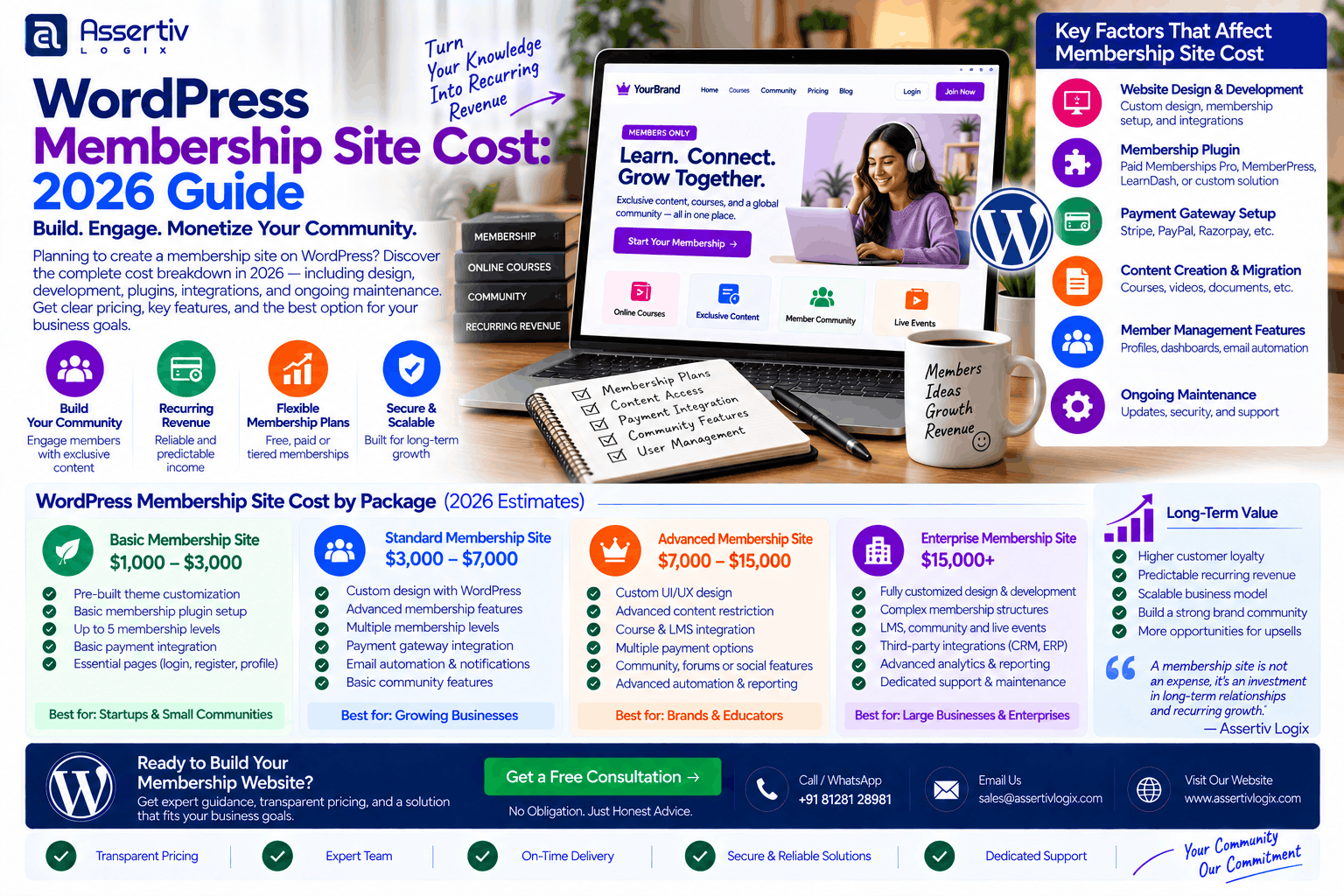
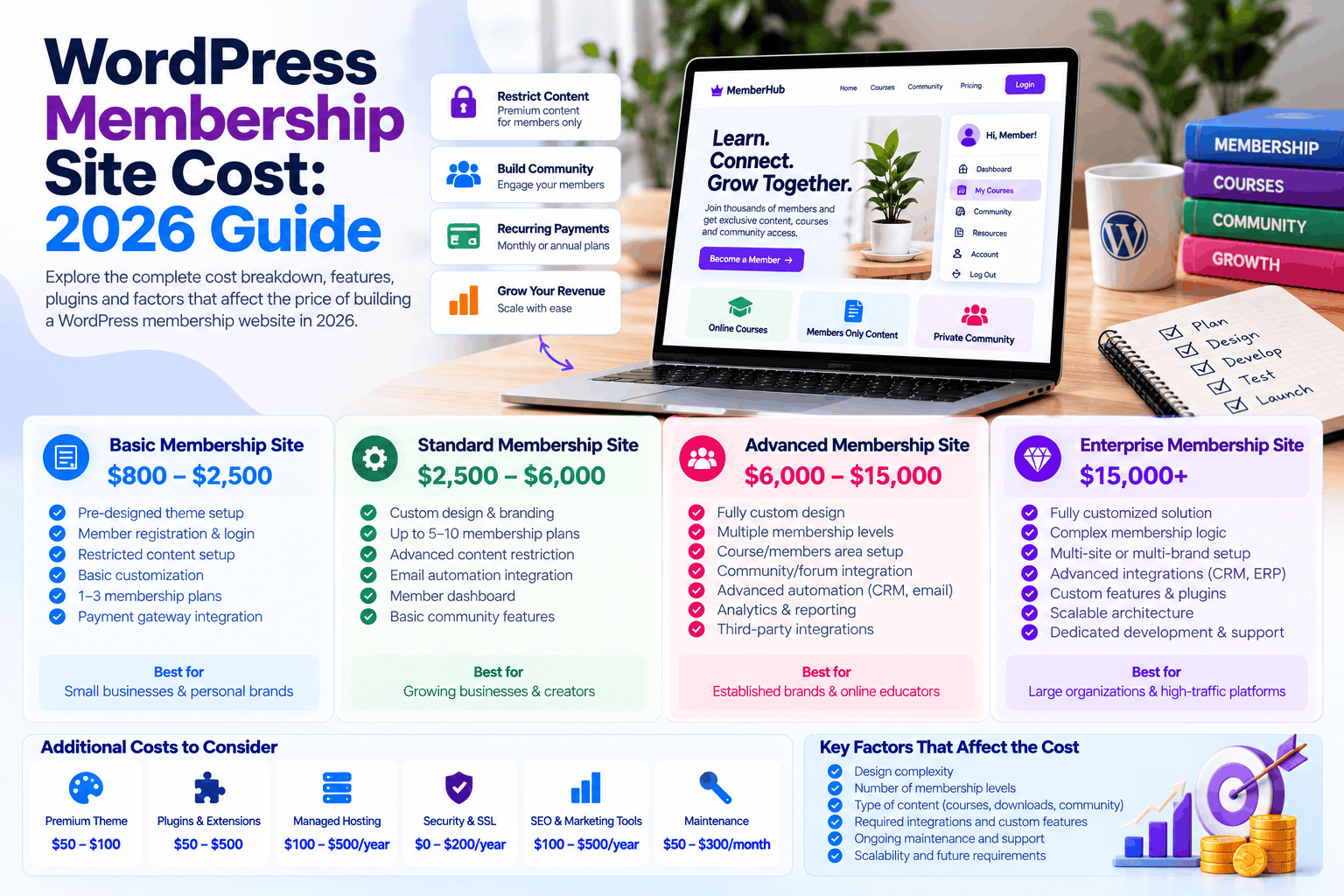
WordPress membership site cost depends on what members need to access, how payments work, and how much customization your website requires. A simple website with paid articles or downloadable resources costs much less to build than a membership platform with recurring subscriptions, online courses, member dashboards, private communities, and automated billing.
For a professionally developed membership website in 2026, a reasonable planning budget is around $1,500–$3,500 for a basic custom setup. More advanced membership websites can cost $3,500–$8,000+, while complex platforms with custom functionality and third-party integrations can exceed $10,000.
The software is only part of the expense. You also need to consider hosting, membership plugins, payment processing, content creation, security, and ongoing maintenance.
WordPress Membership Site Cost at a Glance
The easiest way to estimate WordPress membership site cost is to start with the type of experience you want to offer your members.
| Membership Website Type | Estimated Development Cost |
|---|---|
| Basic paid-content website | $500–$1,500 |
| Small professional membership site | $1,500–$3,500 |
| Online course membership website | $2,500–$6,000 |
| Subscription-based community | $3,500–$8,000+ |
| Custom membership platform | $8,000–$15,000+ |
These are estimated planning ranges, not fixed quotations. A website built around a standard membership plugin will generally cost less than one requiring custom billing workflows, complex user permissions, external API connections, or a completely custom member dashboard.
If you’re comparing membership development with a broader website project, see our WordPress Development Cost Guide for 2026.
Membership Website Pricing by Type
1. Basic Membership Website
Estimated cost: $500–$1,500
A basic membership website is often enough for a creator, consultant, professional association, or small business that wants to charge for exclusive content.
It might include:
- Member registration and login
- Restricted pages or articles
- One or two membership plans
- Basic payment integration
- Member account pages
- Email notifications
- Responsive design
This budget is most realistic when you use an existing theme and established membership plugin, keep the design relatively simple, and provide your own content.
2. Professional Membership Website
Estimated cost: $1,500–$3,500
A professional membership site needs more attention to design, usability, and member management.
For example, you might want different membership tiers, a free trial, recurring billing, exclusive downloads, profile management, and different access permissions for each plan.
Development may include:
- Custom page layouts
- Multiple membership levels
- Recurring subscription setup
- Protected content
- Member dashboards
- Payment gateway integration
- Welcome and renewal emails
- Basic analytics and SEO setup
At this level, it’s worth planning the member journey carefully. Registration, payment, login, password recovery, cancellation, and renewal should all work smoothly.
3. Online Course and Learning Membership Site
Estimated cost: $2,500–$6,000
Online learning platforms need more than a login form and a payment button.
Members may need access to lessons, course progress, quizzes, certificates, downloadable materials, and different course packages.
The project may include:
- Course and lesson structure
- Student dashboards
- Course access restrictions
- Progress tracking
- Paid course enrollment
- Quizzes and certificates
- Email automation
- Instructor or student roles
The final price depends on whether existing learning management system plugins cover your requirements or whether custom development is necessary.
4. Subscription Community Website
Estimated cost: $3,500–$8,000+
A paid community is a different type of membership project. People aren’t just paying to read content; they’re paying to participate.
You might need member profiles, private discussion areas, groups, events, messaging, exclusive resources, and subscription-based access.
Community functionality can increase development time, particularly when members need different permissions or the website must connect with external community tools.
5. Custom Membership Platform
Estimated cost: $8,000–$15,000+
Some businesses eventually outgrow the standard membership plugin approach.
A custom platform may require unique billing rules, advanced reporting, complex user roles, third-party integrations, custom dashboards, or connections with an existing business application.
At this stage, the project is closer to building a web application on WordPress than simply setting up a membership website.
Our WordPress Plugin Development Services can be relevant when standard plugins cannot handle essential business requirements.
WordPress Membership Site Cost Breakdown
The total WordPress membership site cost is made up of several components. Some are paid once during development, while others continue for as long as the website operates.
| Component | Estimated Budget | Cost Type |
|---|---|---|
| Domain | $10–$30+/year | Recurring |
| Hosting | $10–$150+/month | Recurring |
| Design and branding | $300–$2,000+ | Usually one-time |
| WordPress development | $500–$5,000+ | Usually one-time |
| Membership plugin | $0–$500+/year | Free or recurring |
| Payment integration | $0–$1,000+ | Setup and transaction fees |
| Custom features | $500–$5,000+ | Usually one-time |
| Maintenance | $75–$400+/month | Recurring |
These figures are broad budgeting estimates. Some projects need only a few of these services, while others require substantial customization.
Membership Plugins and Software Costs
One of the useful things about WordPress is that you don’t need to build every membership feature from scratch.
Established plugins can handle many common requirements, including registration, payment plans, protected content, member accounts, and subscription access.
Popular options include:
- MemberPress for membership management and restricted content.
- Paid Memberships Pro for membership levels and access control.
- WooCommerce for ecommerce-based membership or subscription workflows when paired with suitable extensions.
- LearnDash for learning management and online courses.
Each product has its own features, license terms, and pricing. Check the current plans before choosing one, particularly if you need recurring subscriptions, integrations, or multiple websites.
Don’t choose a plugin simply because it has the lowest price. A cheaper plugin may not support an essential feature, while a more expensive solution might reduce the amount of custom development required.
Payment Gateways and Subscription Costs
If members pay monthly or annually, payment processing becomes a core part of the website.
Your site might use Stripe, PayPal, Razorpay, PayU, or another provider depending on your customers and target market.
There are three separate costs to consider:
- Integration: Setting up the gateway and connecting it to membership plans.
- Transaction fees: The payment provider’s charges for processing transactions.
- Subscription management: Handling renewals, failed payments, cancellations, refunds, and access changes.
A basic one-time payment is generally simpler than a recurring billing system. Subscription payments may need additional testing to ensure access is granted after payment and updated correctly when a subscription expires or is cancelled.
For a site selling memberships alongside physical products, the official WooCommerce documentation is a useful starting point for understanding ecommerce functionality and extensions.
Design and Member Experience
It’s easy to focus on the public-facing homepage and forget about the pages members use after signing up.
Those pages often determine whether the site feels professional and easy to use.
Consider what happens when a member needs to update billing details, change a plan, download a resource, resume a course, reset a password, or cancel a subscription.
A well-designed membership website should make these actions straightforward.
Design work may include a registration page, pricing page, login screen, member dashboard, account settings, protected content layouts, and responsive mobile views.
If your website needs a fully customized appearance rather than an existing theme, our WordPress development team at Assertivlogix can help assess whether a theme-based approach or custom development is the better fit.
Ongoing WordPress Membership Site Costs
Launching the website is only the first expense. A membership site needs ongoing attention because people depend on it to access content and manage their subscriptions.
Typical recurring costs include:
- Hosting and domain renewals
- Premium plugin licenses
- Security monitoring and backups
- WordPress and plugin updates
- Bug fixes and compatibility testing
- Content creation
- Email delivery services
- Payment processing
- Performance optimization
A small site may need only basic maintenance. A business that relies on membership revenue may need faster support, regular testing, and more frequent development work.
For a fuller view of ongoing expenses, see our WordPress Maintenance Cost guide.
Realistic WordPress Membership Site Cost Examples
Example 1: Paid Resource Library
Imagine a consultant who wants to sell access to templates, guides, and private articles.
The site needs registration, one paid membership plan, protected downloads, payment processing, and a simple account page.
A reasonable initial planning budget could be $1,500–$2,500, assuming an existing plugin and a relatively simple design meet the requirements.
Example 2: Online Learning Website
Now consider a training business with several courses, paid enrollment, student accounts, progress tracking, and automated emails.
A budget of $3,000–$6,000 may be a reasonable starting point, depending on the learning management system, course content, design, and custom requirements.
Example 3: Paid Professional Community
A business wants to charge recurring membership fees and provide profiles, private groups, events, premium resources, and different access levels.
The initial development budget could reach $4,000–$8,000+, particularly if the community experience needs custom design or integrations.
These are illustrative estimates, not guaranteed quotations. Content production, advanced integrations, and custom functionality can change the total substantially.
How to Reduce WordPress Membership Site Cost
You don’t need to build every possible feature before launching.
Start with the smallest version of the membership experience that provides real value to paying members.
- Choose a suitable plugin: Use established functionality when it meets your requirements.
- Start with fewer membership plans: Add more tiers when there’s a clear business reason.
- Keep the first design focused: Prioritize registration, pricing, checkout, and member access.
- Prepare your content: Organize lessons, downloads, and protected resources before development.
- Limit unnecessary integrations: Each integration adds setup and maintenance work.
- Plan for future growth: Choose a solution that can expand without rebuilding the entire site.
It’s also worth planning technical SEO and performance from the start. Google’s SEO Starter Guide explains the fundamentals of making website content accessible to search engines.
Questions to Ask Before Hiring a Membership Website Developer
Before approving a proposal, make sure the scope explains how the membership system will work.
- Which membership plugin will be used, and why?
- Are recurring payments included?
- How will failed payments and cancellations affect member access?
- Are member dashboards and account pages included?
- Is migration of existing users or content required?
- Are emails, payment integrations, and automated workflows included?
- Who handles plugin licenses and renewals?
- Does the quote include testing, launch, and post-launch support?
If the project requires custom functionality, compare the proposal with our WordPress Development Cost Guide to understand how a broader development project is typically scoped.
Membership Website Development at Assertivlogix
Assertivlogix provides WordPress development for businesses that need websites tailored to their services, content, and workflows.
Depending on the project, development may include custom WordPress design, membership plugin configuration, payment integrations, protected content, custom functionality, performance improvements, and ongoing maintenance.
For a straightforward membership site, an existing plugin may be all you need. For a platform with unusual billing rules, external systems, or specialized member workflows, custom development may be the more appropriate choice.
Planning a WordPress Membership Website?Tell us about your membership plans, payment requirements, protected content, and member features. We’ll review your requirements and help you estimate the development budget.
Final Thoughts on WordPress Membership Site Cost
WordPress membership site cost in 2026 can range from a relatively small investment for a simple paid-content website to $10,000 or more for a custom membership platform.
The price depends on the member experience you want to deliver. Registration and protected pages are relatively straightforward. Recurring subscriptions, course progress, community features, advanced access rules, and integrations require more planning and testing.
Before committing to a budget, list the features members actually need, choose the right plugin, and separate one-time development expenses from recurring operating costs.
Most importantly, don’t spend money on features just because another membership platform has them. Build around your business model, launch with a manageable scope, and expand when your members need more.
Frequently Asked Questions
How much does a WordPress membership site cost in 2026?
A basic membership website may cost around $500–$1,500, while a professionally developed site may cost $1,500–$3,500. Online courses, communities, and custom platforms can cost $3,500–$15,000 or more.
Is WordPress good for membership websites?
Yes. WordPress supports membership plugins, protected content, subscription payments, online courses, and member accounts. The best setup depends on the features and business model you need.
Do I need a paid membership plugin?
Not always. Some free plugins can handle basic membership requirements. Paid software may be necessary for advanced subscriptions, integrations, reporting, or more specialized access rules.
How much does membership website maintenance cost?
Basic maintenance may start around $75–$150 per month. Sites that require frequent development, advanced integrations, and priority support can cost more.
Can I charge monthly and yearly membership fees?
Yes. Suitable membership and payment plugins can support recurring plans, although the exact billing features depend on the software and payment gateway you choose.
Can I build an online course website with WordPress?
Yes. WordPress can support courses, lessons, student accounts, progress tracking, and paid enrollment through a learning management system plugin and suitable membership or payment integrations.
How can I get an accurate membership website quote?
Prepare a list of membership plans, content restrictions, payment requirements, integrations, and member features. Then contact Assertivlogix to discuss the scope and request a project estimate.