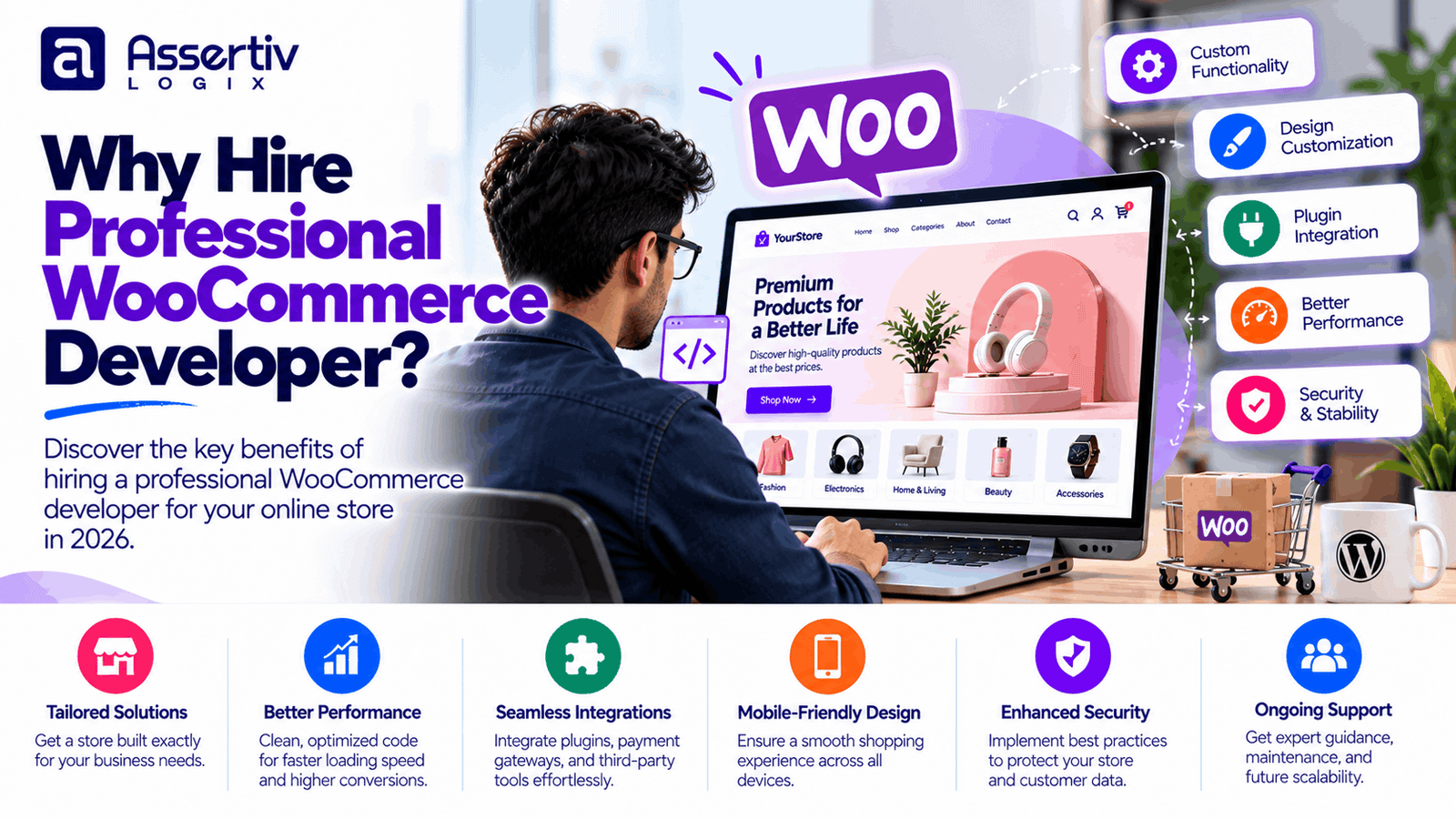
Hiring a professional WooCommerce developer can help your business build an online store that is secure, reliable, easy to use, and ready to grow. Although WooCommerce makes it possible to launch an online store without extensive programming knowledge, creating a store that meets specific business requirements often involves more than installing a theme and adding products.
Payment gateways, checkout workflows, shipping rules, product variations, inventory systems, performance optimization, and security all affect how well an online store operates. A poorly configured store can create unnecessary maintenance work, frustrate customers, and make it harder to manage daily orders.
A professional developer helps connect these technical details with your business goals. Whether you are launching a new store, improving an existing website, or building custom eCommerce functionality, the right expertise can help you make better technical decisions and avoid preventable problems.
Here are the key reasons businesses consider professional WooCommerce development, what a developer can deliver, and how to decide whether hiring one is the right investment for your store.
1. Get a Store Built Around Your Business Requirements
Every online business has different products, customers, pricing rules, and operational needs. A standard WooCommerce installation provides a useful foundation, but it may not include every feature your business requires.
A professional developer can configure the store around your actual workflow rather than forcing your business to work around the limitations of a generic setup.
Examples of custom WooCommerce functionality
- Custom product pages and category layouts
- Product bundles, variations, and personalization
- Wholesale pricing and customer-specific discounts
- Advanced product filters and search
- Custom checkout fields and validation
- Subscription or recurring-purchase workflows
- Product configurators and quotation requests
- Custom order management and reporting features
For example, a furniture retailer may need product pages with material options, dimensions, finishes, and delivery estimates. A wholesale supplier may need minimum order quantities and pricing that changes according to customer roles.
A professional WooCommerce developer can evaluate whether these requirements can be handled through existing extensions, configuration, or custom code. Choosing the simplest reliable approach can help control both initial development and future maintenance costs.
2. Improve Website Speed and Performance
Store performance affects the shopping experience, particularly for customers browsing product catalogs, using filters, or completing checkout on mobile devices.
A slow store can make browsing frustrating and introduce friction during purchasing. Performance optimization helps reduce unnecessary delays and creates a smoother experience, although improvements depend on the site’s starting condition, hosting, traffic, and technical architecture.
How a WooCommerce developer can improve performance
- Identify slow plugins, database queries, and scripts
- Optimize product and category page loading
- Configure suitable page and object caching
- Compress and properly size product images
- Reduce unnecessary CSS and JavaScript
- Review hosting resources and server configuration
- Test cart and checkout performance
- Monitor relevant Core Web Vitals
Performance work should be tested carefully because aggressive caching or script optimization can interfere with dynamic cart, account, and checkout functionality.
Google provides PageSpeed Insights for measuring page performance and Core Web Vitals documentation for understanding important user-experience metrics.
3. Strengthen Store Security
An eCommerce website handles sensitive operational information, including customer accounts, order records, addresses, and payment-related data. Security therefore needs to be part of the development process rather than an afterthought.
A professional developer can help reduce common risks by configuring the store carefully, selecting supported extensions, implementing appropriate access controls, and maintaining a reliable update process.
Security measures to consider
- Keep WordPress, WooCommerce, themes, and plugins updated
- Remove unused themes and extensions
- Use strong authentication and least-privilege user roles
- Configure HTTPS and appropriate server security
- Maintain reliable backups and test restoration procedures
- Review custom code for common vulnerabilities
- Monitor suspicious activity and security alerts
- Keep payment processing within appropriate security boundaries
Hiring a developer does not automatically guarantee that a store is secure. Security also depends on hosting, business procedures, third-party services, staff access, and ongoing maintenance.
For practical guidance, consult the official WordPress security documentation and the OWASP project.
4. Create a Better Shopping Experience
Customers expect online stores to be easy to navigate, understandable, and convenient to use across different devices. Confusing product pages, unclear delivery information, and complicated checkout forms can create unnecessary friction.
A professional WooCommerce developer can improve the customer journey by making the interface consistent and ensuring that essential shopping functions work as expected.
Areas worth improving
- Mobile-friendly product and category layouts
- Clear navigation and product filtering
- Readable product descriptions and pricing
- Visible stock, shipping, and return information
- Accessible buttons, form labels, and error messages
- Simplified checkout steps where appropriate
- Useful cart feedback and order confirmation messages
Consider a customer buying a product from a mobile phone. If the variation selector is difficult to use or the checkout displays unclear validation errors, the customer may abandon the purchase. Thoughtful development and usability testing can identify these problems before they affect more shoppers.
Good UX does not guarantee higher sales, but it can remove avoidable obstacles from the purchasing process.
5. Integrate Payment Gateways and Business Tools
Many eCommerce businesses rely on external tools to manage payments, inventory, accounting, marketing, customer relationships, and shipping. Connecting these systems correctly can reduce manual work and improve the consistency of business data.
Common integration requirements
- Payment gateways and digital payment methods
- Shipping carriers and fulfillment services
- CRM and email marketing platforms
- Inventory and warehouse management systems
- Accounting and invoicing software
- Marketplaces and external sales channels
- Analytics and advertising platforms
- Custom applications using APIs
For example, a store that connects WooCommerce with an inventory system may need order data and stock quantities to synchronize reliably. A professional developer can evaluate the available APIs, map the relevant data fields, handle failed requests, and test what happens when a synchronization process is interrupted.
The effort required depends on the integration’s documentation, data structure, authentication method, business rules, and error-handling requirements. A standard extension may be sufficient for some stores, while others need custom development.
Explore the official WooCommerce developer resources to learn more about building and extending WooCommerce functionality.
6. Build a Store That Can Scale
Your initial store may have a small product catalog and modest traffic. As the business grows, you may need more products, additional integrations, better reporting, new sales channels, or more sophisticated fulfillment workflows.
A professional developer can help make technical choices that support reasonable future growth without adding unnecessary complexity to the first version of the store.
Scalability considerations
- Choosing hosting appropriate for the store’s workload
- Keeping custom code modular and maintainable
- Avoiding unnecessary database queries
- Evaluating plugin quality and compatibility
- Planning product and order data management
- Using staging environments for major changes
- Testing important workflows before releases
- Monitoring performance as traffic and catalog size grow
Scalability is not simply a matter of choosing an expensive server. The store’s architecture, database behavior, caching strategy, external dependencies, and traffic patterns all matter.
It is also important to avoid overengineering. A small business may not need enterprise infrastructure at launch. A sensible development plan should address current requirements while leaving room for practical expansion.
7. Support SEO and Search Visibility
Search engine optimization involves content, site structure, technical implementation, usability, and ongoing improvements. A professional WooCommerce developer can help create a technical foundation that makes products and categories easier to crawl and maintain.
Technical SEO improvements can include
- Search-friendly URL structures
- Correct page titles and meta descriptions
- Canonical URLs and indexation controls
- XML sitemap and robots.txt configuration
- Structured data where appropriate
- Redirects during migration or URL changes
- Image optimization and descriptive alternative text
- Internal linking and navigation improvements
- Performance and mobile usability checks
Technical implementation supports SEO, but it does not guarantee rankings or traffic. Content quality, competition, relevance, links, and other factors also influence search visibility.
Review Google’s SEO Starter Guide and Google Search Console for guidance on improving and monitoring a website’s search presence.
8. Reduce Avoidable Technical Debt
Quick fixes can be useful when a business needs to solve an immediate problem. However, repeated changes made without understanding the underlying code can create technical debt that becomes expensive to maintain.
Examples include editing a parent theme directly, adding conflicting plugins, duplicating functionality across extensions, or placing business logic in a location that is overwritten during updates.
A professional developer can help by:
- Using appropriate WordPress and WooCommerce extension points
- Keeping customizations separate from updateable vendor code
- Documenting important implementation decisions
- Removing redundant or conflicting functionality
- Following coding standards and version-control practices
- Testing updates and changes in a suitable environment
These practices do not eliminate every future problem, but they make the codebase easier to understand, test, and maintain.
9. Save Time on Complex Store Management
Business owners already have responsibilities involving sales, customer service, suppliers, marketing, and fulfillment. Troubleshooting plugin conflicts or debugging checkout errors can take attention away from those priorities.
A qualified developer can investigate technical problems, implement improvements, and document changes so that store owners and internal teams can focus on running the business.
Professional support is especially useful when the store relies on custom functionality or integrations that are difficult to troubleshoot without technical knowledge.
For straightforward stores, occasional support may be enough. Businesses with frequent releases or complex workflows may benefit from an ongoing development arrangement.
10. Improve Checkout Reliability and Conversion Opportunities
The checkout is one of the most important parts of an online store. Customers need to understand the final price, enter their details, select a payment method, and receive confirmation that their order was placed successfully.
A professional WooCommerce developer can test the entire checkout journey and address technical issues that interfere with purchasing.
Checkout improvements may include
- Clear form fields and validation messages
- Correct handling of product quantities and variations
- Reliable payment success and failure states
- Accurate shipping costs and order totals
- Guest checkout where appropriate
- Mobile-friendly form layouts
- Order confirmation and notification testing
- Compatibility testing after plugin updates
Changes should be evaluated with analytics and controlled experiments where possible. A redesigned checkout may improve usability, but sales results depend on traffic quality, pricing, products, trust, shipping costs, and other business factors.
11. Get Help With Migration and Store Redesign
If you are moving from another eCommerce platform or redesigning an existing WooCommerce store, the process requires more than copying the visible pages.
Depending on the project, a developer may need to migrate products, customers, orders, product variations, images, URLs, and metadata while preserving important relationships between records.
Migration tasks to plan
- Audit the existing store and source data
- Map products, attributes, categories, and customers
- Back up the source website and database
- Test migration on a staging environment
- Verify product prices, stock, and order records
- Implement appropriate redirects for changed URLs
- Test payment, shipping, email, and account workflows
- Monitor errors and search performance after launch
Careful planning can reduce the risk of missing data, broken links, and unexpected downtime. The appropriate migration method depends on the source platform, data quality, store size, and downtime requirements.
12. Understand the Long-Term Cost of Development
Hiring a professional WooCommerce developer involves an initial investment, but the financial decision should consider more than the first invoice.
A low initial quote may exclude testing, documentation, security work, or post-launch support. A higher quote may include these services, but that should be verified rather than assumed.
When comparing proposals, consider:
- Initial development and implementation
- Paid themes, plugins, and third-party services
- Hosting and infrastructure requirements
- Maintenance and update management
- Testing and bug-fixing arrangements
- Future feature development
- Documentation and handover
- Potential rework caused by unclear requirements
For a closer look at pricing, read WooCommerce Development Cost: 2026 Pricing Guide once that article is published at its final URL. For developer-specific rates, see WooCommerce Developer Cost: 2026 Pricing after verifying that URL is live.
Professional WooCommerce Developer vs DIY Store Setup
A DIY approach can work well for a small store with standard requirements. Professional development becomes more valuable when the business needs custom functionality, complex integrations, stronger testing, or ongoing technical support.
| Consideration | DIY setup | Professional developer |
|---|---|---|
| Initial expense | Usually lower if your time is not costed | Higher upfront investment |
| Customization | Mostly limited to available tools and your skills | Can include custom features and code |
| Technical troubleshooting | Handled by the store owner or their team | Can be handled by a specialist within the agreed scope |
| Integrations | Depends on available extensions and experience | Can include custom API and workflow development |
| Testing | Depends on your process and technical knowledge | Can include structured functional and regression testing |
| Maintenance | Managed internally or outsourced separately | May be included in a support agreement |
| Best suited for | Simple stores and technically confident owners | Stores with specialized needs or limited internal technical capacity |
Neither approach is automatically right for every business. You can also combine them: launch with a standard WooCommerce setup, then hire a developer for specific integrations, performance issues, or custom features as the business grows.
When Should You Hire a Professional WooCommerce Developer?
Consider hiring a developer if one or more of the following situations apply:
- You need a custom store design or specialized product experience.
- Your checkout or payment gateway has technical problems.
- You need integrations with external business systems.
- Your store is slow and you need a technical performance audit.
- You want to migrate from another platform.
- Your team spends too much time fixing recurring technical issues.
- You need custom plugins or business-specific workflows.
- You want a documented plan for security, maintenance, and future growth.
If your requirements are simple, you may be able to manage the store yourself initially. The decision should be based on the complexity of the work, your internal skills, the value of your time, and the level of risk your business can reasonably accept.
How to Choose the Right WooCommerce Developer
Before hiring a developer or agency, use the following process to compare candidates.
- Write a clear project brief. List the required pages, features, integrations, products, and business goals.
- Review relevant experience. Look for examples of similar WooCommerce stores and ask about the developer’s specific contribution.
- Check technical skills. Discuss custom plugins, WooCommerce hooks, APIs, security, performance, and testing.
- Request an itemized proposal. Confirm deliverables, exclusions, estimated timeline, and payment milestones.
- Agree on communication. Set expectations for status updates, approvals, and working-hour overlap.
- Clarify code ownership. Establish access to the repository, documentation, and project assets.
- Plan ongoing support. Agree on updates, bug fixes, backups, response times, and future development.
Do not compare candidates on price alone. A suitable developer should be able to explain the proposed solution, identify important risks, and communicate what is and is not included in the estimate.
Why Choose Assertivlogix for WooCommerce Development?
Assertivlogix provides WordPress and WooCommerce development services for businesses that need custom storefronts, plugin development, integrations, performance improvements, and technical support.
Depending on your requirements, a project can include:
- WooCommerce store setup and customization
- Custom WordPress themes and WooCommerce plugins
- Payment gateway and third-party API integrations
- Product page and checkout improvements
- Store migration and redesign
- Performance optimization and technical troubleshooting
- Ongoing maintenance and feature development
The recommended approach is to start with a clear scope, identify the features your business genuinely needs, and choose an implementation that balances cost, reliability, and maintainability.
Tell Assertivlogix about your eCommerce goals, required features, and current challenges. Get guidance on a suitable development approach and an estimate based on your project requirements.
Frequently Asked Questions
Why should I hire a professional WooCommerce developer?
A professional WooCommerce developer can help you build custom features, integrate business tools, improve performance, strengthen security practices, and test important shopping workflows. The value depends on your requirements and the developer’s experience.
Can I build a WooCommerce store without a developer?
Yes. WooCommerce supports store owners who use existing themes and extensions to configure a standard store. A developer becomes more useful when you need custom functionality, complex integrations, specialized troubleshooting, or more structured technical support.
How much does it cost to hire a WooCommerce developer?
Costs vary by location, experience, and project scope. Developers may charge hourly rates or fixed project fees. Request an itemized estimate that explains the deliverables, exclusions, third-party costs, testing, and support arrangements.
Can a WooCommerce developer improve my store’s speed?
Yes. A developer can investigate hosting, plugins, database queries, scripts, images, caching, and other performance factors. The outcome depends on the underlying problems and should be measured before and after optimization.
Will hiring a WooCommerce developer improve my sales?
Development can address problems that make shopping difficult, such as confusing navigation or checkout errors. However, higher sales are not guaranteed because results also depend on product-market fit, pricing, traffic, marketing, shipping, and customer trust.
Can a professional developer make my WooCommerce store more secure?
A developer can implement security best practices, review custom code, configure access controls, maintain supported software, and improve backup procedures. Security requires ongoing maintenance and cannot be guaranteed by a one-time development project.
Should I hire a freelancer or a WooCommerce development agency?
A freelancer can be suitable for clearly defined tasks and smaller projects. An agency may be a better fit when you need several skills, structured project management, and coordinated testing. Compare the actual team, deliverables, costs, and support included in each proposal.
Conclusion
Hiring a professional WooCommerce developer can be a practical investment when your business needs more than a basic online store. Custom functionality, reliable integrations, performance improvements, security practices, and a well-tested checkout can all contribute to a better-managed eCommerce operation.
The best approach depends on your business goals, available budget, technical requirements, and internal capabilities. Define your needs, compare relevant experience, and choose a developer who can explain the solution clearly and provide a realistic plan for delivery and maintenance.
With the right scope and implementation strategy, your WooCommerce store can be easier to manage today while remaining adaptable as your business grows.