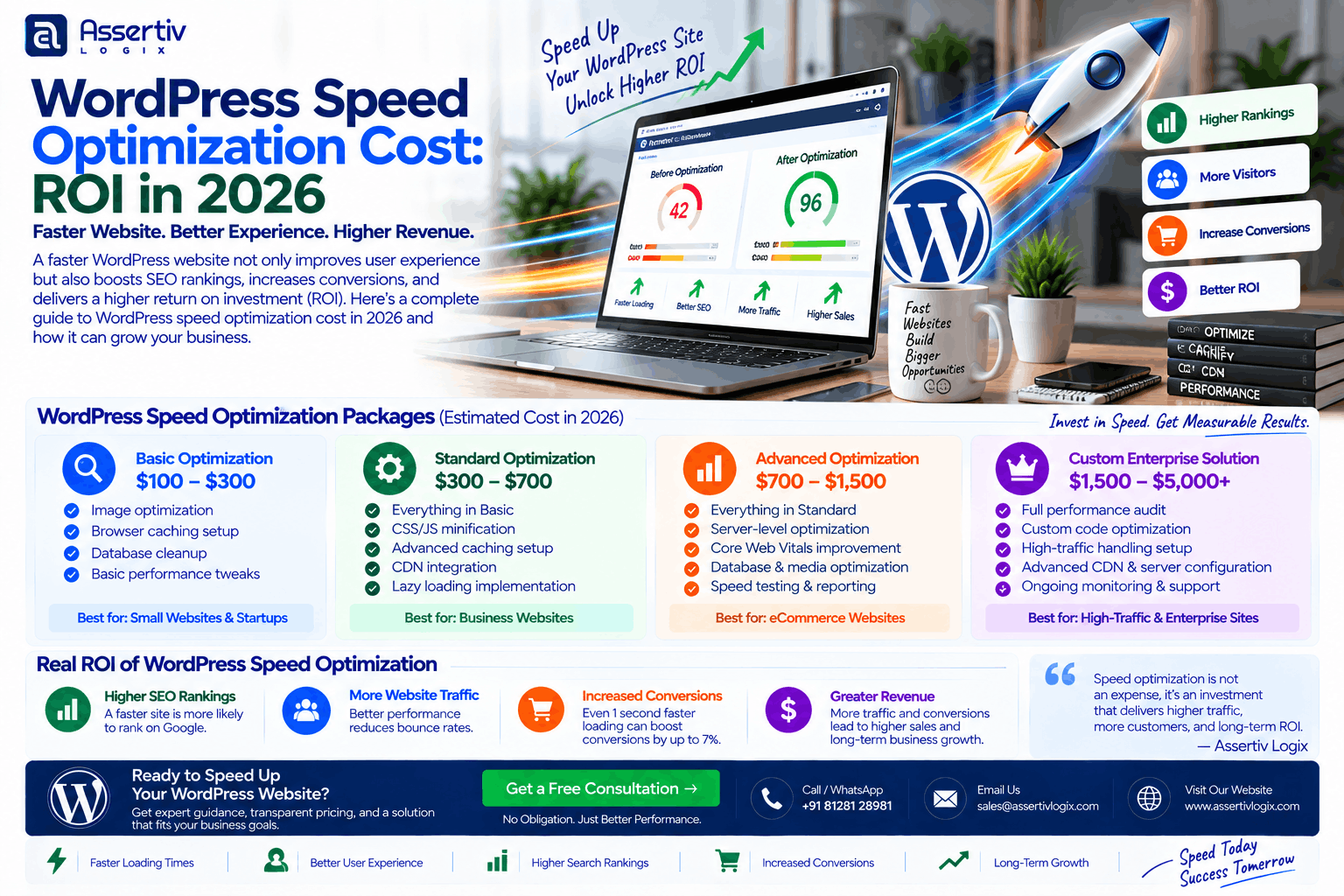
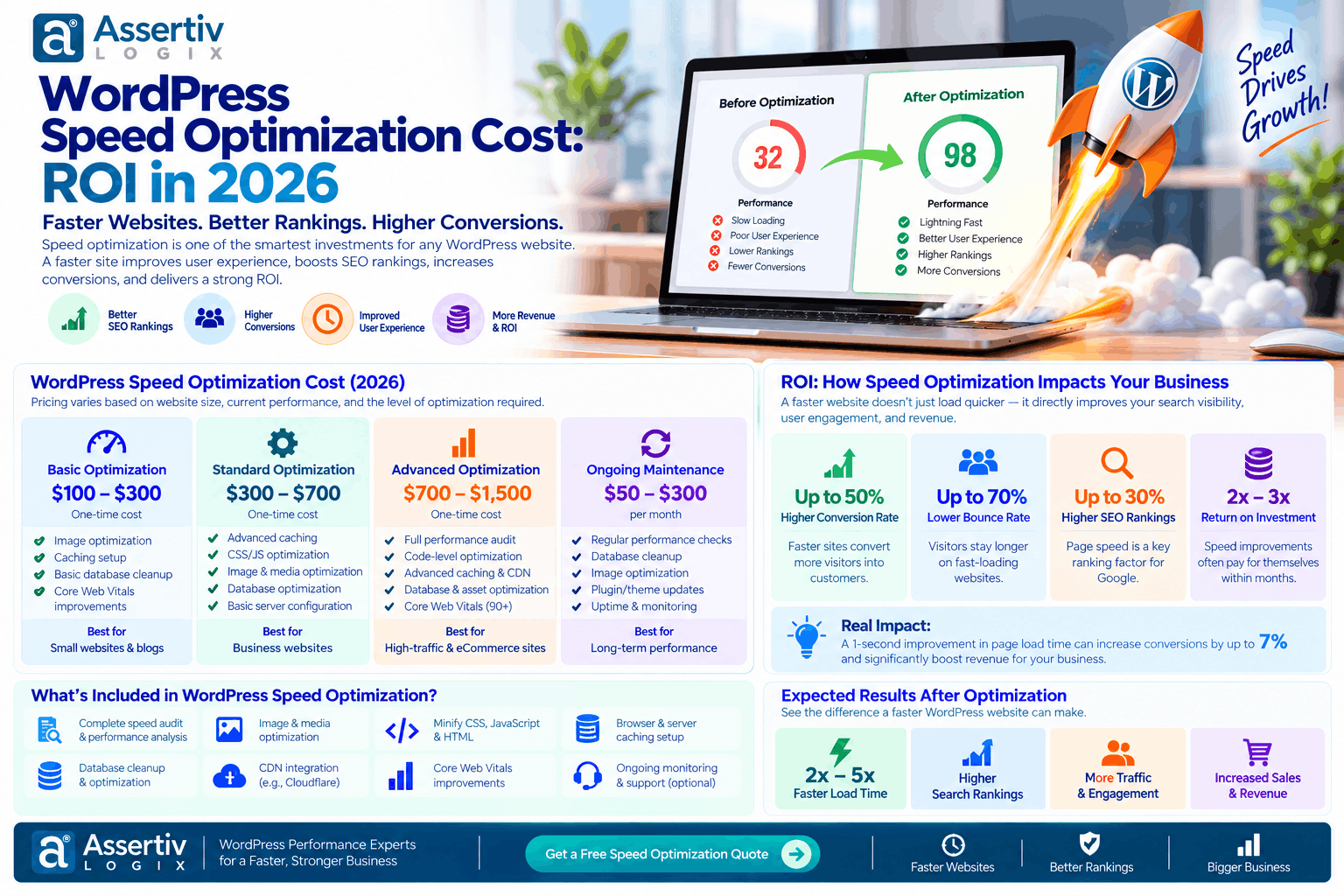
WordPress speed optimization cost can range from a relatively small one-time cleanup to a much larger technical project involving hosting, database optimization, custom code, images, caching, JavaScript, and Core Web Vitals.
But price alone is not the right way to judge a performance project.
The more useful question is: what will faster performance do for your business?
A faster WordPress website can make pages easier to use, reduce friction during browsing, improve the experience on mobile devices, and help visitors reach important pages faster. For ecommerce websites, even small performance improvements can matter because visitors are moving through product pages, carts, checkout screens, and payment flows.
Google also considers Core Web Vitals within its broader page-experience systems. However, Google makes it clear that passing Core Web Vitals does not automatically guarantee higher search rankings. Performance should therefore be treated as both a technical and business investment rather than simply an SEO score. Google Search Central explains page experience and Core Web Vitals.
This guide explains typical WordPress speed optimization cost, what affects the price, what you should expect from different service levels, and how to estimate whether the investment can generate a reasonable return.
Quick Answer: How Much Does WordPress Speed Optimization Cost?
The WordPress speed optimization cost depends heavily on the current condition of your website.
| Website Type | Typical Optimization Cost | Common Work |
|---|---|---|
| Small business website | $100–$300 | Caching, images, basic database cleanup, plugin review |
| Professional business website | $250–$750 | Technical audit, frontend optimization, caching, database and plugin optimization |
| WooCommerce website | $500–$1,500+ | Storefront, product pages, cart, checkout, database and dynamic requests |
| Large WordPress website | $750–$2,500+ | Advanced performance engineering, server and database optimization |
| Enterprise WordPress website | $2,000–$5,000+ | Custom architecture, infrastructure, code profiling and ongoing optimization |
These are practical market ranges rather than fixed rates. A website with one obvious performance problem may cost far less to optimize than a large WooCommerce store with hundreds of plugins, third-party scripts, large databases, and poorly optimized custom code.
What Does WordPress Speed Optimization Actually Include?
One reason WordPress speed optimization cost varies so much is that “speed optimization” can mean very different things.
A basic optimization might involve installing and configuring caching, compressing images, and removing unnecessary plugins.
A serious technical optimization project may involve profiling PHP execution, reducing database queries, optimizing JavaScript loading, improving server response time, restructuring templates, fixing render-blocking resources, and addressing Core Web Vitals.
Common WordPress Speed Optimization Tasks
- Website performance audit
- PageSpeed Insights analysis
- Core Web Vitals review
- Server response-time optimization
- Page caching configuration
- Browser caching
- Object caching
- CDN configuration
- Image compression and next-generation image formats
- Lazy loading optimization
- CSS optimization
- JavaScript optimization
- Unused CSS and JavaScript reduction
- Font optimization
- Database cleanup
- Post revision cleanup
- Transient cleanup
- Plugin analysis
- Theme optimization
- PHP and WordPress configuration review
- WooCommerce query optimization
- Third-party script optimization
- Core Web Vitals improvements
Not every website needs all of these changes. Good optimization starts with identifying the actual bottlenecks instead of applying a long list of generic settings.
WordPress Speed Optimization Cost by Service Level
1. Basic WordPress Speed Optimization
Typical cost: $100–$300
This level is generally suitable for a small business website that is functional but has obvious performance problems.
A basic project may include:
- Performance audit
- Cache configuration
- Image compression
- Lazy loading
- Plugin cleanup
- Basic CSS and JavaScript optimization
- Database cleanup
- Basic hosting configuration review
This is often enough when the website is fundamentally healthy and the slowdown comes from configuration rather than architecture.
2. Professional WordPress Performance Optimization
Typical cost: $250–$750
This level involves a deeper technical review.
It can include:
- Detailed performance audit
- Mobile and desktop analysis
- Core Web Vitals review
- Server response optimization
- Advanced caching
- Database optimization
- Theme and plugin analysis
- JavaScript execution optimization
- CSS delivery optimization
- Font optimization
- Third-party script analysis
- CDN configuration
This is usually more appropriate for a business website that receives meaningful traffic or depends on website-generated leads.
3. WooCommerce Speed Optimization
Typical cost: $500–$1,500+
WooCommerce websites are more complicated because many pages are dynamic.
Product filters, variations, cart fragments, checkout requests, customer sessions, payment gateways, shipping calculations, analytics scripts, and marketing integrations can all affect performance.
WooCommerce optimization may therefore require more than simply enabling a caching plugin.
Typical work includes:
- Product page optimization
- Shop and category page optimization
- Cart performance improvements
- Checkout optimization
- Database cleanup
- WooCommerce query analysis
- Plugin compatibility testing
- Payment gateway review
- Third-party script optimization
- Object caching
- Server configuration
For WooCommerce-specific implementation guidance, the official WooCommerce documentation is a useful technical reference.
4. Advanced or Enterprise WordPress Optimization
Typical cost: $2,000–$5,000+
Larger websites can require performance engineering rather than standard optimization.
Projects at this level may involve:
- Custom PHP profiling
- Database query optimization
- Custom plugin refactoring
- Theme architecture improvements
- High-traffic infrastructure optimization
- Object caching architecture
- CDN and edge caching
- API performance optimization
- Image delivery architecture
- Server scaling
- Load testing
- Monitoring and performance budgets
For a large website, spending more can make sense when the optimization addresses an actual bottleneck that affects revenue, leads, or operational efficiency.
What Determines WordPress Speed Optimization Cost?
There is no single price because every WordPress website has a different performance profile.
1. Website Size
A five-page brochure website is usually much easier to optimize than a website with thousands of posts, products, media files, and custom templates.
More pages also mean more opportunities for different performance problems.
2. Number of Plugins
Plugins are not automatically bad for performance. The issue is what they do, how efficiently they are coded, and how many resources or database operations they introduce.
A website with 30 lightweight plugins may perform better than one with 12 poorly optimized plugins.
3. Theme Quality
A lightweight custom theme can be easier to optimize than a heavily layered theme that loads large CSS files, JavaScript libraries, animations, widgets, and unnecessary features on every page.
4. Hosting Infrastructure
Sometimes the biggest performance problem is not WordPress itself.
Slow CPU resources, poor server configuration, overloaded shared hosting, insufficient memory, slow database response, or poor geographic server placement can increase response time.
5. Images and Media
Large images remain one of the most common causes of slow pages.
Hero banners, product images, sliders, background videos, and large PNG files can create significant page weight.
6. Third-Party Scripts
Analytics tools, chat widgets, advertising platforms, heatmaps, social widgets, tracking systems, review widgets, and marketing automation tools can all add network requests and JavaScript execution.
Removing unnecessary third-party scripts can sometimes produce a noticeable improvement without changing the WordPress theme.
7. Custom Development
Custom plugins and themes can introduce expensive database queries, inefficient loops, unnecessary API calls, or poorly handled AJAX requests.
Fixing those issues requires development work rather than simply changing a caching setting.
WordPress Speed Optimization Cost vs ROI
The most important part of a performance project is understanding the potential return.
Suppose an ecommerce website receives 30,000 monthly visitors and generates $20,000 in monthly revenue.
If performance improvements contribute to a 5% increase in completed purchases, the additional revenue would be approximately:
| Metric | Example |
|---|---|
| Monthly revenue | $20,000 |
| Potential revenue improvement | 5% |
| Additional monthly revenue | $1,000 |
| Optimization project | $750 |
| Potential payback period | Less than one month |
This is an example, not a guaranteed result. Actual ROI depends on traffic quality, conversion rates, product demand, technical changes, seasonality, and many other factors.
The important point is that a $500–$1,500 performance project can be financially meaningful if the website already generates substantial revenue.
How to Calculate WordPress Optimization ROI
You can use a simple formula:
ROI = (Additional Profit Generated − Optimization Cost) ÷ Optimization Cost × 100
For example, assume:
- Optimization cost = $1,000
- Additional monthly profit attributable to the improvement = $600
After two months, the additional profit would be $1,200.
The simplified ROI would be:
($1,200 − $1,000) ÷ $1,000 × 100 = 20%
Again, attribution matters. You should not automatically assign every increase in revenue to website speed because marketing campaigns, pricing changes, seasonal demand, new products, and other factors can affect the result.
Where the ROI of Speed Optimization Usually Comes From
More Completed Purchases
If visitors experience fewer delays while browsing products or completing checkout, some businesses may see improved conversion performance.
More Leads
For service businesses, faster landing pages can make it easier for visitors to reach contact forms, booking pages, phone numbers, or enquiry forms.
Better User Experience
Speed is not only about Google. Visitors generally expect websites to respond quickly, particularly on mobile devices and slower connections.
Reduced Bounce and Friction
A slow page can create friction before visitors even see the main content. Improving loading behavior can make the browsing experience smoother.
Lower Infrastructure Waste
Efficient code, caching, optimized queries, and appropriate asset delivery can reduce unnecessary processing and bandwidth usage.
Does Better PageSpeed Score Mean Better SEO?
Not automatically.
This distinction is important when evaluating WordPress speed optimization cost.
Google states that Core Web Vitals are used by its ranking systems, but it also says that good scores do not guarantee top search rankings. Relevance, content quality, technical SEO, links, search intent, and many other factors remain important. Google’s page experience documentation explains this distinction.
Therefore, the goal should not simply be to turn a PageSpeed score from 75 to 100.
A better objective is to improve real-world performance while solving the problems that matter to users and the business.
You can use Google PageSpeed Insights to test individual pages and identify performance opportunities.
Core Web Vitals and WordPress Optimization
Core Web Vitals provide important measurements for user experience.
| Metric | What It Measures | Optimization Focus |
|---|---|---|
| LCP | Loading performance of the main content | Images, server response, CSS, rendering |
| INP | Interaction responsiveness | JavaScript execution and long tasks |
| CLS | Visual stability | Image dimensions, fonts, dynamic content |
Google’s documentation identifies Core Web Vitals as part of its page-experience considerations. INP is now the Core Web Vital used for responsiveness, replacing FID. :contentReference[oaicite:1]{index=1}
A practical optimization project should look at these metrics together with real website behavior instead of focusing on one score.
Freelancer vs Agency: WordPress Speed Optimization Cost
| Option | Typical Cost | Best For |
|---|---|---|
| DIY | $0–$100+ | Simple websites and technical users |
| Freelancer | $100–$1,000+ | Small and medium websites |
| Specialist | $500–$2,000+ | Complex performance issues |
| Agency | $750–$5,000+ | Business, WooCommerce and enterprise websites |
The right option depends on the complexity of the problem.
If the issue is simply poor image compression, paying for a large technical engagement may not make sense. On the other hand, if the website has custom code, slow database queries, WooCommerce issues, and infrastructure problems, a developer with deeper technical experience may save time and reduce the risk of breaking important functionality.
What Is Included in a Professional Speed Optimization Audit?
Before making changes, a proper audit should establish a baseline.
- Current PageSpeed performance
- Core Web Vitals status
- Server response time
- Page size
- Number of HTTP requests
- Image sizes
- CSS and JavaScript loading
- Third-party scripts
- Plugin performance
- Database health
- Theme performance
- Caching configuration
- CDN configuration
- Mobile performance
- Desktop performance
This baseline makes it easier to determine whether the money spent on optimization produced a measurable improvement.
How to Reduce WordPress Speed Optimization Cost
You do not always need a large optimization project.
Start With an Audit
Do not pay someone to optimize everything before identifying the actual bottleneck.
Fix High-Impact Problems First
Large images, poor caching, slow hosting, excessive JavaScript, and inefficient plugins can have a much larger impact than small code-level adjustments.
Do Not Chase a Perfect Score
A website does not need a perfect PageSpeed score to be successful.
Focus on user experience, Core Web Vitals, conversions, and business outcomes.
Remove Unnecessary Features
Sometimes the cheapest optimization is removing something the website does not actually need.
Unused sliders, popups, tracking scripts, animation libraries, plugins, and widgets can add unnecessary weight.
Optimize Before Rebuilding
A slow website does not automatically need a complete redesign.
In many cases, a focused performance project can solve the underlying problems without replacing the entire website.
When Is WordPress Speed Optimization Worth the Investment?
WordPress speed optimization cost is easier to justify when website performance has a measurable relationship with business activity.
Optimization is particularly worth investigating when:
- Your website generates leads.
- Your website sells products.
- Mobile visitors make up a significant part of your traffic.
- Visitors frequently abandon important pages.
- Page load times are consistently poor.
- Core Web Vitals need improvement.
- Your website has a large number of plugins.
- Your WooCommerce store is slow.
- Your hosting response time is poor.
- Your website has recently become slower.
- You are spending money on paid traffic.
Paid traffic makes performance particularly important because you are already paying to bring visitors to the website. If the landing page creates unnecessary friction, part of that advertising investment can be wasted.
When Speed Optimization May Not Be the First Priority
Performance matters, but it is not always the first problem to solve.
If your website has poor messaging, weak offers, confusing navigation, low-quality content, broken forms, or an ineffective sales process, improving performance alone may not produce a meaningful business return.
Likewise, if a website receives almost no traffic, a major performance investment may have limited immediate financial impact.
The best approach is to consider performance alongside traffic, conversion rate, revenue, and the website’s overall business purpose.
WordPress Speed Optimization ROI Example
Consider a small ecommerce store:
| Business Metric | Before Optimization | Potential Target |
|---|---|---|
| Monthly visitors | 20,000 | 20,000 |
| Conversion rate | 1.5% | 1.7% |
| Average order value | $80 | $80 |
| Estimated monthly orders | 300 | 340 |
| Estimated monthly revenue | $24,000 | $27,200 |
The difference in this example is $3,200 per month.
But it would be incorrect to claim that speed optimization alone caused the entire increase. A real measurement should compare performance over time and control for other variables as much as possible.
This is why professional optimization should be treated as a measurable experiment rather than a promise of a specific revenue increase.
How Much Should You Budget for WordPress Speed Optimization?
A practical starting budget can look like this:
| Website | Suggested Initial Budget |
|---|---|
| Simple business website | $150–$300 |
| Professional business website | $300–$750 |
| WooCommerce store | $500–$1,500+ |
| Large content website | $750–$2,500+ |
| Enterprise WordPress platform | $2,000–$5,000+ |
These figures should be treated as planning ranges, not fixed quotations. The final WordPress speed optimization cost should ideally be based on an audit of the actual website.
How Assertivlogix Approaches WordPress Speed Optimization
At Assertivlogix, performance optimization can be approached as a technical and business problem rather than simply a PageSpeed score exercise.
The process can include:
- Review the current website and hosting environment.
- Establish a performance baseline.
- Identify the largest performance bottlenecks.
- Prioritize high-impact fixes.
- Optimize images, caching, CSS and JavaScript.
- Review plugins and theme performance.
- Optimize database and server-side operations where required.
- Address Core Web Vitals issues.
- Test important pages on mobile and desktop.
- Compare results against the original baseline.
This approach helps avoid unnecessary development work and keeps the optimization project focused on measurable improvements.
Get a performance audit and find out which issues are actually slowing down your website, what should be fixed first, and what the potential optimization cost looks like.
Final Thoughts on WordPress Speed Optimization Cost and ROI
WordPress speed optimization cost should be evaluated against the value of your website, not just the number of technical tasks involved.
A $200 optimization project may be enough for a small business website, while a complex WooCommerce or enterprise website may require several thousand dollars in technical work.
The strongest business case usually comes from websites that already have meaningful traffic, leads, or ecommerce revenue. In those situations, improving performance can reduce friction and create an opportunity to improve conversions and user experience.
However, speed optimization is not a guaranteed ranking or revenue shortcut. Google itself notes that Core Web Vitals are only one part of the broader page experience and that good scores do not guarantee top search rankings.
The practical approach is simple: measure first, fix the highest-impact problems, and measure again.
If the improvement produces better user experience and measurable business results, the investment becomes much easier to justify.
Frequently Asked Questions
How much does WordPress speed optimization cost?
The typical WordPress speed optimization cost can range from around $100 for basic improvements to $5,000 or more for complex enterprise websites. Most small and medium business websites fall somewhere between $250 and $1,500 depending on their technical condition.
Is WordPress speed optimization worth the cost?
It can be, particularly for websites that generate leads, sell products, receive substantial traffic, or spend money on advertising. The return should be evaluated using measurable business metrics rather than PageSpeed scores alone.
How much does WooCommerce speed optimization cost?
WooCommerce optimization commonly costs more than basic WordPress optimization because stores have dynamic product, cart, checkout, database, payment, and customer-related processes. A practical starting range is $500–$1,500+, with complex stores potentially requiring more.
Does speed optimization improve Google rankings?
Good Core Web Vitals are part of Google’s page-experience considerations, but they do not guarantee higher rankings. Google evaluates many factors, including relevance and content quality.
How long does WordPress speed optimization take?
A basic project may take a few hours, while a more complex website can require several days or longer. The timeline depends on the number of issues, custom code, hosting environment, WooCommerce functionality, and testing requirements.
Should I rebuild my website if it is slow?
Not necessarily. Many slow WordPress websites can be significantly improved through targeted optimization. A rebuild becomes more reasonable when the existing theme, plugins, architecture, or custom code create fundamental performance limitations.
Can I optimize WordPress speed myself?
Yes. Image optimization, plugin cleanup, caching, CDN configuration, and basic asset optimization can often be handled by website owners. More complicated database, PHP, server, WooCommerce, or custom-code issues may require a developer.