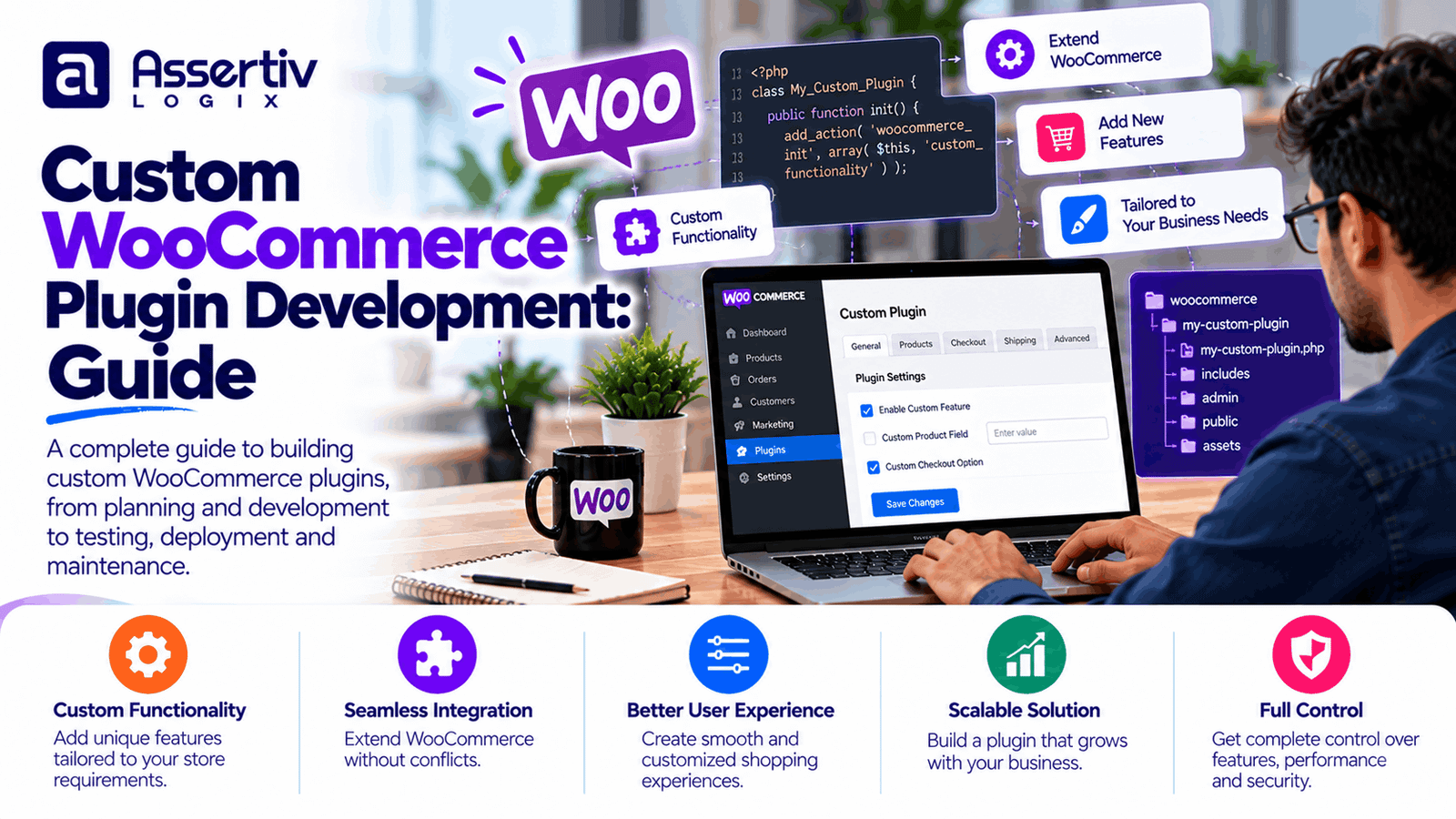
Custom WooCommerce plugin development helps eCommerce businesses add features that match their products, workflows, and customer requirements. While standard WooCommerce functionality and existing extensions cover many common needs, some stores require specialized pricing rules, custom checkout experiences, external system integrations, or automated order processing.
Installing multiple plugins is not always the best solution. Extensions may overlap, introduce compatibility issues, or fail to support a particular business process. A purpose-built WooCommerce plugin can provide a more focused solution when existing tools cannot meet the requirements reliably.
This guide explains what custom WooCommerce plugin development involves, when businesses should consider it, which features can be developed, how the process works, and what affects the project cost.
What Is Custom WooCommerce Plugin Development?
Custom WooCommerce plugin development is the process of creating a WordPress plugin that adds or modifies eCommerce functionality for a particular business. A plugin can introduce new features, connect external services, automate repetitive tasks, or change specific store workflows without placing all the functionality directly inside the theme.
For example, an online retailer might need customer-specific wholesale pricing, while a subscription business may require a specialized billing workflow. A store that uses an external inventory platform may need a plugin to synchronize stock levels and product information.
A well-designed custom plugin should be maintainable, secure, compatible with the required WordPress and WooCommerce versions, and clearly separated from unrelated website functionality.
Why Do Businesses Need Custom WooCommerce Plugins?
1. Standard plugins do not meet every requirement
Existing extensions can be excellent for common requirements, but they may not support a unique business rule or specialized workflow. Custom development allows the feature to be designed around the actual requirement rather than forcing the business to change its process unnecessarily.
2. Automate repetitive store operations
Manual order updates, inventory adjustments, customer notifications, and data transfers can consume time and introduce errors. A custom plugin can automate appropriate tasks and make operational processes more consistent.
3. Integrate external business systems
WooCommerce stores may need to exchange data with ERP systems, CRM platforms, accounting software, shipping providers, inventory applications, or internal business tools. Custom plugins can manage these connections through supported APIs, webhooks, and scheduled synchronization.
4. Improve the shopping experience
Custom product options, checkout fields, pricing logic, delivery choices, and account features can make a store easier to use when they are designed around customer needs.
5. Reduce unnecessary plugin complexity
Where several extensions overlap or create difficult dependencies, a focused custom plugin may simplify the solution. However, custom code is not automatically faster or safer than established extensions; the decision should consider development quality, testing, maintenance, and long-term ownership.
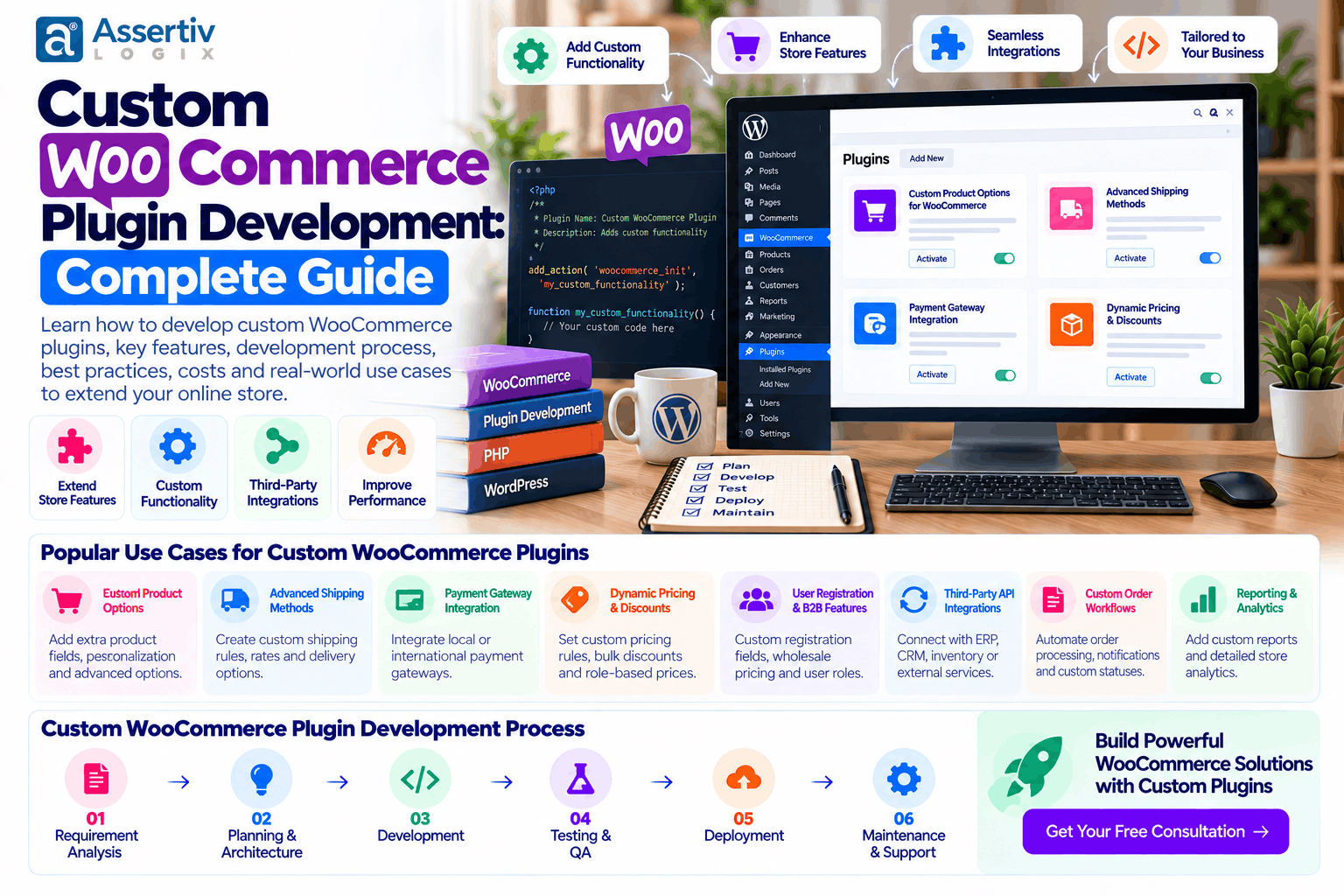
Examples of Custom WooCommerce Plugin Development
| Plugin type | What it can do |
|---|---|
| Custom pricing plugin | Apply tiered pricing, wholesale rates, or customer-specific discounts. |
| Payment gateway plugin | Connect a supported payment provider with checkout and order processing. |
| Inventory synchronization plugin | Exchange stock and product data with external inventory systems. |
| Shipping integration plugin | Connect carrier services for rates, labels, tracking, or fulfillment updates. |
| Product configurator plugin | Let shoppers configure product options according to defined business rules. |
| Subscription functionality | Support specialized recurring order workflows where compatible billing infrastructure is available. |
| CRM integration plugin | Synchronize customer or order data with a CRM system. |
| Reporting and automation plugin | Generate operational reports or automate defined administrative tasks. |
The appropriate solution depends on the business process, available APIs, data requirements, security considerations, and the extensions already installed on the store.
Custom WooCommerce Plugin vs Ready-Made Plugin
Before investing in development, compare a custom solution with existing extensions. A ready-made plugin may be the better choice when it already supports the required functionality and has a reliable maintenance history.
| Consideration | Ready-made plugin | Custom plugin |
|---|---|---|
| Initial cost | Often lower for common features | Requires discovery and development work |
| Customization | Limited to available settings and supported hooks | Can be designed around defined business requirements |
| Time to launch | Often quicker when configuration is sufficient | Depends on complexity and testing requirements |
| Maintenance | Depends on the vendor and license | Your team or developer must maintain the code |
| Long-term flexibility | Depends on the vendor’s roadmap | More control, with responsibility for future updates |
Use a ready-made extension when it meets the requirement without excessive configuration or unnecessary dependencies. Consider custom development when the business needs specialized logic, a unique integration, or greater control over how the feature works.
Important Features of a Well-Built Custom WooCommerce Plugin
Compatibility with WooCommerce and WordPress
The plugin should declare and test its supported software versions. Development should account for WooCommerce updates and relevant architectural changes, including compatibility with the features and APIs used by the store.
Secure data handling
Plugin developers should validate and sanitize incoming data, escape output appropriately, enforce authorization checks, and use nonces where appropriate to help protect state-changing requests. Sensitive information should not be exposed through logs, error messages, or publicly accessible endpoints.
Clean and maintainable code
Organized code, clear naming, appropriate namespacing, separation of concerns, and useful documentation make the plugin easier to test and maintain. Business logic should not be unnecessarily mixed with presentation code.
Efficient database operations
Custom plugins should avoid unnecessary queries and repeated processing. Where custom data storage is needed, the developer should choose an appropriate storage model and consider how data will be indexed, updated, backed up, and removed.
Reliable error handling
External APIs can fail, credentials can expire, and webhooks may be delivered more than once. A reliable plugin should handle failures safely, record useful diagnostic information, and support retry or recovery mechanisms where appropriate.
Administrative controls
Store administrators may need settings for API credentials, business rules, synchronization schedules, feature toggles, or troubleshooting. Settings should be clearly documented and accessible only to authorized users.
Testing and documentation
Testing should cover expected behavior, validation errors, permission checks, integration failures, and compatibility with the target store environment. Documentation should explain installation, configuration, limitations, and maintenance requirements.
WooCommerce API Integration and Custom Plugin Development
API integration is a common reason to commission a custom WooCommerce plugin. A store may need to share order details with a fulfillment system, synchronize product data with an ERP, or send customer information to another business application.
A typical integration project involves the following work:
- Define the data flow: Identify which system owns each field and which records need to be transferred.
- Review the API: Confirm authentication, rate limits, available endpoints, and required permissions.
- Map the data: Match product IDs, order statuses, customer fields, and other data between systems.
- Build the integration: Implement requests, responses, webhooks, validation, and error handling.
- Test failure scenarios: Verify behavior when an API is unavailable, data is invalid, or a request is repeated.
- Monitor the connection: Log appropriate diagnostic information and establish a process for recovering failed synchronization.
Whenever possible, use documented APIs and supported WooCommerce interfaces instead of directly modifying core files or relying on undocumented internals.
Useful technical references include the official WooCommerce developer resources and the WooCommerce REST API documentation.
Custom WooCommerce Plugin Development Process
Step 1: Requirement analysis
Document the business problem, intended users, expected behavior, relevant workflows, and success criteria. Identify the features that are essential for the first release and separate them from optional enhancements.
Step 2: Technical planning
Review the current WordPress installation, WooCommerce version, theme, extensions, hosting environment, and external systems. Decide which WooCommerce hooks, APIs, data structures, and integration methods are appropriate.
Step 3: Plugin architecture and development
Build the plugin with clear responsibilities, secure input handling, appropriate permission checks, and maintainable code. Keep custom functionality separate from WordPress and WooCommerce core files.
Step 4: Integration and configuration
Connect external services, configure the required settings, and implement data validation and error handling. Sensitive credentials should be stored and accessed securely.
Step 5: Quality assurance
Test the plugin in a staging environment. Check normal workflows, invalid inputs, permission boundaries, integration failures, performance, and compatibility with relevant store extensions.
Step 6: Deployment and documentation
Deploy through an agreed release process, back up the store, document configuration steps, and establish a rollback plan. Monitor the feature after release and address issues found during real-world use.
How Much Does Custom WooCommerce Plugin Development Cost?
The cost depends on the feature scope, integration complexity, security requirements, testing effort, and ongoing maintenance needs. The following are illustrative planning ranges in USD, not verified market averages or fixed quotations.
| Plugin complexity | Illustrative budget | Typical scope |
|---|---|---|
| Simple plugin | $300–$1,000 | One focused feature or a small administrative enhancement |
| Medium-complexity plugin | $1,000–$3,500 | Multiple settings, custom workflows, or a straightforward API integration |
| Advanced plugin | $3,500–$8,000+ | Complex business logic, multiple integrations, and extensive testing |
| Enterprise integration or plugin | $8,000+ | Complex data flows, high-volume processing, specialized security, or multiple systems |
Actual costs can fall outside these ranges. A payment gateway or inventory integration may require more work than its feature list suggests because of authentication, transaction handling, synchronization, failure recovery, and third-party testing.
Factors that affect the price
- Functional complexity: The number of features, rules, and user roles involved.
- API integration: Authentication, data mapping, rate limits, and error recovery.
- Security requirements: Access control, sensitive data handling, and testing.
- Existing store setup: Conflicts with the theme or installed extensions.
- Testing requirements: Compatibility coverage and automated or manual test scenarios.
- Documentation and support: Installation guidance, maintenance, and future updates.
For a more accurate estimate, define the expected behavior, supported versions, integration endpoints, and acceptance criteria before requesting a quotation.
Common Mistakes to Avoid in Custom WooCommerce Plugin Development
- Editing core files: Core modifications can be overwritten by updates and make maintenance difficult.
- Adding features without a clear scope: Unplanned requirements can increase development time and cost.
- Ignoring security checks: Every input, action, and endpoint should be assessed for appropriate validation and authorization.
- Assuming APIs never fail: Integrations need timeouts, error handling, and recovery strategies.
- Testing only on a developer’s machine: Use a representative staging environment and test relevant store configurations.
- Overlooking future compatibility: Document supported versions and plan for updates.
- Skipping documentation: Administrators need to understand configuration, limitations, and troubleshooting.
Review the official WordPress Plugin Developer Handbook for guidance on plugin architecture, security, and development practices.
How to Choose a Custom WooCommerce Plugin Developer
Select a developer who understands WordPress plugin architecture, WooCommerce workflows, API integration, security, and long-term maintenance. The lowest initial quote may not be the best value if the solution is difficult to maintain or does not cover essential failure scenarios.
- Ask about previous plugin and WooCommerce integration experience.
- Request a clear scope of features, exclusions, and deliverables.
- Confirm supported WordPress and WooCommerce versions.
- Ask how security, compatibility, and failure scenarios will be tested.
- Clarify ownership of source code, documentation, and deployment access.
- Discuss maintenance, future updates, and post-launch support.
- Confirm the pricing model, milestones, and change-request process.
Explore Assertivlogix WordPress plugin development services if your project requires a custom plugin, integration, or specialized store functionality.
Frequently Asked Questions
What is custom WooCommerce plugin development?
It is the process of building a WordPress plugin that adds tailored functionality to a WooCommerce store, such as custom pricing, checkout features, API integrations, automation, or specialized order workflows.
When should I build a custom WooCommerce plugin?
Consider a custom plugin when existing extensions cannot meet an important requirement reliably, when a unique business process needs automation, or when you need a specialized integration with another system.
How much does custom WooCommerce plugin development cost?
Illustrative budgets can range from a few hundred dollars for a simple feature to several thousand dollars or more for complex integrations. The actual cost depends on scope, complexity, security, testing, and maintenance requirements.
Can a custom WooCommerce plugin integrate with an ERP or CRM?
Yes. A plugin can use supported APIs, webhooks, and synchronization processes to connect WooCommerce with ERP, CRM, inventory, accounting, and other systems. The available functionality depends on the external system’s API and access permissions.
Will a custom plugin slow down my WooCommerce store?
It depends on how the plugin is implemented. Efficient queries, appropriate caching, limited background processing, and testing can help reduce performance impact. Poorly designed code may increase server load or slow important store operations.
Can a custom WooCommerce plugin work with future updates?
Compatibility can be maintained through supported APIs, documented architecture, automated or repeatable testing, and regular updates. No plugin can guarantee compatibility with every future release without ongoing maintenance.
Who owns the custom plugin source code?
Ownership depends on the development agreement. Confirm in writing who owns the source code, what reuse rights apply, how third-party libraries are licensed, and whether documentation and deployment files are included.
Do custom WooCommerce plugins require maintenance?
Usually, yes. Maintenance may include compatibility updates, security fixes, API changes, bug fixes, and improvements as the store’s requirements evolve.
Build Your Custom WooCommerce Plugin with Assertivlogix
When standard extensions cannot support your business requirements, a purpose-built plugin can help connect systems, automate workflows, and deliver the functionality your store needs. The best solution begins with a clear scope, an appropriate technical approach, and a realistic plan for testing and maintenance.
Assertivlogix provides WordPress and WooCommerce development services, including custom plugin development, API integrations, store customization, and technical optimization. Share your requirements to discuss the most practical approach for your project.
Tell us about your required features, business workflow, and integrations. We can help define a practical plugin development scope for your store.