WooCommerce development for eCommerce business helps companies build online stores that match their products, customers, operations, and growth plans. From launching a new storefront to improving an established online shop, WooCommerce offers a flexible foundation for managing products, processing orders, accepting payments, and connecting business systems.
But installing WooCommerce is only the beginning. A successful eCommerce website also needs thoughtful user experience design, a reliable checkout process, accurate product data, secure payment integrations, strong performance, and a plan for ongoing maintenance.
This guide explains what WooCommerce development involves, which features eCommerce businesses should prioritize, how integrations support operations, what affects development costs, and how to choose the right development partner.
What Is WooCommerce Development for an eCommerce Business?
WooCommerce is an eCommerce platform built on WordPress. It provides core online store capabilities, including product management, shopping carts, checkout, order management, and inventory settings. Extensions and custom development can add more specialized functionality.
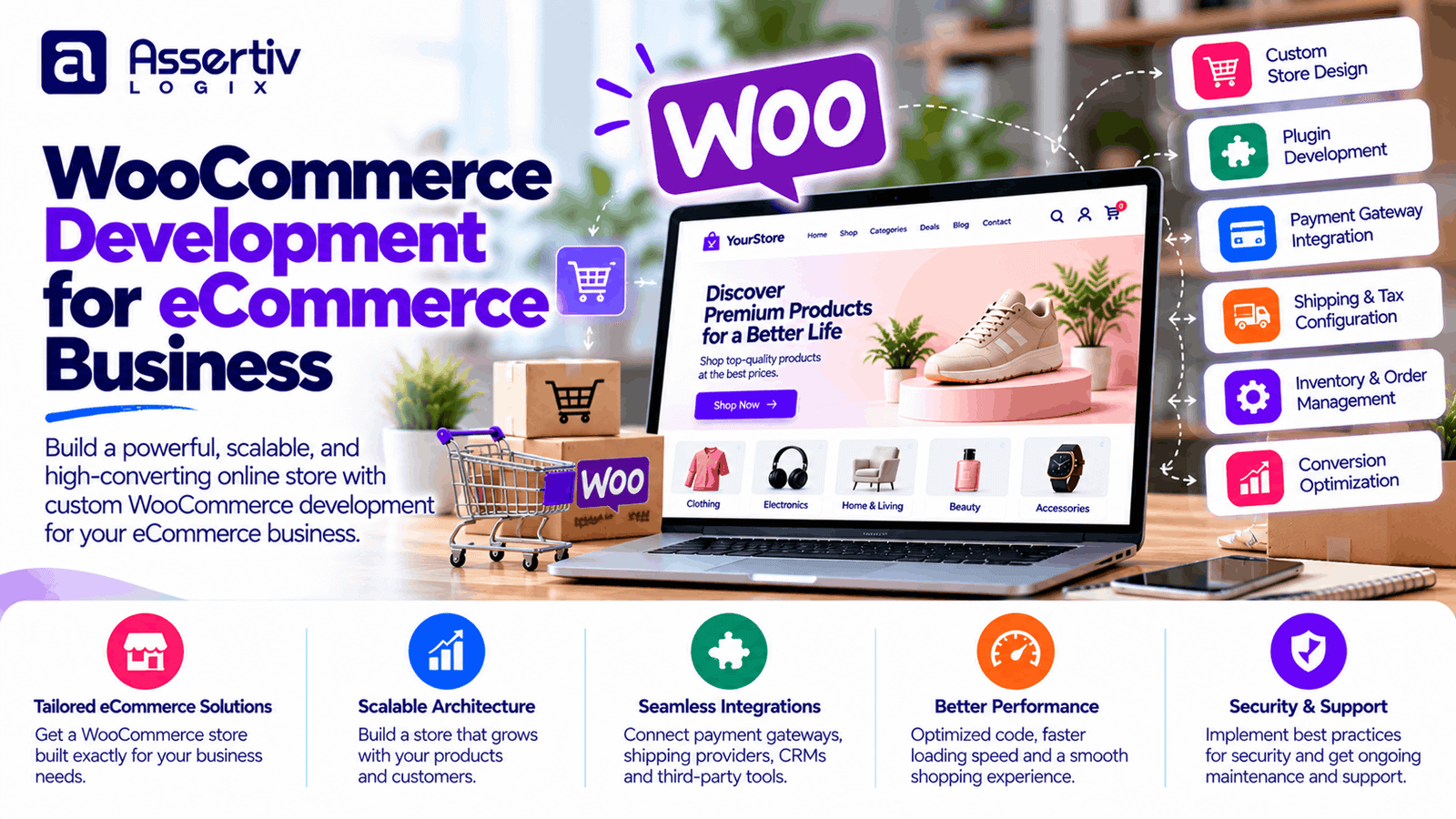
WooCommerce development for an eCommerce business means configuring, designing, extending, and maintaining the store to meet the company’s commercial and technical requirements. Depending on the project, this can include:
- Custom storefront and product page design
- Product catalog and variation setup
- Payment gateway and shipping integrations
- Inventory, CRM, ERP, and accounting connections
- Subscription, membership, or wholesale functionality
- Website migration and data import
- SEO, performance, security, and maintenance
The right development approach depends on how the business sells, how its team manages orders, and which customer experience it wants to deliver.
Why Choose WooCommerce for eCommerce Development?
1. Flexible store customization
WooCommerce can be adapted to different product catalogs, brand identities, and business processes. Developers can customize templates, product pages, checkout experiences, and store workflows when standard settings are not enough.
2. Control over your store
A self-hosted WordPress and WooCommerce installation gives a business control over its website files, database, hosting environment, and configuration. That flexibility comes with responsibility for updates, backups, access controls, compatibility, and security.
3. Support for different business models
WooCommerce supports physical products, digital downloads, and variable products. Compatible extensions can support subscriptions, bookings, memberships, product bundles, wholesale pricing, and other selling models.
4. Integration with existing systems
An eCommerce store rarely operates alone. WooCommerce can connect with payment providers, shipping tools, marketing platforms, accounting applications, inventory systems, and customer relationship management software. The best integration depends on the systems already used by your team.
5. Content marketing and SEO flexibility
WordPress makes it possible to publish product guides, comparisons, tutorials, and other useful content alongside an online catalog. An effective SEO strategy combines useful content with crawlable pages, good technical foundations, clear navigation, and a positive customer experience.
6. Incremental growth
A business can start with essential store functionality and introduce additional capabilities as its needs evolve. Growth still requires appropriate hosting, database and query optimization, careful extension selection, and testing under realistic workloads.
Explore Assertivlogix WooCommerce development services for custom store functionality, integrations, and eCommerce development support.
Essential Features of a Professional WooCommerce Store
A professional eCommerce website should make it easy for customers to discover products, understand their options, complete purchases, and get help when something goes wrong.
| Feature | Business value |
|---|---|
| Responsive storefront | Supports browsing and checkout across mobile, tablet, and desktop devices. |
| Structured product catalog | Organizes products, categories, variations, attributes, and product information. |
| Product search and filters | Helps customers narrow large catalogs to relevant products. |
| Reliable checkout | Provides a clear purchasing flow and communicates order details accurately. |
| Payment integration | Enables supported payment methods and appropriate transaction handling. |
| Shipping and tax configuration | Applies relevant delivery options, rates, and tax settings. |
| Inventory management | Helps maintain accurate stock levels and product availability. |
| Order notifications | Keeps customers and internal teams informed about order status. |
| Analytics and reporting | Helps track store activity, sales trends, and purchasing behavior. |
| Security and backups | Supports risk reduction and recovery if technical problems occur. |
Advanced stores may also need wishlists, loyalty programs, product configurators, customer-specific pricing, recurring billing, multi-location inventory, or marketplace functionality. These should be prioritized according to real customer and operational requirements.
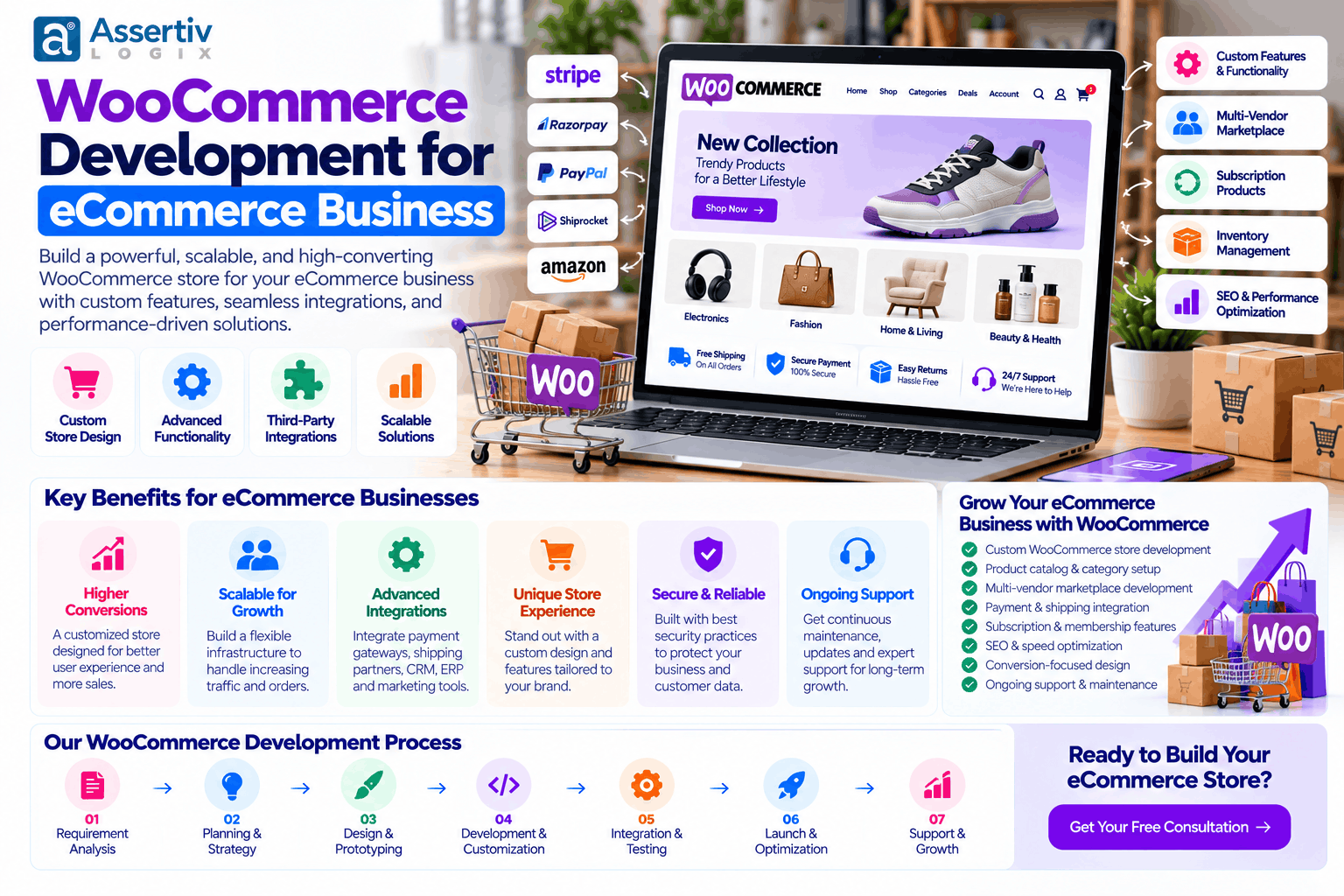
Custom WooCommerce Development for Growing Businesses
Ready-made themes and extensions can cover many common needs. Custom WooCommerce development becomes useful when the business has requirements that standard features cannot support efficiently or reliably.
Custom product experiences
Some products need more than a standard title, price, and image. Examples include configurable products, personalized items, product bundles, advanced variations, and products with conditional pricing. Custom interfaces can make these options easier to understand and select.
Special pricing and business rules
B2B and wholesale stores may need tiered pricing, minimum quantities, customer-specific discounts, quote requests, or restricted purchasing access. These requirements should be defined carefully because they can affect catalog display, cart calculations, checkout, refunds, and reporting.
Custom checkout workflows
A store may need additional delivery information, business purchase details, custom shipping choices, or conditional checkout fields. Changes should simplify the purchase process rather than add unnecessary steps or create payment compatibility issues.
Custom plugin development
When existing extensions do not meet the requirement, a custom plugin can encapsulate the business logic and make it easier to maintain separately from the theme. Well-structured development should include error handling, security checks, testing, documentation, and compatibility planning.
For tailored functionality, see Assertivlogix WordPress plugin development services.
WooCommerce Integrations for eCommerce Operations
Integrations help reduce manual work and keep information consistent across business systems. However, an integration is only useful when data flows correctly, errors can be detected, and the team understands how to resolve failures.
Payment gateways
Payment integration may include cards, supported wallets, regional payment methods, or bank-based options. Development should cover successful and failed transactions, order status changes, refunds, webhook events, and relevant error handling. Gateway charges are normally separate from development costs.
Shipping and fulfillment
Shipping integrations may retrieve carrier rates, create labels, send tracking details, or synchronize fulfillment status. Requirements vary based on the carriers, destinations, warehouse processes, and delivery promises.
Inventory and ERP systems
Businesses with multiple warehouses, retail locations, or sales channels may need inventory synchronization. The integration should define which system is authoritative, how often data updates, and what happens when a product is sold simultaneously in different channels.
CRM and marketing automation
Connecting customer and order data with a CRM or marketing platform can support customer service, segmentation, and relevant follow-up campaigns. Businesses should also consider consent, data access, retention, and privacy obligations.
Accounting and reporting
Accounting integrations can help transfer orders, taxes, fees, refunds, and payout information. Reconciliation rules should be agreed upon in advance so that sales totals and payment settlements can be compared accurately.
WooCommerce Development Cost for eCommerce Businesses
WooCommerce development costs depend on scope, design, product complexity, integrations, migration needs, testing, and support. The following amounts are illustrative project-planning ranges in USD, not verified market averages or fixed quotations.
| Project type | Illustrative development budget | Typical scope |
|---|---|---|
| Basic online store | $500–$1,500 | Standard theme, core pages, basic catalog and checkout |
| Growing eCommerce store | $1,500–$4,000 | Branded design, catalog setup, payment and shipping configuration |
| Advanced store | $4,000–$10,000 | Custom layouts, advanced catalog features, and marketing integrations |
| Custom eCommerce solution | $10,000–$25,000+ | Specialized workflows, API integrations, and custom business logic |
| Complex enterprise project | $25,000+ | Complex architecture, extensive integrations, and broader testing requirements |
Actual project budgets can fall outside these ranges. A relatively small store with an advanced product configurator or ERP integration may require more development than a larger catalog using standard functionality.
Additional expenses to budget for
- Domain and hosting: Recurring expenses based on the provider and required resources.
- Premium themes and extensions: May require one-time purchases or recurring licenses.
- Content and product photography: May be separate from development.
- Payment processing: Depends on provider, payment method, transaction volume, and currency.
- Maintenance and security: Covers agreed updates, backups, monitoring, and troubleshooting.
- Marketing and SEO: Content production, campaigns, and ongoing optimization require separate planning.
For more detail, read the eCommerce WordPress website cost guide and WordPress development cost breakdown for 2026.
WooCommerce SEO for eCommerce Businesses
Search engine optimization can help prospective customers discover your products when they are researching solutions or comparing options. WooCommerce provides a flexible foundation, but search visibility depends on content quality, technical implementation, competition, and ongoing work.
Optimize product and category pages
Use descriptive product titles, original descriptions, helpful specifications, accurate product images, and clear category structures. Explain the features and benefits that matter to customers rather than relying on manufacturer descriptions alone.
Improve internal navigation
Organize products into meaningful categories and link related products or buying guides where useful. Clear navigation helps customers find products and gives search engines a better understanding of site structure.
Manage duplicate and filtered URLs
Faceted navigation and product filters can create many URL variations. Review how filters, sorting parameters, canonical URLs, and indexation are handled so that search engines can focus on the pages that provide distinct value.
Improve performance
Optimize images, caching, code, database queries, and hosting where appropriate. Test product pages, category pages, cart, and checkout instead of relying on a homepage score alone.
Publish useful supporting content
Buying guides, comparison articles, care instructions, tutorials, and answers to customer questions can support product discovery and help visitors make informed decisions.
Monitor technical SEO
Use Google Search Console to monitor indexing and search performance. Follow Google’s SEO Starter Guide and review Core Web Vitals as part of your ongoing optimization work.
Security and Performance Best Practices
Store reliability is essential because customers need to trust the checkout process and businesses need accurate order records. Security and performance should be planned during development rather than treated as last-minute tasks.
- Use maintained hosting with suitable resources and supported software versions.
- Keep WordPress, WooCommerce, themes, and extensions updated.
- Apply appropriate administrator permissions and strong authentication practices.
- Maintain backups and periodically test restoration.
- Install reputable extensions and remove unused components.
- Use HTTPS and follow payment-provider security requirements.
- Monitor errors and measure the performance of important store pages.
- Document a recovery process for failed updates, outages, or data problems.
Consult the official WordPress security guidance and use Google PageSpeed Insights to identify performance issues. No single plugin or hosting plan can remove every security risk.
WooCommerce Development Process: From Planning to Launch
Step 1: Understand business requirements
Document the products, customer types, sales regions, pricing rules, fulfillment processes, and integrations. Identify the problems the new store needs to solve.
Step 2: Define scope and priorities
Separate essential launch features from future improvements. Agree on deliverables, assumptions, exclusions, milestones, and acceptance criteria before development begins.
Step 3: Plan the user experience
Map product discovery, category navigation, product details, cart, checkout, order confirmation, and post-purchase communication. Ensure the experience works across mobile and desktop devices.
Step 4: Build and integrate
Configure WooCommerce, develop the agreed layouts and functionality, import product data, and connect payment, shipping, or external business systems.
Step 5: Test the complete purchase flow
Test product variations, stock updates, discounts, shipping charges, taxes, payment outcomes, refunds, order emails, and responsive layouts. Verify integration failures and recovery behavior where relevant.
Step 6: Launch and monitor
Verify analytics, search indexing, backups, and operational access. Monitor errors, checkout behavior, and customer feedback after launch, then prioritize improvements based on evidence.
How to Choose a WooCommerce Development Company
The development partner should understand both WooCommerce technology and the commercial requirements of your eCommerce business. Compare providers based on how well they can deliver and support the specific solution you need.
- Relevant experience: Review projects with comparable catalogs, integrations, and workflows.
- Technical approach: Ask why the proposed theme, extensions, architecture, and integrations are suitable.
- Performance and testing: Confirm how the store will be tested and which performance targets are included.
- Ownership and access: Clarify ownership of code, hosting, domains, licenses, and administrator accounts.
- Communication: Agree on responsibilities, feedback cycles, reporting, and change requests.
- Ongoing support: Confirm the scope of post-launch support, maintenance, and response expectations.
- Transparent pricing: Request itemized costs, exclusions, milestones, and payment terms.
For additional guidance, read our article on freelancer vs agency WordPress development.
Common WooCommerce Development Mistakes to Avoid
- Building without clear requirements: Unclear scope can cause delays, rework, and unexpected costs.
- Installing unnecessary plugins: Overlapping extensions can add complexity and compatibility risks.
- Ignoring mobile shopping: A difficult mobile checkout can create friction for customers.
- Skipping end-to-end testing: Payment, inventory, shipping, and refund workflows need verification.
- Neglecting maintenance: Updates, backups, and monitoring remain important after launch.
- Overlooking data migration: Product records, customer information, order history, redirects, and SEO metadata may need careful handling.
- Adding complexity too early: Start with business-critical functionality and expand as actual requirements become clear.
Frequently Asked Questions
What is WooCommerce development for an eCommerce business?
It involves designing, configuring, customizing, integrating, and maintaining a WooCommerce store to support a company’s products, customers, checkout process, operations, and growth goals.
Is WooCommerce suitable for a growing eCommerce business?
WooCommerce can support a range of business sizes and selling models. Suitability depends on hosting, catalog complexity, operational requirements, integration quality, and ongoing technical management.
How much does WooCommerce development cost?
Illustrative budgets range from hundreds or a few thousand dollars for simpler stores to $10,000 or more for advanced custom projects. Actual costs depend on scope, design, product complexity, integrations, and support.
Can WooCommerce integrate with ERP, CRM, and inventory systems?
Yes. Compatible extensions, APIs, and custom development can connect WooCommerce with business systems. The integration must account for data mapping, synchronization, permissions, error handling, and maintenance.
Can WooCommerce support international eCommerce?
It can support international selling when appropriate currencies, payment providers, shipping options, taxes, product restrictions, and regional requirements are configured. The exact setup depends on the markets served.
How long does WooCommerce development take?
A straightforward store may take a few weeks, while a custom project with data migration, specialized workflows, or multiple integrations may take several months. Scope, content readiness, and feedback speed affect the timeline.
Does WooCommerce require ongoing maintenance?
Yes. Updates, backups, security checks, compatibility testing, and performance monitoring help keep a store reliable. Businesses can handle these tasks internally or arrange professional maintenance.
Why hire a professional WooCommerce developer?
A professional developer can help with custom functionality, integrations, data migration, performance, security, and troubleshooting. The value depends on the project’s complexity and the developer’s experience with comparable requirements.
Build a Better eCommerce Store with Assertivlogix
Your eCommerce website should do more than display products. It should help customers find what they need, complete purchases confidently, and receive clear order information while giving your team practical tools to manage the business.
Assertivlogix provides WordPress and WooCommerce development services, including custom store development, theme customization, plugin development, API integrations, performance optimization, and technical support. We can help you define the right scope for a new store or an existing eCommerce platform that needs improvement.
Share your store requirements, product catalog, integrations, and business goals to discuss a suitable WooCommerce development approach.