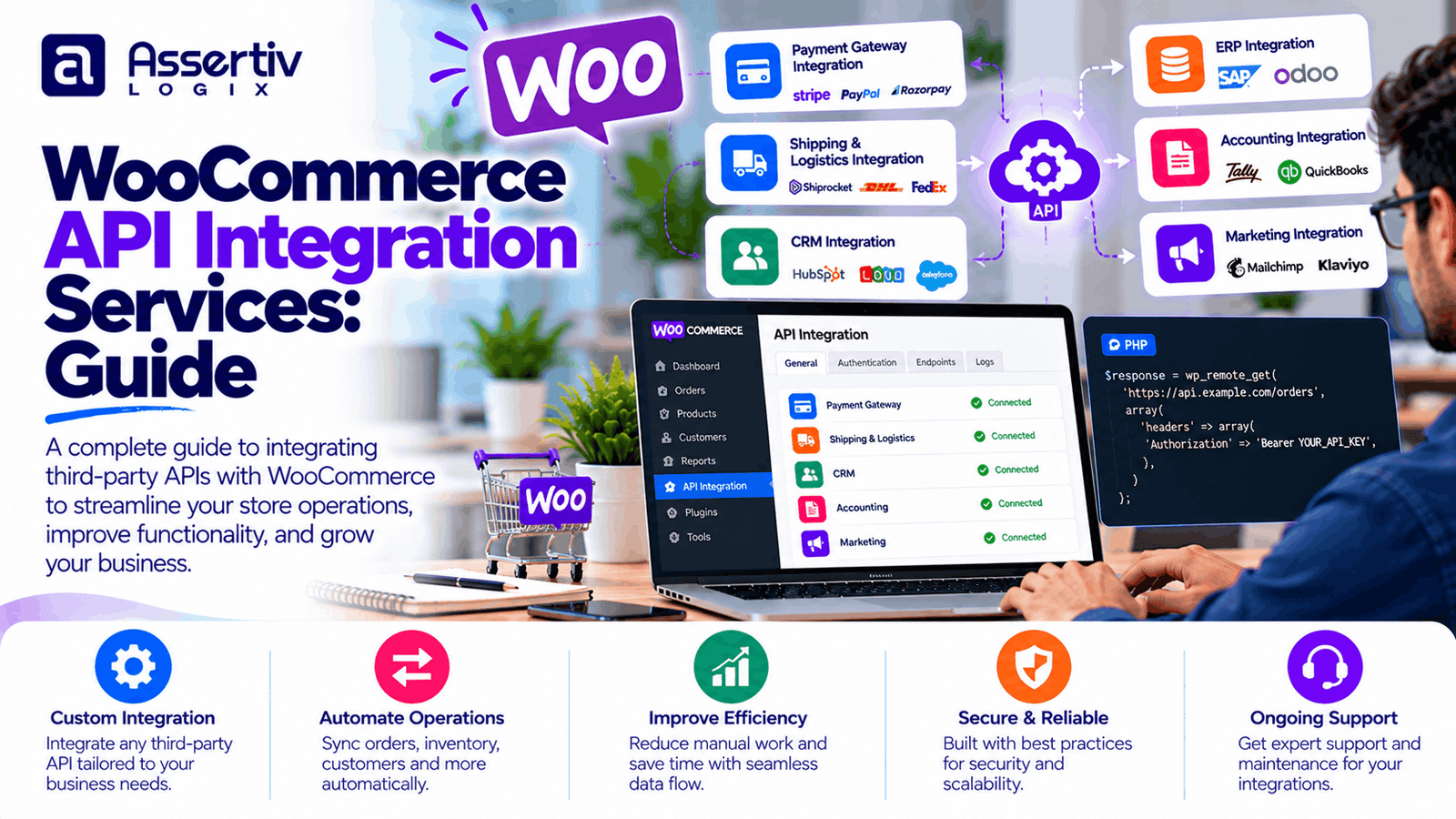
WooCommerce API integration services help eCommerce businesses connect their online stores with the applications they use to manage payments, inventory, shipping, accounting, customer relationships, and order fulfillment. When these systems exchange data reliably, teams can reduce repetitive manual work and maintain more consistent business information.
For a growing online store, copying orders into accounting software, updating inventory across multiple channels, or manually transferring customer details can become time-consuming. API integrations can automate many of these processes, provided the connected systems support the required data and workflows.
This guide explains how WooCommerce API integration works, which systems can be connected, what a successful integration involves, how development costs are estimated, and how to choose an experienced integration partner.
What Are WooCommerce API Integration Services?
WooCommerce API integration services involve connecting a WooCommerce store with external software, platforms, or services through application programming interfaces (APIs). An API defines how one application can request information from another application or trigger supported actions.
For example, a WooCommerce store might send order information to an ERP system after a customer completes checkout. An inventory system might update product stock, while a shipping provider returns tracking information that can be displayed to the customer.
Depending on the requirements, an integration may use the WooCommerce REST API, webhooks, an external provider’s API, scheduled synchronization, or a combination of these methods.
Professional integration work typically includes requirements analysis, authentication, data mapping, development, error handling, testing, deployment, and ongoing maintenance.
Why Does Your eCommerce Business Need WooCommerce API Integration?
1. Reduce manual data entry
Manually copying order details, customer records, stock quantities, or shipment information between applications increases administrative work. Appropriate integrations can transfer supported data automatically and reduce avoidable errors.
2. Improve inventory accuracy
If products are sold through a website, physical stores, and marketplaces, stock information needs to remain consistent. An inventory integration can synchronize quantities between systems, subject to update frequency, conflict rules, and the capabilities of each platform.
3. Streamline order processing
Order data can be transferred to fulfillment, accounting, or ERP systems according to defined business rules. Automated workflows can reduce repeated tasks and help teams process orders more consistently.
4. Improve customer information management
CRM integration can help businesses synchronize customer and order information, subject to appropriate permissions and privacy requirements. This can support customer service, reporting, and relevant marketing workflows.
5. Support business growth
As order volumes increase, manual processes can become difficult to manage. Well-designed integrations help automate repetitive work and establish more consistent data flows. They still need appropriate infrastructure, monitoring, and maintenance as usage grows.
Common Types of WooCommerce API Integrations
| Integration type | Typical functionality |
|---|---|
| Payment gateways | Payment initiation, transaction status, refunds, and supported webhook events. |
| ERP systems | Order transfer, product data, inventory, and business process synchronization. |
| CRM platforms | Customer records, order history, and approved sales or service workflows. |
| Inventory systems | Stock quantities, product availability, and multi-location inventory updates. |
| Shipping providers | Shipping rates, labels, tracking numbers, and fulfillment status. |
| Accounting software | Sales records, taxes, refunds, fees, and reconciliation data. |
| Marketing platforms | Approved customer events, campaign workflows, and audience synchronization. |
| Marketplaces | Supported product, inventory, and order synchronization across channels. |
Integration feasibility depends on the external platform’s API, authentication method, subscription plan, rate limits, data model, and permissions. Confirm these details before finalizing the scope or budget.
WooCommerce REST API Integration
The WooCommerce REST API allows authorized applications to interact with supported store resources, including products, orders, customers, and other data. It can be used to build integrations with external systems, internal dashboards, mobile applications, and automation workflows.
Common use cases include:
- Retrieving order details for a fulfillment system.
- Creating or updating products through an authorized application.
- Synchronizing inventory information between connected systems.
- Retrieving customer and order data for approved business workflows.
- Connecting WooCommerce to a custom reporting application.
REST API access should be configured with appropriate authentication and permissions. Use HTTPS, protect API credentials, restrict access to the required capabilities, and avoid exposing secrets in frontend code or public repositories.
For technical details, refer to the official WooCommerce REST API documentation and WooCommerce developer resources.
WooCommerce Webhooks and Real-Time Integrations
Webhooks allow WooCommerce to send notifications to a configured endpoint when supported events occur. They can be useful when an external system needs to react to changes without repeatedly requesting the same data.
Depending on the configuration and event support, webhook workflows may be used for:
- New or updated orders.
- Product changes.
- Customer record changes.
- Order status updates.
- Connected fulfillment or reporting workflows.
Webhook delivery should not be treated as guaranteed exactly-once processing. A robust integration should validate incoming requests, handle duplicate deliveries safely, record processing outcomes, and provide a way to retry or recover failed events.
For time-sensitive or high-volume workflows, the architecture may include a queue or background job system so that temporary failures do not interrupt the customer checkout experience.
WooCommerce ERP Integration Services
An enterprise resource planning (ERP) system can manage areas such as purchasing, finance, warehouse operations, and business reporting. Connecting WooCommerce with an ERP can reduce the need to maintain the same records manually in multiple systems.
Common ERP integration features
- Synchronizing products, SKUs, and selected product attributes.
- Transferring orders and relevant customer details.
- Updating stock quantities and product availability.
- Sending fulfillment status and tracking information back to WooCommerce.
- Exchanging approved invoice, tax, and financial data.
Before development, determine which system is the source of truth for products, stock, customers, and order status. Define how conflicts will be resolved, whether updates are immediate or scheduled, and what happens when either system is unavailable.
ERP integrations often require more planning than a simple data transfer because they can affect fulfillment, finance, inventory accuracy, and other business-critical processes.
WooCommerce CRM Integration
A CRM system helps businesses organize customer information and manage sales or service activities. A WooCommerce CRM integration can synchronize selected customer records and order data to support customer service and approved marketing workflows.
Depending on the CRM’s capabilities, an integration may support:
- Creating or updating customer records.
- Associating orders with existing customer profiles.
- Sharing relevant purchase history with authorized teams.
- Triggering approved customer follow-up workflows.
- Reducing duplicate records through defined matching rules.
Plan how guest checkouts, duplicate email addresses, customer record merges, consent preferences, and deletion requests will be handled. Only transfer the information needed for the intended business purpose, and follow applicable privacy requirements.
WooCommerce Inventory and Shipping API Integration
Inventory and shipping integrations are particularly useful for businesses with large catalogs, multiple warehouses, external fulfillment partners, or several sales channels.
Inventory synchronization
An inventory integration can update available stock, identify unavailable products, and help coordinate quantities across connected systems. The implementation should define update timing, conflict resolution, and how failed synchronization is detected.
Shipping integration
Depending on the shipping provider, integration features may include retrieving shipping rates, creating labels, sending tracking details, or updating fulfillment statuses.
Important considerations
- Define the authoritative source for inventory and shipment data.
- Handle duplicate requests and repeated webhook events safely.
- Prevent temporary API failures from causing incorrect stock updates.
- Validate shipping addresses and service availability.
- Provide logs and alerts for failed synchronization.
The correct integration approach depends on the provider’s API, shipping rules, warehouse process, order volume, and operational requirements.
Custom WooCommerce API Integration Development
Sometimes a ready-made extension cannot connect the required systems or implement the necessary business logic. Custom WooCommerce API integration development can provide a tailored connection using supported APIs, webhooks, custom plugins, or a separate integration service.
Custom development may be appropriate when a business needs:
- A connection to a proprietary or industry-specific business application.
- Custom product pricing or customer-specific order rules.
- Specialized product or inventory synchronization.
- Complex order routing and fulfillment workflows.
- Data transformation between incompatible systems.
- Custom reporting or operational dashboards.
A well-designed solution should separate integration logic from unrelated store functionality where practical, document the data flow, and provide clear monitoring and recovery procedures.
When standard extensions are insufficient, our WordPress plugin development services can support custom functionality and integration requirements.
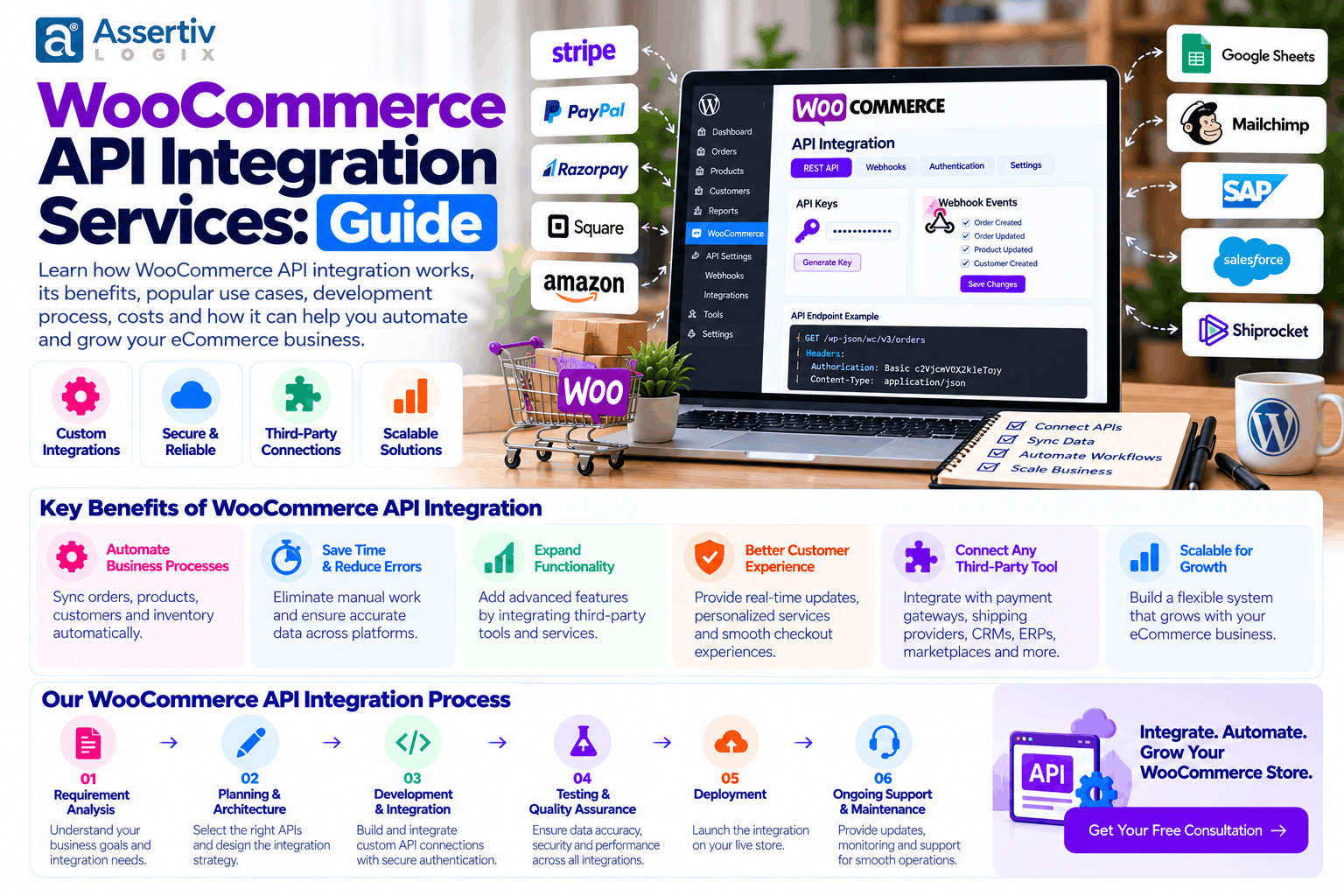
Our WooCommerce API Integration Process
Step 1: Requirements discovery
Identify the systems to connect, the business problem, the data to exchange, the expected frequency, and the outcomes the integration must achieve. Confirm which platform owns each important record.
Step 2: API assessment
Review API documentation, authentication, permissions, rate limits, supported endpoints, data formats, and any subscription requirements. Confirm that the intended integration is technically feasible.
Step 3: Data mapping and architecture
Define how product IDs, SKUs, order statuses, customer records, stock values, and other fields map between systems. Plan how to handle conflicts, duplicate records, retries, and partial failures.
Step 4: Development and configuration
Implement the API requests, webhook endpoints, data validation, authentication, synchronization logic, and administrative settings required by the approved scope.
Step 5: Testing
Test successful requests, invalid data, expired credentials, rate limits, duplicate events, timeouts, and unavailable external services. Verify that failed operations can be identified and recovered safely.
Step 6: Deployment and monitoring
Deploy the integration using an agreed release process. Monitor errors and synchronization results, document troubleshooting procedures, and define ownership for future API or platform changes.
WooCommerce API Integration Cost in 2026
Integration costs depend on the number of systems, API complexity, data volume, security requirements, error handling, and ongoing support. The following are illustrative planning ranges in USD, not verified market averages or fixed quotations.
| Integration complexity | Illustrative development budget | Typical scope |
|---|---|---|
| Basic integration | $300–$1,000 | A focused connection with limited data mapping. |
| Moderate integration | $1,000–$3,500 | Several workflows, custom mapping, or a straightforward external API. |
| Advanced integration | $3,500–$8,000+ | Complex synchronization, multiple endpoints, and recovery logic. |
| Enterprise integration | $8,000+ | Multiple systems, high data volumes, complex workflows, or broader operational requirements. |
These ranges are examples for budgeting, not guarantees. An integration involving financial records or multi-warehouse inventory may require more testing and planning than a simple data export.
Factors that influence integration costs
- API availability and quality: Documentation, access restrictions, and endpoint coverage.
- Number of systems: More connections usually mean more mapping and testing.
- Data complexity: Variations, custom fields, historical records, and transformation rules.
- Synchronization requirements: Real-time events, scheduled jobs, or high-frequency updates.
- Error recovery: Queues, retries, logging, alerts, and reconciliation workflows.
- Testing and maintenance: Compatibility, monitoring, and changes to external APIs.
For an accurate proposal, document the required systems, endpoints, data fields, expected transaction volume, synchronization frequency, and failure-handling requirements.
Security Best Practices for WooCommerce API Integration
API integrations can expose sensitive business or customer data if credentials, permissions, and endpoints are not managed carefully. Security should be part of the design and testing process.
- Use HTTPS for API communication.
- Protect credentials and avoid exposing secrets in frontend code or public repositories.
- Grant only the permissions needed for the integration.
- Validate incoming requests and sanitize input appropriately.
- Verify webhook authenticity using the provider’s supported method.
- Handle personal and payment-related data according to applicable requirements.
- Use appropriate timeouts, rate limits, and retry controls.
- Log useful diagnostic details without unnecessarily storing secrets or sensitive data.
- Review access, credentials, and integration behavior periodically.
Refer to the official WordPress security guidance and the OWASP API Security Project for further guidance.
Common WooCommerce API Integration Mistakes to Avoid
- Skipping API research: Confirm supported endpoints and access requirements before committing to a solution.
- Ignoring rate limits: Excessive requests can cause throttling or service interruptions.
- Assuming requests succeed: Handle timeouts, error responses, and partial failures.
- Ignoring duplicate events: Repeated requests or webhooks must not create duplicate orders or records.
- Failing to define data ownership: Conflicting updates can cause incorrect inventory, pricing, or order status.
- Skipping monitoring: Silent synchronization failures can create operational problems.
- Hard-coding credentials: Credentials need secure storage and controlled access.
- Neglecting maintenance: External APIs and platforms can change after the initial launch.
How to Choose a WooCommerce API Integration Company
Choose a development partner that understands WooCommerce, REST APIs, webhooks, data synchronization, security, and the business workflows involved. Successful integration work requires more than making an API request return a successful response.
- Ask about experience with similar systems and integration patterns.
- Request a clear scope covering data flows, endpoints, and expected behavior.
- Confirm how authentication, permissions, and sensitive information will be handled.
- Ask how failures, duplicate events, and synchronization conflicts will be managed.
- Clarify testing, deployment, monitoring, and documentation responsibilities.
- Confirm ownership of custom code, credentials, and integration configuration.
- Agree on maintenance responsibilities and how future API changes will be handled.
Explore Assertivlogix WooCommerce development services for custom integrations, store customization, and tailored eCommerce development.
Frequently Asked Questions
What are WooCommerce API integration services?
They connect WooCommerce with external applications using APIs, webhooks, or other supported data exchange methods. Common examples include payment, inventory, ERP, CRM, shipping, and accounting integrations.
What is the WooCommerce REST API used for?
The WooCommerce REST API allows authorized applications to access and manage supported store resources, such as products, orders, and customers, according to the permissions and endpoints available.
Can WooCommerce integrate with ERP and CRM systems?
Yes. WooCommerce can connect with compatible ERP and CRM systems through existing extensions, APIs, webhooks, or custom development. The exact capabilities depend on each system’s API and access permissions.
How much does WooCommerce API integration cost?
Illustrative budgets range from a few hundred dollars for a simple integration to several thousand dollars or more for complex or enterprise projects. Actual costs depend on scope, data complexity, systems involved, testing, and maintenance.
Can WooCommerce API integration synchronize inventory in real time?
Some integrations can process updates promptly through supported events or webhooks. Actual timing depends on the connected systems, API limits, architecture, and failure-recovery process. Real-time synchronization should be verified against the specific requirements.
Is WooCommerce API integration secure?
It can be implemented securely when credentials, permissions, HTTPS, input validation, webhook verification, logging, and data protection are handled appropriately. Security also requires ongoing review and maintenance.
How long does WooCommerce API integration take?
A simple connection may take days to a few weeks, while complex integrations involving several systems, historical data, custom workflows, or extensive testing can take longer. Timelines depend on API readiness and project scope.
Do API integrations need ongoing maintenance?
Yes. External APIs can change, credentials can expire, and business workflows can evolve. Monitoring, testing, updates, and recovery procedures help maintain reliable data exchange.
Connect Your WooCommerce Store with Assertivlogix
Connecting WooCommerce with the right business systems can reduce repetitive work, improve data consistency, and help your team manage eCommerce operations more efficiently. The right solution starts with clear requirements, a secure integration design, and reliable error handling.
Assertivlogix provides WordPress and WooCommerce development services, including custom API integrations, plugin development, store customization, and technical optimization. Share your systems, required data flows, and business goals to discuss a practical integration approach.
Tell us which systems you want to connect, what data needs to move, and which workflows you want to automate. We can help define a practical integration scope.