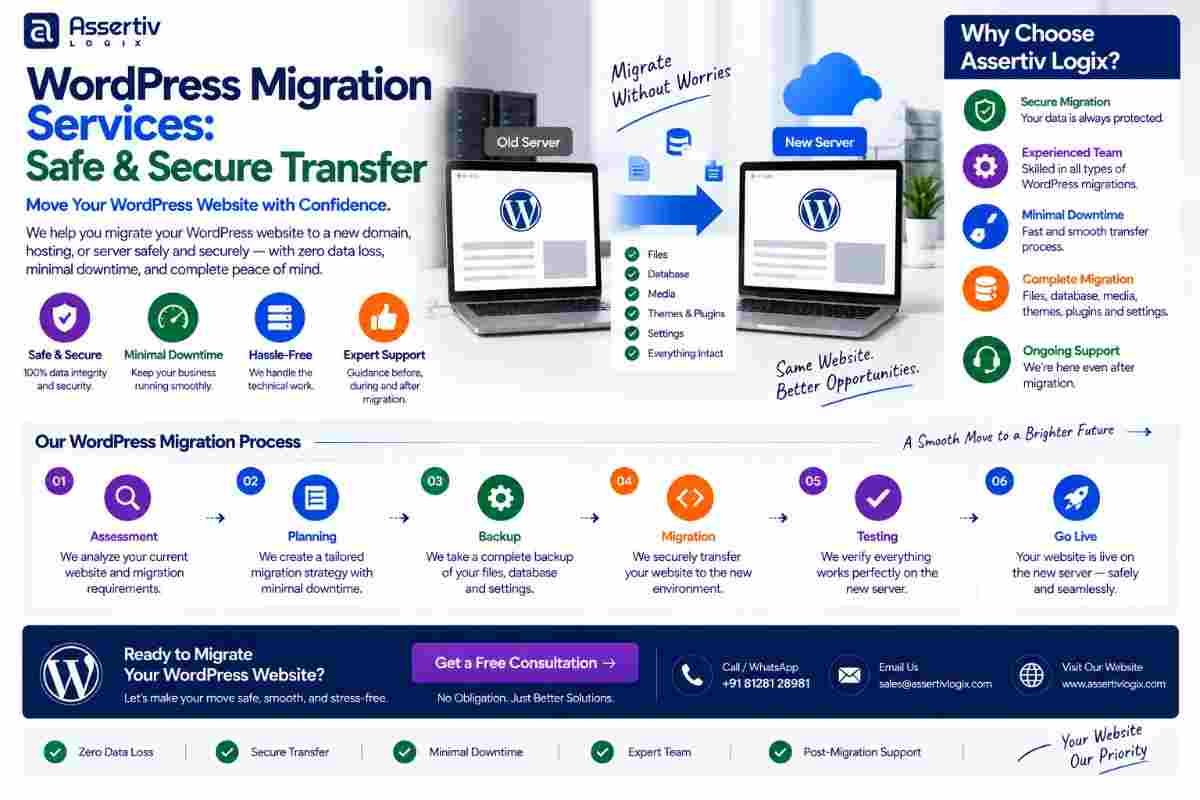
WordPress migration services help businesses safely move their WordPress websites from one hosting provider, server, domain, or environment to another without unnecessarily disrupting website functionality, content, performance, or SEO.
WordPress migration may sound simple, but a professional website transfer involves much more than copying files from one server to another. A complete migration can involve databases, media files, themes, plugins, DNS settings, SSL certificates, email configuration, redirects, URLs, integrations, user accounts, and search engine visibility.
A poorly planned migration can result in broken pages, missing images, database errors, downtime, broken links, incorrect URLs, plugin conflicts, or lost search visibility. Professional WordPress migration services use a structured process to reduce these risks and make the transition as smooth as possible.
In this guide, we will explain what WordPress migration involves, when you need it, the different types of migrations, how the process works, common mistakes to avoid, SEO considerations, WooCommerce migration, and how professional WordPress developers can help.
WordPress Migration Services: Safe & Secure Transfer in 2026
WordPress migration services provide professional assistance for transferring an existing WordPress website from one environment to another while preserving important website data, functionality, and SEO assets.
Depending on the project, migration can involve moving a website to new hosting, transferring it to another server, changing its domain, creating a staging environment, moving from a development environment to production, or rebuilding the infrastructure while keeping the existing website data.
The goal of a professional WordPress website migration is not simply to move files. The goal is to make sure the website continues to work correctly after the move.
What Are WordPress Migration Services?
WordPress migration services are specialized technical services that help move a WordPress website from one location or environment to another.
A migration may include:
- WordPress files transfer
- Database migration
- Media library migration
- Theme migration
- Plugin migration
- Domain migration
- Hosting migration
- Server migration
- DNS configuration
- SSL configuration
- URL replacement
- Redirect configuration
- Email configuration checks
- SEO preservation
- WooCommerce migration
- Post-migration testing
The migration strategy should be selected according to the website’s architecture, traffic, database size, eCommerce functionality, integrations, and business requirements.
Why Do Businesses Need WordPress Migration Services?
There are many reasons a business may need a WordPress website migration.
Common reasons include:
- Moving to better hosting
- Improving website performance
- Changing hosting providers
- Moving to a dedicated server
- Changing the domain name
- Moving from staging to production
- Changing server infrastructure
- Improving website security
- Reducing hosting costs
- Moving an agency-managed website
- Consolidating multiple websites
- Moving a WooCommerce store
A professional migration helps reduce the technical risks associated with moving a live website.
Types of WordPress Website Migration
Not every migration follows the same process. The type of migration determines what needs to be planned and tested.
1. WordPress Hosting Migration
This involves moving a WordPress website from one hosting provider to another.
For example, a business may move from shared hosting to managed WordPress hosting or from an older hosting provider to a faster infrastructure.
2. WordPress Server Migration
A server migration moves the website to a different server or infrastructure environment.
This may be required when a website needs more server resources, better configuration, improved scalability, or a different technology stack.
3. WordPress Domain Migration
A domain migration involves changing the website’s domain name.
This type of migration requires additional SEO planning because URLs may change across the website.
4. WordPress Staging-to-Live Migration
Businesses and developers often build or test websites in staging environments before pushing changes to the production website.
The migration process must ensure that the correct database, media files, settings, and configuration are transferred without overwriting important production data.
5. WordPress Development Environment Migration
Developers may need to move a website between local, development, staging, and production environments during the development lifecycle.
6. WooCommerce Migration
WooCommerce migration requires special care because the website may contain products, customers, orders, payments, inventory, shipping settings, and other transaction-related information.
When Should You Consider WordPress Migration?
A migration may be appropriate when your current environment no longer meets your requirements.
Consider WordPress migration services if:
- Your website is consistently slow.
- Your hosting provider has limited resources.
- Your website experiences frequent downtime.
- You need better server performance.
- Your current hosting environment is difficult to manage.
- You need improved security.
- Your business is growing rapidly.
- You are changing your domain.
- You need to move from development to production.
- You are consolidating hosting accounts.
Migration should ideally be planned before the existing environment becomes a critical business problem.
WordPress Migration Checklist Before You Start
A successful WordPress website migration begins with preparation.
Before starting the transfer, review:
- Current hosting environment
- WordPress version
- PHP version
- Database size
- Website file size
- Active plugins
- Active theme
- Custom code
- Website URLs
- DNS configuration
- SSL certificate
- Email services
- Third-party integrations
- Analytics configuration
- SEO settings
Creating a complete backup before migration is essential. The backup should include both the WordPress files and database.
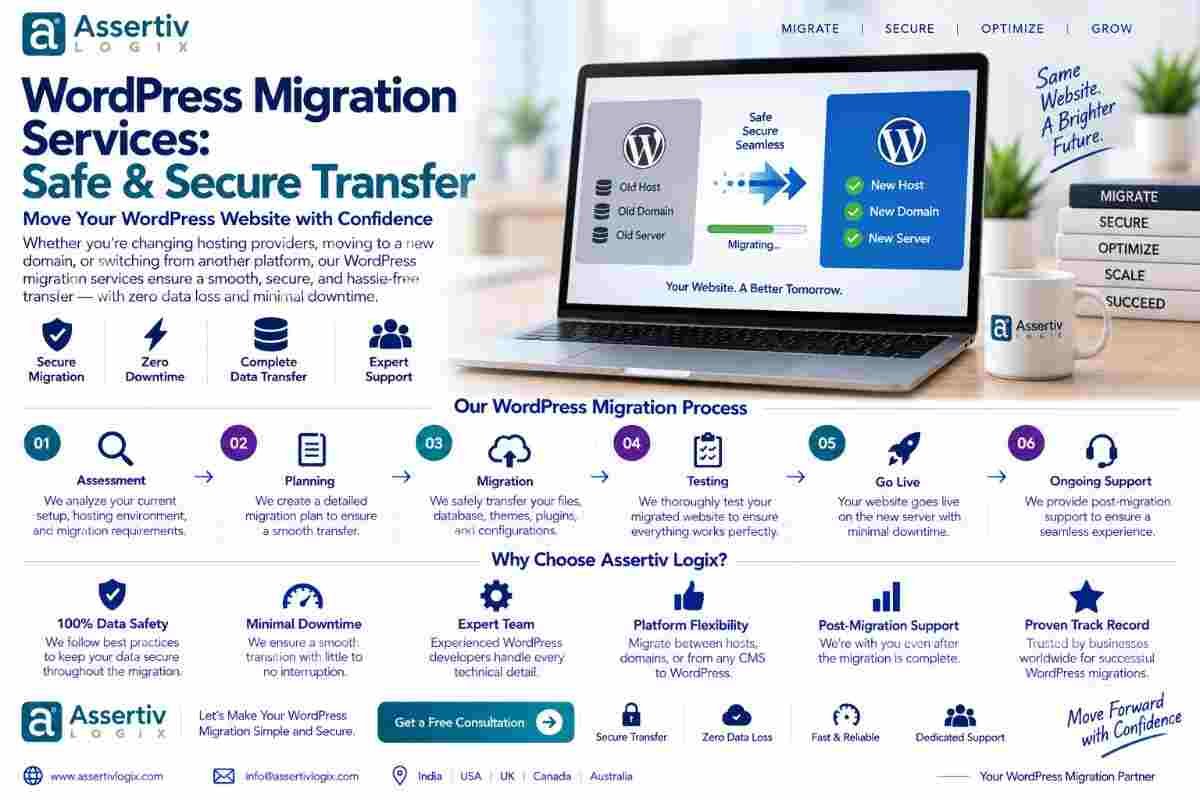
Complete WordPress Migration Process
Professional WordPress migration services typically follow a structured process to reduce downtime and protect website data.
Step 1: Audit the Existing Website
The first step is understanding the existing WordPress installation.
The migration team should review:
- Website files
- Database
- Plugins
- Theme
- Custom code
- Media files
- DNS
- SSL
- Third-party services
This audit helps identify potential migration risks before the transfer begins.
Step 2: Create a Complete Backup
A complete backup should be created before making significant migration changes.
The backup should normally include:
- WordPress core files
- Theme files
- Plugin files
- Uploads
- Configuration files
- Database
The backup should also be stored separately from the website’s current hosting environment when practical.
Step 3: Prepare the New Hosting Environment
The destination environment should be configured before transferring the live website.
This can include:
- Server configuration
- PHP version
- Database setup
- SSL
- DNS preparation
- Storage configuration
- Caching
- Security configuration
Step 4: Transfer WordPress Files
The WordPress files are transferred to the new environment.
This typically includes the WordPress installation, themes, plugins, uploads, configuration files, and other required files.
Step 5: Transfer the Database
The WordPress database contains critical website information such as pages, posts, settings, users, metadata, and other application data.
The database should be transferred carefully and connected to the new WordPress installation.
Step 6: Update Configuration
The new environment may require changes to configuration values such as database credentials, URLs, caching settings, server paths, and environment-specific configuration.
Developers should verify these settings carefully before the website becomes publicly accessible.
Step 7: Update URLs When Required
If the domain changes, website URLs may need to be updated.
URL replacement must be handled carefully because URLs can exist in databases, content, serialized data, configuration, media references, and plugin settings.
Step 8: Configure DNS
Once the new website has been tested, DNS can be updated to point the domain toward the new environment.
DNS changes may take time to propagate depending on the DNS configuration and caching behavior.
Step 9: Configure SSL
The destination website should have a valid SSL configuration before normal production traffic is directed to it.
HTTPS should be tested across important website pages, forms, assets, and integrations.
Step 10: Test the Migrated Website
Testing is one of the most important stages of WordPress migration services.
Test:
- Homepage
- Important pages
- Blog posts
- Images
- Menus
- Contact forms
- Search
- Login
- User accounts
- API integrations
- Analytics
- Payment systems
- WooCommerce checkout
Step 11: Verify SEO
After migration, review URLs, redirects, indexability, canonical URLs, XML sitemaps, robots directives, metadata, internal links, and structured data.
Google’s site move documentation provides guidance for website owners managing site migrations and URL changes.
Step 12: Monitor After Launch
The migration process does not end when DNS changes.
After launch, monitor:
- Website uptime
- Server errors
- 404 errors
- Redirects
- Search traffic
- Search indexing
- Website speed
- Forms
- Transactions
- Third-party integrations
This post-launch monitoring can help identify issues that were not visible during pre-launch testing.
How to Migrate WordPress Without Losing SEO
SEO preservation is one of the most important parts of a professional WordPress website migration.
A migration can affect search visibility if URLs, content, redirects, indexing settings, or site architecture change unexpectedly.
Important SEO considerations include:
- Preserve existing URLs when possible.
- Create appropriate 301 redirects for changed URLs.
- Maintain important content.
- Update internal links when necessary.
- Review canonical URLs.
- Check robots.txt.
- Verify XML sitemaps.
- Check indexability.
- Monitor Google Search Console after launch.
- Check for 404 errors.
Google Search Console can help website owners monitor search performance and indexing-related information after a migration.
A migration should never be treated as purely a hosting task when organic search traffic is important to the business.
WordPress Migration and Website Downtime
Businesses often worry that migration will require extended downtime.
The amount of downtime depends on the migration approach, website complexity, DNS configuration, database size, and how well the new environment is prepared.
Professional WordPress migration services can reduce disruption by preparing the destination environment in advance and performing as much work as possible before switching production traffic.
For high-traffic websites, a carefully planned migration window and database synchronization strategy may be necessary.
WooCommerce WordPress Migration
WooCommerce migration requires additional planning because stores contain transaction-sensitive data.
A WooCommerce website may contain:
- Products
- Customers
- Orders
- Payment settings
- Shipping settings
- Tax configuration
- Coupons
- Inventory
- Customer accounts
- Order emails
Before switching a live WooCommerce store to a new environment, important customer and order functionality should be carefully tested.
Businesses can reference the official WooCommerce documentation for technical and product information.
WordPress Domain Migration
Changing a domain is more complex than simply replacing the website address.
A domain migration can require:
- URL updates
- 301 redirects
- Canonical updates
- Internal link updates
- XML sitemap updates
- Analytics updates
- Search Console configuration
- SSL configuration
- Email configuration review
If the old domain has established search visibility and backlinks, preserving URL relationships and implementing appropriate redirects becomes especially important.
WordPress Migration to New Hosting
Moving WordPress to new hosting is one of the most common migration scenarios.
Businesses often migrate because they want:
- Better performance
- More server resources
- Improved security
- Better technical support
- Scalability
- Lower infrastructure costs
A professional migration ensures that the website’s files, database, configuration, SSL, DNS, email dependencies, and functionality are properly reviewed during the move.
WordPress Migration Checklist
| Migration Stage | Key Checks |
|---|---|
| Before Migration | Audit website, create backups, document URLs and integrations |
| New Environment | Configure hosting, PHP, database, SSL, security, and resources |
| File Transfer | Transfer WordPress files, themes, plugins, and media |
| Database Transfer | Import database and verify connection |
| Configuration | Update URLs, database settings, and environment configuration |
| DNS | Point the domain toward the new environment |
| Testing | Test pages, forms, media, login, integrations, and eCommerce |
| SEO | Check redirects, indexing, sitemap, canonical URLs, and metadata |
| Post-Launch | Monitor uptime, errors, performance, traffic, and conversions |
Common WordPress Migration Mistakes
1. Migrating Without a Full Backup
Never begin a significant website migration without an appropriate backup and recovery plan.
2. Forgetting the Database
Copying only website files is not enough. The WordPress database contains essential website information.
3. Ignoring DNS
Incorrect DNS configuration can prevent visitors from reaching the new website.
4. Forgetting SSL
The new environment should have valid HTTPS configuration before production traffic is switched.
5. Not Testing Forms
A migrated website may look correct while contact forms or email notifications are broken.
6. Losing URLs
Changing URLs without appropriate redirects can create broken links and SEO problems.
7. Overlooking Third-Party Integrations
CRMs, APIs, analytics tools, payment gateways, email services, and other integrations may require configuration changes after migration.
8. Not Testing WooCommerce
For online stores, checkout, payment, orders, customer accounts, shipping, and transactional emails should all be tested.
9. Launching Without Post-Migration Monitoring
Some issues only appear after real users begin accessing the migrated website, so monitoring should continue after launch.
Benefits of Professional WordPress Migration Services
Hiring experienced developers for a migration can provide several advantages.
Reduced Migration Risk
A structured process helps reduce the likelihood of missing critical files, database information, configuration, or SEO settings.
Better Downtime Planning
Professional migration teams can prepare the destination environment before production traffic is moved.
SEO Protection
URL mapping, redirects, indexing checks, and post-launch monitoring can help protect existing organic search assets.
Technical Expertise
Experienced WordPress developers can troubleshoot database, plugin, theme, server, PHP, and integration issues that may occur during migration.
Better Post-Migration Stability
Testing the website after migration helps confirm that important functionality continues to work correctly.
WordPress Migration Services for Businesses
Business websites often contain important lead forms, CRM integrations, analytics, marketing automation, blogs, and service pages.
A migration should therefore consider more than the WordPress installation itself.
Professional WordPress migration services can help businesses transfer their websites while reviewing the systems that support their marketing and sales processes.
WordPress Migration Services for Digital Agencies
Agencies frequently need to migrate websites between development environments, hosting providers, or client accounts.
White-label WordPress migration services can help agencies handle technical transfers without needing to manage every server-side detail internally.
Agency migration support can include:
- Hosting migration
- Development-to-production migration
- Domain migration
- Database migration
- Plugin and theme transfer
- DNS support
- SEO migration support
- Post-migration testing
How Much Do WordPress Migration Services Cost?
The cost of WordPress migration services depends on the complexity of the website and the migration requirements.
Factors that can influence cost include:
- Website size
- Database size
- Number of pages
- Number of plugins
- Custom development
- WooCommerce functionality
- Third-party integrations
- Domain changes
- SEO requirements
- Required downtime window
- Server configuration
- Post-migration support
A simple hosting migration can be relatively straightforward, while a large WooCommerce or enterprise website migration can require considerably more planning and testing.
Why Choose Assertivlogix for WordPress Migration Services?
At Assertivlogix, we provide WordPress migration services focused on safe website transfers, technical stability, SEO preservation, and post-migration support.
Our WordPress migration capabilities can include:
- Hosting migration
- Server migration
- Domain migration
- WordPress website transfer
- Database migration
- WooCommerce migration
- Staging-to-production migration
- DNS configuration support
- SSL configuration
- SEO migration support
- Performance optimization
- Post-migration troubleshooting
Our approach focuses on planning the migration carefully, protecting website data, testing the destination environment, checking SEO-critical elements, and verifying the website after launch.
If you are planning to move your WordPress website to a new host, server, domain, or environment, our team can help you create a migration plan based on your website’s technical requirements.
Learn more about our WordPress development services or contact Assertivlogix to discuss your WordPress migration project.
Move your WordPress website safely with professional migration, testing, SEO checks, and post-migration technical support.
Frequently Asked Questions
What are WordPress migration services?
WordPress migration services help transfer a WordPress website from one hosting provider, server, domain, or environment to another while preserving website files, databases, content, functionality, and important SEO settings.
Can I migrate WordPress to a new hosting provider?
Yes. WordPress can be migrated to a new hosting provider by transferring the website files and database, configuring the new environment, updating DNS, configuring SSL, and testing the website.
Will WordPress migration affect my SEO?
Migration can affect SEO if URLs, redirects, indexing settings, content, or website architecture are changed incorrectly. A carefully planned migration can preserve important SEO elements and minimize unnecessary disruption.
Can I migrate WordPress without downtime?
Some migrations can be performed with minimal downtime, depending on the website, hosting environment, database size, DNS configuration, and migration strategy. High-traffic websites may require additional planning.
Can I migrate a WooCommerce website?
Yes. WooCommerce websites can be migrated, but products, customers, orders, payments, shipping, inventory, checkout, and transactional emails should be carefully tested during the migration.
What is included in WordPress migration services?
Services may include website auditing, backups, file migration, database migration, URL updates, DNS configuration, SSL setup, SEO checks, testing, performance checks, and post-migration support.
How long does WordPress migration take?
The migration timeline depends on website size, database complexity, hosting configuration, custom functionality, integrations, SEO requirements, and the type of migration being performed.
Can I change my WordPress domain during migration?
Yes. Domain migration is possible, but it requires careful URL management, redirects, canonical updates, sitemap updates, SSL configuration, and SEO monitoring.
Do I need a developer for WordPress migration?
Simple websites may be migrated using standard tools, but professional developer support is recommended for complex websites, WooCommerce stores, custom WordPress installations, large databases, or migrations where SEO and uptime are critical.
What should I check after WordPress migration?
After migration, check important pages, URLs, images, forms, menus, login, integrations, SSL, redirects, analytics, search indexing, website speed, WooCommerce checkout, and other business-critical functionality.
Final Thoughts
WordPress migration services make it possible to move a WordPress website to a new hosting provider, server, domain, or environment while reducing the risk of data loss, broken functionality, downtime, and SEO problems.
A successful WordPress website migration requires more than copying files. It requires planning, backups, database handling, server configuration, DNS management, SSL setup, URL management, SEO checks, testing, and post-launch monitoring.
Whether you are moving to better hosting, changing your domain, launching a new server, transferring a WooCommerce store, or moving from staging to production, a structured migration process can make the transition significantly safer.
For businesses that rely on their WordPress website for leads, sales, content, or online transactions, professional WordPress migration services can provide the technical expertise needed to protect the website during the move.
If your website is ready for a new hosting environment, server, domain, or infrastructure, planning the migration carefully today can help you avoid expensive technical and SEO problems later.