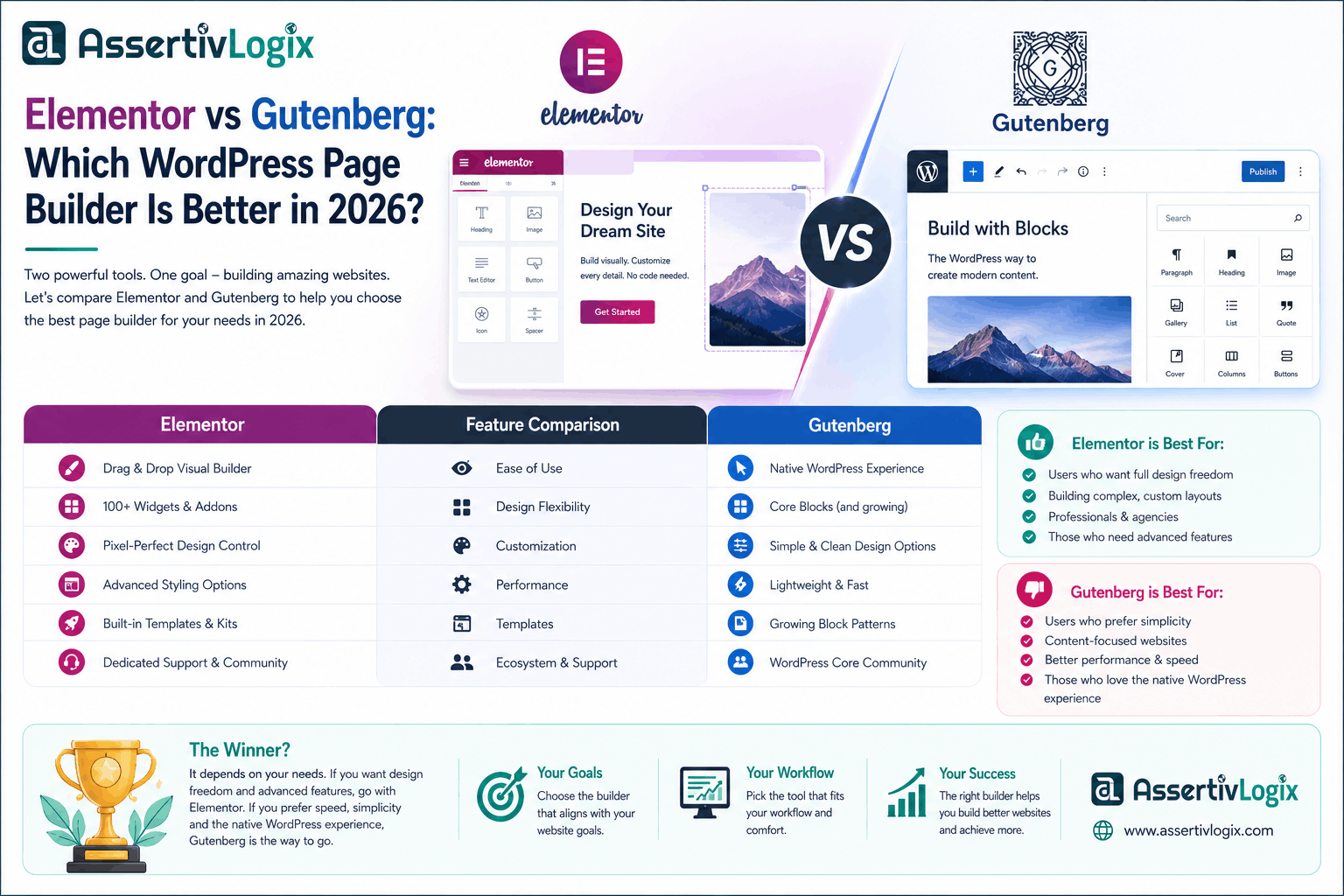
Choosing the right page builder is one of the most important decisions when creating a WordPress website. It affects your website’s design flexibility, loading speed, SEO performance, maintenance, and overall user experience. Two of the most popular options are Elementor and Gutenberg, each offering unique advantages for different types of users.
Elementor is a powerful drag-and-drop page builder with advanced design capabilities, while Gutenberg is the default WordPress block editor focused on speed, simplicity, and native WordPress compatibility.
In this guide, we’ll compare Elementor and Gutenberg across performance, customization, ease of use, SEO, pricing, and use cases to help you choose the best solution for your website.
What Is Elementor?
Elementor is one of the most popular WordPress page builders, allowing users to create professional websites using a visual drag-and-drop interface. It offers hundreds of widgets, templates, animations, theme-building capabilities, and WooCommerce design tools.
Key Features
- Visual drag-and-drop editor
- Responsive design controls
- Theme Builder
- WooCommerce Builder
- Popup Builder
- Large template library
- Custom widgets and integrations
What Is Gutenberg?
Gutenberg is the default WordPress block editor introduced to replace the classic editor. Instead of relying on shortcodes or third-party builders, Gutenberg uses content blocks to build pages and posts. It is lightweight, fast, and deeply integrated with WordPress.
Key Features
- Native WordPress editor
- Block-based content creation
- Lightweight and fast
- Full Site Editing (FSE) support
- Reusable blocks and patterns
- No additional page builder required
Elementor vs Gutenberg: Feature Comparison
| Feature | Elementor | Gutenberg |
|---|---|---|
| Ease of Use | ⭐⭐⭐⭐⭐ | ⭐⭐⭐⭐ |
| Design Flexibility | Excellent | Good |
| Performance | Good | Excellent |
| SEO | Very Good | Excellent |
| WooCommerce Builder | Yes | Limited |
| Theme Builder | Yes | Full Site Editing |
| Learning Curve | Easy | Moderate |
| Pricing | Free & Pro | Free |
Performance Comparison
Performance is a major consideration when choosing a page builder.
Elementor
- Loads additional CSS and JavaScript.
- Provides extensive design options.
- May require caching and optimization plugins for the best results.
Gutenberg
- Uses native WordPress code.
- Generates cleaner markup.
- Typically delivers faster page load times and better Core Web Vitals.
Winner: Gutenberg for raw performance.
Design Flexibility
If you want complete creative freedom without writing code, Elementor has the advantage.
It includes advanced layout controls, animations, custom positioning, global styles, motion effects, and hundreds of design widgets.
Gutenberg continues to improve with block patterns and Full Site Editing, but it still offers fewer visual customization options than Elementor.
Winner: Elementor.
Ease of Use
Elementor’s visual editor lets you see changes in real time, making it beginner-friendly.
Gutenberg uses a block-based editing approach that is intuitive for writing content but may require some learning for advanced layouts.
Winner: Elementor for beginners.
SEO Considerations
Both editors can produce SEO-friendly websites when paired with good hosting, optimized images, and an SEO plugin.
- Gutenberg often creates leaner HTML, which can contribute to faster load times.
- Elementor provides design flexibility that can improve user engagement when optimized correctly.
Winner: Slight advantage to Gutenberg for technical performance.
WooCommerce Support
Elementor Pro includes dedicated WooCommerce widgets and templates that make it easy to customize product pages, archives, carts, and checkout layouts.
Gutenberg supports WooCommerce blocks, but advanced store design typically requires additional customization or Full Site Editing-compatible themes.
Winner: Elementor.
Pricing
Elementor
- Free version with basic widgets.
- Pro version unlocks Theme Builder, Popup Builder, WooCommerce Builder, Forms, and more.
Gutenberg
- Included with every WordPress installation.
- No additional licensing costs.
Winner: Gutenberg.
Who Should Choose Elementor?
- Design agencies
- Freelancers
- Marketing websites
- Landing pages
- Portfolio websites
- WooCommerce stores needing advanced layouts
- Users who want pixel-perfect design control
Who Should Choose Gutenberg?
- Bloggers
- Content-focused websites
- News portals
- Small business websites
- Developers who prefer lightweight code
- Users focused on speed and simplicity
Can You Use Both Together?
Yes. Many WordPress websites successfully combine Gutenberg and Elementor. For example, you can use Gutenberg for blog posts to benefit from its lightweight structure and use Elementor for landing pages, homepages, and sales pages where advanced design capabilities are needed.
Final Verdict
There is no universal winner because the right choice depends on your project’s goals.
- Choose Elementor if you want maximum design flexibility, advanced WooCommerce customization, and a visual drag-and-drop editing experience.
- Choose Gutenberg if your priorities are speed, clean code, native WordPress integration, and lower maintenance.
For many modern WordPress websites, a hybrid approach—using Gutenberg for content and Elementor for key marketing pages—offers the best balance between performance and design freedom.
Evaluate your website’s needs, budget, and technical requirements before deciding. Both tools continue to evolve, making WordPress more powerful and accessible for users of all skill levels.