Hire WordPress developer WooCommerce store services when your ecommerce website needs more than basic product listings and a standard checkout. A skilled WordPress and WooCommerce developer can help you build, customize, optimize, and maintain an online store around your products, customers, payment methods, shipping requirements, and business processes.
WooCommerce makes it possible to launch an online store without building an ecommerce platform from scratch. However, as your store grows, you may need custom product functionality, advanced checkout options, payment gateway integrations, shipping rules, CRM or ERP integrations, performance improvements, or conversion-focused features.
That’s where an experienced WooCommerce developer becomes valuable.
Instead of relying on multiple plugins or trying to modify your store yourself, you can work with a developer who understands WordPress, WooCommerce, PHP, APIs, databases, performance, security, and ecommerce workflows.
In this guide, we’ll explain when you should hire WordPress developer WooCommerce store services, what a WooCommerce developer can do, how much development may cost, what skills to look for, and how to choose the right developer or development company.
Why Hire a WordPress Developer for a WooCommerce Store?
Launching a basic WooCommerce store is relatively straightforward. Building an ecommerce website that is fast, secure, scalable, easy to manage, and optimized for conversions is a different challenge.
A professional developer can help with both technical implementation and long-term improvements.
1. Custom WooCommerce Development
Every ecommerce business has different requirements.
Your store may need:
- Custom product fields
- Advanced product options
- Customer-specific pricing
- Wholesale pricing
- Custom checkout fields
- Custom order workflows
- Product personalization
- Subscription functionality
- Membership functionality
A WooCommerce developer can build functionality around your business rather than forcing your workflow to fit a standard plugin.
2. Payment Gateway Integration
Payment is one of the most important parts of an ecommerce website.
A developer can help integrate payment solutions such as:
- Credit and debit cards
- UPI
- Bank payments
- PayPal
- Razorpay
- Stripe
- Regional payment providers
- Custom payment APIs
Custom payment workflows may require additional development to handle payment responses, order status updates, webhooks, refunds, and failed transactions.
3. WooCommerce Checkout Customization
The checkout experience has a direct impact on ecommerce conversions.
A developer can customize:
- Checkout fields
- Field validation
- Guest checkout
- Payment methods
- Shipping options
- Order summaries
- Discount logic
- Custom checkout layouts
The goal should be to make checkout as simple and trustworthy as possible.
4. WooCommerce Performance Optimization
As your store grows, performance can become a serious issue.
Large product catalogs, plugins, scripts, database queries, third-party integrations, and poorly optimized hosting can all affect performance.
A developer can investigate:
- Slow database queries
- Heavy plugins
- Large images
- Unnecessary JavaScript
- CSS loading
- WooCommerce fragments
- API requests
- Database size
- Server configuration
For broader performance improvements, see our How to Optimize WordPress for Core Web Vitals guide.
5. WooCommerce API Integration
Your ecommerce store may need to communicate with other business systems.
Common integrations include:
- CRM
- ERP
- Accounting software
- Inventory systems
- Shipping platforms
- Email marketing platforms
- Customer support systems
- Mobile applications
A WooCommerce developer can create API integrations that synchronize products, customers, orders, inventory, and other data.
When Should You Hire a WooCommerce Developer?
You may not need a developer for every WooCommerce task.
However, professional development becomes valuable when:
- Your store requires custom functionality
- You need a custom WooCommerce theme
- Your checkout requires customization
- You need a custom payment gateway
- Your store needs third-party integrations
- Your website is experiencing performance problems
- You need custom pricing rules
- You need advanced shipping logic
- You need product synchronization
- You need ongoing technical maintenance
What Can a WooCommerce Developer Build?
A skilled WooCommerce developer can work on almost every technical area of an ecommerce website.
Product Management
- Custom product types
- Product variations
- Product add-ons
- Bulk product tools
- Product import/export
- Custom product fields
Cart and Checkout
- Custom cart functionality
- Checkout customization
- Dynamic pricing
- Conditional checkout fields
- Custom discounts
- Cart-based promotions
Orders
- Custom order statuses
- Order automation
- Order notifications
- Order exports
- Order synchronization
- Custom order workflows
Customer Accounts
- Custom registration
- Customer dashboards
- Membership levels
- Wholesale accounts
- Customer-specific pricing
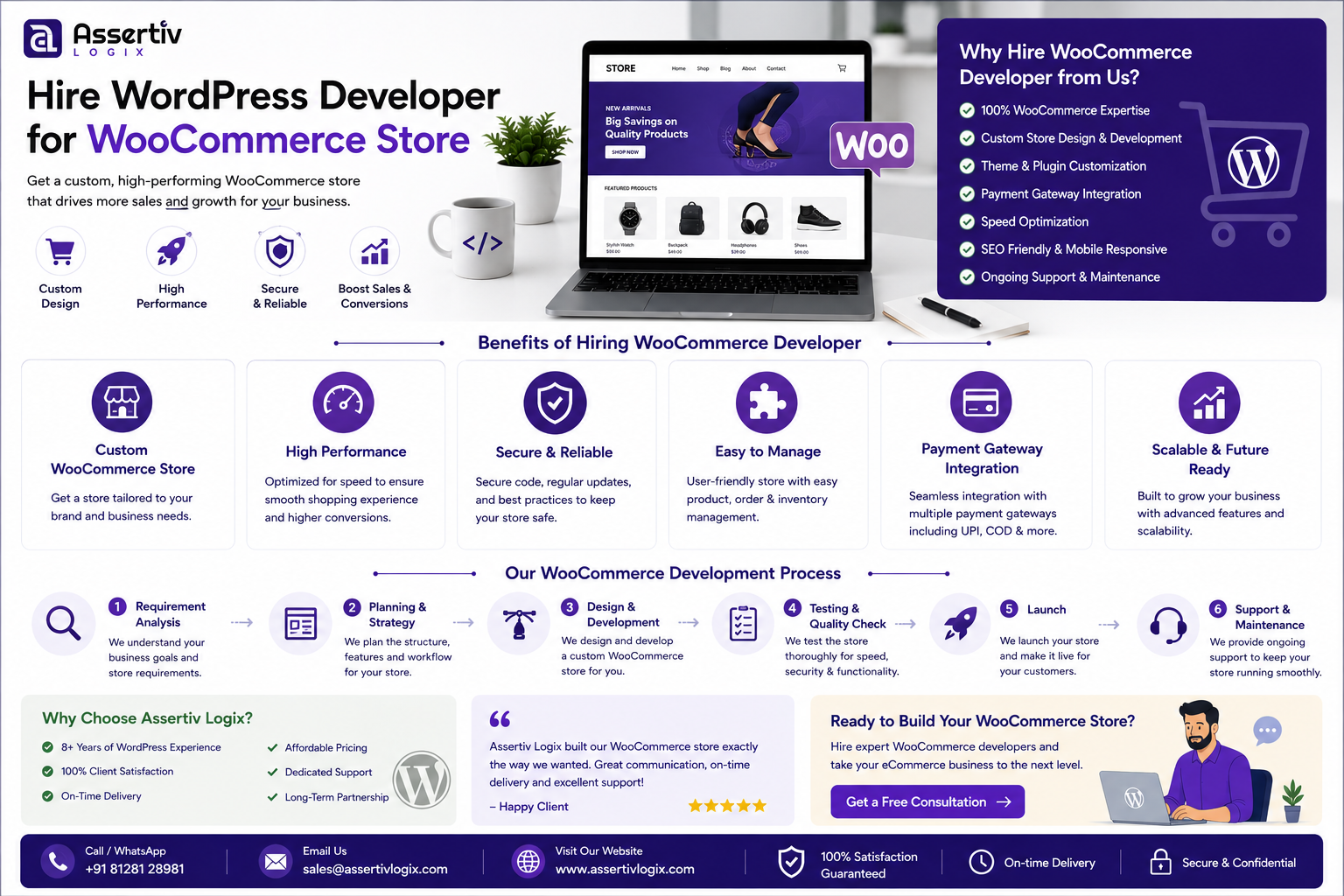
WooCommerce Store Development Process
Professional WooCommerce development should follow a structured process.
Step 1: Understand Your Business
The developer should understand:
- What you sell
- Who your customers are
- Where you sell
- How customers pay
- How products are delivered
- How inventory is managed
- Which systems need integration
Step 2: Define the Store Requirements
Document the required functionality before development begins.
This may include:
- Product catalog
- Categories
- Filters
- Search
- Cart
- Checkout
- Payments
- Shipping
- Taxes
- Customer accounts
- Order management
Step 3: Design the User Experience
The store should be designed around the customer journey.
Important pages can include:
- Homepage
- Shop page
- Category pages
- Product pages
- Cart
- Checkout
- My Account
Step 4: WooCommerce Development
The developer implements the approved design and functionality using WordPress and WooCommerce.
Step 5: Integrations
Required payment, shipping, CRM, ERP, inventory, and other integrations are implemented.
Step 6: Testing
The store should be tested across the entire customer journey.
Testing should cover:
- Product browsing
- Product variations
- Cart
- Coupons
- Checkout
- Payments
- Order creation
- Email notifications
- Refunds
- Shipping
- Mobile experience
Step 7: Performance Optimization
Before launch, the developer should review website speed, database queries, image sizes, scripts, caching, and server configuration.
Step 8: Launch
After final testing, the store can be deployed to production.
Step 9: Ongoing Maintenance
WooCommerce stores require regular updates and monitoring because WordPress, WooCommerce, payment gateways, plugins, and third-party APIs continue to evolve.
Custom WooCommerce Theme Development
A custom theme can help your store stand out from competitors using the same template.
A developer can create custom layouts for:
- Homepage
- Shop page
- Product pages
- Category pages
- Cart
- Checkout
- Customer account
For businesses that need a unique brand experience, custom theme development can provide more control over design and functionality.
You can also read our Hire WordPress Developer for Custom Theme Development guide.
WooCommerce Custom Plugin Development
Sometimes a theme isn’t the right place for ecommerce functionality.
Business logic should often be implemented through custom plugins.
Examples include:
- Custom pricing
- Payment integrations
- ERP synchronization
- CRM integration
- Custom shipping rules
- Order automation
- Product synchronization
- Custom reporting
If your store requires unique functionality, see our Hire WordPress Developer for Custom Plugin Development guide.
How Much Does It Cost to Hire a WooCommerce Developer?
The cost depends on the developer’s experience, project complexity, required hours, integrations, and engagement model.
For businesses hiring developers in India, general planning ranges can look like this:
| Developer Level | Indicative Hourly Rate |
|---|---|
| Junior WooCommerce Developer | ₹500–₹1,200/hour |
| Mid-Level WooCommerce Developer | ₹1,000–₹2,500/hour |
| Senior WooCommerce Developer | ₹2,000–₹4,000+/hour |
| Specialist / Expert | ₹3,000–₹5,000+/hour |
These are indicative planning ranges rather than fixed market prices. A developer specializing in custom WooCommerce architecture, complex APIs, payment gateways, or performance optimization may charge more.
For a more detailed pricing discussion, read our WordPress Developer Hourly Rate in India: 2026 Pricing.
Hourly vs Monthly WooCommerce Developer
Your engagement model should match your workload.
| Model | Best For | Typical Use |
|---|---|---|
| Hourly | Small projects | Bug fixes and occasional development |
| Monthly Part-Time | Growing stores | Regular improvements and maintenance |
| Full-Time Dedicated | Large stores | Continuous development |
| Development Company | Complex projects | Multiple specialists and ongoing support |
If you need regular development, a dedicated developer can be more efficient than repeatedly finding freelancers for individual tasks.
See our guide to Dedicated Developer Cost 2026: Full-Time vs Monthly.
Skills to Look for in a WooCommerce Developer
Before you hire a WooCommerce developer, check their technical skills.
WordPress
- WordPress Core
- Hooks and filters
- Custom post types
- REST API
- Plugin development
WooCommerce
- WooCommerce hooks
- Products
- Orders
- Customers
- Checkout
- Payments
- Shipping
- Subscriptions
PHP
- Object-oriented PHP
- Custom functionality
- Debugging
- Secure coding
- Database interaction
Frontend
- HTML
- CSS
- JavaScript
- AJAX
- Responsive design
Integration Skills
- REST APIs
- Webhooks
- Payment APIs
- CRM APIs
- ERP APIs
- Shipping APIs
WooCommerce Performance: What Your Developer Should Check
A slow ecommerce website can create a poor shopping experience.
Your developer should investigate:
- Hosting performance
- Database queries
- Plugin overhead
- Image optimization
- JavaScript
- CSS
- Caching
- CDN configuration
- Third-party requests
- WooCommerce database tables
Performance optimization should be based on actual testing rather than simply installing more optimization plugins.
WooCommerce Security
Ecommerce websites handle sensitive customer and transaction-related information, so security should be taken seriously.
Your developer should consider:
- Secure authentication
- User permissions
- Input validation
- Output escaping
- Nonce verification
- Secure API communication
- Plugin updates
- Theme updates
- Backups
- Server security
How to Hire the Right WooCommerce Developer
Review Relevant Portfolio Projects
Ask to see ecommerce websites similar to yours.
Look for experience with similar products, customer journeys, payment methods, and integrations.
Ask Technical Questions
Ask how the developer would approach your specific requirements rather than simply asking whether they know WooCommerce.
Check Communication
Good communication is essential for ecommerce projects because requirements often evolve.
Understand Their Development Process
Ask whether they use:
- Git
- Staging
- Testing
- Backups
- Deployment procedures
Discuss Support
Ask what happens after the store launches.
Will the developer provide maintenance, bug fixes, updates, and emergency support?
Questions to Ask Before Hiring a WooCommerce Developer
- How many years of WordPress and WooCommerce experience do you have?
- Can you show me WooCommerce stores you’ve developed?
- Have you built custom WooCommerce plugins?
- Have you customized WooCommerce checkout?
- Have you integrated payment gateways?
- Do you have experience with shipping APIs?
- Have you integrated CRM or ERP systems?
- How do you optimize WooCommerce performance?
- How do you handle security?
- Do you use Git?
- Do you use a staging environment?
- How do you test payment and checkout functionality?
- What happens if a third-party API changes?
- Do you provide ongoing maintenance?
- Who owns the custom code?
For additional questions, read our 15 Questions to Ask Before Hiring a WordPress Developer.
Common Mistakes When Hiring a WooCommerce Developer
Choosing the Cheapest Developer
Price matters, but ecommerce development is not an area where you should make the decision based only on hourly rates.
A poorly developed checkout, payment integration, or order workflow can create expensive problems.
Not Checking WooCommerce Experience
Someone can be a good WordPress developer without being an experienced WooCommerce developer.
Ask specifically about ecommerce projects.
Ignoring Performance
A store can look excellent but still perform poorly.
Discuss performance before development begins.
Using Too Many Plugins
Adding plugins for every small feature can create maintenance and compatibility problems.
Ask your developer whether custom development is a better option for important business functionality.
Skipping Staging and Testing
Never make major ecommerce changes directly on a production website without appropriate testing.
How to Reduce WooCommerce Development Costs
You don’t necessarily need to cut developer rates to reduce your overall project cost.
Instead:
- Define requirements clearly
- Prioritize features
- Start with an MVP
- Prepare designs in advance
- Document business rules
- Use a staging environment
- Maintain a development roadmap
Clear requirements reduce unnecessary revisions and development time.
WooCommerce Conversion Optimization
Technical development should ultimately support the customer experience.
Your developer can help improve:
- Product page layouts
- Search
- Navigation
- Filters
- Checkout
- Mobile usability
- Page speed
- Trust elements
- Product recommendations
- Upsells and cross-sells
For more strategies, read our WooCommerce Conversion Rate Optimization Guide.
Why Hire a WooCommerce Developer From India?
India has a large pool of WordPress and WooCommerce developers with experience across ecommerce, PHP, APIs, payment gateways, integrations, and custom development.
Businesses can choose from:
- Freelance WooCommerce developers
- Dedicated WooCommerce developers
- WordPress development companies
- WooCommerce specialists
- Full-stack WordPress developers
For international businesses, remote collaboration can provide flexible development capacity without requiring an in-house ecommerce team.
However, experience should always be evaluated based on relevant projects rather than location alone.
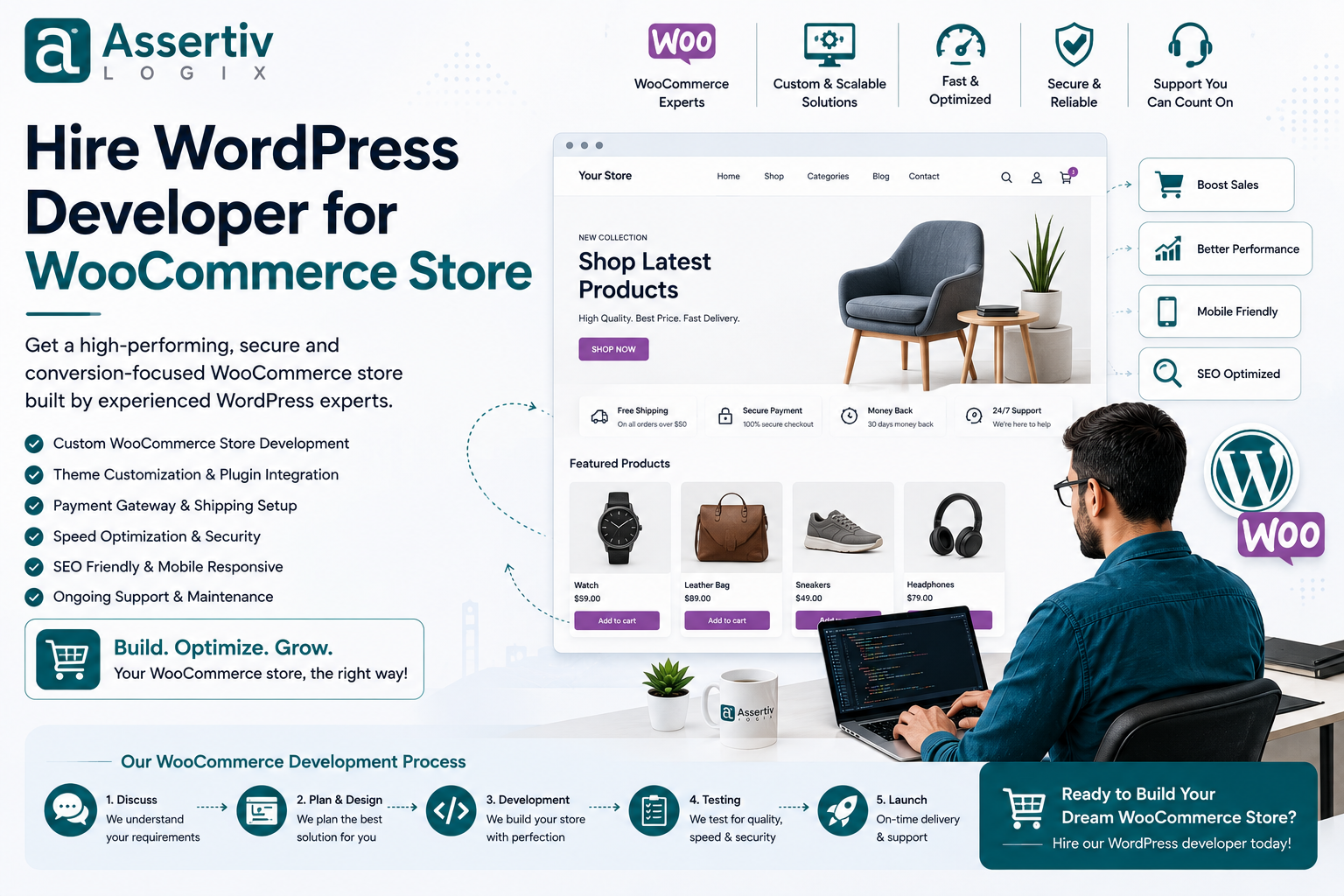
Why Choose Assertivlogix for WooCommerce Development?
Assertivlogix provides WordPress and WooCommerce development services for businesses, startups, ecommerce companies, and digital agencies.
Our capabilities include:
- WooCommerce store development
- Custom WooCommerce development
- Custom WordPress themes
- Custom WordPress plugins
- Payment gateway integration
- WooCommerce checkout customization
- API integrations
- CRM integrations
- ERP integrations
- Shipping integrations
- Performance optimization
- WooCommerce security
- Store migration
- Ongoing maintenance
- Dedicated WooCommerce developers
- White-label WooCommerce development
Whether you are launching a new WooCommerce store or improving an existing ecommerce website, the development approach can be structured around your business requirements, budget, and growth plans.
Tell us about your products, ecommerce requirements, payment gateway, shipping setup, integrations, or custom WooCommerce functionality. Our specialists can help you build, customize, optimize, and maintain a WooCommerce store designed around your business goals.
Frequently Asked Questions
Why should I hire a WordPress developer for my WooCommerce store?
You should consider hiring a WordPress developer when your WooCommerce store requires custom functionality, payment integration, checkout customization, API integrations, performance optimization, security improvements, or ongoing development.
How much does it cost to hire a WooCommerce developer?
The cost depends on experience, project complexity, required skills, integrations, and engagement model. Developers in India may charge different rates based on their experience and specialization.
Can a WordPress developer build a complete WooCommerce store?
Yes. An experienced WordPress and WooCommerce developer can build product catalogs, shop pages, cart, checkout, payment integration, shipping, customer accounts, custom functionality, and third-party integrations.
Can a WooCommerce developer customize the checkout?
Yes. WooCommerce checkout can be customized with additional fields, conditional fields, layout changes, payment methods, shipping options, validation, and custom business logic.
Can a WooCommerce developer integrate my CRM or ERP?
Yes. A developer can integrate WooCommerce with CRM, ERP, inventory, accounting, shipping, and other external systems through APIs and webhooks when the required systems provide suitable integration methods.
Can a WooCommerce developer improve store speed?
Yes. A developer can investigate database queries, plugins, scripts, images, caching, server configuration, third-party requests, and WooCommerce-specific performance issues.
Should I hire a freelancer or WooCommerce development company?
A freelancer can be suitable for small projects or specific tasks. A development company may be a better choice for complex ecommerce projects requiring multiple specialists, ongoing support, custom plugins, integrations, or large-scale development.
Can I hire a dedicated WooCommerce developer?
Yes. Dedicated developers can work part-time or full-time depending on your monthly development workload.
Can I hire a WooCommerce developer from India?
Yes. Businesses can hire WooCommerce developers in India through freelancers, dedicated development providers, and WordPress development companies.
How do I choose the best WooCommerce developer?
Review relevant WooCommerce projects, technical skills, payment and API experience, performance knowledge, security practices, communication, development process, pricing, availability, and post-launch support.
Final Checklist Before Hiring
- Define your ecommerce requirements
- Document product requirements
- Define payment methods
- Define shipping requirements
- Identify required integrations
- Check WooCommerce portfolio
- Verify WordPress and PHP skills
- Check API experience
- Discuss security
- Discuss performance
- Confirm staging and testing
- Discuss maintenance
- Confirm code ownership
- Agree on timeline
- Agree on budget
Final Thoughts
A WooCommerce store is more than a collection of product pages. It is a complete ecommerce system that connects customers, products, payments, shipping, inventory, orders, marketing, and business operations.
When your store requires more than standard WooCommerce functionality, an experienced developer can help you create a solution that fits your business instead of forcing your business to fit a generic ecommerce setup.
Before you hire WordPress developer WooCommerce store services, review relevant ecommerce projects, check technical expertise, discuss your requirements, understand the development process, and clarify ongoing support.
The right WooCommerce developer can help you build a store that is easier to manage, faster for customers, more secure, and better prepared for future growth.
If you’re ready to build or improve your WooCommerce store, contact Assertivlogix to discuss your ecommerce project.