![WordPress Performance Optimization: 25 Proven Techniques [2026 Guide]](https://www.assertivlogix.com/wp-content/uploads/2026/06/Gemini_Generated_Image_xrabyuxrabyuxrab-1-scaled.png)
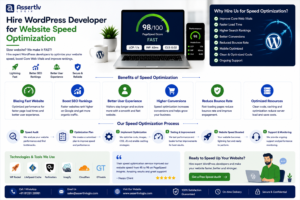
Website speed is no longer just a technical metric—it directly impacts user experience, SEO rankings, conversions, and revenue. In 2026, Google’s Core Web Vitals continue to play a crucial role in search rankings, making WordPress performance optimization essential for every website owner.
A slow-loading website can drive visitors away before they even see your content. Research consistently shows that even a one-second delay in page load time can significantly reduce conversions and increase bounce rates.
The good news is that WordPress can be incredibly fast when optimized correctly. By implementing the strategies outlined in this guide, you can dramatically improve your website’s performance and user experience.
In this comprehensive guide, we’ll explore 25 proven techniques that can help you speed up WordPress, improve page speed scores, and create a faster website that users and search engines love.
Why WordPress Speed Matters
Website speed affects every aspect of your online business. Faster websites provide better user experiences, achieve higher search engine rankings, and generate more conversions.
SEO Benefits
Google uses page experience signals and Core Web Vitals as ranking factors. Websites that load quickly often enjoy better visibility in search results.
User Experience Impact
Modern users expect websites to load in under three seconds. Slow websites frustrate visitors and increase bounce rates.
Conversion Rate Improvements
Every second of delay can negatively impact sales, lead generation, and customer engagement.
Core Web Vitals Explained
- Largest Contentful Paint (LCP)
- Interaction to Next Paint (INP)
- Cumulative Layout Shift (CLS)
Optimizing these metrics should be a primary goal of every WordPress website.
Measuring WordPress Performance
Before making optimizations, you need accurate performance data.
Google PageSpeed Insights
Google PageSpeed Insights provides detailed recommendations and Core Web Vitals analysis.
GTmetrix
GTmetrix combines Lighthouse and performance metrics to identify bottlenecks.
WebPageTest
WebPageTest offers advanced testing scenarios and waterfall analysis.
Chrome Lighthouse
Lighthouse provides a comprehensive audit directly inside Chrome DevTools.
Key Metrics to Monitor
- Page Load Time
- Time To First Byte (TTFB)
- Largest Contentful Paint
- Interaction to Next Paint
- Cumulative Layout Shift
- Total Blocking Time
- Server Response Time
Creating a Benchmark
Record your current performance metrics before implementing changes. This helps measure the effectiveness of optimization efforts.
Hosting Optimization
Your hosting environment is the foundation of website performance.
1. Choose High-Performance Hosting
Avoid low-cost shared hosting when possible. Managed WordPress hosting typically delivers better performance.
2. Use Latest PHP Version
PHP 8.3 and newer versions provide significant performance improvements over older releases.
3. Enable OPcache
OPcache stores compiled PHP scripts in memory, reducing processing overhead.
4. Use NVMe SSD Storage
NVMe drives deliver faster data access than traditional SSDs.
5. Optimize Web Server Configuration
- Nginx
- LiteSpeed
- Apache Optimization
6. Configure HTTP/3
HTTP/3 offers lower latency and improved performance for modern websites.
7. Enable Brotli Compression
Brotli often achieves better compression rates than GZIP.
Caching Strategies
Caching is one of the most effective ways to speed up WordPress.
8. Page Caching
Store generated HTML pages to reduce server processing.
Popular Plugins
- WP Rocket
- LiteSpeed Cache
- W3 Total Cache
- FlyingPress
9. Browser Caching
Leverage browser caching for static resources.
10. Object Caching
Store database query results in memory.
Redis vs Memcached
Redis is generally preferred for WordPress performance optimization.
11. Opcode Caching
Enable OPcache to reduce PHP execution time.
12. Edge Caching
Serve cached content closer to users using CDN edge locations.
13. Full Page Caching
Generate static versions of pages whenever possible.
14. Fragment Caching
Cache dynamic sections individually.
Image Optimization
Images often account for most page weight.
15. Convert Images to WebP
WebP delivers excellent compression without noticeable quality loss.
16. Adopt AVIF Format
AVIF offers even smaller file sizes than WebP.
17. Resize Images Properly
Never upload oversized images.
18. Implement Lazy Loading
Load images only when needed.
19. Use Responsive Images
Serve appropriate image sizes for different devices.
Recommended Plugins
- ShortPixel
- Imagify
- EWWW Image Optimizer
Database Optimization
WordPress databases accumulate unnecessary data over time.
20. Remove Post Revisions
Large revision histories can bloat databases.
21. Clean Transients
Expired transients should be removed regularly.
22. Optimize Database Tables
Periodic optimization improves efficiency.
23. Remove Spam Comments
Unnecessary comments consume resources.
24. Reduce Autoloaded Options
Large autoload values can slow every page request.
Useful Tools
- WP-Optimize
- Advanced Database Cleaner
Code Optimization
Efficient code significantly improves WordPress page speed.
25. Minify CSS, JavaScript, and HTML
Reduce file sizes by removing unnecessary characters.
Defer Non-Critical JavaScript
Prevent render-blocking resources.
Delay Third-Party Scripts
Analytics and chat widgets often impact performance.
Remove Unused CSS
Generate critical CSS and eliminate unused styles.
Reduce Plugin Bloat
Audit plugins regularly and remove unnecessary ones.
Optimize Theme Performance
Choose lightweight, well-coded themes.
Reduce DOM Size
Large page structures increase rendering time.
CDN Implementation
Content Delivery Networks reduce latency by serving files from locations closer to visitors.
Benefits of CDN Usage
- Faster Global Delivery
- Reduced Server Load
- Improved Reliability
- Enhanced Security
Top CDN Providers
- Cloudflare
- Bunny CDN
- KeyCDN
- Amazon CloudFront
Advanced WordPress Performance Optimization Techniques
Once foundational optimizations are complete, advanced techniques can deliver additional improvements.
Implement Critical CSS
Render above-the-fold content faster.
Use Resource Hints
- Preload
- Prefetch
- Preconnect
- DNS-Prefetch
Optimize Fonts
Host fonts locally and preload critical font files.
Reduce External Requests
Minimize third-party integrations whenever possible.
Enable Early Hints (103)
Improve resource loading performance.
Use Server-Side Rendering Where Appropriate
Reduce JavaScript dependency.
Monitor Core Web Vitals Continuously
Performance optimization is an ongoing process.
Case Study: From 45 to 98 Google PageSpeed Score
A WooCommerce store approached our team with significant performance issues.
Initial Metrics
- Mobile Score: 45
- LCP: 5.8s
- INP: 380ms
- CLS: 0.29
Optimization Process
- Hosting Upgrade
- LiteSpeed Cache Configuration
- Image Conversion to WebP
- Database Cleanup
- Unused Plugin Removal
- Cloudflare CDN Setup
- Critical CSS Generation
Final Results
- Mobile Score: 98
- LCP: 1.3s
- INP: 110ms
- CLS: 0.02
Business Impact
- 38% Lower Bounce Rate
- 27% Higher Conversion Rate
- Improved Organic Rankings
- Better User Experience
Conclusion
WordPress performance optimization is no longer optional in 2026. Fast websites rank higher, convert better, and provide superior user experiences.
By implementing these 25 proven techniques—from hosting improvements and caching strategies to advanced Core Web Vitals optimization—you can dramatically improve your WordPress page speed.
Start with the fundamentals, measure your results, and continuously monitor performance. Even small improvements can produce significant business benefits over time.
If you’re serious about growing your website, speed optimization should be one of your highest priorities.