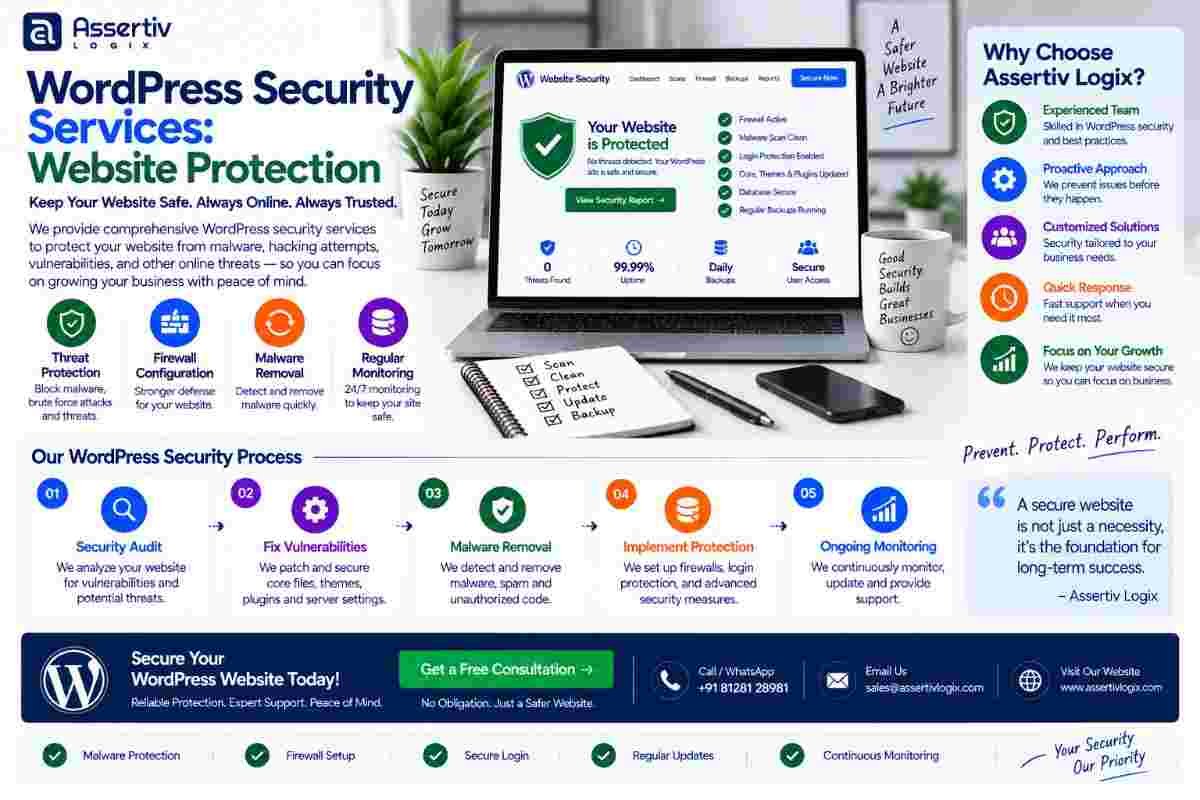
wordpress security services help protect WordPress websites against malware, unauthorized access, brute-force attacks, vulnerable plugins, compromised accounts, malicious code, spam, and other common website security threats. For businesses that depend on their website for leads, sales, content, or customer interactions, website security should be treated as an ongoing priority rather than a one-time task.
WordPress powers millions of websites, which makes it an attractive platform for businesses and developers but also a frequent target for automated attacks. Security problems can occur because of outdated plugins, weak passwords, vulnerable themes, poor hosting configuration, exposed administrator accounts, outdated WordPress versions, or compromised third-party integrations.
Professional wordpress security services take a layered approach to website protection. Instead of relying on a single security plugin, developers can review the WordPress installation, hosting environment, user permissions, plugins, themes, database, files, login system, SSL configuration, backups, and monitoring processes.
In this guide, we explain WordPress security, common threats, security hardening, malware protection, vulnerability management, backups, monitoring, WooCommerce security, and how professional WordPress security services can help protect your website.
WordPress Security Services: Website Protection in 2026
wordpress security services are professional solutions designed to protect WordPress websites from common security vulnerabilities, unauthorized access, malware, malicious code, spam, brute-force attacks, and data loss.
Effective wordpress website security involves multiple layers. WordPress core, plugins, themes, user accounts, hosting, database configuration, authentication, backups, and website code all need appropriate protection.
A secure website is not simply a website with a security plugin installed. It is a website with a security process that identifies risks, reduces attack surfaces, detects suspicious activity, maintains reliable backups, and provides a recovery plan when something goes wrong.
What Are WordPress Security Services?
WordPress security services involve assessing, protecting, monitoring, and maintaining a WordPress website against security risks.
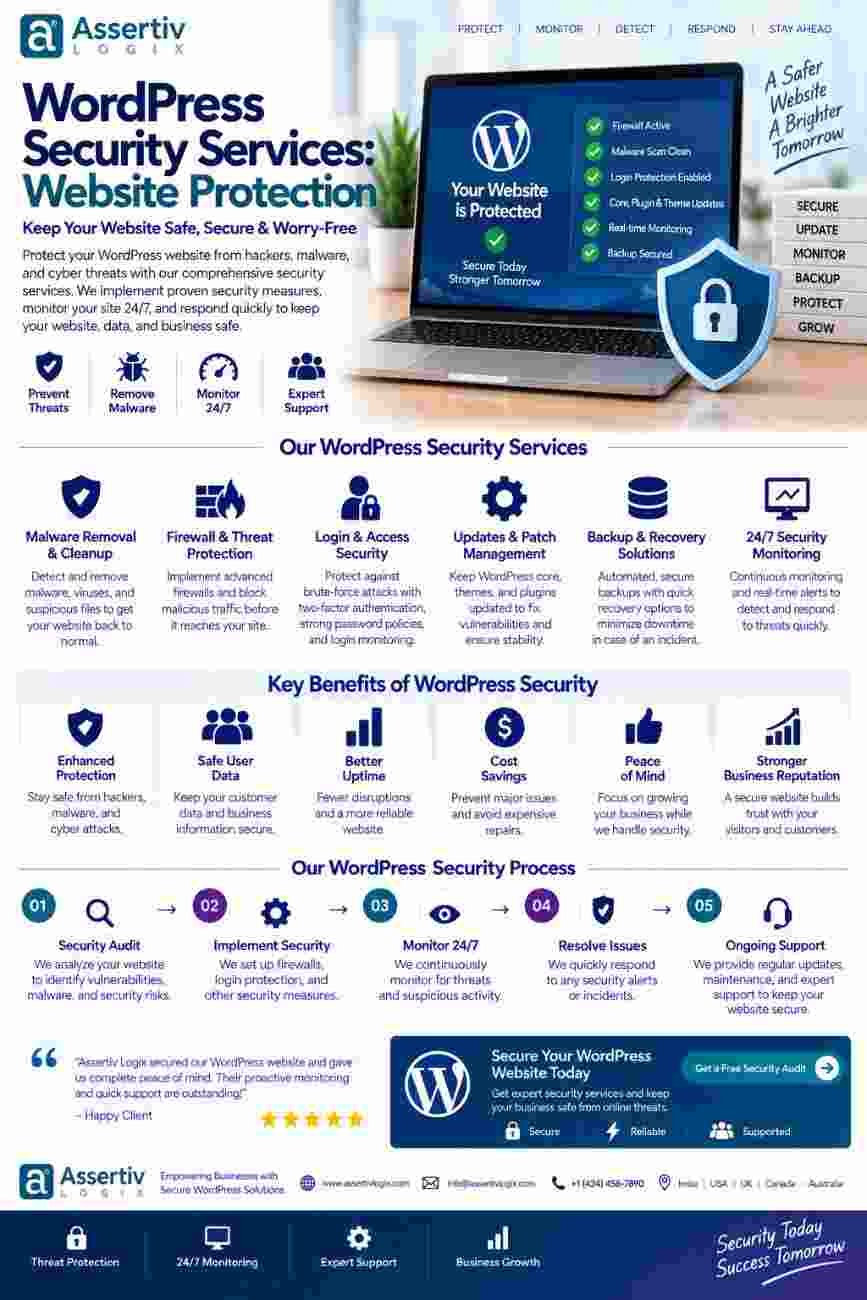
Depending on the website, security services can include:
- WordPress security audits
- Security hardening
- Malware scanning
- Malware removal
- Firewall configuration
- Login protection
- Brute-force protection
- Plugin and theme vulnerability checks
- WordPress core updates
- Security patch management
- File integrity monitoring
- User permission reviews
- Database security
- SSL and HTTPS configuration
- Backup configuration
- Security monitoring
- Hack recovery
The appropriate security strategy depends on the website’s size, functionality, traffic, user accounts, hosting environment, integrations, and business requirements.
Why Is WordPress Website Security Important?
A compromised WordPress website can affect more than its homepage.
A security breach may result in:
- Website defacement
- Malware infections
- Unauthorized administrator accounts
- Spam pages
- Phishing content
- SEO spam
- Data loss
- Customer trust issues
- Website downtime
- Business disruption
For eCommerce websites, security becomes even more important because the website may handle customer accounts, orders, payment integrations, addresses, and other business-critical information.
WordPress provides official guidance through its WordPress security documentation, which covers important areas of WordPress website protection.
Common WordPress Security Threats
1. Vulnerable Plugins
Plugins add functionality to WordPress, but outdated or vulnerable plugins can introduce security risks.
Unused plugins should also be removed instead of simply being left inactive.
2. Vulnerable Themes
Themes can contain vulnerabilities, outdated libraries, insecure code, or unnecessary functionality.
Custom themes should be reviewed and maintained as part of an ongoing security strategy.
3. Weak Passwords
Weak or reused passwords can make administrator accounts easier to compromise.
Strong passwords and appropriate authentication controls should be used for privileged accounts.
4. Brute-Force Attacks
Automated systems can repeatedly attempt to access WordPress login pages using large numbers of username and password combinations.
Rate limiting, strong authentication, and appropriate login protection can reduce this type of risk.
5. Malware
Malicious code can be injected into website files or databases after a successful compromise.
Malware may redirect visitors, create spam pages, inject unwanted scripts, or compromise other website functionality.
6. Outdated WordPress Core
Running outdated software can expose a website to vulnerabilities that may have already been addressed in newer releases.
WordPress core, themes, and plugins should be maintained according to a controlled update process.
7. Stolen Administrator Credentials
Compromised administrator credentials can give attackers significant control over a website.
Administrator accounts should be reviewed regularly, and unnecessary accounts should be removed or appropriately restricted.
8. Poor Hosting Security
Website security is also influenced by the hosting environment.
Server configuration, PHP versions, file permissions, backups, isolation, SSL, and access controls can all affect the overall security posture.
WordPress Security Audit
A wordpress security audit evaluates the website to identify weaknesses and potential security risks.
A professional audit may review:
- WordPress core version
- Plugin versions
- Theme versions
- Inactive plugins
- Inactive themes
- Administrator accounts
- User permissions
- Login configuration
- File permissions
- Database configuration
- SSL configuration
- Security headers
- Malicious files
- Unexpected code
- Backup strategy
- Hosting configuration
The goal is to identify vulnerabilities before they become larger problems.
WordPress Security Hardening
WordPress security hardening means reducing unnecessary attack surfaces and improving the website’s overall security configuration.
Security hardening may include:
- Removing unused plugins and themes
- Restricting administrator access
- Using strong authentication
- Limiting unnecessary user permissions
- Keeping software updated
- Protecting sensitive configuration files
- Improving file permissions
- Configuring HTTPS
- Implementing appropriate security headers
- Restricting unnecessary access points
- Monitoring suspicious activity
Hardening should be implemented carefully because aggressive security changes can sometimes interfere with legitimate website functionality.
WordPress Malware Removal Services
If a website has already been compromised, installing another security plugin may not be enough.
WordPress malware removal services can involve identifying malicious code, determining how the compromise occurred, cleaning infected files, reviewing the database, removing unauthorized accounts, updating vulnerable software, and strengthening the website after recovery.
Typical Malware Cleanup Process
- Identify the symptoms of the compromise.
- Create a safe backup or forensic copy where appropriate.
- Scan website files and database content.
- Identify malicious or unexpected code.
- Review administrator accounts and permissions.
- Remove malicious content.
- Update vulnerable WordPress components.
- Change compromised credentials.
- Harden the website.
- Monitor the website after cleanup.
When dealing with a compromised website, it is important to understand the original entry point. Cleaning the visible malware without fixing the underlying vulnerability can result in reinfection.
WordPress Firewall Protection
A firewall can help identify and block certain suspicious requests before they reach sensitive parts of the website.
Depending on the website architecture, security protection may involve:
- Web application firewall protection
- Login attempt controls
- IP-based restrictions
- Rate limiting
- Bot management
- Malicious request detection
Firewall configuration should be customized carefully to avoid blocking legitimate customers, search engines, APIs, or business integrations.
WordPress Login Security
Administrator accounts are an important part of wordpress website security.
Recommended security practices include:
- Use strong unique passwords.
- Enable multi-factor authentication where appropriate.
- Limit administrator accounts.
- Remove inactive users.
- Review user roles regularly.
- Protect login endpoints against automated attacks.
- Monitor suspicious login activity.
WordPress provides developer resources covering security and administration practices.
WordPress Updates and Vulnerability Management
Keeping WordPress components updated is one of the most important elements of ongoing security maintenance.
Updates may include:
- WordPress core updates
- Plugin updates
- Theme updates
- PHP updates
- Security patches
- Third-party library updates
However, updates should not be performed blindly on critical websites. A controlled maintenance process can include backups, staging tests, compatibility checks, updates, and post-update verification.
WordPress Security Monitoring
Security is an ongoing process. A website that is secure today can become vulnerable later if new vulnerabilities are discovered or software becomes outdated.
Professional wordpress security services may include ongoing monitoring for:
- File changes
- Malware indicators
- Suspicious login attempts
- Plugin vulnerabilities
- Theme vulnerabilities
- Unexpected administrator accounts
- Website availability
- Security events
WordPress Backup and Recovery
Security protection should always be combined with a reliable recovery strategy.
Backups can help businesses recover from:
- Malware infections
- Hacking incidents
- Accidental deletion
- Plugin conflicts
- Failed updates
- Database problems
- Server failures
A useful backup strategy should consider backup frequency, storage location, retention, restoration testing, and the specific recovery requirements of the website.
Simply having a backup does not guarantee recoverability. Restoration procedures should be tested periodically.
WooCommerce Security Services
WooCommerce stores require additional security considerations because they may contain customer accounts, order information, payment integrations, inventory, shipping configuration, and other business-critical data.
WooCommerce security services may include:
- Plugin and extension security reviews
- Payment integration checks
- Administrator access reviews
- Customer account protection
- SSL verification
- Security monitoring
- Backup and recovery planning
- Malware detection
- Server security review
Businesses operating online stores can also reference the official WooCommerce documentation for product and technical guidance.
WordPress Security for Business Websites
Business websites often contain lead forms, marketing integrations, CRM connections, analytics systems, email services, and custom functionality.
A security incident can therefore affect more than the website itself.
Professional wordpress security services can help businesses establish a security process that covers the WordPress installation, users, plugins, themes, hosting, integrations, backups, and ongoing monitoring.
WordPress Security for Agencies
Digital agencies managing multiple WordPress websites need repeatable security processes.
Agency-focused wordpress security services can include:
- Security audits
- WordPress hardening
- Malware cleanup
- Plugin vulnerability checks
- Updates
- Backup management
- Security monitoring
- Emergency troubleshooting
Outsourcing security-related WordPress tasks can allow agencies to focus on design, marketing, strategy, and client relationships while experienced developers handle technical security work.
WordPress Security Checklist
| Security Area | Recommended Action |
|---|---|
| WordPress Core | Keep WordPress updated and apply relevant security releases |
| Plugins | Update trusted plugins and remove unnecessary components |
| Themes | Keep themes updated and remove unused themes |
| Passwords | Use strong and unique credentials |
| Authentication | Use additional authentication protection where appropriate |
| User Accounts | Review administrator accounts and permissions regularly |
| SSL | Use HTTPS and maintain a valid SSL certificate |
| Firewall | Use appropriate firewall and rate-limiting controls |
| Malware | Scan for suspicious files and malicious code |
| Backups | Maintain reliable backups and test restoration procedures |
| Monitoring | Monitor security events, file changes, and suspicious activity |
Common WordPress Security Mistakes
Using Outdated Plugins
Outdated plugins can expose websites to known vulnerabilities. Plugin maintenance should be part of an ongoing security process.
Keeping Unused Plugins Installed
Inactive plugins are still website components and can create unnecessary maintenance and security exposure.
Using Shared Administrator Accounts
Each person who requires administrative access should have an appropriate individual account rather than sharing credentials.
Ignoring Backups
Security protection without a reliable recovery strategy can leave a business vulnerable when a serious incident occurs.
Relying on Only One Security Plugin
A security plugin can be useful, but it should be part of a broader security strategy rather than the entire strategy.
Ignoring Hosting Security
Website security includes both WordPress and the server environment that hosts it.
Never Testing Recovery
A backup that has never been restored may not provide the confidence a business expects during an emergency.
Benefits of Professional WordPress Security Services
Proactive Protection
Regular security checks can help identify vulnerabilities before they become larger problems.
Reduced Attack Surface
Removing unnecessary software, restricting access, and hardening configuration can reduce avoidable security exposure.
Faster Malware Recovery
When a website is compromised, experienced developers can investigate, clean, harden, and restore affected functionality more efficiently.
Better Website Reliability
Security maintenance can also reduce disruptions caused by compromised files, malicious redirects, and failed updates.
Peace of Mind
Businesses can focus on their core operations while experienced professionals handle important WordPress security tasks.
How Much Do WordPress Security Services Cost?
The cost of wordpress security services depends on the website’s complexity, existing security condition, number of websites, required monitoring, and level of support.
Pricing may be influenced by:
- Website size
- Number of WordPress installations
- Number of plugins
- Custom code
- WooCommerce functionality
- Security audit requirements
- Malware cleanup requirements
- Hosting environment
- Monitoring frequency
- Backup requirements
- Emergency support requirements
A simple business website may require periodic security maintenance, while a large WooCommerce or enterprise website may benefit from continuous monitoring and a more comprehensive security program.
Why Choose Assertivlogix for WordPress Security Services?
At Assertivlogix, we provide wordpress security services focused on protecting WordPress websites through security audits, hardening, maintenance, malware cleanup, vulnerability management, and ongoing technical support.
Our WordPress security capabilities can include:
- WordPress security audits
- Security hardening
- Malware scanning and cleanup
- Plugin and theme vulnerability reviews
- WordPress updates
- Login security
- Firewall configuration
- Backup planning
- Security monitoring
- Hack recovery support
- WooCommerce security
- Post-incident troubleshooting
Our approach is based on understanding the website first, identifying the highest-risk areas, applying appropriate security controls, and maintaining the website after the initial security work is completed.
If your WordPress website has experienced a security incident, contains outdated components, shows suspicious redirects, has malware warnings, or simply needs a professional security review, a structured security audit can help identify the next steps.
Explore our WordPress development services or contact Assertivlogix to discuss your website security requirements.
Protect your WordPress website with professional security audits, hardening, malware protection, vulnerability management, backups, and ongoing support.
Frequently Asked Questions
What are WordPress security services?
WordPress security services help protect websites against common threats such as malware, vulnerable plugins, brute-force attacks, unauthorized access, malicious code, spam, and data loss. Services can include security audits, hardening, monitoring, malware cleanup, backups, and vulnerability management.
How can I secure my WordPress website?
Start by keeping WordPress, plugins, and themes updated, using strong authentication, removing unused components, limiting administrator access, using HTTPS, maintaining reliable backups, and monitoring suspicious activity.
What is WordPress security hardening?
WordPress security hardening involves reducing unnecessary attack surfaces and improving website configuration, authentication, permissions, software maintenance, and other security controls.
Can WordPress security services remove malware?
Yes. Professional WordPress malware removal can involve identifying malicious code, cleaning infected files and databases, removing unauthorized access, updating vulnerable components, hardening the website, and monitoring it after recovery.
How often should WordPress security be checked?
Security should be treated as an ongoing process. The appropriate frequency depends on the website, but software updates, vulnerability checks, backups, access reviews, and monitoring should be maintained regularly.
Are security plugins enough to protect WordPress?
A security plugin can provide useful protection, but it should not be considered the complete security strategy. Secure hosting, updates, strong authentication, backups, appropriate permissions, hardening, and monitoring are also important.
Is WooCommerce security different from regular WordPress security?
WooCommerce requires additional attention because stores may contain customer accounts, orders, payment integrations, inventory, shipping settings, and other business-critical functionality.
Can you secure an already hacked WordPress website?
Yes. A hacked website can be investigated and cleaned, but the recovery process should also identify and address the vulnerability or compromised credentials that allowed the incident to occur.
How much do WordPress security services cost?
Pricing depends on website size, complexity, existing vulnerabilities, number of websites, monitoring requirements, malware cleanup needs, hosting environment, and required support.
Do WordPress security services include backups?
Security packages can include backup planning and management. Reliable backups should be stored appropriately and restoration procedures should be tested periodically.
Final Thoughts
wordpress security services provide a structured approach to protecting WordPress websites against vulnerabilities, malware, unauthorized access, brute-force attacks, malicious code, and other security risks.
Effective wordpress website security is not a single plugin or one-time configuration. It involves secure development practices, software updates, strong authentication, appropriate permissions, backups, monitoring, server security, malware detection, and a reliable recovery strategy.
Whether you manage a small business website, WooCommerce store, SaaS platform, publishing website, or enterprise WordPress installation, security should evolve as the website and threat landscape change.
Professional wordpress security services can help identify vulnerabilities, strengthen your website, recover compromised installations, and establish ongoing security practices.
If you are concerned about a vulnerable WordPress website, malware, suspicious activity, outdated plugins, or website protection, a professional security audit is a practical place to start.