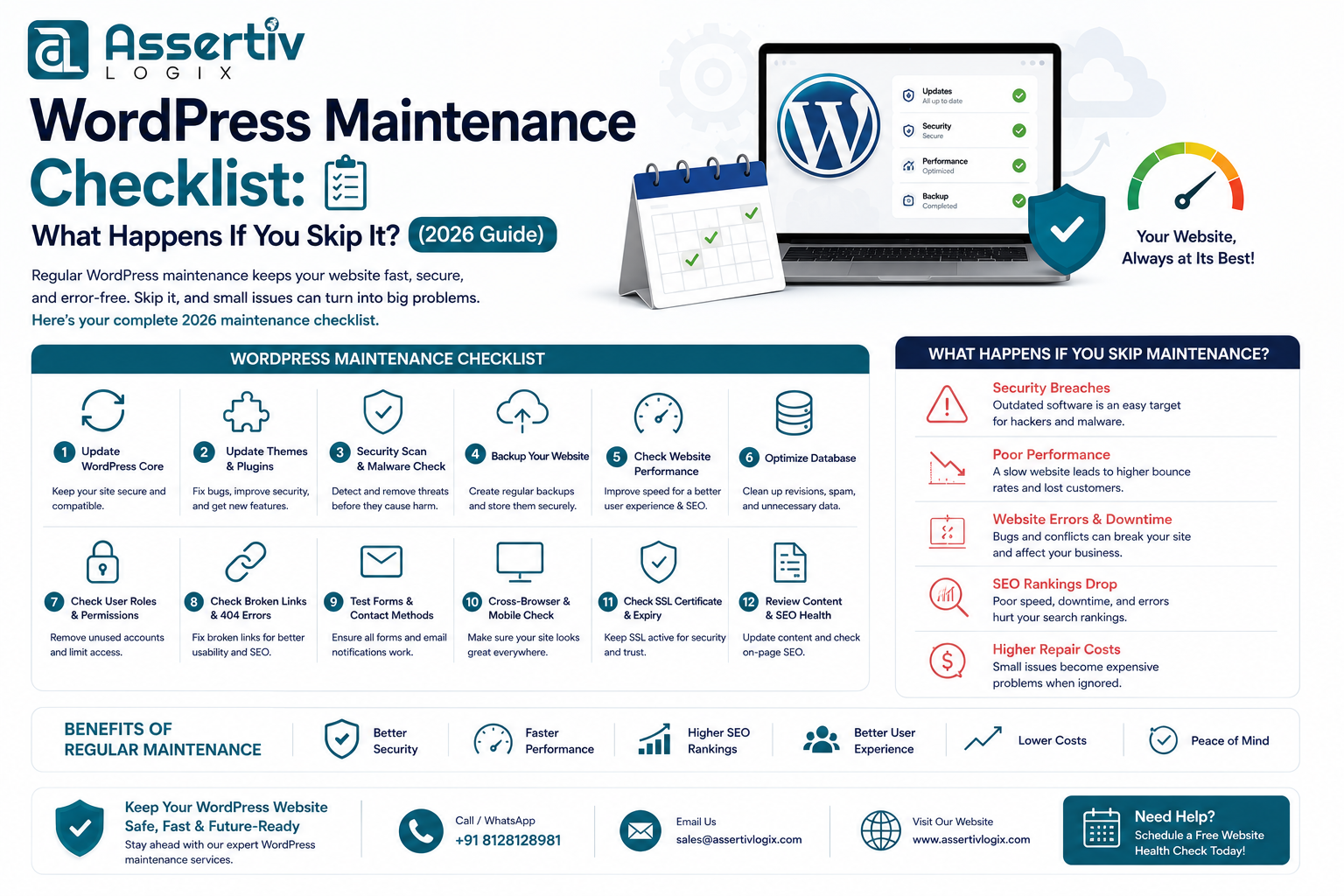
Your website is one of your most valuable business assets, but simply launching it isn’t enough. Like any software, WordPress requires regular updates, monitoring, and optimization to remain secure, fast, and reliable. Following a WordPress maintenance checklist helps prevent security breaches, downtime, poor performance, and unexpected repair costs.
Unfortunately, many website owners only think about maintenance after something goes wrong. A hacked website, broken checkout page, or expired SSL certificate can lead to lost sales, damaged reputation, and lower search engine rankings.
In this guide, we’ll explain why WordPress maintenance matters, what tasks should be performed regularly, and what risks you face when maintenance is neglected.
Why WordPress Maintenance Is Important
WordPress powers over 40% of websites worldwide, making it a popular target for hackers and automated attacks. Regular maintenance ensures your website stays secure, performs efficiently, and continues to provide a positive user experience.
Benefits of consistent maintenance include:
- Improved website security
- Faster loading speeds
- Better SEO performance
- Reduced downtime
- Reliable backups
- Improved user experience
- Longer website lifespan
What Happens If You Skip WordPress Maintenance?
1. Increased Security Risks
Outdated WordPress core files, themes, and plugins are one of the most common causes of website hacks. Attackers actively scan for known vulnerabilities, making unmaintained websites easy targets.
Potential consequences include:
- Malware infections
- Data theft
- Website defacement
- Blacklisting by search engines
- Loss of customer trust
Learn more in our WordPress Security Checklist.
2. Slower Website Performance
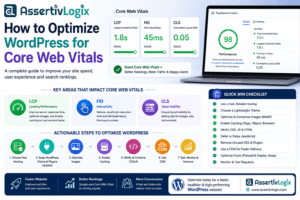
Over time, databases become bloated, unused plugins accumulate, and media libraries grow. Without optimization, these issues can slow down your website and negatively impact Core Web Vitals.
Improve performance by following our Core Web Vitals WordPress Guide.
3. Plugin and Theme Conflicts
Ignoring updates can lead to compatibility issues between WordPress core, plugins, and themes. These conflicts often result in broken layouts, malfunctioning features, or even complete website outages.
4. Poor SEO Performance
Search engines prioritize websites that load quickly, remain secure, and provide a positive user experience. Neglecting maintenance can lead to slower page speeds, downtime, and indexing issues that impact your rankings.
5. Lost Sales and Leads
If your contact forms stop working or your WooCommerce checkout breaks due to outdated plugins, you could lose valuable leads and revenue without realizing it.
The Ultimate WordPress Maintenance Checklist
Daily Tasks
- Monitor website uptime
- Check for security alerts
- Review backup status
- Verify contact forms and checkout functionality
- Monitor server performance
Weekly Tasks
- Update WordPress core (if stable)
- Update plugins
- Update themes
- Review security logs
- Scan for malware
- Optimize database
- Check broken links
Monthly Tasks
- Review Google Analytics and Search Console
- Test website speed
- Audit user accounts and permissions
- Remove unused plugins and themes
- Optimize images
- Review SEO performance
Quarterly Tasks
- Full website audit
- Review hosting performance
- Test disaster recovery process
- Update PHP version if applicable
- Review website content for outdated information
Essential Maintenance Tools
| Task | Recommended Tool |
|---|---|
| Backups | UpdraftPlus / JetBackup |
| Security | Wordfence / Solid Security |
| Performance | LiteSpeed Cache / WP Rocket |
| Image Optimization | ShortPixel / Imagify |
| SEO Monitoring | Rank Math SEO |
| Uptime Monitoring | UptimeRobot |
Maintenance Best Practices
- Create a full backup before updates.
- Test updates on a staging environment.
- Use strong passwords and two-factor authentication.
- Remove inactive plugins and themes.
- Keep PHP and MySQL versions up to date.
- Monitor website performance regularly.
- Review error logs for hidden issues.
DIY vs Professional WordPress Maintenance
| DIY Maintenance | Professional Maintenance |
|---|---|
| Lower upfront cost | Expert monitoring |
| Time-consuming | Proactive issue prevention |
| Requires technical knowledge | Faster problem resolution |
| Risk of missed updates | Comprehensive reporting |
| Limited support | Ongoing optimization |
Signs Your Website Needs Maintenance
- Slow loading pages
- Broken forms or checkout
- Frequent plugin update notifications
- Security warnings
- Database errors
- Declining search rankings
- Unexpected downtime
Frequently Asked Questions
How often should I maintain my WordPress website?
Basic maintenance should be performed weekly, while performance reviews, SEO audits, and hosting evaluations should be completed monthly or quarterly depending on your website’s complexity.
Can I automate WordPress maintenance?
Many tasks such as backups, uptime monitoring, and security scans can be automated. However, updates and testing should still be reviewed carefully to avoid compatibility issues.
Why are backups important?
Reliable backups allow you to restore your website quickly in the event of hacking, accidental changes, or server failures, minimizing downtime and data loss.
Download our free WordPress Maintenance Checklist to stay on top of essential maintenance tasks. If you’d rather leave it to the experts, our maintenance plans include regular updates, backups, security monitoring, performance optimization, and proactive support.
Conclusion
Following a consistent WordPress maintenance checklist is one of the simplest ways to protect your website, improve performance, and avoid costly issues. Regular updates, backups, security monitoring, and performance optimization ensure your website continues to deliver a great experience for visitors while supporting your business goals.
At Assertivlogix, we provide comprehensive WordPress development, maintenance, performance optimization, security hardening, WooCommerce support, and website migration services. Whether you need ongoing maintenance or a one-time website audit, our team is here to help keep your WordPress site performing at its best.