WordPress website maintenance services help businesses keep their websites secure, updated, fast, reliable, and functional after launch. Building a WordPress website is only the beginning. WordPress core, plugins, themes, hosting environments, browsers, security requirements, and business needs continue to change, making regular maintenance essential.
A website that is not properly maintained can gradually develop outdated software, broken functionality, security vulnerabilities, slow performance, compatibility issues, and technical problems. With professional WordPress website maintenance services, businesses can reduce these risks while keeping their website ready for customers and search engines.
In this guide, we explain what WordPress maintenance includes, why ongoing support matters, what should be checked regularly, how maintenance plans work, and why businesses may benefit from working with a professional WordPress development team.
WordPress Website Maintenance Services: Support & Updates in 2026
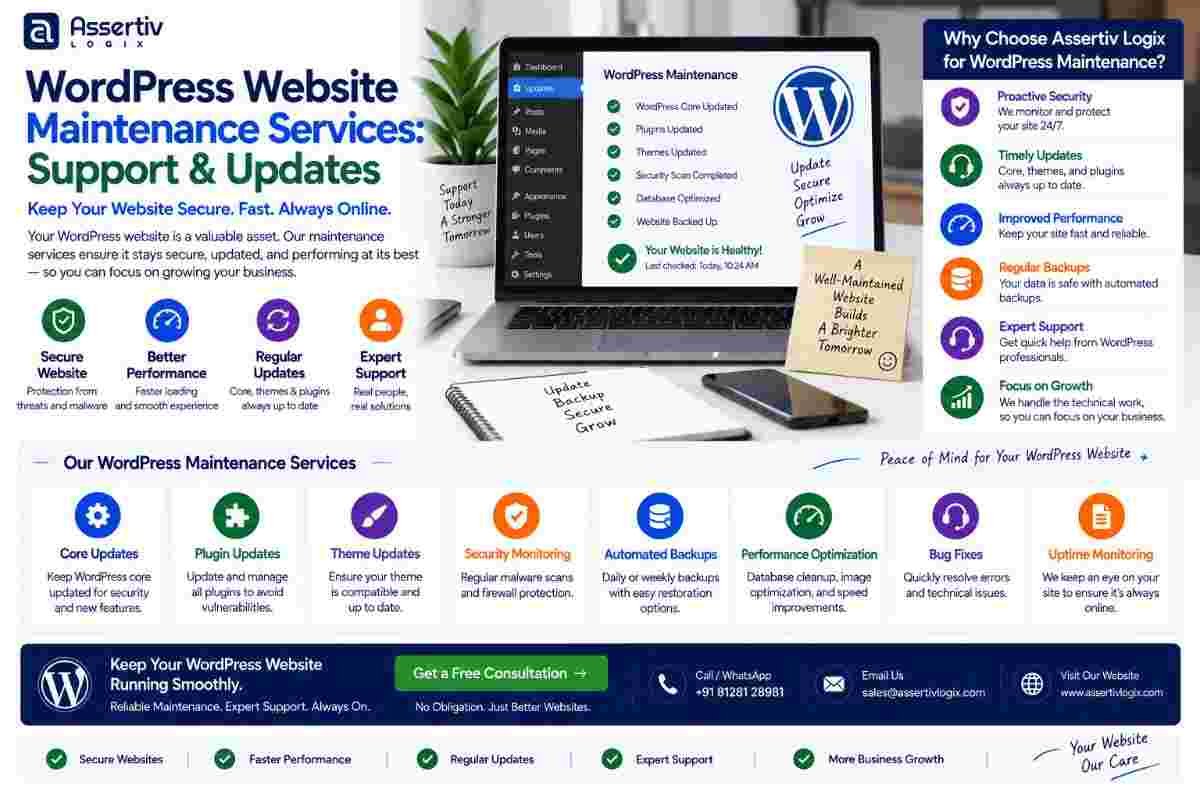
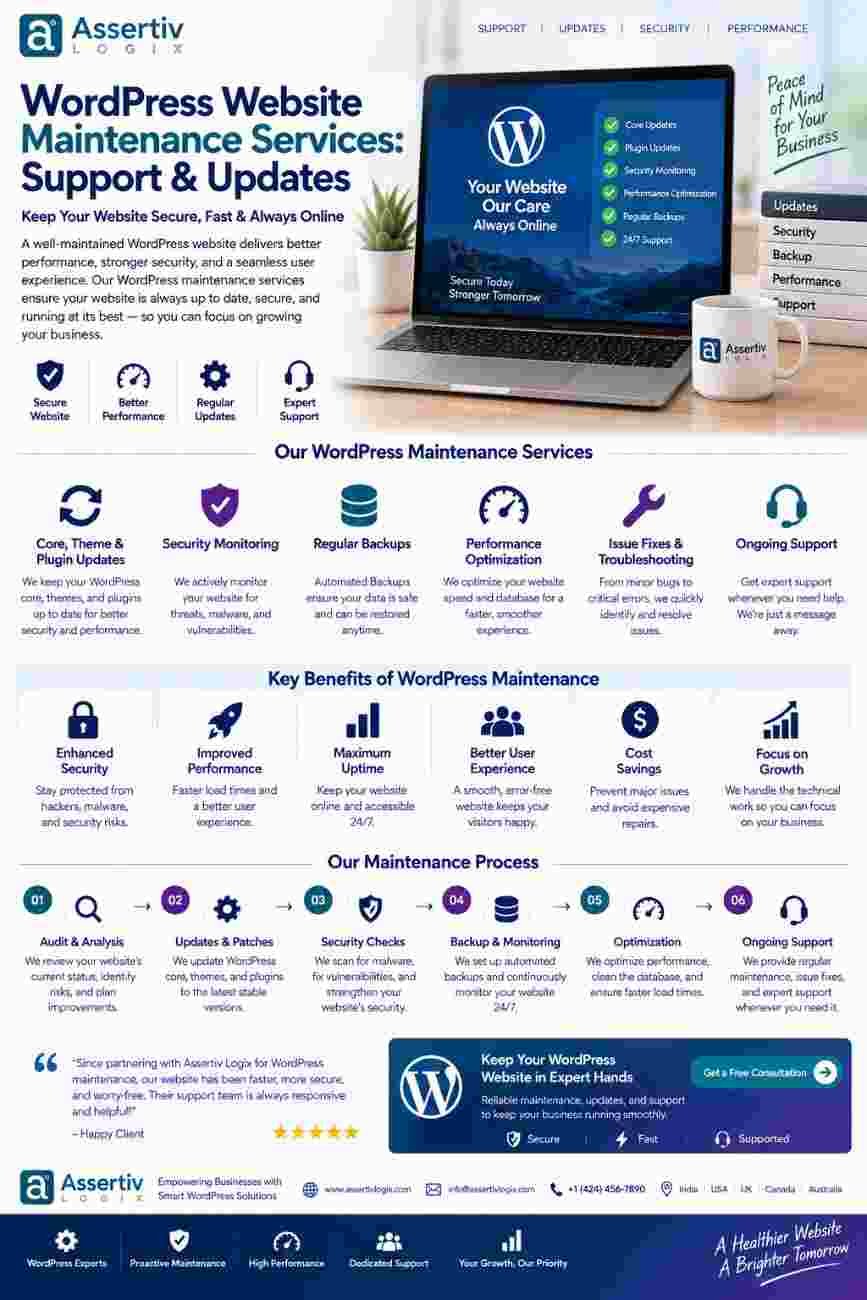
WordPress website maintenance services cover the ongoing technical work required to keep a WordPress website secure, stable, optimized, and up to date.
Maintenance can range from routine WordPress and plugin updates to security monitoring, backups, performance optimization, bug fixes, content support, technical troubleshooting, and ongoing development.
For a business website, maintenance should be viewed as an ongoing investment rather than an occasional emergency service.
What Are WordPress Website Maintenance Services?
WordPress website maintenance services are ongoing services designed to keep a WordPress website working correctly and securely after it has been launched.
Depending on the website and maintenance plan, services may include:
- WordPress core updates
- Theme updates
- Plugin updates
- Security monitoring
- Website backups
- Performance monitoring
- Bug fixes
- Broken link checks
- Database maintenance
- Uptime monitoring
- Technical troubleshooting
- Content updates
- SEO support
- Website migrations
- Custom development
The exact scope depends on the website’s size, complexity, traffic, integrations, eCommerce functionality, and business requirements.
Why Is WordPress Website Maintenance Important?
WordPress websites are built from multiple components that need to work together. WordPress core, plugins, themes, hosting, PHP, databases, APIs, and third-party services can all change over time.
Regular WordPress website maintenance helps identify and address problems before they become larger issues.
Without ongoing maintenance, businesses may experience:
- Security vulnerabilities
- Broken website functionality
- Plugin conflicts
- Slow page loading
- Database problems
- Outdated software
- Broken forms
- Compatibility issues
- Downtime
- Declining user experience
Professional WordPress website maintenance services provide a structured way to manage these ongoing responsibilities.
1. WordPress Core Updates
WordPress regularly releases updates that can include new functionality, improvements, bug fixes, and security-related changes.
Keeping WordPress updated is an important part of WordPress website maintenance services.
However, updates should not always be applied blindly. On complex websites, updates should be reviewed and tested to identify potential compatibility problems with themes, plugins, custom code, or integrations.
Professional maintenance can include reviewing updates, creating backups, testing important functionality, and resolving compatibility issues when necessary.
Developers can refer to the official WordPress Developer Resources for technical documentation and development guidance.
2. Plugin and Theme Updates
Plugins and themes are critical components of many WordPress websites.
Outdated plugins and themes can create compatibility, security, and performance concerns. At the same time, immediately updating every component without testing can potentially cause conflicts on customized websites.
Professional WordPress maintenance services can follow a controlled update process:
- Review available updates.
- Check compatibility requirements.
- Create a backup.
- Apply updates in an appropriate environment.
- Test important website functionality.
- Resolve any compatibility issues.
- Verify the production website.
3. WordPress Security Monitoring
Security is one of the most important reasons businesses invest in WordPress website maintenance services.
Security maintenance can include monitoring the website, reviewing suspicious activity, keeping software updated, checking user accounts, and addressing known security issues.
Other security practices can include:
- Strong administrator authentication
- Appropriate user permissions
- Secure passwords
- Regular backups
- Software updates
- Secure hosting
- Malware monitoring
- Spam protection
- Security configuration reviews
The official WordPress security documentation provides useful guidance for securing WordPress websites.
4. Regular Website Backups
A backup provides an important recovery option if something goes wrong.
WordPress website maintenance services can include scheduled backups of website files and databases, along with backup verification and recovery planning.
Backup strategies should consider:
- How frequently backups are created
- Where backups are stored
- How long backups are retained
- Whether backups are independent of the production server
- How quickly the website can be restored
A backup that has never been tested may not provide much confidence. Regular verification can help ensure that recovery is possible when needed.
5. Website Performance Optimization
Website performance can change over time as content, plugins, scripts, images, and functionality are added.
Professional WordPress website maintenance services can monitor performance and identify areas that need optimization.
Performance maintenance may include:
- Image optimization
- Cache configuration
- Database optimization
- Plugin review
- JavaScript optimization
- CSS optimization
- Server configuration review
- Third-party script review
- Core Web Vitals monitoring
Google PageSpeed Insights can be used to evaluate website performance and identify potential improvements.
6. Bug Fixes and Technical Troubleshooting
Even well-developed websites can experience technical problems.
For example, a WordPress website may develop issues after a plugin update, hosting change, PHP version update, or third-party API modification.
WordPress website support services can help diagnose and resolve problems such as:
- Broken forms
- Plugin conflicts
- Theme issues
- PHP errors
- Database errors
- Broken layouts
- API integration problems
- Checkout issues
- Login problems
- Email delivery issues
Having access to a professional WordPress developer can be particularly valuable when the problem involves custom code or complex integrations.
7. Uptime Monitoring
Your website needs to be available when customers, prospects, and search engines visit it.
Uptime monitoring can help identify when a website becomes unavailable so that technical problems can be investigated quickly.
Professional WordPress website maintenance services can include monitoring and support for issues related to:
- Server availability
- Hosting problems
- DNS configuration
- SSL certificates
- Application errors
- Database availability
Early detection can help reduce the potential impact of unexpected downtime.
8. Database Maintenance
The WordPress database stores content, settings, metadata, user information, and other website data.
Over time, databases can accumulate unnecessary revisions, temporary data, unused information, or inefficient queries.
Depending on the website, WordPress maintenance services may include database monitoring and optimization.
Database maintenance should be performed carefully, particularly on eCommerce, membership, and high-traffic websites where data integrity is critical.
9. SEO and Technical Monitoring
Website maintenance should also consider search engine visibility.
Technical changes can sometimes affect SEO, particularly when URLs, redirects, content structures, plugins, or website architecture change.
Ongoing WordPress website maintenance services can include monitoring:
- Broken links
- Redirects
- Indexability
- XML sitemaps
- Canonical URLs
- Metadata
- Structured data
- Website performance
- Mobile usability
Businesses can also use Google Search Console to monitor search visibility and identify certain search-related issues.
10. Content Updates and Website Support
Many businesses need technical help even when there is no major development project.
For example, your marketing team may need a new landing page, service page, banner, form, blog category, or website section.
WordPress website maintenance services can include ongoing content and technical support such as:
- Adding new pages
- Updating existing content
- Adding images
- Updating menus
- Creating landing pages
- Updating forms
- Managing website banners
- Making small design changes
This allows internal teams to request technical changes without starting a completely new development project every time.
11. WooCommerce Maintenance
WooCommerce websites often require additional maintenance because they involve products, customers, orders, payments, shipping, taxes, emails, and third-party integrations.
Professional WordPress website maintenance services for WooCommerce can include:
- WooCommerce updates
- Payment gateway testing
- Checkout testing
- Product functionality checks
- Order workflow testing
- Shipping integration checks
- Performance optimization
- Security monitoring
Businesses can refer to the official WooCommerce documentation for product and technical information.
12. PHP and Hosting Environment Updates
WordPress websites depend on the hosting environment as well as WordPress itself.
PHP versions, database systems, server configurations, SSL certificates, caching systems, and other infrastructure components can change over time.
A professional maintenance team can review the hosting environment and identify compatibility or configuration issues before they cause major problems.
What Is Included in a WordPress Maintenance Plan?
A professional WordPress website maintenance services plan can be customized based on the website’s needs.
| Maintenance Area | Typical Service |
|---|---|
| WordPress Core | Updates and compatibility checks |
| Plugins | Updates, monitoring, and conflict resolution |
| Theme | Updates and maintenance |
| Security | Monitoring and security reviews |
| Backups | Scheduled backups and recovery support |
| Performance | Speed monitoring and optimization |
| Bug Fixes | Technical troubleshooting |
| SEO | Technical monitoring and issue resolution |
| Content | Minor content and website updates |
| Support | Developer assistance and technical guidance |
Monthly vs One-Time WordPress Maintenance
Businesses can generally choose between ongoing maintenance and one-time technical support.
| One-Time Maintenance | Ongoing Maintenance |
|---|---|
| Useful for specific problems | Designed for continuous website care |
| Updates performed when requested | Regular updates and monitoring |
| Suitable for occasional needs | Suitable for business-critical websites |
| Limited proactive monitoring | Ongoing monitoring and support |
| Issue-based approach | Preventive maintenance approach |
For websites that generate leads, process orders, publish important content, or support business operations, ongoing WordPress website maintenance services can provide greater continuity.
How Often Should a WordPress Website Be Maintained?
Maintenance frequency depends on the website.
A simple brochure website may require less frequent attention than a busy WooCommerce store or membership platform.
Important maintenance activities can be scheduled as follows:
| Frequency | Recommended Activities |
|---|---|
| Regularly | Security, uptime, backups, and critical issue monitoring |
| Monthly | Updates, performance checks, broken links, and website review |
| Quarterly | SEO, database, plugin, performance, and security review |
| As Needed | Bug fixes, content changes, new functionality, and emergency support |
The schedule should be adjusted according to website complexity, update requirements, traffic, business importance, and technical risk.
WordPress Website Maintenance Checklist
A useful WordPress website maintenance checklist can include:
- Check WordPress core updates
- Review plugin updates
- Review theme updates
- Verify backups
- Check website uptime
- Review security alerts
- Test contact forms
- Test important user journeys
- Check broken links
- Review website speed
- Monitor Core Web Vitals
- Review Google Search Console
- Check SSL status
- Review database health
- Remove unnecessary plugins
- Review user accounts and permissions
Benefits of Professional WordPress Website Maintenance Services
Professional maintenance provides several advantages for businesses that depend on their websites.
Better Security
Regular updates and security monitoring can help reduce the risks associated with outdated software and poorly configured websites.
Better Performance
Regular performance monitoring can identify problems before they significantly affect the user experience.
Less Downtime
Monitoring and proactive troubleshooting can help identify certain problems earlier.
Faster Problem Resolution
Having an experienced WordPress developer available can make it easier to resolve technical issues.
More Predictable Costs
A maintenance plan can make routine website care more predictable than relying entirely on emergency development work.
More Time for Your Business
Outsourcing technical maintenance allows business owners and marketing teams to focus on customers, sales, content, and growth rather than routine technical tasks.
WordPress Maintenance for Business Websites
Business websites often need more than basic updates.
A business website may depend on contact forms, CRM integrations, analytics, marketing automation, booking systems, lead-generation pages, and other tools.
Professional WordPress website maintenance services can help ensure these connected systems continue to work properly.
Maintenance is particularly valuable when a website is an important part of your sales or marketing infrastructure.
WordPress Maintenance for WooCommerce Websites
WooCommerce websites require additional attention because even a small technical issue can affect customers and orders.
Maintenance should include regular testing of:
- Product pages
- Add-to-cart functionality
- Cart
- Checkout
- Payment gateways
- Shipping
- Order emails
- Customer accounts
- Coupons
- Inventory functionality
For an online store, professional WordPress website maintenance services can help identify problems before they affect a larger number of customers.
WordPress Maintenance for Agencies
Digital agencies often manage multiple client websites and may not have an internal WordPress developer available for every technical requirement.
White-label WordPress website maintenance services can help agencies provide ongoing technical support while keeping their own client relationship and branding.
Maintenance support can cover:
- Client website updates
- Bug fixes
- Security checks
- Performance optimization
- WordPress development
- Plugin customization
- Theme customization
- Emergency technical support
This can allow agencies to expand their WordPress service offering without building a large internal development team.
Common WordPress Maintenance Mistakes
1. Updating Without a Backup
Important updates should be performed with an appropriate backup and recovery strategy.
2. Ignoring Plugin Conflicts
Plugins should be reviewed and tested, especially on websites with custom development.
3. Maintaining Only When Something Breaks
Reactive maintenance can result in unnecessary downtime and emergency development costs.
4. Ignoring Security
Security should be part of regular maintenance rather than addressed only after an incident.
5. Forgetting Performance
Performance should be monitored continuously because websites can become slower as content and functionality grow.
6. Not Testing Forms
Contact and lead-generation forms are critical business functions and should be tested regularly.
7. Ignoring Third-Party Integrations
APIs and external services can change. Connected integrations should therefore be monitored and tested.
How to Choose WordPress Website Maintenance Services
Before choosing a maintenance provider, consider:
- WordPress expertise
- Custom development experience
- Security knowledge
- Performance optimization skills
- WooCommerce experience
- Backup and recovery process
- Response time
- Support availability
- Reporting process
- Emergency support
You should also confirm exactly what is included in the maintenance plan and whether development work, emergency fixes, content updates, and third-party integrations are covered.
Why Choose Assertivlogix for WordPress Website Maintenance?
At Assertivlogix, we provide WordPress website maintenance services designed to help businesses keep their websites secure, updated, optimized, and reliable.
Our WordPress support capabilities can include:
- WordPress core updates
- Plugin and theme updates
- Security improvements
- Website backups
- Bug fixing
- Performance optimization
- Core Web Vitals optimization
- WooCommerce support
- Custom WordPress development
- API integration support
- Website redesign
- WordPress migration
We can work with existing WordPress websites as well as websites originally developed by Assertivlogix.
Our goal is to provide practical technical support that keeps your website working properly while giving you access to WordPress development expertise when new requirements arise.
Learn more about our WordPress development services or contact our team to discuss your maintenance and support requirements.
Keep your WordPress website secure, updated, fast, and ready for business with professional maintenance and ongoing technical support.
Frequently Asked Questions
What are WordPress website maintenance services?
WordPress website maintenance services provide ongoing technical care such as WordPress, theme, and plugin updates, security monitoring, backups, performance optimization, bug fixing, troubleshooting, and technical support.
Why is WordPress website maintenance important?
Regular WordPress maintenance helps keep websites secure, functional, updated, and optimized while reducing the risk of compatibility problems, security issues, performance problems, and unexpected downtime.
How often should a WordPress website be maintained?
Maintenance frequency depends on the website. Critical security and uptime monitoring may need regular attention, while broader performance, SEO, database, and technical reviews can be performed monthly or quarterly depending on website complexity.
Do WordPress maintenance services include plugin updates?
Yes. Professional WordPress maintenance services commonly include reviewing and applying plugin updates, testing compatibility, and resolving conflicts when necessary.
Can WordPress maintenance improve website speed?
Yes. Maintenance can identify performance problems involving images, plugins, scripts, caching, databases, hosting, and other technical components and address them through appropriate optimization.
Do WordPress maintenance services include security?
Many professional maintenance plans include security monitoring, software updates, user permission reviews, backups, and other security-related activities. The exact services depend on the maintenance plan.
Are WordPress maintenance services useful for WooCommerce?
Yes. WooCommerce stores often require additional maintenance because products, checkout, payments, shipping, customer accounts, orders, and integrations need regular testing.
Can I get emergency WordPress support?
Emergency support can be offered depending on the provider and maintenance plan. Businesses should confirm response times and emergency support coverage before choosing a service.
Can a WordPress agency provide white-label maintenance?
Yes. WordPress development companies can provide white-label maintenance and technical support to digital agencies that want to offer ongoing WordPress services to their clients.
Final Thoughts
WordPress website maintenance services are an important part of managing a successful website after launch. Regular updates, security checks, backups, performance monitoring, bug fixing, and technical support can help keep your website reliable and ready for visitors.
A website should not be treated as a one-time project. As WordPress, plugins, themes, hosting environments, browsers, integrations, and business requirements evolve, your website needs ongoing attention.
Whether you operate a business website, WooCommerce store, SaaS platform, membership website, or agency-managed client portfolio, professional WordPress website maintenance can provide the technical support required to keep your website healthy.
With the right maintenance partner, you can spend less time worrying about updates and technical problems and more time focusing on your customers, marketing, and business growth.
If your WordPress website needs regular updates, security, performance optimization, bug fixes, or ongoing development support, professional WordPress website maintenance services can provide a reliable long-term solution.