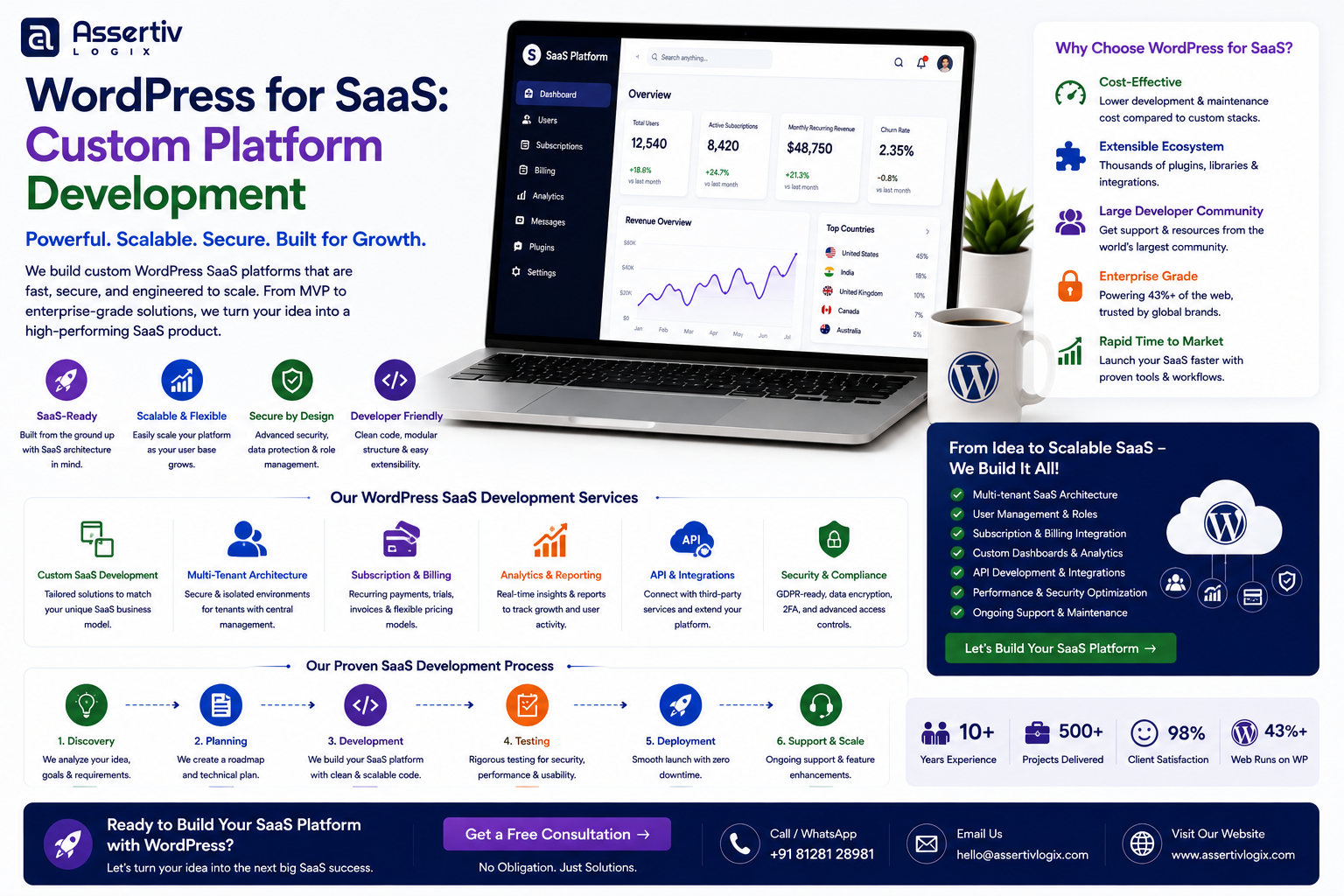
WordPress for SaaS can be much more than a marketing website. With the right architecture and custom development approach, WordPress can become the content, account, subscription, membership, and business-management layer behind a SaaS product.
For SaaS companies, the website is often only one part of the product ecosystem. Customers may need accounts, subscriptions, billing information, dashboards, documentation, onboarding flows, gated content, integrations, support resources, and personalized experiences.
That is why simply installing WordPress and adding a few plugins is rarely enough for a serious SaaS platform. A successful WordPress SaaS development project requires careful planning around architecture, user management, APIs, security, performance, payments, automation, and future scalability.
In this guide, we will explore how WordPress for SaaS works, when it makes sense, what functionality can be built, how to structure a SaaS platform, common integrations, security and performance considerations, development costs, and how to choose the right development partner.
Get expert help with custom architecture, memberships, subscriptions, APIs, dashboards, integrations, and scalable WordPress development.
What Does WordPress for SaaS Mean?
WordPress for SaaS means using WordPress as part of a software-as-a-service product architecture instead of using it only as a traditional content management system.
Depending on the product, WordPress can manage marketing content, customer accounts, memberships, subscriptions, documentation, onboarding, business workflows, and integrations.
It can also communicate with external applications through APIs when the core SaaS application requires functionality that should live outside WordPress.
A SaaS architecture using WordPress might include:
- WordPress as the content management system
- Custom WordPress plugins
- Customer registration and authentication
- Subscription management
- Membership functionality
- Customer dashboards
- REST API integrations
- External application services
- Payment processing
- Email automation
- Analytics
- Customer support systems
The official WordPress platform provides a flexible foundation, while custom development can adapt it to the specific needs of a SaaS business.
Can You Build a SaaS Platform With WordPress?
Yes, but the important question is not simply whether WordPress can build a SaaS platform. The more useful question is which parts of the SaaS product should WordPress handle?
For some SaaS businesses, WordPress can handle a significant portion of the platform. For others, WordPress may be better suited to the marketing website, documentation, account management, billing, or content layer while the core application runs on a separate technology stack.
This distinction is important because SaaS products can have very different technical requirements.
WordPress Can Be a Strong Fit When:
- Content is an important part of the product experience.
- The platform needs flexible content management.
- Customers require memberships or subscriptions.
- The product needs custom user dashboards.
- The business relies heavily on SEO and content marketing.
- Third-party API integrations are important.
- The application has moderate complexity.
- The team wants a flexible CMS with a large ecosystem.
A Different Application Architecture May Be Better When:
- The application requires highly specialized real-time processing.
- There are extremely complex computational workloads.
- The platform needs a highly specialized application architecture.
- WordPress would create unnecessary complexity for the core product.
In many cases, a hybrid approach provides the best balance.
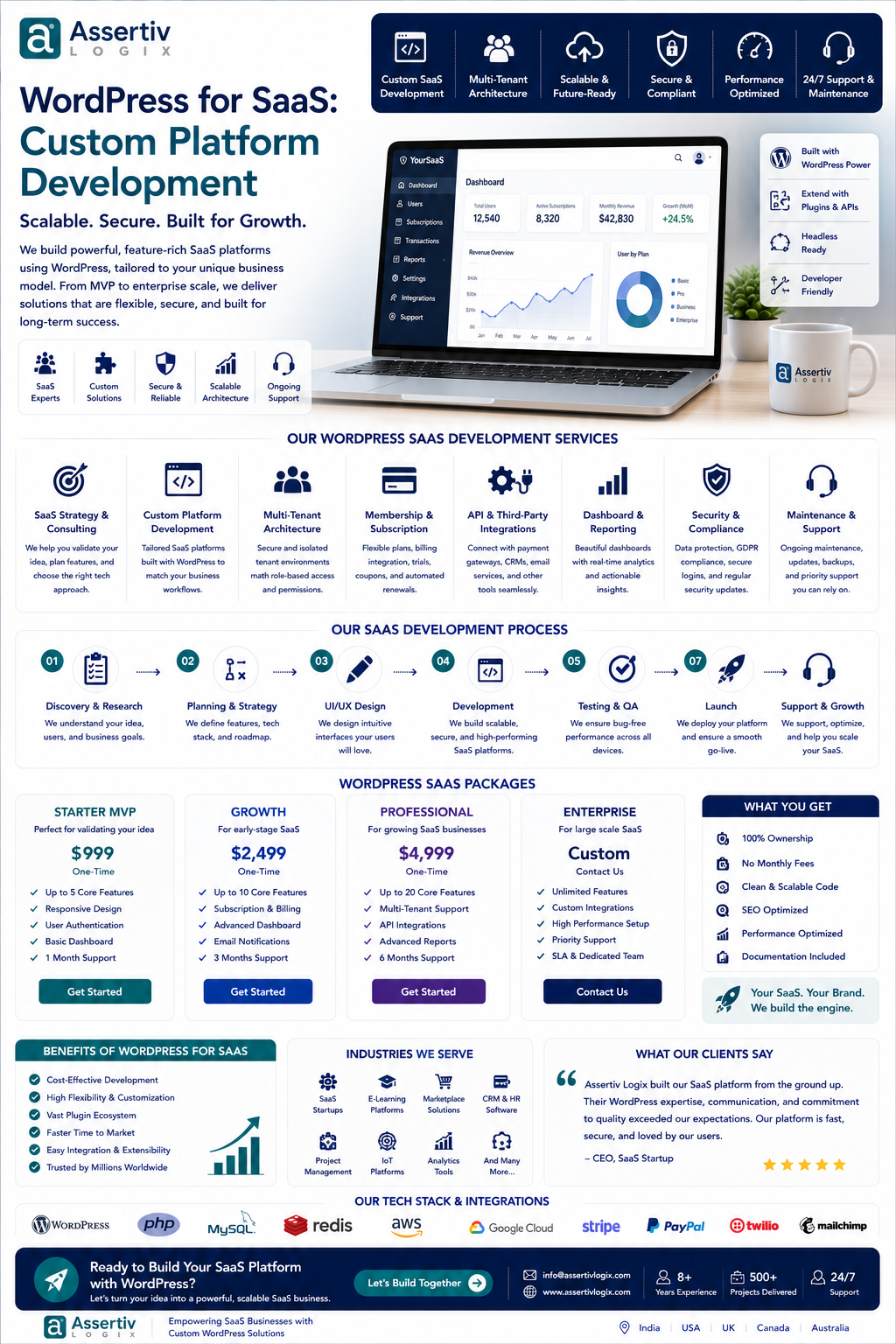
WordPress SaaS Architecture: A Practical Approach
A custom WordPress SaaS platform should be designed around clear responsibilities.
A simplified architecture might look like this:
| Layer | Possible Responsibility |
|---|---|
| Frontend | Marketing pages, application interface, customer portal |
| WordPress | Content, users, memberships, workflows |
| Custom Plugins | Business logic and SaaS-specific functionality |
| API Layer | Communication with external applications |
| Payment System | Subscriptions, invoices, transactions |
| External Services | Email, analytics, CRM, automation, application services |
| Infrastructure | Hosting, caching, CDN, backups, monitoring |
This architecture can evolve as the SaaS product grows. Some functionality can remain inside WordPress while specialized services are introduced when they become necessary.
Key Features of a Custom WordPress SaaS Platform
1. User Registration and Authentication
A SaaS product needs a reliable way for customers to create accounts, log in, reset passwords, manage profiles, and access the appropriate product features.
Custom development can create user flows that are specifically designed around the SaaS product instead of forcing customers through a generic WordPress experience.
2. Customer Dashboards
A custom dashboard can give customers access to their account information, subscriptions, usage information, resources, settings, reports, or application functionality.
Dashboard functionality can be developed as part of a custom plugin or connected to an external application through APIs.
3. Subscription Management
Subscription-based SaaS products need reliable billing workflows.
Depending on the business model, the platform may need to support:
- Free trials
- Monthly subscriptions
- Annual subscriptions
- Multiple pricing plans
- Plan upgrades
- Plan downgrades
- Cancellation
- Renewals
- Payment failure handling
- Customer billing information
4. Membership and Access Control
A SaaS business may offer different features based on the customer’s subscription plan.
For example, a basic customer could receive access to a limited feature set while a professional or enterprise customer receives additional functionality.
Custom access rules can connect user roles, subscription plans, product features, and account status.
5. SaaS Onboarding
Good onboarding can have a major impact on user activation.
A custom WordPress SaaS platform can include onboarding flows such as:
- Account creation
- Business profile setup
- Product configuration
- Integration setup
- Feature tutorials
- Welcome emails
- Setup checklists
- First-use workflows
6. Custom User Roles
SaaS products often have more complex permissions than standard WordPress websites.
A platform might have:
- Account owners
- Administrators
- Managers
- Team members
- Billing users
- Read-only users
- Support users
Custom capabilities and permission systems can control what each user can see and modify.
WordPress SaaS API Integrations
APIs are often central to custom WordPress SaaS platform development.
A SaaS product may need to communicate with external services such as:
- CRM platforms
- Payment providers
- Email marketing platforms
- Analytics systems
- Customer support platforms
- Accounting software
- Cloud storage
- External application servers
- AI services
- Business databases
WordPress provides APIs and development tools that can be extended through custom code. Developers can refer to the WordPress REST API documentation when designing API-based integrations.
WordPress for SaaS and Payment Integration
Billing is one of the most important components of a SaaS platform.
The implementation depends on the business model and payment provider, but common requirements include:
- Subscription creation
- Recurring billing
- Payment confirmation
- Invoice generation
- Failed payment handling
- Subscription cancellation
- Refund workflows
- Plan changes
- Billing history
For subscription products, billing events should be synchronized carefully between the payment provider and the SaaS platform.
If WooCommerce is part of the architecture, the official WooCommerce documentation provides resources for extending the ecommerce platform.
Custom WordPress Plugin Development for SaaS
A serious SaaS implementation should avoid putting all custom functionality directly into the theme.
Instead, core business functionality should generally be separated into custom plugins or appropriate application services.
A SaaS-specific plugin might manage:
- Account functionality
- Subscription rules
- Feature access
- Customer dashboards
- API communication
- Business workflows
- Custom database structures
- Notifications
- Automation
This approach can make the application easier to maintain and evolve independently from the visual theme.
WordPress SaaS MVP Development
Startups do not always need a complete SaaS platform on day one.
A better strategy can be to build a focused MVP containing only the features necessary to validate the business model.
A WordPress SaaS MVP might include:
- Landing pages
- User registration
- Basic dashboard
- One or two subscription plans
- Payment integration
- Core product workflow
- Email notifications
- Basic analytics
After validating the product with real customers, additional functionality can be introduced based on user feedback and business priorities.
WordPress for SaaS SEO and Content Marketing
One of the strongest reasons to consider WordPress for SaaS is its content management capability.
SaaS businesses often depend heavily on organic search to attract potential customers.
WordPress can manage:
- Product landing pages
- Feature pages
- Industry pages
- Use cases
- Blog articles
- Documentation
- Case studies
- Comparison pages
- Glossaries
- Resource libraries
Teams can use Google Search Central as a reference when planning SEO-friendly site architecture, structured content, and search visibility.
WordPress SaaS Security
Security should be considered from the beginning of the project rather than added after launch.
A SaaS platform may contain customer accounts, subscription information, business data, API credentials, and other sensitive information.
Important security practices include:
- Secure authentication
- Strong password policies
- Role-based access control
- Capability checks
- Input validation
- Output escaping
- Secure API authentication
- HTTPS
- Regular updates
- Backups
- Security monitoring
- Access logging
Developers should also follow the security recommendations in the WordPress security documentation.
Scaling a WordPress SaaS Platform
Scalability should be considered before the platform reaches its limits.
A growing SaaS business may experience increased traffic, more users, larger databases, more API requests, and more complex workflows.
Performance strategies can include:
- Page caching
- Object caching
- CDN implementation
- Database optimization
- Efficient database queries
- Optimized plugins
- Image optimization
- API response caching
- Background processing
- Cloud infrastructure
- Monitoring and alerting
Not every SaaS platform requires complex infrastructure from the beginning. The objective is to create an architecture that can evolve as the product gains users.
WordPress SaaS vs Custom Application Development
| Factor | WordPress SaaS | Fully Custom Application |
|---|---|---|
| Content Management | Excellent | Requires custom CMS |
| Development Speed | Often faster for CMS-driven products | Usually longer |
| Customization | High with custom development | Very high |
| Plugin Ecosystem | Large ecosystem | Usually built from scratch |
| SEO Content | Strong | Requires implementation |
| Application Complexity | Best for appropriate use cases | Better for highly specialized applications |
| Initial Development Cost | Can be lower | Often higher |
| Long-Term Architecture | Requires careful engineering | Fully controlled |
The right choice depends on the product. WordPress should not be selected simply because it is popular. It should be selected because its capabilities align with the SaaS business requirements.
Headless WordPress for SaaS
A headless architecture separates the WordPress backend from the frontend application.
In this model, WordPress can manage content while a separate frontend or application consumes that content through APIs.
This can be useful for SaaS companies that want:
- A highly customized frontend
- React-based interfaces
- Next.js applications
- Multiple frontend channels
- Separate application and content layers
However, headless architecture also introduces additional development and deployment complexity. It should therefore be used when there is a clear technical or business reason.
WordPress SaaS Performance Optimization
Performance directly affects user experience, conversions, and operational efficiency.
A SaaS website may contain marketing pages while also supporting logged-in application users. These two experiences can have very different caching requirements.
For example, public landing pages can often be aggressively cached, while personalized dashboard pages usually require dynamic responses.
This distinction should be reflected in the architecture.
Performance testing can be performed using tools such as Google PageSpeed Insights, along with application-level monitoring and server-side performance analysis.
How Much Does WordPress SaaS Development Cost?
The cost of WordPress SaaS development depends heavily on the complexity of the product.
| Project Type | Complexity | Main Cost Factors |
|---|---|---|
| SaaS Marketing Website | Low to Medium | Design, content, integrations |
| SaaS MVP | Medium | Accounts, subscriptions, dashboard, core workflows |
| Custom SaaS Platform | High | Business logic, APIs, dashboards, automation |
| Enterprise SaaS Platform | Very High | Scalability, security, integrations, infrastructure |
| Headless SaaS Architecture | High to Very High | Frontend, APIs, infrastructure, deployment |
The final development budget can be affected by user roles, subscription logic, payment systems, API integrations, custom dashboards, database requirements, third-party services, UI complexity, security requirements, and ongoing support.
Common Mistakes When Building SaaS With WordPress
Using Too Many Plugins
Installing numerous plugins to assemble a SaaS platform can create unnecessary dependencies. Critical business functionality should be reviewed carefully and custom-built when appropriate.
Putting Business Logic in the Theme
Business functionality should generally be separated from presentation so it remains maintainable when the frontend design changes.
Ignoring API Architecture
As the SaaS product grows, poorly designed integrations can become a significant source of technical problems.
Underestimating Security
Customer accounts and subscription systems require stronger security practices than a simple brochure website.
Building Everything Before Validation
Startups can spend significant resources developing features that customers never use. An MVP-first approach can help validate the product before expanding the platform.
Ignoring Scalability Until Launch
Architecture decisions made early can affect future performance. Even if the first version is small, developers should understand the expected growth path.
How to Build a Custom WordPress SaaS Platform
Building a custom WordPress SaaS platform works best when development follows a structured process.
Step 1: Define the SaaS Business Model
Determine your target customers, pricing plans, subscription model, core product functionality, user roles, and key customer journeys.
Step 2: Identify the Role of WordPress
Decide whether WordPress will manage the entire application, only selected SaaS functionality, or primarily the content and marketing layer.
Step 3: Plan the Architecture
Define the database structure, custom plugins, APIs, authentication, payment integrations, external services, hosting, caching, and deployment strategy.
Step 4: Design the User Experience
Create the customer journey from registration through onboarding, subscription, product usage, account management, and cancellation.
Step 5: Develop the MVP
Build only the core functionality required to validate the SaaS product.
Step 6: Integrate External Services
Connect payment providers, CRMs, email systems, analytics platforms, application APIs, or other services required by the business.
Step 7: Test Security and Performance
Test authentication, permissions, APIs, forms, payment workflows, application functionality, responsive behavior, and performance.
Step 8: Launch and Monitor
Deploy the platform with appropriate backups, monitoring, analytics, and error tracking.
Step 9: Improve Based on Customer Feedback
Use actual customer behavior and feedback to prioritize future features and improvements.
Why Choose Assertivlogix for WordPress SaaS Development?
Assertivlogix provides custom WordPress development for businesses that require more than a standard website.
Our capabilities include custom WordPress development, custom plugins, custom themes, WooCommerce development, API integrations, website performance optimization, migration, security improvements, and ongoing maintenance.
For SaaS businesses, the focus is on building a practical architecture around the product’s actual requirements rather than adding unnecessary complexity.
Whether you are validating a SaaS MVP, expanding an existing WordPress-based product, building a customer portal, implementing subscriptions, or connecting WordPress with an external application, the development approach should be designed for both today’s requirements and tomorrow’s growth.
Let’s discuss your SaaS idea, technical requirements, integrations, subscriptions, dashboards, and development roadmap.
Frequently Asked Questions About WordPress for SaaS
Can WordPress be used to build a SaaS platform?
Yes. WordPress can be used for SaaS products when its role is carefully defined and the platform is extended with custom development, APIs, user management, subscriptions, dashboards, and appropriate infrastructure.
Is WordPress good for SaaS startups?
WordPress can be a practical option for SaaS startups when content management, SEO, memberships, subscriptions, and flexible development are important. It can also support MVP development before a product evolves into a more specialized architecture.
Can WordPress handle SaaS subscriptions?
Yes. A WordPress SaaS platform can implement subscription functionality using suitable payment and membership technologies or custom development based on the business requirements.
Can I build a SaaS dashboard with WordPress?
Yes. Custom WordPress dashboards can provide users with account information, subscriptions, reports, settings, feature access, and other SaaS-specific functionality.
Can WordPress integrate with external SaaS applications?
Yes. WordPress can communicate with external applications through APIs. This allows businesses to connect WordPress with CRMs, payment providers, email platforms, analytics systems, databases, and custom applications.
Is headless WordPress good for SaaS?
Headless WordPress can be useful for SaaS products that need a separate frontend application or multiple content-consuming applications. It also adds technical complexity, so the architecture should be justified by the product’s requirements.
How much does WordPress SaaS development cost?
The cost depends on the SaaS product’s complexity. User management, subscriptions, dashboards, APIs, integrations, custom business logic, security, infrastructure, and performance requirements can significantly affect the overall development budget.
Should I build a complete SaaS platform or start with an MVP?
For many startups, beginning with a focused MVP is a practical approach. It allows the business to validate its core product and customer demand before investing heavily in advanced functionality.
Conclusion
WordPress for SaaS can provide a flexible foundation for SaaS companies that need powerful content management alongside memberships, subscriptions, customer accounts, dashboards, integrations, and custom business functionality.
The most important consideration is architecture. WordPress should handle the responsibilities it is well suited for, while specialized application services can be introduced when the product requires them.
With a thoughtful development strategy, a custom WordPress SaaS platform can start as a focused MVP and evolve into a more sophisticated digital product as customer demand grows.
If you are planning a SaaS product and want to determine whether WordPress is the right technology for your project, contact Assertivlogix to discuss your requirements.