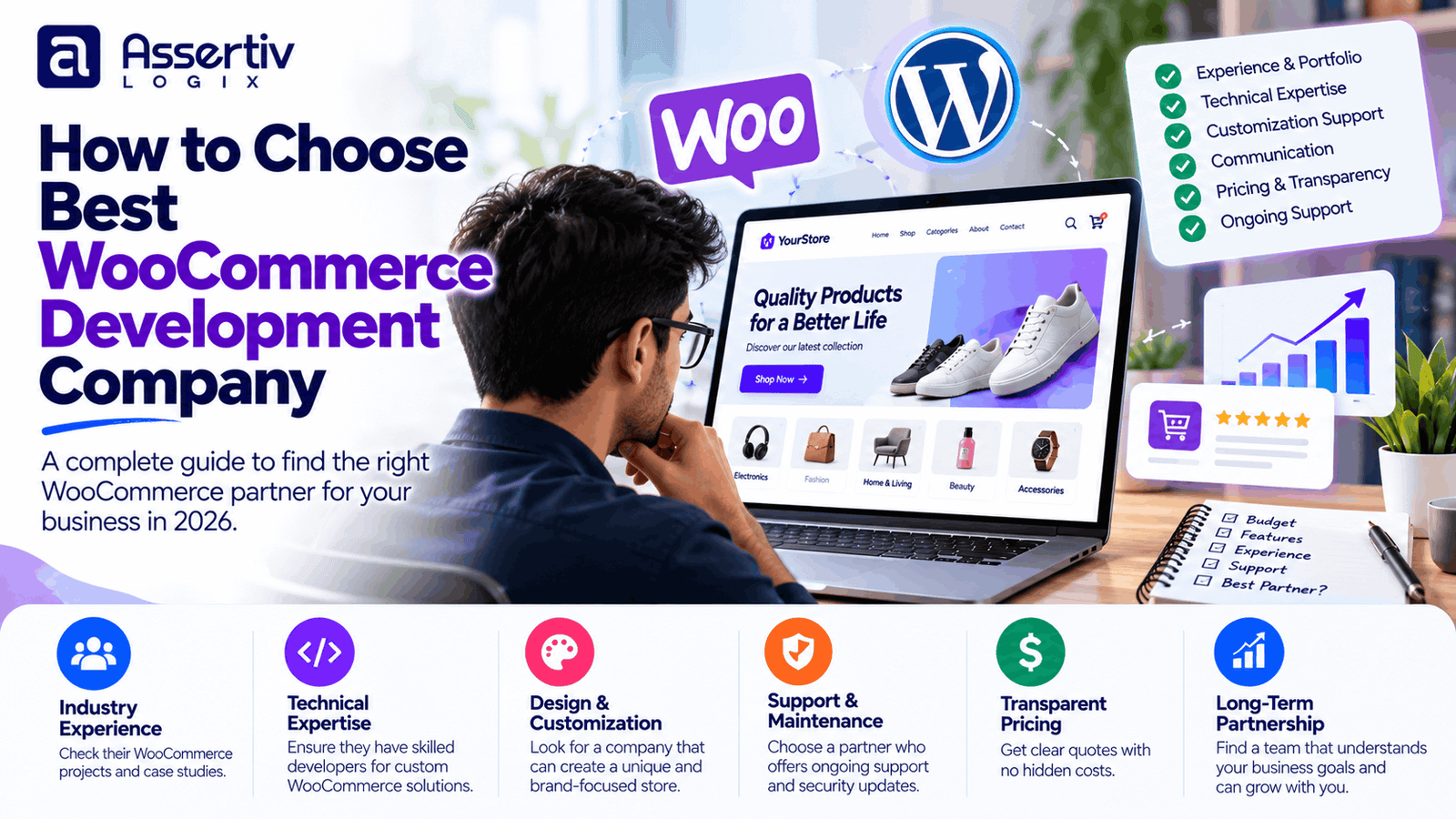
Choosing the best WooCommerce development company isn’t just about finding someone who can build an online store. You need a development partner who understands your business, knows how ecommerce works behind the scenes, and can build a website that customers can actually use.
At first, comparing agencies can feel straightforward. One company offers a lower price, another promises a custom design, and a third highlights years of experience. But once you start discussing product variations, payment gateways, shipping rules, inventory, integrations, and future maintenance, the differences become much clearer.
A good WooCommerce development company should help you make sensible technical decisions, explain the trade-offs, and deliver a store that fits your requirements without adding unnecessary complexity.
Whether you’re launching a new ecommerce business, redesigning an existing store, or improving a website that has become difficult to manage, here’s what to look for before signing a development agreement.
1. Look for Relevant WooCommerce Experience
WordPress experience is useful, but building a business website and developing an ecommerce store are two different jobs.
A WooCommerce project involves products, variations, cart behavior, checkout, order management, shipping, payments, taxes, and customer accounts. Depending on the business, it may also involve subscriptions, wholesale pricing, inventory synchronization, or custom integrations.
When evaluating the best WooCommerce development company for your project, look for experience that matches your actual requirements.
Ask questions such as:
- Have you developed WooCommerce stores with a similar product catalog?
- Have you integrated the payment gateways we use?
- Can you handle variable products, subscriptions, or custom pricing?
- Have you worked with shipping providers or inventory systems?
- Can you explain the technical challenges in previous projects?
You don’t necessarily need an agency that has built hundreds of stores. You need a team that can demonstrate relevant experience and explain how it applies to your project.
2. Review Their Portfolio Carefully
A portfolio is more useful when you look beyond the homepage screenshots.
Open a few live websites and try using them as a customer. Search for a product, open a product page, select variations, add an item to the cart, and check how the checkout process works.
Pay attention to:
- Mobile usability
- Navigation and product discovery
- Product page layouts
- Shopping cart behavior
- Checkout simplicity
- Loading speed
- Visual consistency
Ask the company what work it actually completed. An agency may have handled the entire store, or it may have contributed only a specific feature or design component.
That distinction matters when you’re trying to understand whether the team can manage your project from planning through launch.
3. Make Sure They Understand Your Business Goals
Before discussing themes or plugins, a good development partner should ask what you’re trying to achieve.
Are you launching a new brand? Replacing an outdated store? Selling internationally? Reducing manual order processing? Improving conversions? Connecting WooCommerce with an existing inventory system?
Each goal can lead to a different development plan.
For example, a small retailer may benefit most from a clean product catalog and a reliable checkout. A wholesale business might need customer-specific pricing, minimum order quantities, bulk ordering, and account approval workflows.
The best WooCommerce development company will connect its technical recommendations to your business requirements instead of pushing the same package on every client.
4. Check Their Custom Development Capabilities
Plugins make WooCommerce flexible, but not every business requirement can be handled by installing another extension.
You may eventually need custom functionality for:
- Product configurators
- Wholesale and role-based pricing
- Custom checkout fields
- Subscription workflows
- Vendor dashboards
- Inventory synchronization
- ERP or CRM integration
- Custom order automation
Ask how the company approaches custom development. Experienced developers should be able to explain when an existing plugin is sufficient and when custom code is justified.
They should also avoid unnecessary modifications to WordPress or WooCommerce core files, because those changes can make future updates more difficult.
You can review the WooCommerce developer resources to understand the platform’s development ecosystem.
5. Evaluate Their Payment and Shipping Integration Experience
Payment and shipping problems can quickly become business problems.
A payment gateway might need to handle successful payments, failed transactions, refunds, and order status updates. A shipping integration may need to calculate rates based on destination, product weight, dimensions, or delivery method.
If you’re selling in multiple countries, currency handling, local payment options, taxes, and international shipping may add further complexity.
Before hiring a company, confirm that it understands the integrations your store needs and can explain any limitations or additional costs.
Don’t assume that every payment gateway supports recurring billing, split payments, or marketplace payouts simply because it works with WooCommerce.
6. Ask About Website Performance and Security
A store should look good, but it also needs to work reliably.
Large product images, poorly configured plugins, excessive scripts, inefficient database queries, and unsuitable hosting can all affect performance.
Ask your prospective development company how it approaches:
- Image optimization
- Caching and content delivery networks
- Plugin and theme selection
- Mobile performance
- Database efficiency
- Software updates
- Backups and recovery
- Security monitoring
Be cautious of anyone who guarantees a perfect performance score without first understanding the website, its functionality, and its hosting environment.
You can test existing pages with Google PageSpeed Insights and review the WordPress security documentation for guidance on website protection.
For more details about performance budgets, see our WordPress Speed Optimization Cost and ROI guide.
7. Compare Pricing and Project Scope
Price is important, but the cheapest quotation isn’t automatically the best value.
Two agencies might quote different amounts because one includes custom design, product migration, payment integration, testing, and launch support, while the other covers only basic setup.
Compare proposals using the same checklist.
| Project Item | What to Confirm |
|---|---|
| Design | Custom design or theme customization? |
| Products | How many products and variations are included? |
| Payments | Which payment gateways will be configured? |
| Shipping | Are shipping rules and integrations included? |
| Custom features | Which features are included in the agreed scope? |
| SEO | Are technical SEO basics and redirects included? |
| Testing | Are mobile, checkout, and browser tests included? |
| Support | What happens after launch? |
For general planning, a basic WooCommerce store may cost around $1,000–$2,000+, a professional store around $2,000–$4,000+, and a custom ecommerce project $4,000–$15,000 or more. These are broad estimates, not fixed market rates or a quotation for your specific requirements.
Our eCommerce WordPress Website Cost guide explains the main expenses involved in building an online store.
8. Understand Their Development Process
A professional company should be able to explain how the project will move from the first conversation to launch.
A typical process includes:
Discovery and Planning
The team gathers requirements, reviews existing systems, identifies risks, and defines the scope.
Design and Development
The agreed layouts and functionality are implemented. This may involve theme customization, plugin configuration, custom code, and integrations.
Testing
The team checks the shopping journey, including product selection, cart updates, checkout, payment status, order emails, and mobile layouts.
Launch
The store is deployed, important settings are verified, and any required redirects and analytics are checked.
Post-Launch Support
The company explains how bugs, updates, and new requests will be handled after the website goes live.
If the proposed process is vague, ask for clearer milestones and deliverables before making a commitment.
9. Check Communication and Project Management
Technical skill matters, but communication has a major effect on the project experience.
During the initial discussions, notice whether the company listens carefully, asks useful questions, and explains technical decisions in language you can understand.
Before work begins, clarify:
- Who will be your main point of contact?
- How often will progress updates be shared?
- How will you review designs and test features?
- How will additional requirements be priced?
- What happens if the timeline changes?
- Who owns the website code and project assets?
A clear agreement protects both sides and reduces misunderstandings later.
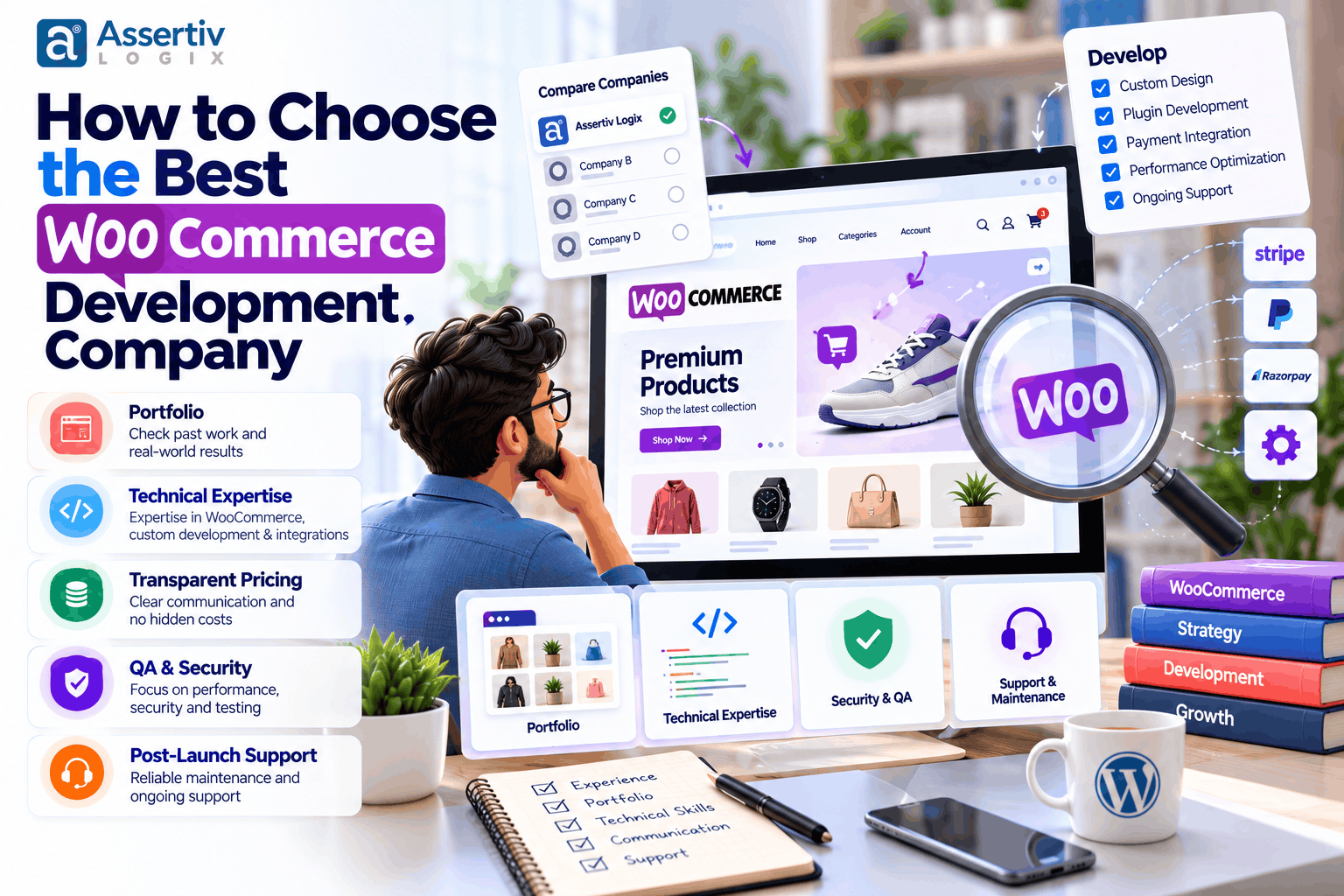
10. Ask About Maintenance and Long-Term Support
Your WooCommerce store will need attention after launch. WordPress, WooCommerce, themes, plugins, payment services, and integrations can change over time.
Find out whether the company provides ongoing maintenance or whether you’ll need another provider.
A maintenance plan might include updates, backups, security checks, uptime monitoring, compatibility testing, and a defined amount of technical support.
Also clarify what the plan excludes. Major feature development, third-party service fees, emergency recovery, and substantial redesign work may be charged separately.
Our WordPress Maintenance Cost guide covers typical recurring support expenses.
11. Watch for Common Warning Signs
Not every warning sign means a company is incapable, but several should prompt further questions.
- Unclear pricing: The proposal doesn’t explain what’s included.
- Unrealistic promises: The company guarantees sales, search rankings, or perfect performance without qualification.
- No relevant portfolio: It cannot demonstrate comparable work or explain its role in past projects.
- Plugin overload: It recommends extensions without discussing compatibility, licensing, or maintenance.
- No testing plan: It cannot explain how checkout and payment workflows will be verified.
- Unclear ownership: Access to hosting, code, licenses, or website assets is not properly addressed.
- No support agreement: Expectations after launch are left undefined.
Ask for clarification before rejecting a provider. A trustworthy company should be willing to explain its process and limitations.
12. Freelance Developer or WooCommerce Development Company?
Both options can work well. The right choice depends on the size and complexity of your project.
| Factor | Freelance Developer | Development Company |
|---|---|---|
| Best fit | Small to medium projects | Projects needing multiple skill sets |
| Communication | Often direct | Usually through a project contact |
| Available expertise | Depends on the individual | May include design, development, QA, and support |
| Project capacity | Limited by individual availability | May support larger scopes |
| Pricing | Can be lower for focused work | Depends on scope and team structure |
A capable freelancer may be ideal for a focused store or a specific technical improvement. A development company may be more suitable when the project involves custom design, several integrations, testing, and ongoing support.
Our WordPress Developer Cost: Freelancer vs Agency guide can help you compare the two approaches.
Questions to Ask Before Hiring a WooCommerce Development Company
Before signing a proposal, ask these questions:
- Have you built a WooCommerce store with requirements similar to mine?
- What is included in the quotation?
- Which plugins and paid licenses will the store require?
- Can you develop custom features if existing plugins aren’t sufficient?
- How will payment and shipping workflows be tested?
- Will I have administrator access and ownership of the website?
- How will changes outside the original scope be handled?
- What maintenance and support options are available after launch?
The answers should help you understand how the company works, not just what it promises to deliver.
Why Consider Assertivlogix for WooCommerce Development?
Assertivlogix provides WordPress and WooCommerce development for businesses that need a store tailored to their products, customers, and operational workflows.
Depending on your requirements, a project can include:
- WooCommerce store setup and customization
- Custom ecommerce design
- Custom plugin development
- Payment and shipping integrations
- Inventory and third-party API integrations
- Website migration and redesign
- Speed optimization and security improvements
- Ongoing maintenance and technical support
The goal is to select an approach that makes sense for your business. That may mean configuring established plugins for a straightforward store or building custom functionality where the business genuinely needs it.
Tell us about your products, current website, payment and shipping requirements, and the features you want to add. We’ll help you understand the scope and plan the next steps for your ecommerce project.
Final Thoughts
Choosing the best WooCommerce development company means finding a team that understands your business, has relevant technical experience, communicates clearly, and can explain exactly what it will deliver.
Review live projects, compare proposals carefully, ask about custom development, and make sure testing and post-launch support are covered.
Most importantly, don’t choose a provider based on price alone. A well-planned store should be practical to manage, reliable for customers, and flexible enough to support your business as it grows.
Frequently Asked Questions
How do I choose the best WooCommerce development company?
Review relevant ecommerce projects, assess WooCommerce experience, compare detailed proposals, ask about integrations and testing, and clarify ownership and post-launch support before signing an agreement.
How much does a WooCommerce development company charge?
A basic store may cost around $1,000–$2,000+, a professional store $2,000–$4,000+, and a custom ecommerce project $4,000–$15,000 or more. Actual costs depend on requirements, location, experience, and project scope.
Should I hire a freelancer or a WooCommerce agency?
A freelancer can be a good fit for a focused project. An agency may be more suitable for complex stores requiring design, custom development, integrations, testing, and ongoing support.
What skills should a WooCommerce developer have?
Relevant skills include WordPress, WooCommerce, PHP, JavaScript, HTML, CSS, database fundamentals, payment integrations, API development, debugging, security, and ecommerce performance optimization.
Should a WooCommerce development company provide maintenance?
It should explain the available maintenance options, including updates, backups, security checks, compatibility testing, and support. You should also understand which services are included and which are billed separately.
How can I check a WooCommerce company’s work?
Review live websites, test product pages and checkout where possible, check mobile usability, and ask the company to explain its specific contribution to each relevant project.
How do I request a WooCommerce development quote?
Prepare your product count, design requirements, payment and shipping needs, integrations, and desired launch timeline. Then contact Assertivlogix to discuss your requirements.