The internet has made it easier than ever for WooCommerce store owners to sell products globally. Whether you’re selling physical products, digital downloads, subscriptions, or services, your potential customer base is no longer limited by geography. However, successfully selling to customers across multiple countries requires more than just international shipping and multilingual content.
One of the most overlooked factors affecting international eCommerce conversions is currency localization. When customers visit your store and see prices displayed in a foreign currency, it creates uncertainty and friction that can negatively impact purchasing decisions.
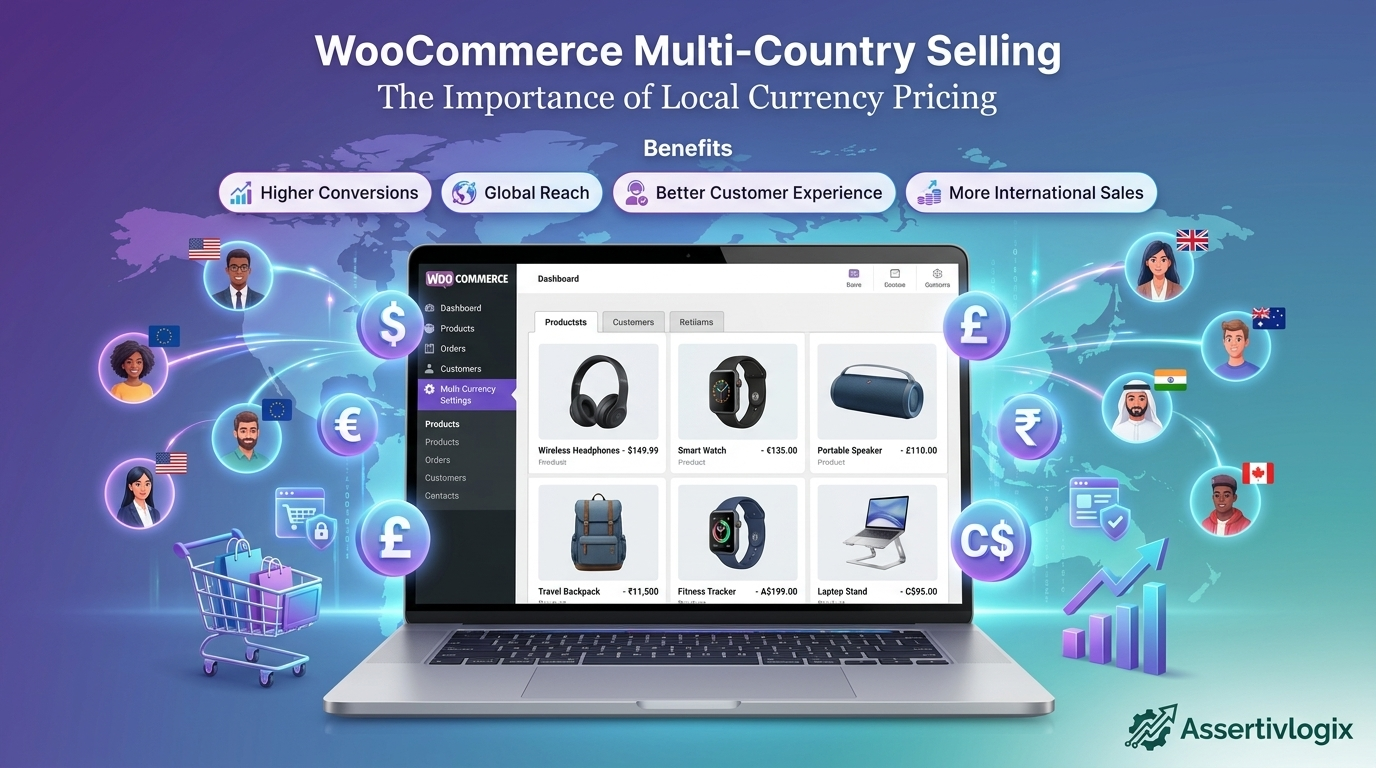
That’s why many successful online stores use the Assertivlogix Local Currency Display for WooCommerce plugin to automatically show product prices in the visitor’s local currency, creating a smoother and more trustworthy shopping experience.
The Rise of Global WooCommerce Stores
WooCommerce has become one of the most popular eCommerce platforms in the world because of its flexibility, scalability, and extensive customization options. Businesses of all sizes use WooCommerce to reach customers across continents.
However, global selling introduces new challenges, including:
- Language differences
- Payment preferences
- Shipping complexities
- Tax regulations
- Currency differences
Among these challenges, currency presentation has a direct impact on how customers perceive pricing and make buying decisions.
Why Local Currency Pricing Matters
Imagine a customer from India visiting your WooCommerce store and seeing a product priced at $99 USD. Before purchasing, they need to calculate the equivalent value in Indian Rupees, consider exchange rate fluctuations, and estimate the final amount they will be charged.
Now imagine the same customer seeing the price displayed directly as ₹8,500. The purchasing decision becomes much simpler.
This is the power of local currency pricing.
1. Builds Instant Trust with International Customers
Trust is critical in eCommerce. Customers are more likely to purchase from stores that feel familiar and transparent.
Displaying prices in local currency helps customers:
- Understand pricing immediately
- Feel more confident during checkout
- Avoid exchange rate confusion
- Trust the store’s professionalism
When shoppers see familiar currency symbols such as ₹, €, £, or $, the store feels more localized and customer-friendly.
2. Reduces Cart Abandonment
Cart abandonment remains one of the biggest challenges in eCommerce.
Many international shoppers leave websites because they are unsure about the actual cost of a product in their own currency.
Common questions include:
- How much will this cost in my currency?
- What exchange rate will my bank use?
- Will there be additional conversion fees?
By automatically displaying local currency pricing, you remove these uncertainties and make the checkout process more transparent.
This often leads to lower cart abandonment rates and higher completed purchases.
3. Improves User Experience
User experience is one of the most important factors influencing online sales.
Modern shoppers expect websites to personalize content based on their location and preferences.
Local currency pricing contributes to a better user experience by:
- Reducing cognitive effort
- Improving price comprehension
- Speeding up purchase decisions
- Creating a more localized shopping experience
The easier it is for customers to understand pricing, the more likely they are to complete a purchase.
4. Increases Conversion Rates
Every additional step in the customer journey creates friction.
When customers need to open a currency converter or search for exchange rates, they may become distracted or abandon the purchase altogether.
Showing prices in local currency allows shoppers to focus on product value rather than performing calculations.
This streamlined buying process often results in improved conversion rates and higher revenue.
5. Supports International Market Expansion
If your goal is to grow your business globally, local currency pricing is essential.
Different markets have different purchasing behaviors, expectations, and levels of trust.
By displaying prices in local currency, you create a shopping experience that feels native to each market without needing separate websites for different countries.
This allows WooCommerce stores to scale internationally while maintaining a consistent brand experience.
6. Encourages Larger Orders
When customers clearly understand pricing, they are more likely to add additional products to their cart.
Unfamiliar currencies can make products appear more expensive than they actually are.
Displaying accurate local pricing helps customers evaluate value more confidently, which can increase average order value and overall sales.
7. Creates a Competitive Advantage
Many WooCommerce stores still display prices only in their primary currency.
Offering automatic local currency display immediately differentiates your store from competitors that require customers to calculate conversions manually.
This small improvement can have a significant impact on customer satisfaction and purchasing behavior.
How Assertivlogix Local Currency Display for WooCommerce Helps
The Assertivlogix Local Currency Display for WooCommerce plugin helps store owners create a better international shopping experience by automatically displaying product prices in the visitor’s local currency.
Key Features
- Automatic visitor location detection
- Local currency price display
- Real-time currency conversion
- Seamless WooCommerce integration
- Lightweight and performance-friendly
- Easy setup and configuration
- Support for global customers
The plugin works behind the scenes to provide customers with familiar pricing without disrupting the shopping experience.
Who Benefits Most from Local Currency Pricing?
Local currency display is especially valuable for:
- International WooCommerce stores
- Dropshipping businesses
- Digital product sellers
- Subscription businesses
- SaaS companies
- Global retailers
- B2B eCommerce websites
If your store attracts visitors from multiple countries, local currency pricing can significantly improve conversion performance.
Real-World Example
Consider a WooCommerce store based in the United States that sells globally.
A visitor from Germany lands on the store and sees a product priced at $120 USD. Before purchasing, they need to estimate the equivalent amount in Euros.
With local currency pricing enabled, the same customer sees the product displayed directly in Euros, making it easier to understand pricing and proceed with the purchase.
This simple adjustment improves the overall shopping experience and increases the likelihood of conversion.
SEO and Business Benefits
While local currency pricing primarily impacts conversions, it also contributes to improved user engagement metrics.
Benefits include:
- Longer session durations
- Lower bounce rates
- Higher conversion rates
- Improved customer satisfaction
- Increased repeat purchases
Better engagement often leads to stronger long-term business performance and customer loyalty.
Why Choose Assertivlogix Local Currency Display?
Unlike complex multi-currency solutions that require extensive configuration and maintenance, Assertivlogix Local Currency Display focuses on simplicity and usability.
The plugin is designed to help WooCommerce store owners improve international sales by providing customers with pricing that feels familiar and easy to understand.
Whether you’re targeting customers in North America, Europe, Asia, Australia, or other regions, local currency pricing can help create a more personalized shopping experience.
Conclusion
Multi-country selling is one of the biggest opportunities available to WooCommerce store owners today. However, international growth requires more than simply accepting orders from different countries.
Displaying prices in local currency helps build trust, reduce cart abandonment, improve user experience, and increase conversion rates. It removes unnecessary friction from the buying process and makes customers feel more comfortable purchasing from your store.
With the Assertivlogix Local Currency Display for WooCommerce plugin, you can automatically show visitors prices in their local currency and create a better shopping experience that supports global eCommerce growth.